
Use Google AppSheet to build powerful applications that transform your business. Get started today.
AppSheet has a strong reputation for simplifying no-code app development, allowing users to build scalable applications without the need for programming skills. Users commend its integration capabilities, especially with Google Sheets, and appreciate its features like automation and machine learning. While the overall sentiment is positive, detailed user reviews seem limited, making it unclear if there are common complaints or concerns. Pricing sentiments are generally neutral, with no significant mentions either praising or criticizing it. Overall, AppSheet is well-regarded in social mentions for empowering non-developers and accelerating digital transformation.
Mentions (30d)
8
Reviews
0
Platforms
3
Sentiment
13%
10 positive
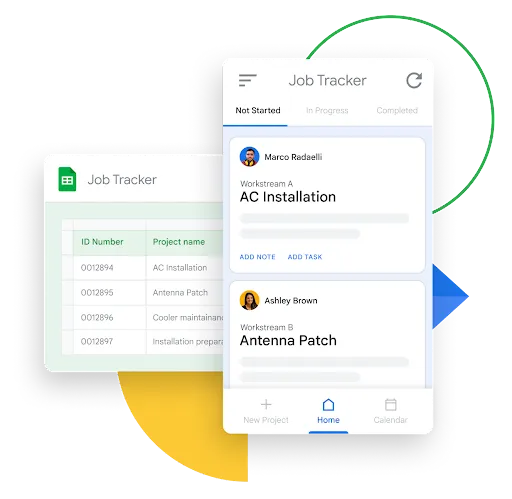


AppSheet has a strong reputation for simplifying no-code app development, allowing users to build scalable applications without the need for programming skills. Users commend its integration capabilities, especially with Google Sheets, and appreciate its features like automation and machine learning. While the overall sentiment is positive, detailed user reviews seem limited, making it unclear if there are common complaints or concerns. Pricing sentiments are generally neutral, with no significant mentions either praising or criticizing it. Overall, AppSheet is well-regarded in social mentions for empowering non-developers and accelerating digital transformation.
Features
Use Cases
Industry
information technology & services
Employees
37
Funding Stage
Merger / Acquisition
Total Funding
$18.5M
In case you missed it! A list of our most popular how to build a #nocode app resources. No matter your industry or use case, you’ll discover helpful tips, template apps and troubleshooting suggestion
In case you missed it! A list of our most popular how to build a #nocode app resources. No matter your industry or use case, you’ll discover helpful tips, template apps and troubleshooting suggestions to take your development skills to the next level! https://t.co/gvgdOR8SoH
View originalPricing found: $5, $10, $20, $5 / user, $10 / user
Skills for google app script
Hello! I'm building a personal rental management system using claude. Any skills for google app script? Kinda new to this so any guides and inputs will be appreciated! Google sheets as backend Github as front end submitted by /u/CrimsonCosm0 [link] [comments]
View originalFrom Marine Biology to Accidental Developer: Don’t know how to feel about it
A bit of background: I did my bachelor’s and master’s in marine biology. After a while working in the field, I started noticing a lot of inefficiencies in my day-to-day work — the endless paper sheets, the lack of centralised data, the manual everything. So one day, out of boredom (and frustration), I decided to build a management app for our lab. We work with fish, and the goal was simple: ditch the paper, get everything documented digitally, with a proper dashboard and live graphics. It’s still in the final stages of development, but it’s nearly there. Then something unexpected happened. While I was still building my own app, someone in the field reached out and offered me a job — they needed someone to build them an app, and they wanted a person with Python experience and domain knowledge in the area. Knowing I could pull it off, I applied. And I got the job. The main reason? My marine biology background. The technical skills mattered, but it was the combination — understanding the science and being able to build the tool — that sealed it. They also mentioned the potential for a long-term relationship on future products, which is exciting. Here’s where it gets weird. The client expected the project to take about a month. I finished it in 5 hours max, using Claude Code. The app is built. It’s in the bug-fixing stage now. And I’ve been deliberately slowing things down because I was moving so fast it started to look suspicious. I genuinely don’t know how to feel about this. Part of me wants to just deliver fast, own the efficiency, and use it as a competitive advantage. The other part wonders if I’m undervaluing my work by moving too quickly — or if the client will feel like they overpaid for something that “only took a few hours.” So my actual questions for this community: • How do you handle the delivery timing? Do you go fast and own it, or do you pace yourself? • And how do you price and position yourself when AI is doing a significant chunk of the heavy lifting? submitted by /u/Nithien0 [link] [comments]
View originalA practical Claude Code vs Codex experiment: 6 projects, cross-reviews, self-audits, and public source
I ran a practical experiment comparing Claude Code and Codex on real coding tasks. This is not meant to be a universal benchmark or a claim that one model is objectively better. I wanted to observe something narrower: how each agent builds, tests, reviews its own work, reviews the other agent’s work, admits mistakes, and revises its judgment when confronted with evidence. Source repo with all six projects, READMEs, tests, and notes: https://github.com/AdrielRod/codex-vs-claude-code Setup: 3 rounds: web, backend, and free challenge Each agent proposed challenges for the other Each agent implemented the assigned challenges Each agent reviewed both its own output and the other agent’s output I also reviewed the results manually Runtime-proven bugs were weighted more heavily than unsupported claims Projects: Round 1: Web Claude Code built cotacao-editor, a quotation editor with IndexedDB persistence, domain logic, status transitions, and a clean UI. Codex built ReactiveSheet, a mini Excel-like spreadsheet with formulas, dependency graph recalculation, undo/redo, copy/paste reference shifting, virtualization, save/load, and Lighthouse validation. Round 2: Backend Claude Code built api-cotacao, a quotation API with business rules, SQLite persistence, idempotency, and outbox behavior. Codex built FastBoard, a persistent leaderboard service with WAL, treap ranking, crash recovery, concurrency tests, and performance metrics. Round 3: Free challenge Claude Code worked on lead-dedupe-legacy, a legacy lead deduplication/debugging challenge involving normalization, mutation removal, idempotency, and concurrency locks. Codex built RegexLab, a regex engine from scratch with parser, AST, Thompson NFA, Pike simulation, recursive backtracking with backreferences, UI visualization, and Python comparison tests. My scoring result: Codex 2 x 1 Claude Code The part I found most useful was not the score itself, but the difference in method. Claude Code was strong at technical explanation, written analysis, and self-correction. In several moments it admitted mistakes clearly, corrected bad claims, and produced useful reviews. Codex was more consistent at empirical validation in this run: opening apps, clicking through flows, running kill -9 recovery tests, stress-testing concurrent writes, comparing regex output against Python, and checking actual artifacts like Lighthouse reports. The main lesson for me was: Running, breaking, measuring, and comparing against an oracle gave me better signal than only reading code and reasoning about it. There was also an interesting disagreement in the third round: whether a more ambitious project with semantic bugs should beat a smaller project with narrower bugs. That ended up being the hardest judgment call. I’m posting this because I think practical comparisons with source code and concrete failure cases are more useful than abstract model debates. I’d be interested in what other Claude Code users would change in the methodology. submitted by /u/Ready_Vehicle1232 [link] [comments]
View originalClaude cowork combined with code
Hey there, I recently started using cowork on the pro plan in the desktop app. I use it to perform business related tasks in my crm, google drive documents/sheets and other administrative tasks. In short, most of the work it performs is in external systems and not locally on the computer. Long term i also want it to send emails to leads etc.. It works great, eventhough, for most tasks it uses the browser extension because most MCPs dont have many capabilities. I even connected it to my n8n, so it can create and execute workflows for api related tasks (again the MCP is not capable of this, so it uses a combination of the browser and api calls). My question is now - is it possible to maybe use cowork and code in the same directory with shared md files, but where code does the more developer heavy tasks like create scripts for apis etc, while cowork takes care of the slightly higher level taks like working with documents? Has anyone tried this or does anyone have any good ideas for how to do this? submitted by /u/nano-zan [link] [comments]
View originalUsed Claude Code to ship a native iOS puzzle game over a weekend, full breakdown
Shipped this on the App Store using Claude Code over a few weekends. Sharing the breakdown since the workflow questions seem to come up here a lot. What it is A native iOS 2048 variant. Three board sizes (3×3, 4×4, 5×5), Game Center leaderboards, shareable result cards. Free to download and free to play (banner ads with an optional one-time IAP to remove them - playable end-to-end without paying). App Store: https://apps.apple.com/us/app/2048-classic-number-puzzle/id6755170877 How Claude helped Scaffolded the entire game model: the move/merge/spawn pipeline, score and best-score tracking, one-level undo with state snapshots, Codable persistence to UserDefaults. Probably 60% of the actual code. Wrote the SwiftUI views for the tile grid, gesture handling, and the trickier bits - spring transitions on spawned tiles, direction-aware merge edges, the “+N” score chip that animates after each move. Did all the third-party integration: AdMob, RevenueCat for IAP, Game Center authentication and leaderboard submission, App Tracking Transparency. I described what I wanted and got wired-up working code back. Built the share-card renderer end to end - a fixed-size SwiftUI view rendered via ImageRenderer, then wrapped in UIActivityItemSource with LPLinkMetadata so the share-sheet preview shows the actual card thumbnail instead of the generic text icon. Helped me write CLAUDE.md and DESIGN.md early on. Once I started pasting design tokens (radii, accent, materials, motion specs) into context for every UI change, Claude stopped inventing styles and started asking “use the existing accent or add a new one?” What I had to drive myself Spacing, hierarchy, and the feel of motion. Claude shipped five different “+N chip” implementations; I rejected four for being too aggressive. The judgment calls - 24pt vs 28pt, spring damping 0.7 vs 0.8. Those still take taste. Production polish: the confetti on a personal best, the streak pill on the wordmark, the share-card layout. Bones from Claude, finish from me. Product strategy. What to ship, what to cut, what to defer to v2. Workflow that worked Wrote CLAUDE.md (project conventions, build commands, file structure) and DESIGN.md (color/radius/spacing/motion tokens) before any feature code. Both are loaded into every session. Worked feature-by-feature in branches, one PR per feature so each diff stayed reviewable. Scoped sessions tightly - “implement the share card with these five constraints” produced way better output than “build the share feature.” Trusted xcodebuild over SourceKit. Phantom “cannot find type” errors in the IDE were almost always noise; the actual compile would pass. The unexpected part is that there’s a small daily community competing on the Game Center leaderboard now. Wasn’t planned, just sort of happened, and I ended up addicted to my own game. Happy to answer specifics about the prompts, the file conventions, or the workflow if anyone’s interested. submitted by /u/suniltarge [link] [comments]
View originalI built a free open source RPG-inspired character-sheet app with CC
I started building a structured way to store context between chats before Claude had its auto updating built-in project memory. Even now that's a thing I personally prefer asking Claude to update a structured JSON file. This gives more control over the exact context you wanna keep between sessions and allows you to easily visualise it however you'd like. I'm personally a huge video game nerd so have a workflow where I: Brain dump whatever I'd like to track into Claude (or any other LLM, including local models for personal stuff) Claude infers recurring patterns such as my active "quests", skills, recurring enemies, recent achievements unlocked and more from the conversation I then just ask Claude to "update my data" and it outputs structured JSON context you paste back into the character-sheet UI The dashboard renders it locally (its just a .html file so no accounts or server etc) Edit anything inline, export the updated context, bring it to your next session The satisfaction of watching XP bars fill and graphs trend upward makes all the progress I'd otherwise forget or dismiss feels huge. I've tried various habit trackers and never stuck with them, wishing something more gamified and also customisable existed. Something about the two-way discussion and getting objective, external feedback from an AI made "journaling" and "habit tracking" actually fun for me, it just feels like I'm having a conversation and then I've got one place to see how everything important to me is going. Built iteratively with Claude Code (Pro) over a couple of months during evenings, weekends etc. If nothing else its a real testament to the whole "turn your ideas into an app" marketing hype.. finding any other actual users seems to be the hardest bit! Appreciate this won't be for everyone, anywhere else I've shared it I've got a lot of "boo AI" hate so hoping that won't be the case here.. character-sheet will always stay free and open source: https://github.com/sam-holmes2/character-sheet (GitHub page) https://sam-holmes2.github.io/character-sheet/character-sheet.html (live demo via GitHub pages) submitted by /u/SamHolmes2 [link] [comments]
View originalPaid for subscription but it hasn’t helped yet
I’m honestly a bit desperate at this point and could really use some help. I’m an HR professional with zero coding background, and I’ve just spent ~7 hours trying to build a simple personal accountability tracker with real-time syncing for me and my husband… and I’m stuck. Here’s what I’m trying to do: My husband and I want to start trying to conceive in ~3 months, and we want to be more intentional about building a healthy routine before that. So I’m trying to create a tracker where we can both: - Log daily habits (supplements, workouts, reading, etc.) - See each other’s data in real time - Have a shared dashboard (so we can track consistency, not just individual effort) I’m struggling to get the real-time syncing and overall structure working cleanly for both users. Now I’m trying to use Claude Pro to help me build this, but I’m clearly not asking the right way or structuring the problem well. What I have done so far is - gotten the html, created a Google sheet and used AppScript and then added that URL to the web app hosted on Github. Spent hours but it’s JUST NOT SYNCING! !!! What I need help with: - How should I frame this as a clear prompt for Claude? - What’s the simplest architecture for this (given I don’t code)? - If you’ve built something similar, what would you do differently? I’m not trying to build a startup-level app. I just want something clean, usable, and shared between two people. At this point, I feel like I’m overcomplicating something that should be simple, but I don’t know enough to simplify it. Any help (especially from folks who’ve built small personal tools like this) would be hugely appreciated . submitted by /u/Princessgonebad7 [link] [comments]
View originalHow to Build Ai Workflows to Run your entire Business on Autopilot
How to Build Ai Workflows that Run your Entire Business on Autopilot Cowork has an entire layer of functionality that almost nobody talks about - slash commands, scheduled tasks, sub-agent patterns, connector chains, and workflow templates that turn it from a helpful assistant into an autonomous operating system. Here are the 40 commands, tricks, and workflows that most users have no idea exist. Zero fluff. Every single one tested. **Slash Commands That Change Everything (1-10)** **01. /schedule**: Set up recurring tasks that run automatically. "Every Monday at 8am, check my Gmail for anything urgent, summarize my calendar for the week, and save a briefing to /Weekly." Your computer needs to be on and Claude Desktop open, but it runs unattended. **02. /compact**: When your conversation gets long and Claude starts losing context, this compresses the conversation history while keeping the important details. Fresh context equals better output. Use this before Claude starts repeating mistakes. **03. /clear**: Nuclear reset. Wipes the entire conversation and starts fresh. Use when context is too polluted to save. Better to start clean than fight a confused agent. **04. /strategy**: From the Product Management plugin. Walks you through a full strategic canvas: vision, goals, target audience, competitive positioning. Chain it with /business-model → /pricing → /plan-launch for a complete product strategy session in 20 minutes. **05. /review**: Custom slash command you can build. Create a review checklist for any type of work. content, code, proposals, reports. Put it in .claude/commands/ and it is available in every session. **06. /memory**: Shows you which memory files and context Claude currently has loaded. This is your debugging tool when Claude is behaving inconsistently. If the right context is not loaded, you have found your problem. **07. /doctor**: Diagnostic command. When something is not working right, this shows you the state of your Cowork environment. connected apps, loaded skills, available commands, and current permissions. **08. /plan**: Forces Claude into planning mode before execution. Instead of diving straight into a task, Claude first creates a step-by-step plan, shows it to you for approval, and only then executes. Essential for any task touching multiple files or systems. **09. /cost**: Shows estimated token usage for a task before you run it. On the Max plan this matters less, but on Pro ($20/month) where limits are tighter, knowing a task will cost 3x normal usage before running it saves you from burning through your allocation on something that was not worth it. **10. /undo**: Rolls back the last file operation. Made a mistake? Claude moved the wrong files? Hit /undo before panicking. Only works for the most recent operation. **File System Power Moves (11-18)** **11. Batch rename with intelligence**: "Rename all files in /Downloads using this pattern: YYYY-MM-DD\_description\_type. Use the file creation date for the date and generate the description from the file content." Claude reads each file, understands what it is, and renames intelligently. **12. Smart deduplication**: "Find all duplicate files across /Documents and /Desktop. Show me what you found before deleting anything. For near-duplicates (same content, different names), keep the one with the most recent modification date." Claude finds true duplicates AND near-duplicates. **13. Folder structure from chaos**: "Look at every file in /Downloads. Create a logical folder structure based on what you find. group by project, then by file type within each project. Move everything into the new structure and give me a summary of what went where." Turns a dumping ground into an organized workspace. **14. Archive stale files**: "Find all files in /Projects that haven't been modified in 90 days. Move them to /Archive/\[year\]/\[month\]. Don't touch anything in /Projects/Active." Automatic housekeeping without accidentally archiving active work. **15. Template generator**: "Read all the proposals in /Proposals/Completed. Identify the common structure, sections, and formatting. Create a blank template in /Templates/proposal-template.docx that follows the same pattern." Claude reverse-engineers your best work into reusable templates. **16. Recursive search and extract**: "Search through every PDF in /Research for mentions of \[topic\]. Extract the relevant paragraphs, note which document and page each one came from, and compile them into a single research summary file." Cross-document research in seconds. **17. Format converter pipeline**: "Convert all .docx files in /Content to .md format. Preserve formatting, headers, and bullet points. Save the markdown versions to /Content/markdown with the same filenames." Batch conversion with formatting intelligence. **18. Size audit**: "Analyze my /Documents folder. Show me the 20 largest files, any folders over 1GB, and estimate how much space I could free up by removing files I
View originalJARVIS like AI Assistant for day-to-daily activities
Like the title says, I've been building JARVIS like AI assistant (name is unoriginal, I know) for the past few weeks and it's gotten to a point where I genuinely can't imagine going back. And yes, everyone is building JARVIS, one with to-do, mail summarisation, calendar syncs etc etc. But I wanted to solve a different use case. Do give it a read :) In one's day-to-day life, there are a lot of things to track - some require manual effort (expenses, to-do items, mood, calories), while others are auto synced (smartwatch based metrics, weather etc). Every thing gets logged separately onto multiple apps (a friction point). So you end up juggling between 6 apps, none of which talk to each other — and still feel like you're missing something. My initial focus is to solve for this friction. This assistant runs as a Telegram bot on my Mac. I text it naturally — "spent 350 on groceries", "did 30 min exercise", "feeling low today 4/10" — and it handles/logs everything. Expenses, calories, habits, mood, todos, fitness tracking (Garmin), media logging, vocab learning, reminders ... 55 tools total. Further details here: noob-slayer.github.io/jarvis-overview/ The interesting bits: - Tiered routing — Haiku classifies what you're asking, then only loads the relevant ~12 tools for Sonnet instead of all 55. Cut my API costs by ~40%. - Hybrid storage — SQLite for agent state, Google Sheets for tracking data. Sounds weird but it works great. I can open the sheet and manually edit anything. - Personality profiles — I added named personas. Right now I have a "Rocky" mode (the alien from Project Hail Mary) that roasts me when I skip workouts. "Lazy space-blob! Body needs movement or it breaks!" - There's a web HUD too — hand-rolled SVG charts, no chart libraries. Cyan-on-black Stark aesthetic because obviously. The end goal is to eventually push it toward cross-domain pattern recognition — correlating sleep vs mood vs spending vs fitness — but right now it's firmly in the "really good butler" phase and honestly that's already life-changing. Do share your thoughts and feedback. Happy to answer questions about the architecture or share what I learned about keeping Claude API costs down. submitted by /u/noob__slayer [link] [comments]
View originalmake claude yours :)
https://preview.redd.it/rzwhieuustwg1.png?width=2880&format=png&auto=webp&s=eae9c2fb75902f8c6a659217692cac91113f4d58 https://preview.redd.it/zcesc1qvstwg1.png?width=2879&format=png&auto=webp&s=299a8587663cd983a70d4a8e4262c3aa96bb5527 https://preview.redd.it/ytj0fluwstwg1.png?width=2879&format=png&auto=webp&s=64029b32f437f4e932d356b50ee5564dfd5477aa https://preview.redd.it/87sw6h86ttwg1.png?width=2879&format=png&auto=webp&s=0df5effc756f70c6e2c6e86aad8fd55fd97b7415 https://preview.redd.it/oyy36bdlttwg1.png?width=2879&format=png&auto=webp&s=0900d51621aa0eaf3ef6d49e48b8048ef3dbffdf alrighty so i know i'm about to get a TON of hate (imagining a lot of "another Claude Code UI wrapper?" comments), but i don't particularly care because i've been having a lot of fun with this project. YouCoded — Make Claude Yours i started using Claude about a month ago, and pretty quickly realized it was more capable than most other AI tools i've messed with in the past few years. i started using it to journal and to help me manage my calendar and such, but quickly realized the web client and anthropic-built desktop app had a lot of limitations around what they can link to and how they can interact with external services. i started using Claude Code to see if i could get around this and, long story short, i just kept adding things to my own Claude Code to make it more useful. i wanted to share it with friends, but they all got scared away by the terminal, so i ended up building even more stuff on top of it and now we're here. i'm calling it "YouCoded" (possibly cringe but idgaf). basically, here's what i've got: - native chat-reducer that makes tool calls and agents and such look less cluttered than they would in a terminal, while retaining full access to the real terminal view - remote access that is WAY better than native Claude Code remote access. basically you get the full native app UI from any device. - custom shortcuts/hotkeys for session switching and more - chrome-style multi window and session reordering. - automatic tab/session renaming - visual grey/green/red/blue status indicators if Claude is active, awaiting input, or has already responded -custom tagging for session ("Complete" to hide sessions from the resume list, "Priority" to filter them to the top of the list" - full read/write/edit integration for all google services: slides, docs, sheets, drive, calendar, gmail, etc - full read/write/edit integration for all Apple services: reminders, notes, calendar, mail, iCloud, etc (this is still in testing because i do not own a mac, sorry if it's a bit janky). - full iMessage and Google Messages integration (i might've broken Google Messages temporarily, but will fix that soon) - floater buddy that can be accessed from any screen with built-in screenshot ability to share your screen with Claude - full claude code CLI on android (not just remote, i have it set up to run fully locally on device for android phones) - full cross-device backup and sync through Google Drive, iCloud, or GitHub - sound notifications when Claude completes a response or is waiting for input - full community marketplace to share/upload/download skills and plugin sets made by yourself and others. - fully customizable app themes with a claude-driven theme builder skill - in-app developer tools. this thing is fully open source, and the basic framework for fixing bugs or improving the app is fully contained within the app itself so we can all make it better for eachother :) - my plugins: in the marketplace, i have a few cool things i've already worked on. the biggest is the journaling/life history system that basically helps you create a full biography, track information about events and relationships that matter to you, etc. it's cool but a lot to explain. - basic gemini support. not really "support" but you can open a terminal window running gemini CLI. my hope is some of us can build this out a bit more (make the chat reducer work, add a plugin compatibility layer, etc) for gemini and possibly Codex. also want to add plain terminal/shell sessions for those who might use them. for my regular Claude people who haven't use Claude Code, i promise that's all way less scary than it sounds and i HIGHLY recommend giving it a try. also, to be clear, i have absolutely no coding experience and fully expect the actual software developers in this thread to vomit at the monstrosity i've created here. whatever i did (mostly) works, though, and that's what matters!! i've mostly only been able to test on my own Windows PC and Android phone so there may be a few bugs i missed on macOS and elsewhere, but please do report them in the app if you come across anything! p.s. if anthropic shuts this down somehow i will be very very sad. don't do that pls. also i'm super open to becoming a "Vision Engineer" or something equally goofy if anyone has six figures to throw away😚 submitted by /u/destinmoss [link] [comments]
View originalWhat's the data model for a multi-skill Claude system? Here's a pattern I'm testing.
AI skills and agents feel like the units you can build real things with. Skills are portable, composable, they travel with the model. One skill in one session works fine. But we hit a wall when two skills have to work together over time. Imagine skill A running many times, each run adding a new finding or updating an older one as things develop. Skill B, some other time, sifts through those findings and produces an analysis. Different sessions. Maybe different users. Always different context windows. Where do A's findings live? In what format? How does B find the right subset without re-reading everything? Try to build that, and you discover there's no data model. Not a weak one. Not a half-baked one. There just isn't one. What I have instead is a pile of storage-ish things that all behave differently: Skill files loaded at session start (read-only) Context window, which fills up and truncates Memory, which updates on its own schedule and you can't inspect Project knowledge docs that act kind of like config External storage I bolt on (a Google Sheet) because nothing built in works for writes across sessions None have schemas. None talk to each other. I can't query. I can't join. I can't reliably ask "which of A's findings from last month matter for B's analysis today?" and trust the answer. The pattern I'm testing A traditional database has tables, records, and fields. An AI-native app probably wants tables and records but without fields. Each record is free-form prose, wrapped in just enough metadata to be findable. Something like: { "record_id": "2026-04-22-001", "created": "2026-04-22T14:33:00Z", "source_skill": "observation-logger", "topic_tags": ["sewer-fund", "cpra-26-3028"], "entities": ["City of Oakland", "Finance Department"], "status": "active", "supersedes": null, "confidence": "medium", "body": "Received partial response to CPRA 26-3028 today. Finance produced FY22-FY24 ledgers but withheld the cost allocation plan, citing deliberative process privilege. That's a new argument, not raised in prior correspondence. Worth flagging because the privilege doesn't typically apply to finalized allocation plans." } Indexable shell, prose core. Skill B searches in three passes: Metadata filter (cheap): "active records tagged sewer-fund, last 90 days, not superseded." Works on a plain Sheet. Thousands to dozens. Semantic retrieval (medium): embed each body at write time, embed B's query, pull top N. Dozens to a handful. Read and reason (expensive): load the full prose of the surviving records plus what they supersede. AI does its actual work on a bounded set. Supersession instead of mutation. Nothing ever gets overwritten. New records point at the records they refine. History stays walkable. Where I'd love input Is anyone running something like this in production with Claude skills, and where is it breaking? My guess is tag drift and supersession discipline, but I haven't hit real scale yet. What's in the shell vs. what's in the body? Too much metadata and you're back to rigid schemas. Too little and indexing collapses. Is there a principled way to decide? Is there already a packaged thing that does pass 1 + pass 2 together, or is everyone still stitching a Sheet plus a vector store plus glue? Feels like this pattern should have a name by now. Not asking to cram a relational database inside the model. But skills plus markdown plus vibes plus a spreadsheet duct-taped on isn't it either. Curious where others have landed. submitted by /u/Neobobkrause [link] [comments]
View originalClaude Design on Pro ($20): my real workflow for a Next.js mobile redesign (GitHub → artifact ZIP → local integration)
TL;DR I used Claude Design on Pro to redesign mobile UX for a Node.js/Next.js job site. I did everything in the web interface, connected GitHub, gave strict file scope, got code output as an artifact, exported ZIP, integrated locally, ran QA, then pushed to GitHub myself. I treated Claude Design as a limited, high-leverage layer for fast structure changes, not as an end-to-end deployment tool. That kept usage under control and gave me better reliability. I’m posting this because I kept seeing questions about Claude Design limits but not many practical “here is exactly how I shipped with it” examples. When I saw the new “You haven’t used Claude Design yet” screen, I had the same questions as everyone else: what bucket is this, how expensive is it in practice, and how do I avoid burning it fast? I’m on Claude Pro ($20). My practical takeaway is simple: I treat Design as a separate constrained budget. I assume large exploratory loops are expensive. I use Design for focused output, then finish locally. Instead of debating policy details, I optimized the workflow. My actual task I had a production Next.js frontend where mobile pages needed structural UX fixes. The issue wasn’t visual polish. It was flow: too much friction before users reached actual content, poor mobile hierarchy, too many high-priority blocks competing at the top. My target was to improve mobile navigation speed while preserving existing logic and desktop behavior. Exact sequence I followed 1) Start in Claude Design web UI I asked Claude if it could handle a mobile redesign for an existing Next.js codebase. Claude told me to connect GitHub through the Import flow. 2) Connect GitHub first After connection, I provided repo context. The critical part: I did not ask a generic “redesign my app.” I gave file-level scope and constraints: exact route/page, exact files to analyze, what’s broken in mobile flow, what must stay intact (logic, desktop behavior). 3) Request audit + implementation, not theory I asked for a UX audit and direct implementation path. Claude produced a concrete structure change, not vague advice. In my case, the direction was: move primary content earlier on mobile, move filters into a mobile-native interaction pattern, place conversion/support blocks lower in the journey, keep desktop layout unchanged. That was the biggest value: fast jump from diagnosis to executable direction. 4) Get artifact output Claude generated updated TSX files plus preview output. My changed set was exactly what I needed: route page file update, filters/sidebar file update, one new mobile filter sheet component. So I got implementation artifacts, not just chat suggestions. 5) Export ZIP I exported the output from Claude Design as ZIP. Locally I: unpacked ZIP, copied changed TSX files into my repo, reviewed diffs. 6) Integrate locally (I did not ask Design to push to GitHub) I intentionally did not use Claude Design to push commits back. Why: likely extra interactive turns, less deterministic branch control, I still needed local QA and targeted fixes. Local integration gave full control over branching, commit boundaries, and release safety. 7) Run checks and fix edge cases After importing files, I ran the normal engineering gate: TypeScript check, production build, targeted regression checks. I found and fixed one accessibility issue in the new mobile sheet behavior. This was quick in local workflow and easy to commit as a focused fix. 8) Commit in logical chunks, then push I split changes by intent (layout changes, accessibility fix, i18n pass for the new mobile component) and pushed from local git. That made review cleaner and reduced risk. What worked well Very fast transition from problem statement to working implementation draft. Strong for rethinking interaction hierarchy on mobile. Useful when you want a concrete first pass in real code files. What I would avoid Starting in Design with zero preparation. Long exploratory prompting loops. Treating Design as a full replacement for local engineering QA. My Pro-friendly rule I now use Claude Design for: structural UI decisions, first implementation artifact, fast iteration on layout flow. Then I switch to local engineering for: accessibility hardening, regression control, final QA/build confidence. If I compress it into one sentence: Claude Design gets me to a strong first implementation quickly; local workflow gets me to production confidence. Repro checklist If you want to repeat my process: Open Claude Design (web) Connect GitHub Provide strict scope: route/page, exact files, UX problem, non-negotiable constraints Ask for: UX audit, concrete structural proposal, file-level implementation Export artifact as ZIP Unpack locally Copy files into repo Run QA (tsc, build, targeted checks) Fix edge cases locally Commit in logical chunks Push to GitHub m
View originalSonnet is expensive, so I built a free open-source Sheets agent on Haiku that outperform the same prompt claude/gemini, here is what I learnt.
I live in Google Sheets. Financial models, projections, scenario planning — that's most of my working day. When Claude came out, I was excited. Sonnet genuinely gets financial logic. Growth rates, margin structures, break-even analysis — it's good at this stuff. So I started using it for everything. But the actual workflow was killing me. I'd describe a financial model in Claude.ai. Sonnet would build it in the canvas — with real formulas, which is more than most tools give you. But the canvas is not Google Sheets. You export it, and formulas break on the way over. Formatting disappears. Then you want to change one assumption — say marketing cap from 25% to 20% — and you're back in Claude, re-prompting, re-exporting, checking if everything survived. Each round trip eats Sonnet credits and time. Claude has a Google Sheets extension too. Tried it, hoping it would skip the export pain. It doesn't. The integration doesn't really understand what's in your sheet. It can't build a multi-sheet model step by step, can't coordinate between an Assumptions tab and a Projections tab. It's a chat box sitting in the sidebar. Then I tried Gemini for Sheets. Asked it for a financial plan. Got rough numbers in cells. No formulas. No structure. Just values, like it ran the math once and gave me the answer sheet. So my options were: Sonnet through Claude.ai with the canvas export loop. Claude's Sheets extension that barely integrates. Or Gemini handing me a calculator. I had Claude Code and I'd been watching what Vercel was doing with their AI SDK agent framework. I thought: what if I just build the thing myself, and make it work on Haiku so it doesn't cost a fortune? Here's the part I didn't see coming: Haiku running inside my agent now produces better spreadsheets than the same prompt on Claude.ai with Sonnet. Not because Haiku is smarter. It isn't. But I learned that spreadsheet work is not a text generation problem. It's a stateful execution problem. The model needs to know what it already wrote, where it wrote it, what depends on what, and what's still missing. None of the existing tools give it that. What the agent actually built One prompt: "I'm launching FrostBrew — an artisan cold brew coffee subscription at $29/month. 50 subscribers to start, 15% monthly growth. Build me a complete 12-month financial projection with break-even analysis." The agent planned the layout, then ran 101 steps on its own: Assumptions sheet — 9 editable parameters (price, growth rate, COGS %, marketing budget, OpEx, etc.) P&L Projection — 12 months × 10 metrics, all native formulas referencing Assumptions. Subscribers growing at 15% compound, revenue, COGS at 40%, gross profit, marketing spend with caps, OpEx with growth, EBITDA, margins, cumulative EBITDA Break-Even Analysis — fixed costs, contribution margin, break-even subscribers, break-even month Executive Summary — milestone comparisons (Month 1 vs Month 6 vs Month 12), year-over-year growth, profitability status, strategic narrative 5 charts — subscriber growth, revenue trajectory, EBITDA & cumulative profitability, expense breakdown, margin evolution Professional formatting — currency, percentages, conditional highlighting, section styling Total cost: ~$0.18. One formula needed manual correction out of 101 steps. Change one assumption and the entire 4-sheet model recalculates. That's a spreadsheet, not a screenshot of one. The three things that made it work 1. The Cell Map — show the model what it wrote At first I tried prompt engineering: "remember where you placed the data," "use exact cell references." It helped a little, but different models interpreted the instructions differently. The real fix: after every step, the system builds an explicit map of the spreadsheet state and feeds it back to the model. Sheet: P&L Projection Cols: B=Month 1, C=Month 2, ..., M=Month 12 2| Subscribers : B2=50, C2:M2 formula =ROUND(B2*(1+Assumptions!$B$3)) 3| Revenue : B3:M3 formula =B2*Assumptions!$B$4 4| COGS : B4:M4 formula =B3*Assumptions!$B$5 5| Gross Profit : B5:M5 formula =B3-B4 Sheet: Assumptions (key-value) 2| Subscription Price : B2=$29 3| Starting Subscribers : B3=50 4| Monthly Growth Rate : B4=0.15 5| COGS % of Revenue : B5=0.40 The model sees exactly what exists, where it is, and what's still missing. When it needs to write "=B3*Assumptions!$B$5", it can check that cell B5 on Assumptions holds the COGS rate. No guessing. This was the single biggest improvement. And it works across every model I tested — Haiku, GPT-5.4, Qwen — because it's data, not model-specific prompting. Show the model the truth and it makes better decisions. 2. Formula-first — let the spreadsheet do the math A financial model only needs a few AI judgment calls: starting subscribers, growth rate, price, COGS ratio, base OpEx. Maybe 8 values. Everything else should be native spreadsheet logic. So the agent prefers formulas: '=ROUND(Assumptions!$B$3*(1+Assumptions!$B$4)COLUMN(-2))' for
View originalClaude + MCP is actually insane (built my own automation system with it)
I started playing with Claude Desktop MCP and this is honestly crazy. It’s not just chatting anymore it actually does things. I set up my own MCP server and now Claude can: Read my emails and summarize them Save stuff to Google Drive Fetch and process YouTube data Send messages on WhatsApp Chain everything together in one command I can literally say: “check my emails → summarize → save → notify me” and it just executes the whole workflow. It feels like turning Claude into a real operator instead of just an AI you talk to. Next I’m adding: Google Sheets (so it can track and organize data) Browser automation (so it can log into sites, click, and do actions even without APIs) At that point it’s basically going to interact with anything I use online. Didn’t expect it to get this powerful this fast lol. Anyone else building stuff with MCP? submitted by /u/Cool-Statistician880 [link] [comments]
View originalI built a personal finance dashboard using Claude
It started as a simple Python script. Now it’s a full-stack app that brings all your investments into one place — stocks, mutual funds, physical gold, fixed deposits, and more. Entirely runs on my spare PC and served via Cloudflare Tunnel. https://metron.thecoducer.com/ Here’s the part I care about the most. It doesn’t just show what you own. It shows what you’re actually exposed to. It breaks that down, so before you buy a stock, you can see if you’re already overexposed to it through your funds. It can also parse your CAMS CAS statement and show you detailed transaction insights. A few things worth knowing: - Your data stays with you — everything is stored in your own Google Sheets on your Google Drive. No databases used. - You can sync holdings via Zerodha or add them manually - NSDL/CDSL CAS support is coming soon This project is part of my personal learning journey to explore what it really means to build a full system with AI, not just a toy app. While AI was helpful, it still struggles with writing clean, modular code and designing scalable systems. Getting things right required a lot of iteration and careful prompting. That said, the process was genuinely fun and eye-opening. If you try it out, I’d genuinely love your feedback, especially what feels missing or broken. submitted by /u/tenantoftheweb [link] [comments]
View originalPricing found: $5, $10, $20, $5 / user, $10 / user
Key features include: No-code app creation, Customizable templates, Data integration with Google Sheets, Real-time collaboration, User authentication and access control, Offline data access, Rich data capture with forms and checklists, Branding and color theme customization.
AppSheet is commonly used for: Building internal business applications, Creating customer feedback forms, Developing inventory management systems, Designing event registration apps, Automating field data collection, Creating dashboards for data visualization.
AppSheet integrates with: Google Sheets, Google Drive, Google Forms, Zapier, Slack, Salesforce, Firebase, Microsoft Excel, Dropbox, QuickBooks.
Based on user reviews and social mentions, the most common pain points are: token usage, API costs.
Based on 80 social mentions analyzed, 13% of sentiment is positive, 85% neutral, and 3% negative.
