
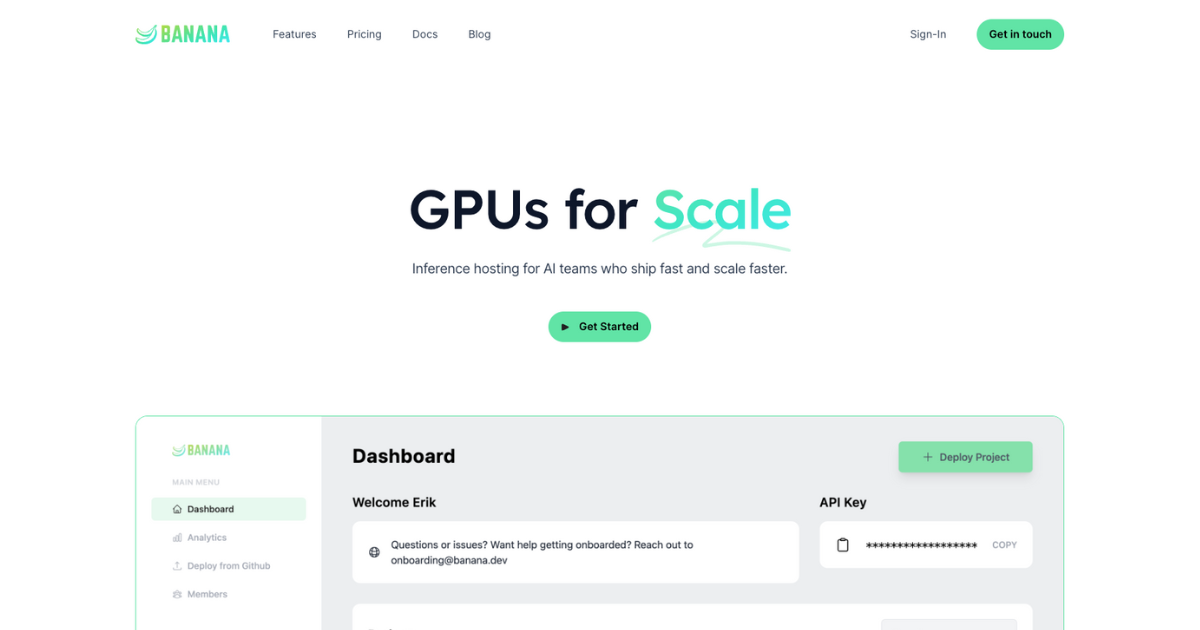
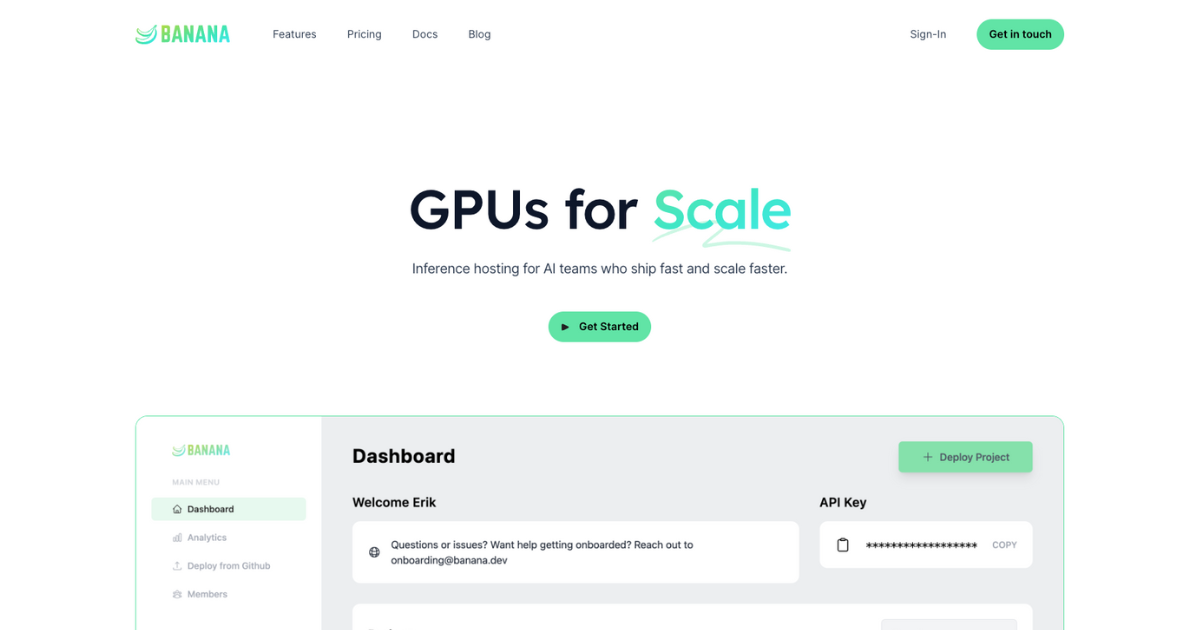
Inference hosting for AI teams who ship fast and scale faster.
Users generally view "Banana" as a competent tool, particularly favoring its graphic design and text capabilities over some newer alternatives. However, there are complaints about a lack of official communication regarding updates and API releases, which has led to user frustration. Price sentiment is largely undiscussed, pointing to potential satisfaction or indifference towards its cost. Overall, "Banana" maintains a solid reputation, with a dedicated user base appreciating its functionality despite some communication and rollout issues.
Mentions (30d)
3
Reviews
0
Platforms
2
Sentiment
0%
0 positive

Users generally view "Banana" as a competent tool, particularly favoring its graphic design and text capabilities over some newer alternatives. However, there are complaints about a lack of official communication regarding updates and API releases, which has led to user frustration. Price sentiment is largely undiscussed, pointing to potential satisfaction or indifference towards its cost. Overall, "Banana" maintains a solid reputation, with a dedicated user base appreciating its functionality despite some communication and rollout issues.
Features
Use Cases
Industry
information technology & services
Employees
170
Funding Stage
Seed
Total Funding
$5.2M
Pricing found: $1200 /mo, $20
Image-generation Claude Code skill: how I structured the SKILL.MD to handle brand extraction before generation
Sharing a skill i wrote for my own workflow in case the structure is useful to anyone building their own. the problem i wanted solved: when i'm building a landing page, generating on-brand images means re-stating the brand context to the image model every single time. that context already exists in the codebase (tailwind config, CSS vars, font imports, copy tone). a skill felt like the right shape for "scan files, put together context, hand it to a generator." How the SKILL.md is laid out: Detection phase, explicit instructions to scan for missing/placeholder image refs first (lorem-picsum, empty src, broken paths, common placeholder hosts). No generation until detection completes, otherwise Claude gets eager and starts generating before knowing what's needed. Brand extraction phase, reads `tailwind.config.*`, root CSS, font imports, plus a sample of body copy. Outputs a structured brand brief (palette, typography, tone descriptors). Separating this from generation matters a lot, the brief gets reused across every image in the batch so they actually look like a set. Generation phase, two paths, if the Gemini MCP (nano-banana) is configured, calls it directly with the brief plus per-image context. If not, outputs prompts to a markdown file you paste into Gemini yourself. The branching keeps it useful for people without MCP set up. The thing I'd flag if you're writing skills: be explicit about phase ordering in the SKILL.md "First do X, only then do Y" reads as obvious but without it Claude will helpfully start generating before extracting brand context, and you get generic outputs. MIT, here if you want to read the actual README or fork it: https://github.com/dancolta/gen-images-skill submitted by /u/No_Cryptographer7800 [link] [comments]
View originalbest ai mcps after testing 10+ (for generating videos, code, design, and etc.). you’ve been using claude wrong this whole time.
been using claude with mcps for a few months. here's what actually stuck after testing 10+, split by what they're good for. code: github mcp (official). reading repos, opening prs, reviewing diffs without leaving claude. the search across issues is what hooked me — way faster than the github ui for "where did we discuss x". docs: notion mcp. searching across workspace + updating pages from claude beats the ui for repetitive stuff. weekly updates, meeting notes, status docs all flow through it now. image/video: higgsfield mcp. one connection gets you sora 2, veo 3.1, kling, seedance 1.5, soul id, nano banana. cinematic controls are the part i actually keep using — generating a 5-second shot with specific camera movement from inside claude saves the tab-switching loop. design: figma mcp. pulls tokens, component specs, frame contents straight into context. makes design-to-code prompts way more accurate because claude actually sees the spec instead of guessing from a screenshot. browser: playwright mcp. clicking around, scraping, filling forms. heavier than fetch but does the real work when you need actual interaction, not just html. files: anthropic's filesystem mcp. reading local files, organizing folders. boring but you use it constantly — basically the default mcp for any local workflow. what am i missing? submitted by /u/BoogBro94 [link] [comments]
View originalTested 4 AI video generation MCPs in claude for making short clips
Hello everyone, recently I saw a lot of AI, especially GenAI, MCPs being launched. Out of the ones that I had an opportunity to test there were 4 I could consider worth trying out. Higgsfield AI mcp. the model coverage and claude comping up with ready scenarios is the main reason. one connection gets you sora 2, veo 3.1, kling, seedance 1.5 pro, nano banana, soul id. I've been able to get some gems using this. The problem is that if Claude doesn't understand you properly it can come up with something absolutely random or choose the most expensive models. kubeez mcp. also goes wide on models, similar pitch to the previous: image, video, music, tts in one place. i used it for batch work where i needed audio + visuals from the same chat. runway mcp. narrower scope, deeper on gen-4 specifically, which is why I don't really use it. the keyframe and reference image handling is solid in comparison, others tend to lose it. elevenlabs mcp. not video but i'm including it because every video workflow needs voiceover and this is the one that actually works end-to-end. claude writes the script, picks the voice, generates the audio. pairs well with any of the above. you will need it very frequently if you don't know/can't handle proper audio generation using higgsfield or runway. stack i settled on: higgsfield for the visuals, elevenlabs for better voiceover. what video mcps am i missing? happy to hear opinions submitted by /u/Mediocre-Witness-778 [link] [comments]
View originalI had Chat combine my banana bread and coffee cake recipe together…
It came out amazing. Moist, bread/cake texture, and super delicious! I’ve included the recipe at the end. I’m not a baker. Probably bake pastries like once every 6 months, so I’m not skilled enough to cross reference the recipe. Nonetheless, turned out awesome! submitted by /u/Eggrolling [link] [comments]
View originalSpent a few hundred generations testing gpt-image-2 vs Nano Banana for game sprites. gpt-image-2 isn't close.
and by 'gpt-image-2 isn't close', I mean it's far better. Been running both models side by side for pixel art / game sprite generation. Some observations after a lot of A/B tests: gpt-image-2 advantages I keep seeing: - Way better at small subjects. Nano Banana wants to fill the frame with detail. gpt-image-2 actually understands "a tiny sprite in the center of the canvas, lots of negative space." - Noticeably more game art in its training data, judging from how it handles requests like "16-bit JRPG style" or "GBA-era pixel art." Nano Banana gives you something that looks like generic stylised illustration; gpt-image-2 gives you something a Square Enix artist might have drawn in 1996. - Better grid layouts when you ask for a 4x4 or 3x3 of related sprites. Nano Banana cheats and just gives you 3-4 variations of the same thing. - "Low" tier ($0.006/call) outputs better game art than Nano Banana's default tier in my tests, which is wild given the price gap. Anyone else doing this kind of head-to-head for niche styles? Curious if the gap holds outside game art. (Side note: I built spritelab.dev around this if anyone wants to see the cleaned output.) submitted by /u/Mobile-Scientist-696 [link] [comments]
View originalSynthetic DMS Training Data Generation with Video Models
I like spending my free time testing new AI tools and seeing where they might fit into real computer vision workflows. This time I experimented with synthetic training data generation for Driver Monitoring Systems using Seedance 2.0. The inspiration came from Vision Banana: https://vision-banana.github.io/ The idea that really caught my attention is simple but powerful: many vision tasks can be represented as RGB outputs. A segmentation mask, an instance mask, a depth map, or another dense prediction target can all be treated as an image-like output. So I tried to apply this thinking to video. The workflow: Generate a realistic synthetic driver monitoring video Use the same video to generate a semantic segmentation mask Use the same video to generate an instance segmentation mask Combine the outputs into a dataset-like structure The mosaic video shows the result: RGB video + semantic mask + instance mask, aligned frame by frame. The scene is a fictional driver gradually becoming drowsy behind the wheel. This kind of scenario is useful for DMS development, but difficult to collect and annotate at scale with real-world data. Of course, generated annotations still need QA. They are not perfect ground truth. But for prototyping, rare-case simulation, and early dataset generation, this feels like a very promising direction. The interesting part is that the final output is not just a nice synthetic video. It can become structured training data: RGB frames from the generated video semantic classes from the semantic mask object regions and bounding boxes from the instance mask YOLO / COCO-style annotations after post-processing I wrote a more detailed blog post about the experiment here: https://www.antal.ai/blog/synthetic_dms_training_data.html submitted by /u/Gloomy_Recognition_4 [link] [comments]
View originalGoogle enterprise business trial, Just started and it's already stopped making images after 3?
So I just got the trial, wanted to finally test it out. I got the business enterprise trial and went to test out nano banana and after 3 images, it now seems to not be generating anything... Hasn't told me I have reached a limit or a time out. There's nothing. It's just the little blue symbol doing nothing. Is that it? That's what the trial offers? 3 images. I only did 3 images because the first image wasn't good enough lol. I imagine I would need to do 10 images to get the 1 image I wanted. So am I doing something wrong? Where do I check the quota? There's hardly any information on the business.gemini dashboard. Can't see quote, can't even see it says I'm on a trial although I know I went through the purchasing for it where it was 0 cost. How am I meant to give it a proper go if it limits me like this? submitted by /u/DeanMachineYT [link] [comments]
View originalI am paying 50$ who help start AI model journey?
I am paying 50$ who help start AI model journey? I have basic face pics around 8-10. Now i need video contents with the same character. Problemalistico, is that all the nano banana, and other staff can not copy the same face. And I want that same face. Any help i apprecite guys. My first work, amd i just try and try and nothing works. submitted by /u/bioshock73 [link] [comments]
View originalText-to-image is easy. Chaining LLMs to generate, critique, and iterate on images autonomously is a routing nightmare. AgentSwarms now supports Image generation playground and creative media workflows!
Hey everyone, If you’ve been building with AI agents, you know that orchestrating text is one thing, but stepping into multimodal workflows (Text + Image + Vision) is incredibly messy. If you want an agent to act as a "Prompt Engineer," pass that prompt to an "Image Generator," and then have a "Vision Agent" critique the output to force a re-roll—you are looking at hundreds of lines of Python boilerplate, messy API handshakes, and a terrible debugging experience when the loop breaks. I recently launched AgentSwarms, an in-browser sandbox for learning Agentic AI. Today, I am pushing a massive update: The Image Playground. What the feature actually does: Instead of fighting with code to test multimodal architectures, you can now drag, drop, and wire up text and image agents on a visual canvas to build creative workflows. Image Generation Nodes: Wire any text-output agent directly into an Image Node to autonomously generate visual assets. Vision AI Integration: Route generated images back into a Vision Node. You can instruct an agent to physically "look" at the generated image, evaluate it against your initial prompt, and trigger a loop to fix it if it hallucinated. Real-Time Data Flow: You can actually watch the payloads (the text prompts and the image outputs) flow across the node graph in real-time. submitted by /u/Outside-Risk-8912 [link] [comments]
View originalI built CanvasGPT – work with Claude on an open canvas
I've been building CanvasGPT for the past 2-3 years. It's a spatial workspace where you can brainstorm, research, and ship working products. What it does: Instead of linear chat, everything happens on an infinite canvas. You can work on multiple prototypes side-by-side, connect them together, and see how your research relates to what you're building. The hardest part was making the spatial reasoning work which is getting AI to understand that items placed near each other on the canvas are related. Why I built it: I got frustrated with ChatGPT conversations turning into endless scrolling. I'd lose context, couldn't see multiple ideas at once, and had no way to connect my research to what I was building. I wanted a workspace where everything I'm thinking about is visible and connected—like a whiteboard but with AI that can actually build things, not just chat about them! Key features: Spatial canvas – Multiple projects visible at once, everything stays connected Asset generation – Generate UI, images, videos, music, sound effects all in one place Multi-model support –,GPT, Gemini, and even GLM, Kimi, Nano Banana, and GPT-Image-2 Connected systems – Build apps that share data and automate workflows No monthly subscription – Just pay for what you need Try it: canvasgpt.com Happy to answer questions! submitted by /u/Neither_Finance4755 [link] [comments]
View originalAfter seeing deepseek refused to acknowledge Taiwan is a coutry I had to do a little experiment
submitted by /u/Daethir [link] [comments]
View originalI built a hands-free voice AI that sends emails mid-conversation — and that's just one feature. Here's everything AskSary can do.
https://reddit.com/link/1symbsj/video/k2no3zfgq1yg1/player Been building AskSary solo for a while. Just shipped hands-free voice email - you're mid-conversation with an AI and you say "send an email to [john@example.com](mailto:john@example.com) subject X body Y" and it pre-fills the Gmail modal automatically. One tap sends. Powered by OpenAI Realtime API, works in 22 languages. But that's just the latest feature. Here's the full picture: Every major model in one place GPT-5-Nano, GPT-5.2, GPT-5.2 Pro, O1 Reasoning, Claude Sonnet 4.6, Grok 4, Gemini 2.5 Flash, Gemini 3.1 Pro, Gemini Ultra, DeepSeek V3, DeepSeek R1 - with smart auto-routing or manual override. Pro-Active Personalisation On every login the AI reads your previous conversations and sends the first message itself - asking if you want to continue or start fresh. Before you type a single word. Persistent Cross-Model Memory Start a conversation with Claude on your phone, open your laptop, switch to GPT-5.2 - it already knows what you discussed. No copy-pasting, no summaries. Just works. Knowledge Base - RAG Upload docs up to 500MB per file, unlimited uploads, chat with them across any model via OpenAI Vector Store. Your files stay in context forever. Integrations Google Drive, Gmail, Google Calendar, Notion - access files, get email and calendar summaries, use them in chat or push them to your Knowledge Base. Generation Tools Image Gen - GPT-Image-1 and Nano Banana Pro Flux Image Editor - full editing suite with visual history Video Studio - Luma Dream, Veo 3.1, Kling 1.6 / 2.6 / 3, up to 10 second AI videos with audio Music Studio - 30 second tracks with custom or AI lyrics via ElevenLabs, visualizer built into chat 3D Model Studio - Meshy with STL export (deploying soon) Video Analysis - upload up to 500MB or paste a YouTube link Developer and Builder Tools Vision to Code - screenshot any UI, get live editable code Web Architect - build full web apps from a single prompt Game Engine - build and prototype games with AI Code Lab - split screen live coding with SQL Architect, Bug Buster, Git Guru, Regex Generator, Test Genie and more Tavily web search across all models Voice and Audio Real-time 2-way voice chat - 8 voices, near-zero latency WebRTC Podcast Mode - two AI voices, switchable, near-zero latency, downloadable as MP3 Voiceover Studio, Voice Notes, Voice Tuner Productivity and Content Slides, Docs and File Tools Pro Writer and Content Library Social Tools - Hook Generator, Video Script, Hashtag Creator, Idea Spark Business Suite - Pitch Deck Builder, Deep Analytics, Legal Eagle, Maths Solver Daily Briefing and Market Watch CV Creator, Email Polisher, Cover Letter Builder, TL;DR Bot Share conversations or snippets with anyone Platform Extras 30+ live interactive wallpapers and themes Custom Agents and Personas Folder organisation and Smart Search across chat history Media Manager Gallery - all your generated content in one place Fully customisable UI in 26 languages with full RTL support The Stack Frontend: Next.js, Capacitor (iOS + Android), Vanilla JS / React Backend: Vercel serverless, Firebase / Firestore, Firebase Admin SDK AI: OpenAI, Anthropic, Google, xAI, DeepSeek Generation: Luma AI, Kling via Replicate, Veo via Replicate, ElevenLabs, Flux via Replicate, Meshy Integrations: Google Drive, Notion, Tavily, OpenAI Vector Store, Stripe, CloudConvert, Sentry Rendering: Mermaid, MathJax Platforms: Web, iOS, Android, Apple Vision Pro What you get free just for creating an account (1,000 credits/month, rolling): Unlimited chat on GPT-5 Nano, Gemini Flash and DeepSeek V3 - no daily limits, zero credit charge 25 image generations via GPT-Image-1 and Nano Banana Pro - 40 credits each 8 image edits via Flux Studio - 80 credits each 2 song generations via ElevenLabs - 350 credits each 2 video generations via Luma Dream and Kling - 350 credits each ~70 messages on Claude Sonnet 4.6, GPT-5.2, Grok 4, Gemini 3.1 Pro and DeepSeek R1 - 15 credits each No credit card required. Built entirely solo. No CS degree, no team, no funding. Started because I asked an AI to build me a chatbot and it failed - so I built my own. Accepted to LEAP 2026 in Saudi Arabia along the way. Happy to answer anything about the build. asksary.com submitted by /u/Beneficial-Cow-7408 [link] [comments]
View originalIphone picture gpt vs nano
I was trying to get that “iPhone casual feel” out of Gemini Nano Banana 2, and honestly ever since GPT Image 2 dropped, I can’t really take Nano seriously anymore. Some obvious issues I kept getting: Completely messed up my face Made the jacket kinda brown even though I clearly said all black fit Added depth of field even though I said not to (and it’s supposed to be a casual friend pic anyway) Didn’t follow basic framing instructions I literally spelled out (subject slightly left, head near top, space above, feet slightly cut, etc.) I said “slim body” and it made me look bigger for no reason Like yeah, I have gotten some nice iPhone-style shots out of Nano, but mostly with mirror pics. Anything more specific and it starts falling apart. And no, it’s not a prompting issue. It just takes way too many regenerations to get something usable. Also in general, AI almost never gets my face or hair right. GPT Image 2 is the first one that actually nailed both the face and the prompt properly. I still like Nano Banana 2, but I genuinely feel like GPT Image 2 could pull off what I want with something super simple like: “guy standing in a warm night city, shot on iPhone” And it would just get it right. Curious what others think. submitted by /u/Scared_Strategy8996 [link] [comments]
View originalAI School video help
Hi, I need to make a school video of me doing a speech for Tuesday, I have the speech and I know how to overlay my recorded voice on a video but the video doesn't really lip sink very well and I need help finding a free ai that can fix that, that doesn't change quality or anything like normal chatgpt, kinda like nano banana but free please submitted by /u/Cultural-Mirror1758 [link] [comments]
View originalNano Banana or Gpt Image 2 ?
Comment « prompt » for the prompt submitted by /u/confindev [link] [comments]
View originalPricing found: $1200 /mo, $20
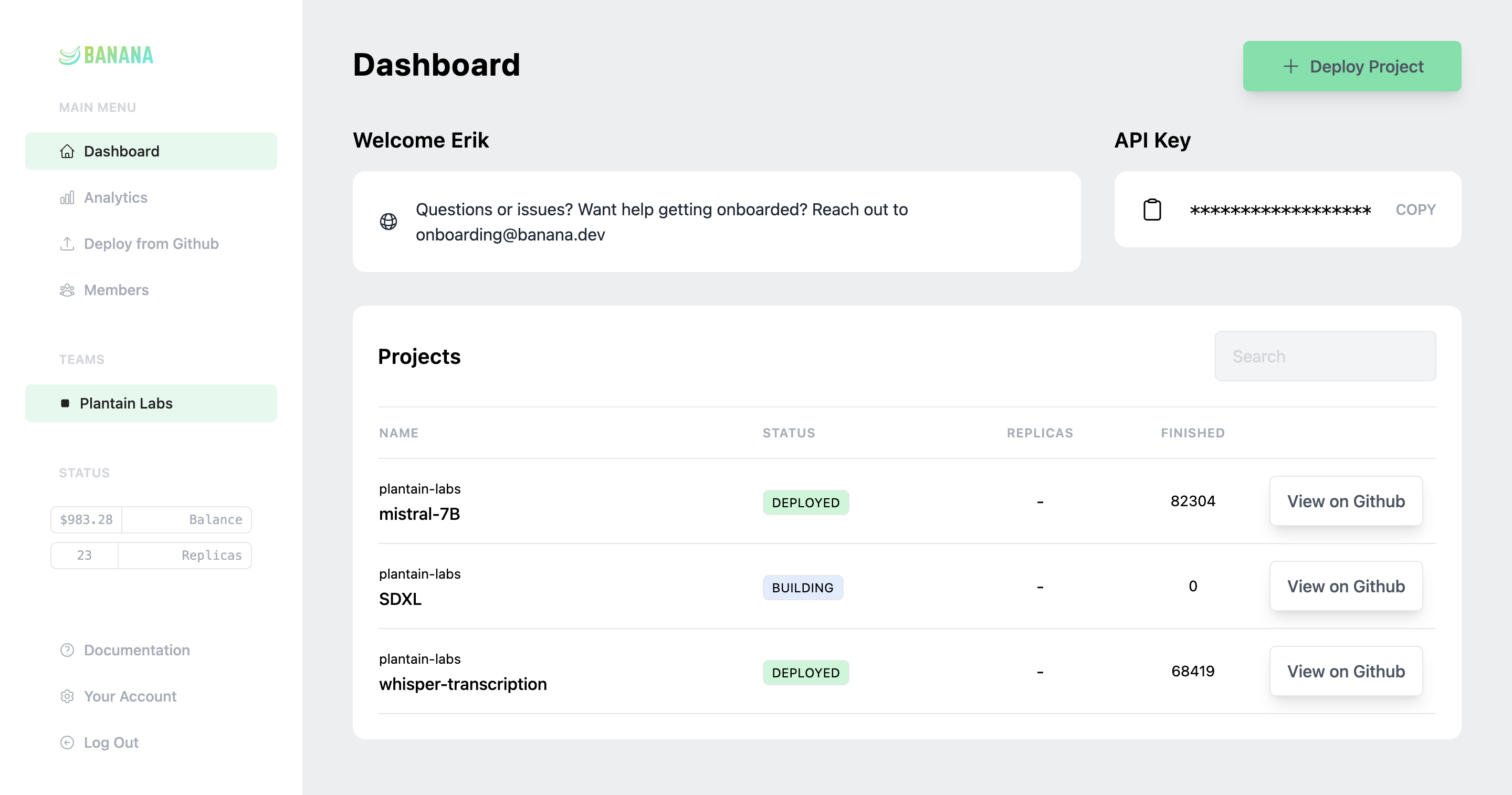
Key features include: Observability, Business Analytics, Automation API, Enterprise, Banana Delivery (SF Only).
Banana is commonly used for: Real-time AI model inference for web applications, Scaling GPU resources for machine learning model training, Cost-effective deployment of deep learning models in production, Automated scaling of AI workloads based on demand, Rapid prototyping and testing of AI applications, Seamless integration of AI services into existing infrastructure.
Banana integrates with: AWS Lambda, Google Cloud Functions, Azure Functions, Kubernetes, Docker, TensorFlow, PyTorch, FastAPI, Flask, Streamlit.
Based on 41 social mentions analyzed, 0% of sentiment is positive, 100% neutral, and 0% negative.

The Verge AI
Publication at The Verge
3 mentions


