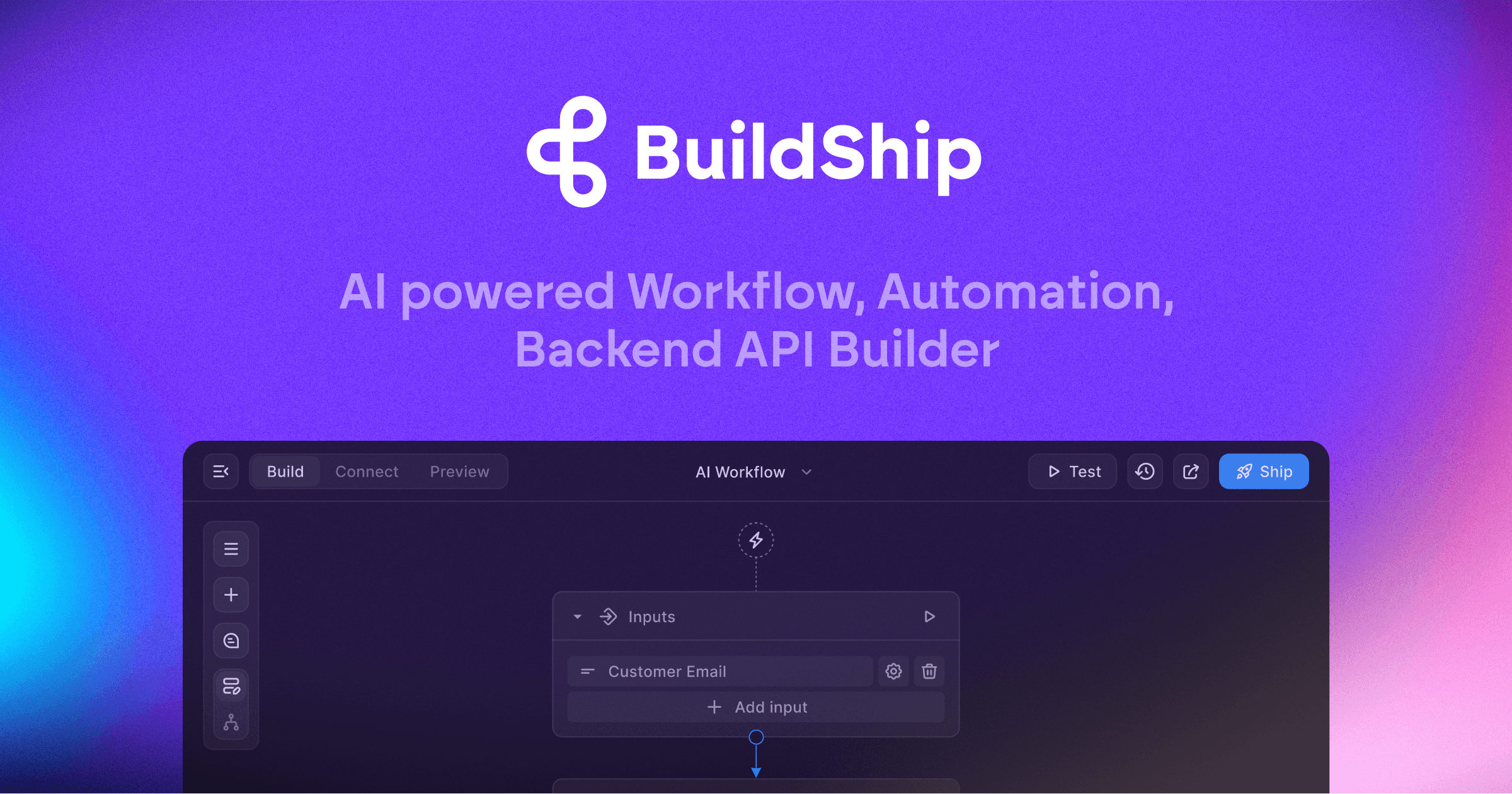
BuildShip powers businesses to visually create AI workflows using natural language. Automate complex backend, develop tools for your AI agents, and ea
Users appreciate BuildShip for its robust AI capabilities and integration with various models, which adds significant value to AI projects. However, there are notable complaints regarding file conflicts and challenges with remote models. Sentiment on pricing is not explicitly mentioned in the data reviewed, but its functionality seems to draw in users despite potential costs. Overall, BuildShip holds a solid reputation within the AI development community, but further improvements in its collaborative features could enhance user experience.
Mentions (30d)
50
Reviews
0
Platforms
2
Sentiment
11%
15 positive
Users appreciate BuildShip for its robust AI capabilities and integration with various models, which adds significant value to AI projects. However, there are notable complaints regarding file conflicts and challenges with remote models. Sentiment on pricing is not explicitly mentioned in the data reviewed, but its functionality seems to draw in users despite potential costs. Overall, BuildShip holds a solid reputation within the AI development community, but further improvements in its collaborative features could enhance user experience.
Features
Use Cases
Industry
information technology & services
Employees
8
Funding Stage
Angel
I used Claude Code to build an iPhone app, Apple Watch app, and landing page… now it has 1,500+ users
I wanted to share a project I built with Claude Code and also explain the why behind it for anyone trying to build something similar. The app is called LOC8. It started from a real problem I noticed in law enforcement. During foot pursuits, perimeter setups, large apartment complexes, alleys, backyards, or unfamiliar areas, it is easy to get turned around and need to quickly relay your exact location. The idea was not to build another map app. The idea was to remove friction. Maps can give you a blue dot, but when you need the actual address, nearest cross street, GPS coordinates, heading, and accuracy fast, there are still extra steps. LOC8 puts that information on one screen for iPhone and Apple Watch. Claude Code helped me build basically everything: the iPhone app, Apple Watch app, location logic, UI iterations, bug fixes, edge cases, and landing page. I used it heavily for React Native, watchOS, location handling, design cleanup, and keeping the product consistent. The hardest part was not showing GPS data. The hard part was making it feel fast and useful under stress. I had to think through things like location accuracy, Apple Watch responsiveness, speed gating, driving versus walking, address refresh behavior, cached location data, and how much information is actually useful at a glance. So far the app has grown to 1,500+ users, made a little over $1.5k in under 2 months, and has been around a 25% App Store product page conversion rate. Most growth has come from Reddit posts and manual outreach. The biggest lesson for me is that Claude Code works best when you bring a real problem to it. It did not invent the use case. I understood the pain point first, then used Claude Code to help turn it into a working product. For anyone one or two steps behind me, my advice would be: do not start with “what app can AI build for me?” Start with “what annoying problem do I understand better than most people?” Then use AI to help you move faster, test more ideas, and ship. Would love feedback on the concept, the Apple Watch side, or how you would improve the product from here.
View originalPricing found: $0 /month, $0 /year, $19 /month, $225 /year, $29 /mo
I built a 100+ skill library for Claude Code. The biggest lesson: skills can crowd each other out.
A while back I posted here about a Claude Skills catalog I'd built (it was \~59 skills then). It's since grown past 100, MIT-licensed, covers the full website lifecycle: research, brand, design, build, SEO, QA. Goal is to lower the bar to building good products, so small businesses, startups, and solo builders can ship things that used to need a whole team. But somewhere past a certain point I hit a wall I didn't expect: more skills started working against me. When too many are loaded into context at once, Claude Code gets slower to reason about which one applies, and the selection gets noisier. The catalog being comprehensive and the agent performing well turned out to be in tension. Bigger library, worse agent, at least past a threshold. So I'm building a curated starter set, a small, opinionated subset that covers the most common work without flooding the context. The hard part is deciding what makes the cut. That's where I could use other people's judgment. If you were assembling a starter kit of 10-15 skills for an agent that builds and maintains websites, what would you include? What's actually load-bearing day to day versus nice-to-have? Do you lean toward broad coverage (a little of everything) or depth in a few areas? Catalog's here if you want to see the full set before answering: [github.com/rampstackco/claude-skills](https://github.com/rampstackco/claude-skills)
View originalBuilding the harness around our coding agents: eight failure modes, eight pillars
We ended up building two products: the software we ship, and the system/harness around our agents that makes them useful in building the thing we ship. A harness is the durable layer around a model: instructions, tools, permissions, context, and verification. Claude Code and Codex are harnesses in this sense. Each wraps a model with a system prompt, a tool surface, a permission model, and an execution loop. Anthropic and OpenAI own that layer. We own the next layer up: the workspace where agents do product work alongside us, with our files, tasks, diagrams, diffs, and decisions. This layer carries the knowledge we have accumulated: how we build things, what we already decided, what is connected to what, where the agent is allowed to act, and how it checks its own work. We identified eight coding agent failure modes that kept showing up across our sessions. Each one got its own pillar that we are continuing to invest in: * Doesn't know our codebase, rules, decisions, or conventions → **Context** * Can't traverse the links between artifacts that already exist → **Provenance** * Can't act on the world or observe what it did → **Capability** * Reinvents how to do every task → **Workflow** * Does something dangerous because nothing stops it → **Restraint** * Hallucinates "fixed" without proof → **Verification** * Can't show results back to us in a useful form → **Visual interface** * We can't keep track of work happening across many agents in parallel → **Coordination** For example, with Verification. The agent hallucinates "fixed" without proof . We write the failing test before writing the fix, so the bug has a reproduction the next agent can rerun. If the agent cannot show the change works end-to-end, it is not done. Or the agent works for hours and "fixes" the solution while breaking 2 other things or re-architecting 3 subsystems. We require full test case completion. The full writeup with diagrams and links to our actual harness dot md is in the comments. What other coding agent failure modes / harness pillars are you addressing for yourself / team and how?
View originalAnyone else dread keeping web, Android, and iOS releases in sync?
I got tired of every “small update” turning into version bumps, patch notes, store metadata, web deploys, Android uploads, TestFlight builds, and one more iOS step I couldn’t even run locally because I don’t own a Mac. I have a game built with React + Vite + Matter.js + Capacitor. It’s live on web, Android, and iOS. I was getting worn down by the release chores: version bumps, build numbers, localized patch notes, store metadata, Capacitor syncs, signing, uploads, all the little steps that are easy to mess up and also ridiculously time consuming. Also, I don’t own a Mac, so I thought iOS was out of the question... until.... I wired the repo so Claude can take a normal request like: “ship the updates since our last version bump, browser, Android, and iOS TestFlight with release notes” then the Claude code gets to work with a repeatable path: \- bump the right versions/build numbers both in build and in game ui \- create patch notes for every supported language \- run lint/typecheck/build through \`npm run verify\` \- sync Capacitor after the web build \- build and upload iOS to TestFlight from GitHub Actions on a macOS runner \- build an Android AAB and upload it to Google Play \- push Apple/Google store metadata from repo files \- keep release notes as workflow input instead of hand-copying them around The most satisfying part is that the game work and the release work now feel like the same conversation. I can ask for a change, get it verified, generate the release notes, and have the web/Android/iOS path ready without fiddling with a pile of one-off publishing steps. I still have to manully submit for review from the dashboards so I can double-check everything. How do you guys handle this: do your agents trigger deploys for app stores, or do they prep everything and you manually click though the dashboards? Game, mostly as proof this is a real project: [Nelly Jellies](http://nellyjellies.com)
View originalI open-sourced the skill I use to run parallel AI coding agents with a human gate before production
I've been using Claude Code to ship features in parallel. Three agents working at the same time, each in its own git worktree so they don't step on each other. That part works great and there are already good tools for it. What I couldn't find was the part that comes after. How do you merge all that work, validate it together, smoke test it, and make sure nothing hits production without you saying so? So I built a skill definition that handles the full pipeline: parallel workers, an integration branch, type/build validation, runtime smoke tests, staging promotion, and a hard human gate before main. Every feature gets a --no-ff merge so you can revert one feature without touching the others. It's not a library or a package. It's a markdown file you give to your LLM and ask it to adapt to your stack. Works with Claude Code, Codex, Cursor, whatever reads markdown. The repo: [https://github.com/knods-io/parallel-agents-skill](https://github.com/knods-io/parallel-agents-skill) To install it, paste this to your LLM: "Read the SKILL.md file from https://github.com/knods-io/parallel-agents-skill and adapt it to our project. Keep the core flow and the mythological worker names, but tailor everything to how we actually work. Then install it as a skill in this project." I'd genuinely appreciate feedback. What's missing? What would break in your setup? What would you change?
View originalI used Claude Code to build an iPhone app, Apple Watch app, and landing page… now it has 1,500+ users
I wanted to share a project I built with Claude Code and also explain the why behind it for anyone trying to build something similar. The app is called LOC8. It started from a real problem I noticed in law enforcement. During foot pursuits, perimeter setups, large apartment complexes, alleys, backyards, or unfamiliar areas, it is easy to get turned around and need to quickly relay your exact location. The idea was not to build another map app. The idea was to remove friction. Maps can give you a blue dot, but when you need the actual address, nearest cross street, GPS coordinates, heading, and accuracy fast, there are still extra steps. LOC8 puts that information on one screen for iPhone and Apple Watch. Claude Code helped me build basically everything: the iPhone app, Apple Watch app, location logic, UI iterations, bug fixes, edge cases, and landing page. I used it heavily for React Native, watchOS, location handling, design cleanup, and keeping the product consistent. The hardest part was not showing GPS data. The hard part was making it feel fast and useful under stress. I had to think through things like location accuracy, Apple Watch responsiveness, speed gating, driving versus walking, address refresh behavior, cached location data, and how much information is actually useful at a glance. So far the app has grown to 1,500+ users, made a little over $1.5k in under 2 months, and has been around a 25% App Store product page conversion rate. Most growth has come from Reddit posts and manual outreach. The biggest lesson for me is that Claude Code works best when you bring a real problem to it. It did not invent the use case. I understood the pain point first, then used Claude Code to help turn it into a working product. For anyone one or two steps behind me, my advice would be: do not start with “what app can AI build for me?” Start with “what annoying problem do I understand better than most people?” Then use AI to help you move faster, test more ideas, and ship. Would love feedback on the concept, the Apple Watch side, or how you would improve the product from here.
View originalClaude Code has been writing every session to disk since day one. We indexed it.
Go look at \~/.claude/projects/. There's a JSONL file for every session you've ever had. Every turn, every tool call, every file touched, every response. All of it, append-only, going back to your first session. Ours goes back to January — 57MB, 1,026 sessions, 76,000 turns. Just sitting there the whole time. We didn't get tipped off. We just looked. The format is clean too. Each line is a JSON object — role, timestamp, content, tool calls, everything structured. It's not logs in the "good luck parsing this" sense. It's a complete episodic record. If you had a three hour session last Tuesday where you figured out something important, that conversation exists in full fidelity on your drive right now. You just have no way to get back to it. So we built an indexer. SQLite+FTS5, temporal edges between turns, MCP server on top. From inside any Claude Code session now: search_sessions("remember when we fixed that auth bug last month") recall_session("a8f2c441") thread_recall(root_id, depth=8) That last one does a BFS traversal through the temporal edge graph to reconstruct a thread across session boundaries. **The "I told you this two weeks ago" problem just disappears.** The data was never gone — nobody had built the recall layer on top of it yet. We also support importing conversations.json from the claude.ai data export, so your web chat history lives in the same index as your CLI sessions. The other half is compaction. Everyone who uses Claude Code seriously has felt this — context fills up, compaction fires, and you're suddenly explaining your whole project again to something that should already know. We wired the full hook chain to stop that from happening. **The thing nobody writes down** is that transcript\_path in the PreCompact payload isn't always populated at hook fire time. You build your whole save logic around it, ship it, and then hit silent failures you can't explain. We did exactly that. The fix is that Stop needs to write a checkpoint on every single turn, not just at session end. Then when PreCompact fires it always has something fresh to fall back to no matter what. Then SessionStart reads the source field — "compact" means compaction just fired, "resume" means the app restarted, "startup" is a fresh session, "clear" is intentional. Each gets different behavior. None of this is documented anywhere, you just have to figure it out. **The net result: compaction stops being a hard reset. It's a cache miss.** We've also been in the middle of the upstream conversation at anthropics/claude-code#47023 — seven independent memory projects, all built by different people, all independently hitting the exact same walls and arriving at the exact same hook requirements. Bella, NEXO Brain, Cozempic, world-model-mcp. None of us were coordinating. We all just needed the same things. The formal hook spec is getting worked out there if you want to follow it. Repo: [https://github.com/Haustorium12/continuity-v2](https://github.com/Haustorium12/continuity-v2) — MIT, hooks take about five minutes, MCP server is one Python file. Happy to answer questions.
View originalBuilt an MCP server for cross-Asia streaming queries. Claude can now answer "where can I watch X in Y" for 30 markets.
The problem: I run [ottasia.com](http://ottasia.com), a streaming aggregator for 30 markets across South Asia, SEA, East Asia, Central Asia, the Levant, the Gulf, and MENA. Users were asking Claude, "Where can I watch \[show\] in \[country\]" and Claude was just guessing, sometimes confidently wrong, sometimes citing JustWatch, which has thin coverage outside the US/UK. What I shipped today: an MCP server that gives Claude live access to OTTASIA's data. Install in the Claude Desktop config: { "mcpServers": { "ottasia": { "command": "npx", "args": \["-y", "@ottasia/mcp-server"\] } } } Restart Claude. Three tools become available: \- where\_to\_watch(title, country) for specific lookups \- whats\_new\_on(provider, country) for "what's new on Netflix India this month" type queries \- search\_titles(q, country) for ambiguous queries like "joker" Three things I learned building this: 1. Tool descriptions are the killer feature. Claude picks the right tool based on the description alone; no orchestration prompt is needed. I list all 30 country codes and 24 provider slugs inline in the description, so Claude doesn't have to guess what's valid input. 2. Thin-client architecture wins for distribution. The npm package is around 7 KB. All TMDB calls, caching (Next.js unstable\_cache), and per-country logic live on my website backend behind 3 public JSON endpoints. End users install with one npx command, no API key. Trade-off: requires the website to be up, which is fine because the website IS the product. Links: \- npm: [https://www.npmjs.com/package/@ottasia/mcp-server](https://www.npmjs.com/package/@ottasia/mcp-server) \- Source: [https://github.com/AIweather-Anurag/ottasia-mcp-server](https://github.com/AIweather-Anurag/ottasia-mcp-server) \- MCP: [https://mcp.so/server/ottasia/Alweather-Anurag](https://mcp.so/server/ottasia/Alweather-Anurag) Asking for feedback, especially if you're in any of these 30 markets and want to stress-test the provider mapping. Drop a "where can I watch \[show\] in \[country\]" example as a comment, and I'll check what Claude returns vs what's actually available.
View originalBuilt My Own Workout Tracker (Personal Use Only)
No real technical skills but I can follow instructions. First time making an app. Made this using Claude Cowork and Android Studio. Took me about 8 hours. This is for personal use only - not thinking about getting into the security, legal, and maintenance nightmares of trying to ship vibe-coded apps. It tracks everything about my workouts the way I like. Consolidated some tools into it like a habit tracker and timer so everything is in one place for me. I can build and quickload program templates with the excercise picker, and I can track my treadmill and running times and inclines across the different phases of the workout. All the stuff I actually want, in the way that I want it, with none of the stuff I don't want. Auto data-saving, pre-populated drafts for common inputs, exporting, history editing, session notes, quick logging ... When all is said and done the data gets fed into my Claude, along with my sleep, heart rate, (etc etc) health data from my watch and my body composition data from my smart scale. Arnold Schwarzenegger is my personal AI coach and we review progress and plans. Arnold says: You did the reps. You built the tool. Now... GET TO THE CHOPPA—AND START TRAINING!
View originalHard-won notes after a few weeks with Claude Design
Been using Claude Design for a few weeks and figured I'd dump some notes here before I forget. Nothing groundbreaking, just stuff that took me way too long to figure out on my own. First thing nobody tells you, do the design system setup before you build anything. I spent my whole first session prompting "build me a landing page for X" and got the most generic AI-looking garbage you can imagine. Then I actually uploaded some brand stuff, let it extract tokens, approved them, and suddenly everything after that looked like a real product. Same exact prompts, completely different result. This is literally in the docs btw. I just skimmed past it like an idiot. Second thing is it eats tokens. A lot. It runs on a separate weekly budget from regular Claude Chat and Claude Code which sounds great but if you're re-prompting every little change you'll burn through it fast. Turns out the refine controls, inline comments, direct text edits, sliders, use way less than typing "actually can you make the padding a bit bigger" in chat. Once I started using those for small fixes my budget lasted way longer. On Max 20x it's mostly fine, on the $20 plan you'll feel it pretty quickly. Also the animations are live React components running in the browser, not video files. If you want an MP4, download the standalone HTML file and throw it into Claude2Video, it'll generate one from that. Honest take on where it fits since people always ask, it's not killing Figma. Figma is still better for any real design team workflow, Dev Mode, multi-person collab, all that. v0 and Lovable are still better if you want to skip design entirely and just spin up an MVP with auth and a db. Where this thing actually wins is the loop from "I have an idea" to working prototype to Claude Code building the actual app from it. The design system carrying through to the shipped code is the part that feels genuinely different from anything else out there. If you're a solo founder or PM or just someone who keeps getting stuck between mockups and something real you can show people, it's worth learning. If you already have a design team and a proper component library, probably overkill. It's a research preview so half of this might be wrong in two months.
View originalThe chat box was never the right interface for AI
I've been building with AI every day for over a year. And I keep coming back to the same uncomfortable realization. The chat box wasn't designed because it was the best interface for AI. It was designed because it was the easiest one to ship. Think about what the chat box actually asks you to do. Stop what you're working on. Open a new tab. Explain your entire context from scratch. Ask your question. Wait. Copy the answer back. Return to work. Lose your train of thought in the process. Then do it again ten minutes later. We've been so focused on making the AI smarter that nobody questioned whether the interface itself was broken. The model went from GPT-3 to GPT-4 to Claude 3 to whatever comes next. The interface stayed exactly the same. A box. You type. It responds. That's not a tool that works for you. That's a tool you work for. The next interface already knows what you're working on. It doesn't wait to be asked. It acts before you prompt it. It notices patterns in how you work and handles them automatically. You never have to explain yourself again. OpenClaw proved this demand was real. 247k GitHub stars for a tool that deleted inboxes and ran up API bills while people slept. People installed something genuinely dangerous because the underlying idea was so compelling. The demand exists. The technology exists. The chat box is just a habit at this point. We're building what comes after it. [clarko.ai](http://clarko.ai/) if you want to follow along. What do you think the right interface for AI actually looks like?
View originalAI made me start way more things. It also made me finish less.
Before this, my problem was overthinking and not starting. Now it’s the opposite. Claude makes it way too easy to go: “let me test this” “okay one more tweak” “fix this too” “might as well clean this up” Then suddenly I’ve got 4 or 5 half-done things. Last week I literally rebuilt one small thing twice instead of just shipping the first version. It’s not just Claude either. When building gets this easy, adding feels easier than finishing. I’ve noticed it with Runable too when rough builds are only a few mins away. AI didn’t fix procrastination for me. It just changed what it looks like. Anyone else build more now but somehow ship less?
View originalI Read Every Line of Code Claude Writes. Every. Single. Line.
So I see a lotta posts here from people who just « accept all » and never look at the code (it's not like anybody's *saying* it, but that's what it essentially is), who basically paste errors into Claude and pray for an issueless compile. You ship things you don't understand, folks. I am not one of those people (I wanna be *very clear* about that) and I want to tell you why: So first, when Claude generates a function, I *read* it. I read it care - ful - ly, back-to-back, checking the types, the edge cases, the imports, the whole shebang. I recently even caught an unused import deep in a ~200-line file and I mass-refactored the entire module FROM SCRATCH. Could I just ask Claude to fix it for me? Sure. But that is definitely *not* how we should do it, we, meaning the coders who consider themselves accountable (a word you don't see around much often anymore), who actually manage this technology *responsibly*. Here, for those for whom there's still hope (few), lemme share my system with you: every morning (yes) before I open CLI, I review my architectural decision records, a bunch of them actually. They live in a Notion database that cross-references with my Miro board, which maps to my Excalidraw diagrams, which feed into my ARCHITECTURE.md, which is version-controlled separately from the codebase in its own repo (btw, if you're already losing me here, this is meant exactly for you). I call this repo, and I kid you not, the Constitution (sue me). Nothing that Claude suggests, because that's what A.I. does, it SUGGESTS, nothing gets merged that contradicts my Constitution. My workflow is essentially this: I write a detailed specification of what I need, not prompting mind you, actually *writing*, clearly and in a reasonably simple language, and *never* less than 2 pages A4. Acceptance criteria, failure modes, performance constraints, threat section I habitually name « Intent » not without a reason where I describe not just what the code should do but what is the grand philosophy behind why our end-user would want to use our app, what are their problems and how our app can solve these problems specifically, in what way. This on its own is worth a whole thread, but I'll keep it short. Anyway. If and ONLY IF I reread it and it's *clear*, I feed this to my Claude pipeline, and I use the word « pipeline » deliberately here because it's not just Claude sitting there with a blank system prompt like some of you apparently run it calling it a day. I have a custom CLAUDE.md that runs 60 lines. Claude doesn't touch a file without first reading the relevant architecture docs, the module's own README, and a constraints file I maintain *per feature*. I have pre-commit hooks that lint and type-check and run a custom validation script that checks for pattern violations (e.g. no God objects, no circular imports and definitely no files over 300 lines PERIOD). Claude operates inside a subcommand wrapper I wrote that intercepts every proposed edit and gates it behind a confirmation step where I see the diff with the affected test surface and a dependency impact summary *before* anything lands anywhere close a committed decision. If Claude tries to create a new file, it needs to justify the file's existence against the Constitution or the edit gets blocked. If it tries to modify a function signature, it has to show me every downstream caller. That's what real coding is, boys and girls. *Trust without verification is NOT trust, it's FAITH*, and I'm an engineer, not some priest. Claude does what Claude does, then I read the output. Then I read it AGAIN, because you *do not* understand the code the first time you're through with it, nobody does, and thinking you do is preposterous. Then I ask Claude to explain the code to me to see if Claude understands how it fits into the bigger picture. I read Claude's explanation while simultaneously rereading the code files to check if Claude's explanation of its own code is accurate, and sometimes it isn't and why it needs human supervision that *cannot* be outsourced to a machine. Then goes my explanation of what the code in fact does and diff it against Claude's explanation. And if you happen to be wondering my mates where the tests are inall of this, the tests come FIRST, *before* I even open the Claude pipeline. Before I write the spec. Actually, to be more accurate, the tests *are* the spec, that's literally what test-driven development means and the fact that I have to explain this in 2026 is why most of you spend monthly budget as a tithe to Anthropic while your app won't ever be deployable. *I* write the tests: Red, the test fails, because the code *doesn't exist yet*, and it tells Claude exactly what to build, the shape of the solution is ALREADY defined by what I expect it to do, and Claude's only job is to make red go green within the architectural constraints I've ALREADY set. Refactor? Red, green, refactor, that's it. Uncle Bob didn't write five books about this so you could
View originalAI replaced me and changed the company nationality
submitted by /u/Radiant-Doctor1737 [link] [comments]
View originalAnthropic officially launched 13+ FREE AI courses with certificates (Including Agentic AI and CC)
Shipped it at 2am, still broken. Kid woke up crying right after, completely lost my train of thought. While trying to rock him back to sleep with one hand and doomscrolling with the other, I stumbled on something that almost nobody is talking about yet. Anthropic just quietly dropped a massive library of 13+ completely free AI courses. And I mean actually free. No paywall hiding the final lesson, no credit card required upfront to 'secure your spot.' They even give you an official certificate of completion directly from Anthropic when you finish. If you're like me, you're probably sick of seeing Twitter gurus charging $299 for recycled YouTube content and a messy Notion template. This is the exact opposite. It’s built directly by the team that actually makes Claude, hosted on their official Academy site. I skimmed through the catalog this morning while drinking my third coffee, and there are basically four skill levels they cover. Here is what caught my eye as a dev who just wants to automate my workflow and log off by 5 PM: First, they have the introductory stuff like Claude 101 and AI Fluency. Honestly, I'm making my non-technical clients take the Fluency one. It builds a realistic mental model of what AI does well right now versus where it completely fails. If it saves me from explaining why hallucinations happen for the hundredth time, it's a massive win. But the real meat is in the technical tracks. They have a dedicated course on Agentic AI and another one specifically for CC. I took a quick pass at the CC module because I've been trying to get it to handle my tedious Jira ticket boilerplate. Having an official guide on how Anthropic actually expects you to prompt their agent is incredibly useful. It shows you the exact patterns for chaining commands and keeping the context window clean. For those of us messing around with local models or trying to orchestrate our own agents, the Agent Skills course is surprisingly relevant. They don't just say 'use Claude'—they break down the actual logic of tool use, delegation, and discernment. It translates pretty well even if you're running Llama 3 locally and just want to understand the current best practices for tool calling architectures. With CC, they show you how to give the CLI tool the right guardrails so it doesn't just nuke your directory when a prompt gets misinterpreted. We've all been there. Do the certificates actually matter? If you are an indie hacker, probably not. But roles requiring AI literacy have spiked massively over the last year. If you are applying for corporate gigs or consulting, having an official Anthropic cert on your LinkedIn definitely won't hurt to get past the HR filters. Kid's awake again, gotta run. Has anyone else dug into the Agentic AI track yet? Curious if their suggested patterns hold up when you throw them at a messy, legacy codebase. submitted by /u/TroyHarry6677 [link] [comments]
View originalI benchmarked my AI agent runtime firewall against 3 public academic datasets — here are the honest results including where it fails
Been building Arc Gate — a proxy layer that sits between AI agents and their LLMs to enforce instruction-authority boundaries. The core claim is that untrusted content coming back through tool calls cannot become behavioral authority for the agent. Wanted to test that claim against datasets I hadn’t tuned to. Here’s what happened. AgentDojo v1 (ETH Zurich, ICLR 2024) — 27 injection tasks across banking, Slack, travel, and workspace agent suites. 100% unsafe action prevention, 0% false positives on benign workflows. InjecAgent (University of Illinois, ACL 2024) — 200 sampled cases from 1054 total, blind test, never seen these payloads before. 99% TPR across direct harm and data exfiltration attack categories. Missed 2 cases of implicit instruction embedding in data fields — attacks structurally indistinguishable from legitimate content. Documented honestly. Multi-turn escalation — 4 scenarios testing whether an attacker can lower Arc Gate’s guard over multiple turns before injecting. Caught all 4, 0 false positives on legitimate traffic. Where it fails: semantic roleplay attacks and conversational jailbreaks that don’t involve tool output. 17% on deepset/prompt-injections. That’s a different threat model and I document it publicly. One URL change to add to any existing agent. Three deployment templates ship out of the box for browser agents, finance agents, and RAG pipelines. Demo: https://web-production-6e47f.up.railway.app/arc-gate-demo GitHub: https://github.com/9hannahnine-jpg/arc-gate Self-hosted: https://github.com/9hannahnine-jpg/arc-sentry — pip install arc-sentry
View originalYes, BuildShip offers a free tier. Pricing found: $0 /month, $0 /year, $19 /month, $225 /year, $29 /mo
Key features include: Describe Your Idea and Watch AI Build it, Tweak and Test Your Flow Logic Visually, Deploy Your Way, Host or Self-Host, Full code access, Secure Auth Keyless Prototyping, Self-host under your infrastructure, Version Control with GitHub, Logs, Monitor Status, Alerts and more.
BuildShip is commonly used for: Automating HR onboarding processes, Streamlining finance report generation, Creating automated marketing campaigns, Managing customer support ticketing systems, Building data dashboards for real-time analytics, Integrating with CRM systems for lead management.
BuildShip integrates with: Zapier, Slack, Google Sheets, Salesforce, Mailchimp, Trello, Jira, AWS, Microsoft Teams, Stripe.
Based on user reviews and social mentions, the most common pain points are: API bill, API costs, cost tracking, cost per token.

WORLD's FIRST HATATHON
Jul 23, 2025
Based on 132 social mentions analyzed, 11% of sentiment is positive, 87% neutral, and 2% negative.