Cerebras is the go-to platform for fast and effortless AI training. Learn more at cerebras.ai.
Cerebras is praised for its high-performance AI capabilities, particularly in delivering state-of-the-art models with low latency and high throughput, which makes it suitable for real-time applications. However, there is limited context indicating user dissatisfaction or specific complaints. The sentiment on pricing suggests substantial investment, evident from high-profile spending like OpenAI's substantial commitment to Cerebras chips, signifying a premium positioning. Overall, Cerebras has a strong reputation for advancing AI infrastructure, attracting significant attention from major AI players.
Mentions (30d)
1
Reviews
0
Platforms
2
Sentiment
0%
0 positive

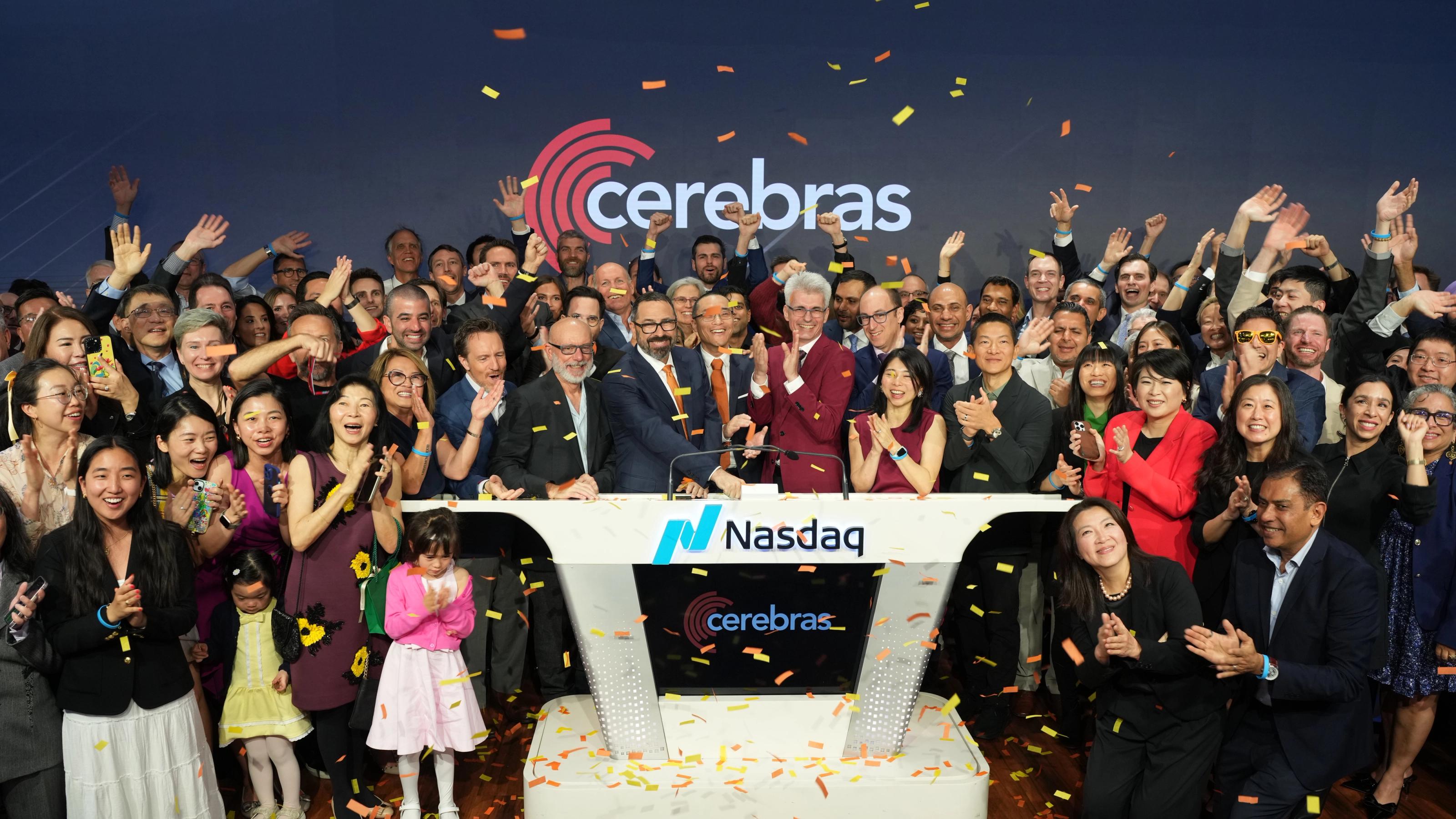


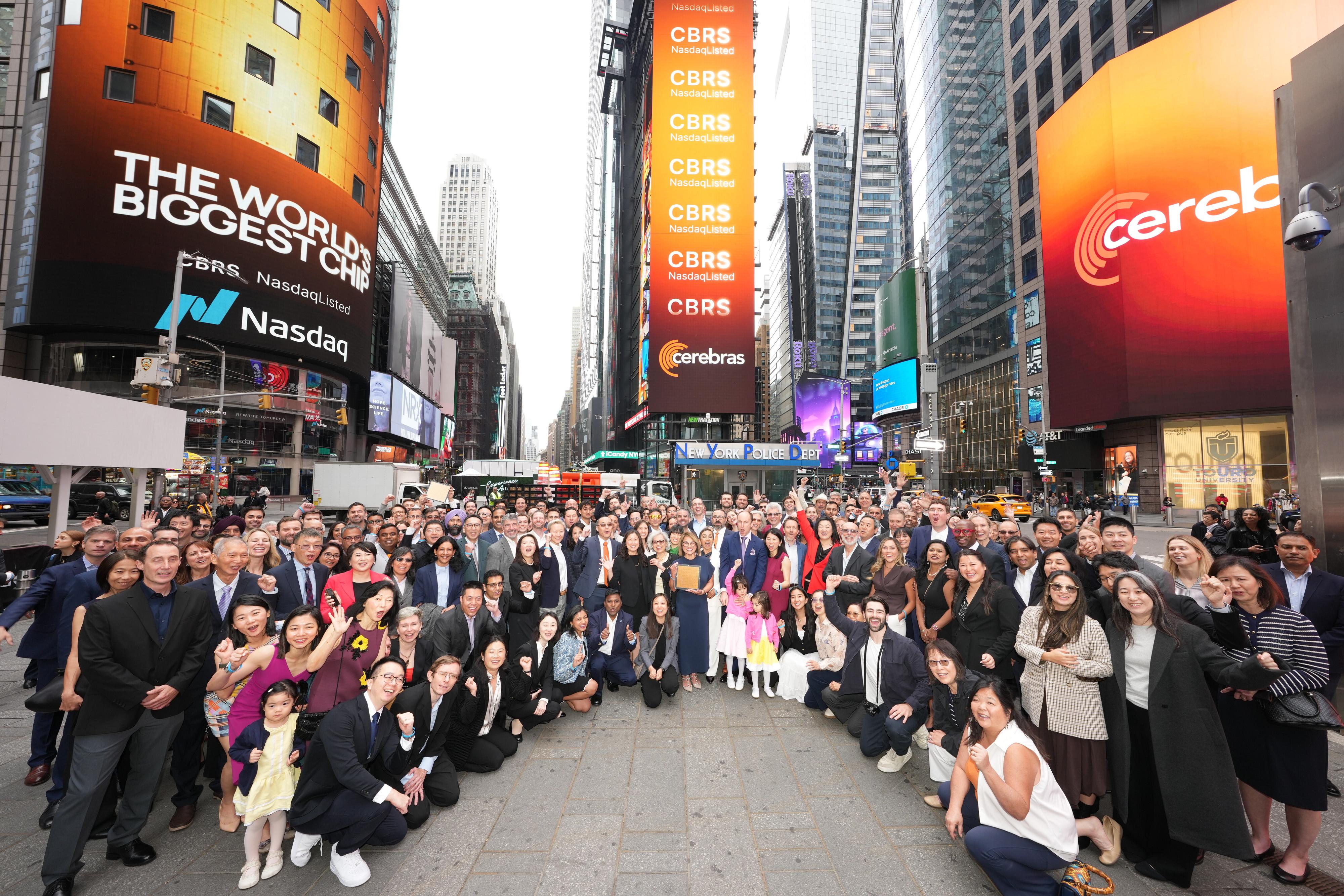
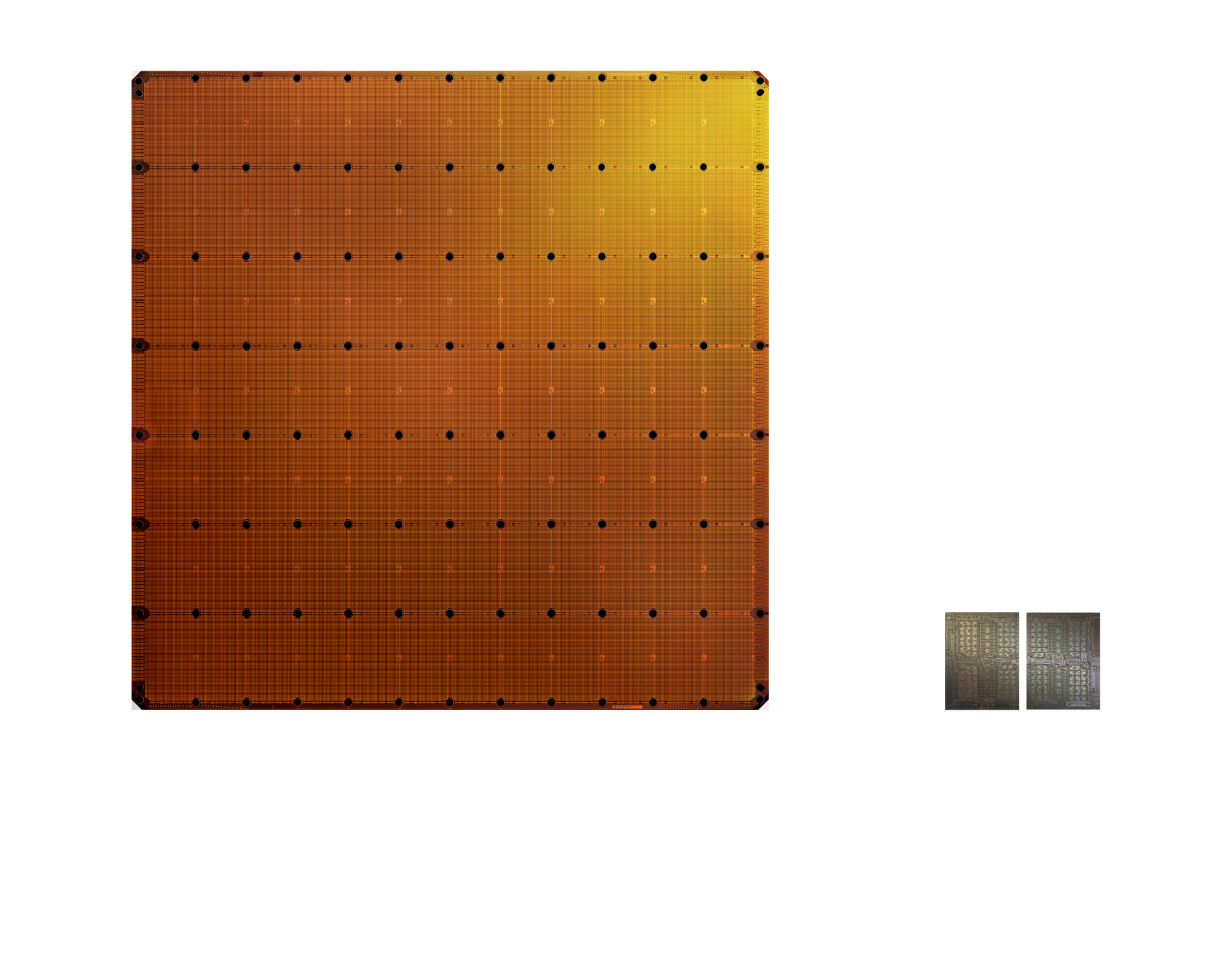
Cerebras is praised for its high-performance AI capabilities, particularly in delivering state-of-the-art models with low latency and high throughput, which makes it suitable for real-time applications. However, there is limited context indicating user dissatisfaction or specific complaints. The sentiment on pricing suggests substantial investment, evident from high-profile spending like OpenAI's substantial commitment to Cerebras chips, signifying a premium positioning. Overall, Cerebras has a strong reputation for advancing AI infrastructure, attracting significant attention from major AI players.
Features
Use Cases
Industry
semiconductors
Employees
450
I built a router that automatically sends your AI tasks to the most appropriate model to handle them at low cost - 9,200 tasks in, $21 saved at $0.14 actual cost
The observation that started this: most of what people use AI for every day - summarising, drafting, classifying, extracting etc doesn't actually require a frontier model. Any competent 8-70B model handles those just as well. But most people run everything through Claude or ChatGPT out of habit. I built Followloop ([followloop.app](http://followloop.app/)) to solve this automatically. It classifies each task by complexity and routes it: \- Simple tasks → Cerebras Llama (2000 TPS, 1M tokens/day free), Groq, Gemini Flash \- Moderate tasks → Groq 70B, SambaNova \- Complex tasks → Claude Haiku as fallback The dashboard shows your actual cost alongside what you'd have paid running everything on Claude Sonnet. I've been running it on my own AI workflow for two weeks: 9,200 tasks routed, $21.24 saved, $0.1360 actual cost. About 157× cheaper per token than Sonnet on average. Works with any AI setup via MCP (Model Context Protocol) - Claude Desktop, Cursor, Claude Code, or anything MCP-compatible. Also has a library of 1,300+ safety-screened MCP servers as a bonus feature. $5/month at [followloop.app](http://followloop.app/)
View originalPricing found: $10, $50/month, $48/day, $200/month, $240/day
Cerebras Chip Sets Appear to be Optimized for LLM Use Cases
One distinction I think is getting lost in the [Cerebras hype cycle](https://finance.yahoo.com/sectors/technology/articles/cerebras-challenges-nvidia-chip-dominance-040100169.html?guccounter=1) is that Cerebras is primarily an LLM / generative AI infrastructure story, not a universal “all AI” chip story. That is not necessarily a criticism of Cerebras. Their wafer-scale approach is genuinely interesting, and for large model training and inference the design is compelling. [Cerebras’ own public inference materials](https://inference-docs.cerebras.ai/models/overview) discuss applications mostly centered on open [LLMs such as Llama, Qwen, GLM, and GPT-OSS](https://www.cerebras.ai/infcamp). The inference metrics are [expressed in tokens per second](https://www.cerebras.ai/press-release/cerebras-launches-the-worlds-fastest-ai-inference), which is fundamentally a language-model / generative inference framing rather than a robotics or industrial-control framing. **What Kind of AI Compute?** But “AI compute” is not one undifferentiated market. LLM inference is one class of AI compute. Robotics, autonomous vehicles, drones, industrial controls, real-time vision, embedded perception, video pipelines, and sensor-fusion systems are very different classes of AI compute. Thus, it appears from Cerebras’ own materials that their chip sets are not optimized for what comes after LLMs, such as JEPA-style World Models or other post-transformer architectures. Those systems are not merely asking, “How fast can I generate tokens?” They often care about power envelope, edge deployment, ruggedization, latency determinism, camera/radar/lidar integration, feedback loops, safety certification, and real-time physical control. [Cerebras’ own CS-3 messaging](https://www.cerebras.ai/blog/cerebras-cs3), by contrast, frames the system around accelerating “the latest large AI models,” and the testing data is from the likes of Llama 2, Falcon 40B, MPT-30B, and multimodal models, again measured through tokens/second style throughput. **The Chip Hierarchy** This is also where the hardware distinction matters. Specialized ASICs are [usually the narrowest bet](https://www.hilscher.com/service-support/glossary/application-specific-integrated-circuit): if the workload matches the chip, they can be extremely efficient, but that [efficiency comes from specialization](https://www.synopsys.com/glossary/what-is-asic-design.html). Cerebras [appears broader than a narrow single-use ASIC](https://inference-docs.cerebras.ai/models/overview), but still much more concentrated around datacenter large-model training and inference. NVIDIA GPUs, by contrast, [are less specialized](https://www.nvidia.com/en-us/) but much [more broadly useful ](https://developer.nvidia.com/cuda)across AI workloads, including LLMs, vision, robotics, simulation, [autonomous systems](https://www.nvidia.com/en-us/industries/robotics/), edge AI, and industrial applications. So the question is not merely whether Cerebras is “better” or “worse” than NVIDIA. The question is what part of the AI hardware market we are talking about? **Challenge NVIDA?** This is why I think people should be careful when saying Cerebras is going to “challenge Nvidia” without specifying the battlefield. Challenge Nvidia in what? High-speed LLM inference? Large model training? Datacenter generative AI workloads? That is a much more plausible and specific claim. Cerebras has [even published and promoted work](https://www.cerebras.ai/whitepapers) specifically on training large language models, and [independent benchmarking literature](https://arxiv.org/abs/2409.00287) also evaluates Cerebras WSE in terms of LLM training and inference performance. **The Distinction that's Necessary** The point is not that Cerebras is overhyped. The point is that it is important in a specific part of AI and that distinction should be made clear. Cerebras may become a very serious player in LLM infrastructure, especially if the market continues to reward faster and cheaper LLM inference. But that does not mean it is positioned the same way across non-LLM AI. The current hype cycle tends to conflate "LLMs" and general “AI” compute together and that makes the hardware discussion less useful and clear. So ultimately, an investment in Cerebras looks more like a bet on current LLM infrastructure than a broad bet on the future form of AI. It may be a good bet, but people should understand what kind of bet it is.
View originalI measured my Claude Code MCP stack on two axes — byte savings AND cache-friendliness. My "best" byte-saver was defeating Anthropic's prompt cache (counter-example + open benchmark)
**TL;DR** — Single-axis benchmarks for MCPs, compressors, and retrieval layers can recommend a system that's *strictly worse* in production. The missing axis: **cache-friendliness** — whether the same input produces byte-identical bytes across runs, so Anthropic's prompt cache hits. In my coding-agent stack, my biggest byte-saver (retrieval MCP, 60–70% reduction) was defeating the 5-min TTL prompt cache on every call. Two runs of the same query produced different bytes because of `rg --files-with-matches` output order leaking through a `Map` insertion sequence into the final context. The fix was 2 lines: sort the rg hits before slicing, sort the `Map` entries by path. Byte savings unchanged, `cache_friendly_score` went from \~0% to 100%. https://preview.redd.it/x5foipotq93h1.png?width=1600&format=png&auto=webp&s=c0930422e882e23d1fc34ded25934c74db692a21 **Article + open benchmark harness:** * Article: [https://gregshevchenko.com/research/mcp-stack-token-economy/](https://gregshevchenko.com/research/mcp-stack-token-economy/) * Harness (stdlib-only Python, offline): [https://github.com/g-shevchenko/mcp-token-savers](https://github.com/g-shevchenko/mcp-token-savers) — see `methods/` for formal definitions, cluster-bootstrap CIs, Wilson CIs, preregistration, real-data Cohen's κ. **What the harness measures:** * `mean_ratio` \+ CV across N≥5 runs per fixture → byte-saving axis * `unique_md5_count == 1` check → cache-friendliness axis (0–100%) * 12-anti-pattern audit on tool definitions (DSA reference) **What named alternatives publicly disclose:** I surveyed the public docs for Cursor codebase index, Sourcegraph Cody, Aider repo-map, Microsoft LLMLingua / LLMLingua-2, Firecrawl / Jina Reader, RouteLLM / Martian (May 2026). https://preview.redd.it/ailemo1wq93h1.png?width=1600&format=png&auto=webp&s=4732f5d03f53ba95d2b5aaac0c7f21f1858a36a4 **Limitations:** * I hypothesized that the prep layer triggers more downstream cache hits on subsequent turns. It didn't reach significance: Welch p=0.32, Cohen's d ≈ 0.18, N=137. * Two-judge Cohen's κ on the corpus (cerebras-llama × groq-llama, N=25): κ = 0.5955 (moderate, below the 0.7 substantial threshold). 4 of 5 inter-judge disagreements concentrate on one task with an ambiguous acceptance criterion. Sharpening the spec would push κ to \~0.83. **Disclosure:** I'm the author. No commercial affiliation with the listed tools. The harness is MIT-licensed and takes any compressor as `(str) -> str`. Curious what `cache_friendly_score` looks like on others' Claude Code stacks.
View originalMemory
Your explanation is largely correct. The reason “memory” has become the dominant systems problem for LLMs is that modern transformers are increasingly **memory-bandwidth bound**, not compute-bound. The key shift is this: Training large models was mostly about FLOPs. Serving large models at scale is increasingly about **moving KV cache data around fast enough**. A single token generation step only performs a relatively modest amount of math compared to the amount of KV data that must be fetched from memory every step. **Why this happens** During inference, every new token attends to all prior tokens. So for token t, the model needs access to all prior K/V tensors: \\text{KV Cache Size} \\propto 2 \\times L \\times S \\times H \\times d Where: L = layers S = sequence length H = attention heads d = head dimension The killer is the S term. As context grows: 8K → manageable 128K → huge 1M → infrastructure problem A 70B model with long context can require **hundreds of GBs** of KV cache across concurrent users. **Why bandwidth matters more than raw compute** Modern GPUs like the NVIDIA H100 or NVIDIA Blackwell can perform enormous amounts of compute. But every generated token requires: Loading KV cache from memory Running attention Writing updated KV back That means inference speed often depends more on: HBM bandwidth memory locality cache management than tensor core throughput. This is why: HBM3E NVLink unified memory memory compression have become strategic bottlenecks. **Why the KV cache can exceed model weights** Model weights are static. KV cache is dynamic and scales with: users context length output length batch size Example intuition: 70B model weights might occupy \~140 GB FP16 But serving thousands of users with long contexts can require **multiple TBs of KV cache** So operators increasingly optimize: cache reuse eviction paging quantization instead of just model size. **Why vLLM and PagedAttention mattered so much** Before systems like vLLM, memory fragmentation was catastrophic. PagedAttention essentially borrowed ideas from operating systems: divide KV into pages allocate dynamically avoid contiguous memory assumptions That dramatically improved: utilization batching throughput This was one of the biggest inference infrastructure breakthroughs of the last few years because it improved economics without changing the model itself. **The deeper issue: transformers scale poorly with context** Standard attention fundamentally has a retrieval problem: Each token potentially references every prior token. Even though compute optimizations exist, the architecture still requires huge memory movement. That’s why researchers are exploring: Grouped Query Attention (GQA) Multi-Query Attention (MQA) sliding window attention recurrent memory state-space models hybrid retrieval systems The industry increasingly believes: infinite-context transformers using naive KV scaling are economically unsustainable. **Why inference economics are now the focus** Training frontier models is expensive. But operating them continuously at global scale is potentially even larger economically. For many providers: inference cost dominates memory dominates inference cost That’s why companies across the stack are racing on memory: NVIDIA → HBM + NVLink + Grace AMD → MI300 unified memory Cerebras → wafer-scale SRAM Groq → deterministic low-latency SRAM-heavy architecture Marvell Technology → custom memory fabrics The bottleneck has shifted from: “Can we train bigger models?” to: “Can we serve them cheaply and fast enough?”
View originalI built a router that automatically sends your AI tasks to the most appropriate model to handle them at low cost - 9,200 tasks in, $21 saved at $0.14 actual cost
The observation that started this: most of what people use AI for every day - summarising, drafting, classifying, extracting etc doesn't actually require a frontier model. Any competent 8-70B model handles those just as well. But most people run everything through Claude or ChatGPT out of habit. I built Followloop ([followloop.app](http://followloop.app/)) to solve this automatically. It classifies each task by complexity and routes it: \- Simple tasks → Cerebras Llama (2000 TPS, 1M tokens/day free), Groq, Gemini Flash \- Moderate tasks → Groq 70B, SambaNova \- Complex tasks → Claude Haiku as fallback The dashboard shows your actual cost alongside what you'd have paid running everything on Claude Sonnet. I've been running it on my own AI workflow for two weeks: 9,200 tasks routed, $21.24 saved, $0.1360 actual cost. About 157× cheaper per token than Sonnet on average. Works with any AI setup via MCP (Model Context Protocol) - Claude Desktop, Cursor, Claude Code, or anything MCP-compatible. Also has a library of 1,300+ safety-screened MCP servers as a bonus feature. $5/month at [followloop.app](http://followloop.app/)
View originalIntroduce a neat workflow that turns live news into newspaper-style daily brief images — two open-source skills + one prompt
Came across a combo of two open-source skills that work really well together: one pulls real-time news from 20+ sources, the other renders it into a newspaper-style mobile image. You just give your AI agent a prompt and it does the rest. The two skills 1. dak-news — real-time news aggregation for AI An open-source news skill designed for AI agents. It indexes 21 live sources updated every 30 minutes: International / Geopolitics: BBC, NYT, Al Jazeera, AP News, Foreign Affairs, The Diplomat Finance / Macro: Bloomberg, CNBC, MarketWatch, ZeroHedge Tech: Hacker News Social Trending: Weibo Hot, Zhihu Hot Supports keyword, date range, and source filters — so your agent can search and cross-reference stories on its own. 2. newspaper-brief — newspaper-style image renderer A skill that takes structured JSON (title, sections, highlights, quotes) and renders it into a newspaper-style mobile long image via HTML/CSS + headless browser screenshot. Basically turns a chat response into something that actually looks good. Install is straightforward Simply tell your agent to install skills from both dak-news and newspaper-brief link. Usage is dead simple Once both skills are added to your agent, you just say: "Generate today's world news brief" Or get more specific: "Summarize this week's Iran-US developments" "Create a tech industry weekly report" The agent searches dak-news, organizes the findings into structured JSON, and newspaper-brief renders the final image. What I like about it No manual curation — the AI pulls from real sources, not hallucinated content Actually readable — the newspaper layout with highlights, quotes, and sections beats a wall-of-text chat response Shareable — the PNG output is perfect for group chats, Slack, or social media Flexible — daily briefs, weekly roundups, topic deep-dives, event timelines all work Links dak-news: https://github.com/LittleLittleCloud/The-Grand-Archive newspaper-brief: https://github.com/EisonMe/newspaper-brief submitted by /u/xiaoyun1 [link] [comments]
View originalOpenAI to spend more than $20 billion on Cerebras chips, receive stake
Based on this Reuters report, OpenAI is trying to control both the hardware stack and the models. Spending $20B+ on Cerebras chips and taking an equity stake feels like a huge shift. Good for breaking Nvidia’s grip, or bad because AI gets even more concentrated in the hands of a few giants? Is this how OpenAI can maintain its lead and win against Anthropic and others? submitted by /u/galacticguardian90 [link] [comments]
View originalI built a local-first MCP server that gives Claude Code persistent memory, a knowledge graph, and a consent framework — and Claude is just the first client
I've been building this for a couple of years. It started as "what if my AI assistant actually remembered things," and it became something bigger. The short version: I built a local AI infrastructure layer that runs entirely on my machine. No cloud. No exposed ports. My data stays on my hardware. And this week it's finally at a point where I can share it. --- What it is willow-1.7 is a Model Context Protocol server. Claude Code connects to it at session start via stdio — no HTTP, no ports, no supervisor. A direct pipe. Through that connection, Claude gets 44 tools: - Persistent memory — a Postgres knowledge graph (atoms, entities, edges) that survives sessions - Local storage — SQLite per collection, with a full audit trail and soft-delete - Inference routing — local Ollama first, then Groq / Cerebras / SambaNova as free-tier fallback if Ollama is down - Task queue — Claude submits shell tasks to Kart, a worker that polls Postgres and executes them - SAFE authorization — every agent that wants knowledge graph access must present a GPG-signed manifest. No valid signature = access denied. Revoke an agent by deleting its folder. The filesystem is the ACL. - Session handoffs — structured handoff documents written to disk and indexed in Postgres, so the next session can pick up from where the last one ended --- The authorization model This part is unusual enough that it's worth explaining. Each application that wants to access the knowledge graph has a folder on a separate partition (/media/willow/SAFE/Applications/ /). That fo - safe-app-manifest.json — declares permissions and data streams - safe-app-manifest.json.sig — a GPG detached signature of the manifest On every access attempt, the gate checks: folder exists → manifest present → signature present → gpg --verify passes. All four must pass. Any failure → deny + log. No code changes to revoke access. Delete the folder, and that agent is done. I've been running 17 AI professors through this gate for months. Each one has its own signed folder, its own permitted data streams, its own context. None of them can access data outside their declared scope. --- What powers it locally Ollama runs the inference. Currently using qwen2.5:3b as the default. The system routes there first and falls back to free cloud APIs only if Ollama is unavailable. But Claude is just the first client. The MCP server speaks stdio MCP. Any agent that understands the protocol can connect — Gemini, local models, anything. The longer plan: Yggdrasil. A small model trained on the operational patterns this system generates — session handoffs, ratified knowledge atoms, governance logs. When that model is trained, it replaces the cloud fleet entirely. The system becomes fully air-gappable. And after that: an open-source Claude Code equivalent. A terminal AI agent that boots from your local repo, connects to willow via stdio, and has no dependencies you don't control. No telemetry. No cloud account required. Just you and the tools you built. willow-1.7 is the bus everything else rides. The client is just the first thing attached to it. --- Why local-first matters to me I have two daughters. I'm building this so they grow up with tools that help them think instead of thinking for them. That don't own their journals. That don't optimize their attention. That expire when they close the app. The current model is: agree once, we own everything forever. Your notes train our models. Your data lives in our building. Local-first is the other way. Your data lives on your machine. Consent is session-based — the system asks every time, and that permission expires when you're done. If you walk away, it stops. --- The bootstrap There's a separate installer repo, willow-seed, that handles the full setup from scratch — clones the repo, creates the Postgres database, scaffolds the first SAFE agent entry, writes the MCP config. Stdlib only, no dependencies. Consent gates before every action. python seed.py That's it. Tested it this week on a fresh partition. It works. --- Links - willow-1.7: https://github.com/rudi193-cmd/willow-1.7 - willow-seed: https://github.com/rudi193-cmd/willow-seed - SAFE spec: https://github.com/rudi193-cmd/SAFE --- Happy to answer questions. Still building. ΔΣ=42 submitted by /u/BeneficialBig8372 [link] [comments]
View originalMade a skill for Claude Managed Agents. Python version is up if anyone wants to try it.
Just finished putting together a Python skill for Claude Managed Agents and figured I’d share it here in case it saves someone else some time. Anthropic post: https://www.anthropic.com/engineering/managed-agents Repo: https://github.com/NeuraCerebra-AI/claude-managed-agents-skill I mostly made it because I wanted a cleaner starting point to work from instead of piecing everything together manually. If you’re experimenting with Managed Agents and want something practical to build on, this should help. Would love to hear if anyone ends up using it or improving on it. submitted by /u/Aperturebanana [link] [comments]
View originalMy Claude.md file
This is my Claude.md file, it is the same information for Gemini.md as i use Claude Max and Gemini Ultra. # CLAUDE.md This file provides guidance to Claude Code (claude.ai/code) when working with code in this repository. ## Project Overview **Atlas UX** is a full-stack AI receptionist platform for trade businesses (plumbers, salons, HVAC). Lucy answers calls 24/7, books appointments, sends SMS confirmations, and notifies via Slack — for $99/mo. It runs as a web SPA and Electron desktop app, deployed on AWS Lightsail. The project is in Beta with built-in approval workflows and safety guardrails. ## Commands ### Frontend (root directory) ```bash npm run dev # Vite dev server at localhost:5173 npm run build # Production build to ./dist npm run preview # Preview production build npm run electron:dev # Run Electron desktop app npm run electron:build # Build Electron app ``` ### Backend (cd backend/) ```bash npm run dev # tsx watch mode (auto-recompile) npm run build # tsc compile to ./dist npm run start # Start Fastify server (port 8787) npm run worker:engine # Run AI orchestration loop npm run worker:email # Run email sender worker ``` ### Database ```bash docker-compose -f backend/docker-compose.yml up # Local PostgreSQL 16 npx prisma migrate dev # Run migrations npx prisma studio # DB GUI npx prisma db seed # Seed database ``` ### Knowledge Base ```bash cd backend && npm run kb:ingest-agents # Ingest agent docs cd backend && npm run kb:chunk-docs # Chunk KB documents ``` ## Architecture ### Directory Structure - `src/` — React 18 frontend (Vite + TypeScript + Tailwind CSS) - `components/` — Feature components (40+, often 10–70KB each) - `pages/` — Public-facing pages (Landing, Blog, Privacy, Terms, Store) - `lib/` — Client utilities (`api.ts`, `activeTenant.tsx` context) - `core/` — Client-side domain logic (agents, audit, exec, SGL) - `config/` — Email maps, AI personality config - `routes.ts` — All app routes (HashRouter-based) - `backend/src/` — Fastify 5 + TypeScript backend - `routes/` — 30+ route files, all mounted under `/v1` - `core/engine/` — Main AI orchestration engine - `plugins/` — Fastify plugins: `authPlugin`, `tenantPlugin`, `auditPlugin`, `csrfPlugin`, `tenantRateLimit` - `domain/` — Business domain logic (audit, content, ledger) - `services/` — Service layer (`elevenlabs.ts`, `credentialResolver.ts`, etc.) - `tools/` — Tool integrations (Outlook, Slack) - `workers/` — `engineLoop.ts` (ticks every 5s), `emailSender.ts` - `jobs/` — Database-backed job queue - `lib/encryption.ts` — AES-256-GCM encryption for stored credentials - `lib/webSearch.ts` — Multi-provider web search (You.com, Brave, Exa, Tavily, SerpAPI) with randomized rotation - `ai.ts` — AI provider setup (OpenAI, DeepSeek, OpenRouter, Cerebras) - `env.ts` — All environment variable definitions - `backend/prisma/` — Prisma schema (30KB+) and migrations - `electron/` — Electron main process and preload - `Agents/` — Agent configurations and policies - `policies/` — SGL.md (System Governance Language DSL), EXECUTION_CONSTITUTION.md - `workflows/` — Predefined workflow definitions ### Key Architectural Patterns **Multi-Tenancy:** Every DB table has a `tenant_id` FK. The backend's `tenantPlugin` extracts `x-tenant-id` from request headers. **Authentication:** JWT-based via `authPlugin.ts` (HS256, issuer/audience validated). Frontend sends token in Authorization header. Revoked tokens are checked against a `revokedToken` table (fail-closed). Expired revoked tokens are pruned daily. **CSRF Protection:** DB-backed synchronizer token pattern via `csrfPlugin.ts`. Tokens are issued on mutating responses, stored in `oauth_state` with 1-hour TTL, and validated on all state-changing requests. Webhook/callback endpoints are exempt (see `SKIP_PREFIXES` in the plugin). **Audit Trail:** All mutations must be logged to `audit_log` table via `auditPlugin`. Successful GETs and health/polling endpoints are skipped to reduce noise. On DB write failure, audit events fall back to stderr (never lost). Hash chain integrity (SOC 2 CC7.2) via `lib/auditChain.ts`. **Job System:** Async work is queued to the `jobs` DB table (statuses: queued → running → completed/failed). The engine loop picks up jobs periodically. **Engine Loop:** `workers/engineLoop.ts` is a separate Node process that ticks every `ENGINE_TICK_INTERVAL_MS` (default 5000ms). It handles the orchestration of autonomous agent actions. **AI Agents:** Named agents (Atlas=CEO, Binky=CRO, etc.) each have their own email accounts and role definitions. Agent behavior is governed by SGL policies. **Decisions/Approval Workflow:** High-risk actions (recurring charges, spend above `AUTO_SPEND_LIMIT_USD`, risk tier ≥ 2) require a `decision_memo` approval before execution. **Frontend Routing:** Uses `HashRouter` from React Router v7. All routes are defined in `src/routes.ts`. **Code Splitting:** Vite config splits chunks into `react-vendor`, `router`, `ui-vendor`, `charts`. **ElevenLabs Voice Agents:** Lucy's
View originalSpill It – I built a local, fast speech-to-text app for my 8GB Mac
I've been using Wispr Flow for a while, but it's gotten glitchy over time. So I started this as a weekend project: build something local that just works, built it fully on CC. The constraints shaped the product. I have a 2020 Mac with 8GB RAM, so I was honestly just building this for myself. Whisper V3 was way too slow locally on my hardware. I wanted something fast and snappy, so I went with NVIDIA's Parakeet TDT 0.6B, quantized to 4-bit (about 400MB). It's nearly instant. You release the hotkey and the text is there. I also made an active choice to skip multilingual and go English-only. That gave me the freedom to do serious rule-based post-processing on the STT output. Multilingual would have added complexity I didn't want. For post-processing, I tried local LLMs, even Gemma 4, but everything put too much pressure on memory and slowed things down. Settled on GECToR (a BERT-based tagger, about 250MB), which does decent cleanup: commas, full stops, capitalization. It edits rather than rewrites, which is what I wanted. Context awareness is the part I'm most excited about. The app reads your screen via the accessibility tree (filenames, names, git branches) and adapts formatting to where you're typing. Terminal gets different treatment than email. It's not perfect and it doesn't catch every word in context, but it does a surprisingly good job, especially in the terminal. Honestly, I've mostly been using this to talk to CC, and all the error don't come in the way of CC's comprehension. Local model with some errors works really well for CC use case. But for email and messages, you need more polish, so I added an optional cloud LLM layer (bring your own API key). From everything I've tested, Qwen3 on Cerebras and Llama on Groq perform best and are among the fastest. Based on my usage (about 3,000 words a day), I'm spending about $6 to $7 a month on API costs. A few other things: - Added Silero VAD, which helps a lot with noisy environments. Also helps with whispering that they keep taking about, personally I don't get why one would whisper. I've tested it in cafes speaking directly into the laptop. Does well with longer sentences, falters a bit more with short ones. - There are still occasional hallucinations at sentence boundaries, a stray "yeah" or "okay" that seeps through. Still working on it. Pricing: The local version is fully free. Unlimited, no login, no credit card, just download and go. The cloud LLM polish layer is a small one-time fee, but you bring your own API key. Ping me, will give you a free activation key, only ask please share feedback. I'd love your feedback, especially on the context-awareness approach and whether the local-first plus optional-cloud model makes sense as a product. Download from here: https://tryspillit.com. Would love to hear to the community's feedback. submitted by /u/afinasch [link] [comments]
View originalSOTA models at 2K tps
I need SOTA ai at like 2k TPS with tiny latency so that I can get time to first answer token under 3 seconds for real time replies with full COT for maximum intelligence. I don't need this consistently, only maybe for an hour at a time for real-time conversations for a family member with medical issues. There will be a 30 to 60K token prompt and then the context will slowly fill from a full back-and-forth conversation for about an hour that the model will have to keep up for. My budget is fairly limited, but at the same time I need maximum speed and maximum intelligence. I greatly prefer to not have to invest in any physical hardware to host it myself and would like to keep everything virtual if possible. Especially because I don't want to invest a lot of money all at once, I'd rather pay a temporary fee rather than thousands of dollars for the hardware to do this if possible. Here are the options of open source models I've come up with for possibly trying to run quants or full versions of these: Qwen3.5 27B Qwen3.5 397BA17B Kimi K2.5 GLM-5 Cerebras currently does great stuff with GLM-4.7 1K+ TPS; however, it's a dumber older model at this point and they might end api for it at any moment. OpenAI also has a "Spark" model on the pro tier in Codex, which hypothetically could be good, and it's very fast; however, I haven't seen any decent non coding benchmarks for it so I'm assuming it's not great and I am not excited to spend $200 just to test. I could also try to make do with a non-reasoning model like Opus 4.6 for quick time to first answer token, but it's really a shame to not have reasoning because there's obviously a massive gap between models that actually think. The fast Claude API is cool, but not nearly fast enough for time to >3 first answer token with COT because the latency itself for Opus is about three seconds. What do you guys think about this? Any advice? submitted by /u/Mr-Barack-Obama [link] [comments]
View originalSOTA models at 2K tps
I need SOTA ai at like 2k TPS with tiny latency so that I can get time to first answer token under 3 seconds for real time replies with full COT for maximum intelligence. I don't need this consistently, only maybe for an hour at a time for real-time conversations for a family member with medical issues. There will be a 30 to 60K token prompt and then the context will slowly fill from a full back-and-forth conversation for about an hour that the model will have to keep up for. My budget is fairly limited, but at the same time I need maximum speed and maximum intelligence. I greatly prefer to not have to invest in any physical hardware to host it myself and would like to keep everything virtual if possible. Especially because I don't want to invest a lot of money all at once, I'd rather pay a temporary fee rather than thousands of dollars for the hardware to do this if possible. Here are the options of open source models I've come up with for possibly trying to run quants or full versions of these: Qwen3.5 27B Qwen3.5 397BA17B Kimi K2.5 GLM-5 Cerebras currently does great stuff with GLM-4.7 1K+ TPS; however, it's a dumber older model at this point and they might end api for it at any moment. OpenAI also has a "Spark" model on the pro tier in Codex, which hypothetically could be good, and it's very fast; however, I haven't seen any decent non coding benchmarks for it so I'm assuming it's not great and I am not excited to spend $200 just to test. I could also try to make do with a non-reasoning model like Opus 4.6 for quick time to first answer token, but it's really a shame to not have reasoning because there's obviously a massive gap between models that actually think. The fast Claude API is cool, but not nearly fast enough for time to >3 first answer token with COT because the latency itself for Opus is about three seconds. What do you guys think about this? Any advice? submitted by /u/Mr-Barack-Obama [link] [comments]
View originalYes, Cerebras offers a free tier. Pricing found: $10, $50/month, $48/day, $200/month, $240/day
Key features include: Powering AI Native Leaders, Top Startups, and the Global 1000, Serve open models in seconds, Scale custom models, Deploy on-prem for full control, Code at the speed of thought, Agents that never stall , Instant Answers, Conversations that flow.
Cerebras is commonly used for: Real-time natural language processing for chatbots, Image recognition and classification in healthcare, Financial forecasting using large datasets, Personalized content recommendations for e-commerce, Autonomous vehicle navigation and decision-making, Fraud detection in banking transactions.
Cerebras integrates with: TensorFlow, PyTorch, Kubernetes, Apache Kafka, Hadoop, AWS S3, Google Cloud Platform, Microsoft Azure, Jupyter Notebooks, Docker.
Based on user reviews and social mentions, the most common pain points are: API costs.

Jason Liu
Creator at Instructor (structured outputs)
1 mention

We Built an AI Agent That Audits Your Entire Docs Site in Under 60 Seconds
Apr 2, 2026
Based on 17 social mentions analyzed, 0% of sentiment is positive, 100% neutral, and 0% negative.