
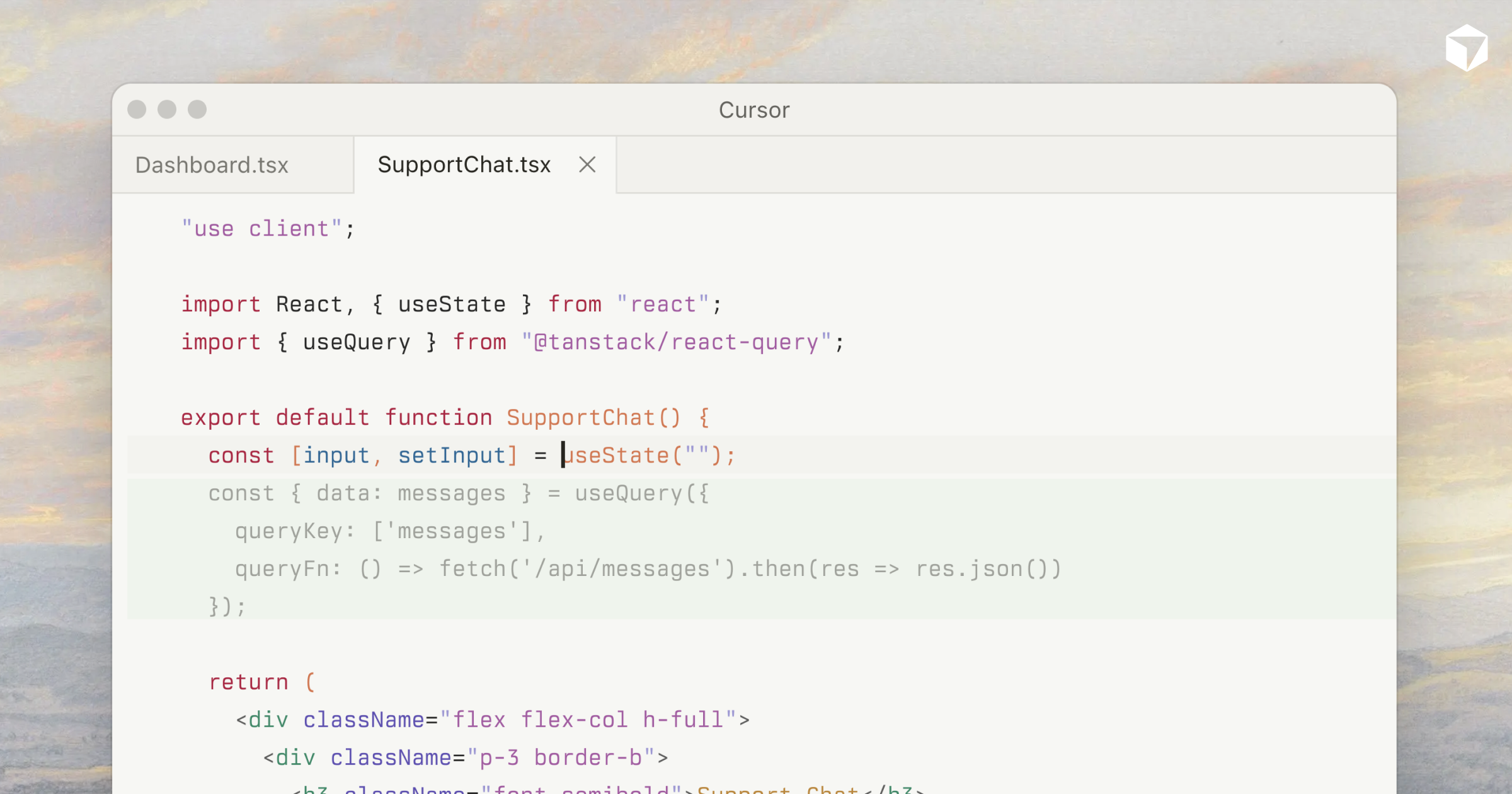
Next-action prediction.
Cursor Tab appears to have a strong reputation among developers for enhancing productivity through features like seamless session management and agent integration within development environments. Users appreciate its capability to integrate with other tools like Claude Code and VS Code, enabling an efficient workflow and effective task automation. However, some users express dissatisfaction with certain feature limitations, such as difficulties in accessing sessions remotely. The overall sentiment on pricing seems lacking, as discussions largely focus on capabilities and integration rather than cost, indicating that functionality is a higher priority for its user base.
Mentions (30d)
8
1 this week
Reviews
0
Platforms
2
Sentiment
32%
10 positive
Cursor Tab appears to have a strong reputation among developers for enhancing productivity through features like seamless session management and agent integration within development environments. Users appreciate its capability to integrate with other tools like Claude Code and VS Code, enabling an efficient workflow and effective task automation. However, some users express dissatisfaction with certain feature limitations, such as difficulties in accessing sessions remotely. The overall sentiment on pricing seems lacking, as discussions largely focus on capabilities and integration rather than cost, indicating that functionality is a higher priority for its user base.
Features
Use Cases
Industry
information technology & services
Employees
300
Funding Stage
Series D
Total Funding
$3.2B
Six agents running. Three are paused waiting for me. I haven't written a line of code in two hours.
I've been running parallel Claude Code agents for a few months. The promise was speed - 5× the throughput because 5× the agents. What actually happens by hour two: One agent stops on a yes/no. You alt-tab to it, approve, alt-tab back. Two more pause within the next minute. You scroll through their context, lose your place in the first one. Now there are four waiting. You're not writing code anymore - you're processing a decision queue you accidentally built for yourself. The agents aren't slow. You are. I started calling this the bottleself: the point where parallelism stops adding output and starts adding approvals you can't process fast enough. The ceiling on your system isn't tokens, model speed, or context window. It's the human in the loop. So I built a layer above the agents - a planner that: takes a high-level goal decomposes it into parallel subtasks spawns parallel Claude Code sub-agents - one per task has a QA sub-agent review the output pings you only when it actually can't decide Right now it's Claude Code only. Codex / Cursor / Aider integrations next. For a fresh repo with Claude Code, the planner handles decomposition + parallel execution end-to-end without me touching the keyboard. Source: github.com/gekto-dev/gekto Try: npx gekto Honest question to anyone running 5+ agents: how much of your day is actually writing code vs clearing the queue your agents created? Where does the bottleself hit for you? submitted by /u/OptimisticYogurt42 [link] [comments]
View originalI built an autonomous engineering agent on top of Claude Code. Self-improving routing, cross-session memory, process intelligence, P2P team learning.
Some of you might remember my posts about claude-bootstrap (v3.6 was the last one — cross-agent intelligence). I skipped v4 entirely because v5 shipped days later. What started as an opinionated Claude Code setup has become something fundamentally different. The problem I'm solving: Every AI coding tool today is an amnesiac. When a session ends, everything the agent learned — project conventions, reviewer preferences, codebase idioms — evaporates. The next session starts from scratch. And if you use multiple AI tools across projects, you have zero unified visibility into what's happening. I think the industry is converging on a spectrum: Level 0: Autocomplete (Copilot, TabNine) Level 1: Chat Assistant (ChatGPT, Claude) Level 2: Project-Aware Assistant (Cursor, Continue) Level 3: Task Agent (Devin, Claude Code Agent) Level 4: Autonomous Engineering Platform (Maggy) ← this is what I built The difference at Level 4: multi-model orchestration, self-improvement from every task, process intelligence that learns from CI/reviews/deploys, cross-session memory, and P2P team learning. What Maggy actually does Chat — Session Takeover: Auto-detects all running Claude Code sessions across your projects. Shows session history, prompt counts, duration. You can `--resume` into any session from the dashboard. Right now I have 7 active sessions across 4 projects visible at a glance. Task Triage: Connects to GitHub Issues and Asana. AI-ranks tasks by priority. One-click "Plan" or "Execute" buttons that spawn the right CLI with codebase context pre-injected from an intent code property graph (iCPG). Process Intelligence: This is the part most tools completely ignore. Maggy collects signals from the full SDLC — CI results, PR review comments, CodeRabbit findings, merge patterns, deploy results. It learns which code patterns cause test failures, what reviewers consistently flag, and preemptively fixes issues before they reach reviewers. > "Your reviewer always flags missing error handling in API routes. Maggy added it before the PR was created." That's not prompt engineering. That's autonomous process optimization. Cross-Session Memory (Engram): Maggy identifies 7 distinct amnesia pathologies (anterograde, retrograde, temporal, source, interference, context-binding, confabulation). Engram is a three-tier memory system — local (project-specific), portfolio (cross-project patterns), and mesh (team-shared). Knowledge compounds across sessions instead of evaporating. Maggy Mesh — P2P Team Intelligence: Connects Maggy instances across a team. One developer's CI fix becomes the entire team's knowledge — autonomously. Typed memory classes (scores, patterns, policies, gaps) with provenance and quarantine. A new team member gets the benefit of months of collective learning on day one. Multi-Model Routing: Auto-discovers which CLIs you have (Claude, Codex, Kimi, Ollama) by probing `--help` at startup. Routes by complexity score: Blast 1-3 → ollama (free, local) or kimi (cheap) Blast 4-6 → codex (mid-tier) Blast 7-10 → claude (premium, with validator) Security, tests, docs, architecture always go to Claude regardless. The routing rules are YAML and self-update from task outcomes. 5-Level Self-Improvement: This is the core differentiator. Every task teaches Maggy something: | Level | Frequency | What It Does | |-------|-----------|-------------| | L0 — Real-time | Seconds | Catches tool/test failures, switches models mid-task | | L1 — Task | Minutes | Computes reward score, updates model performance | | L2 — Daily | Hours | Catches CI pass rate drops, disables failing models | | L3 — Weekly | Days | Evolves skill files, adjusts workflow steps | | L4 — Monthly | Weeks | Recalibrates reward signals, tunes the improvement process itself | Budget Tracking: Per-provider token spend with daily limits. When Anthropic hits budget, Maggy routes to OpenAI. When that hits budget, it routes to local Qwen. Work never stops. Competitor Intelligence: RSS + Google News daily briefing for your competitive landscape. The benchmark Built an Expense Tracker (6 tasks) through two pipelines — Maggy (4 models) vs Claude Code alone: | Metric | Maggy | Claude Code | |--------|-------|-------------| | Success rate | 6/6 (100%) | 6/6 (100%) | | Quality score | 7.4/10 | 7.8/10 | | Claude usage | 1/6 tasks (17%) | 6/6 tasks (100%) | | Security issues found | 7 | 0 | Claude alone is faster. But Maggy used it for only 1 out of 6 tasks — 83% reduction in premium compute. And the dedicated security routing caught 7 issues the single-pipeline missed entirely. The question isn't "which tool writes better code today?" — it's "which tool writes better code *next month* than it did *this month*?" Repo: github.com/alinaqi/claude-bootstrap Maggy is built on Claude Code's infrastructure (skills, hooks, MCP). It extends Claude Code with self-improvement, multi-model routing, process intelligence, and team mesh. If you just want the skills/hooks/TDD se
View originalI built a web tycoon game in a month to actually measure how far AI coding has come
I've been following vibe coding output for a while and the way people evaluate it is broken. Big claims disappear behind code dumps. There's rarely a measurable outcome, most of it is hype and speculation, and how well the tools scale on real codebases varies wildly depending on who you ask. The people who say they shipped something don't share the process. They optimize for sensational headlines and skip everything that would let you grade the work. Testing a random app, a SaaS dashboard, or a website tells you almost nothing about model quality. They all converge on the same look, or they bolt on a useless 3D scene to seem impressive and tank performance doing it. You're grading templates, not the model. Vibe Your Way Here Games are what's left. A game is the cleanest test I can think of for current AI: visuals and mechanics get exercised at the same time, and you can grade the result at a glance. You don't need anyone to walk you through their process, because a game is the sum of a lot of moving parts, and even someone who has never touched gamedev can feel whether it's any good. So I wanted to see how far I could push current models. One month, working web tycoon game, runs in the browser. The premise leans into the joke: it's a tycoon where you run a vibe-coding studio, shipping the same small projects vibe coders rebuild for the thousandth time, habit apps, todo apps, that whole genre. Which is what vibe coding actually is in practice: burning tokens to redo solved problems and hoping the model makes smart choices in the middle. Stack: Cursor (GPT-5.4 high) for almost all the coding, Gemini 3.1 for assets, Claude Opus 4.6 for specific refinements like lighting. Nothing else. I do not normally believe that one trivially simple trick changes the outcome of a real project. The "one quote that changed my life" genre is nonsense to me, and I'd be skeptical reading this if someone else wrote it. But AI work is structurally different. The medium is effortless generation and slop, and small process choices seem to compound far more than they should. The trick: Gemini in Canvas mode, one-shot. Gemini is mediocre at coding and at most other things, but in Canvas, asked to one-shot something visual or stylistic, the outputs are surprisingly strong, and the art styles you can pull out of it are ones the other frontier models simply won't give you. I assume that's downstream of training data. The method is: open ten tabs of gemini 3.1 canvas, run the same prompt in parallel, pick the one that hits, iterate on it with the other models. That's the whole thing. Every visual decision in the game went through that loop: the main city scene, the UI, the juicy micro-animations, the three.js offices. Ten variants, pick the strongest, hand the winner to Codex to wire it into the project, then sometimes pass it through Opus for refinement (lighting was the big one). The selection step is doing more work than people give it credit for. Most of the gain isn't any individual model being smart. It's refusing to settle for the first output. Run wide, select aggressively, integrate with Codex. One more thing everything you see in the game is 100% AI generated. No external assets, no asset packs, no stock art. The only exceptions are a few AI-generated images and some AI-generated 3D robots. submitted by /u/Feisty_Advantage_597 [link] [comments]
View originalClaude will not finish this specific Deep Research task
For multiple days now, using multiple models and settings on claude.ai, I have been unable to get a successful deep research session back on the below prompt. It does the thinking, scans anywhere from ~750-2,000 sources, thinking/notes/progress all looks good. ...then it hangs...for hours. And then dies. Mostly with the red "Something went wrong" text. One time I saw the "Boom. research complete" note, but no document or summary was output. I've never had this with any other deep research task. Just seems to be this specific ask or something preventing it. Any ideas whats going on? --- # Deep Research Prompt: Complete Claude Code Capability & Configuration Atlas ## Role You are a meticulous technical researcher building the definitive, exhaustive, and **currently-valid** reference for everything that can be configured, customized, toggled, extended, or controlled in **Claude Code** (Anthropic's terminal-based agentic coding tool, package `@anthropic-ai/claude-code`). This is not a tutorial. This is a **complete capability atlas** — every knob, dial, file, flag, env var, hook, magic word, permission, integration, and undocumented-but-real feature. ## Objective Produce a single, comprehensive knowledge base covering **100% of Claude Code's configurable surface area**, with every entry **validated as present in the latest stable release** and **sourced** to an authoritative location. Anything deprecated, removed, renamed, or unverifiable must be **excluded** from the main catalog (and instead listed in a separate "Removed / Deprecated / Unverified" appendix with the evidence trail). ## Authoritative Sources (in priority order) 1. Official docs: `https://docs.claude.com/en/docs/claude-code/*` and `https://docs.anthropic.com/en/docs/claude-code/*` 2. Official GitHub repository: `https://github.com/anthropics/claude-code` — especially: - `CHANGELOG.md` (most recent entries define "latest") - `README.md` - Release tags / releases page - Open & recently-closed issues for behavioral edge cases 3. Anthropic engineering blog posts and announcements on `anthropic.com/news` and `anthropic.com/engineering` 4. The npm package metadata and any bundled `--help` output 5. Anthropic's Claude Code SDK docs (TypeScript and Python) 6. Anthropic Cookbook / reference repos under the `anthropics` GitHub org **Lower-trust sources** (community blogs, third-party tutorials, Reddit, X posts) may be used **only** to surface candidate features for investigation — every such candidate must then be re-verified against an authoritative source above before it earns a place in the main catalog. If a community claim cannot be authoritatively confirmed, file it under "Unverified." ## Scope — Categories To Exhaustively Cover For each category, enumerate **every** option, not just the popular ones. ### 1. Installation, Distribution & Runtime - Install methods (npm global, native installer, Homebrew, etc.) per OS - Supported OSes, terminals, shells, Node.js versions - Update mechanism, channel selection, version pinning - Uninstall and clean-state procedures - Working directory / trust prompts on first run ### 2. CLI Invocation - Every flag and option of the `claude` binary (e.g., `-p`/`--print`, `-c`/`--continue`, `-r`/`--resume`, `--model`, `--allowedTools`, `--disallowedTools`, `--permission-mode`, `--dangerously-skip-permissions`, `--output-format`, `--input-format`, `--verbose`, `--mcp-config`, `--add-dir`, `--session-id`, `--append-system-prompt`, etc.) - Subcommands (`claude config`, `claude mcp`, `claude doctor`, `claude update`, `claude migrate-installer`, etc.) — full subcommand tree - Stdin/stdout behavior, exit codes - Headless / non-interactive mode semantics - Streaming JSON input/output formats and schemas ### 3. Settings Files (Hierarchy & Schema) - Every settings file location and its precedence: enterprise managed → user (`~/.claude/settings.json`) → project shared (`.claude/settings.json`) → project local (`.claude/settings.local.json`) - Full JSON schema: every key, type, default, allowed values, scope - Examples include but are not limited to: `model`, `apiKeyHelper`, `permissions` (allow/deny/ask, additionalDirectories, defaultMode), `env`, `hooks`, `statusLine`, `outputStyle`, `cleanupPeriodDays`, `includeCoAuthoredBy`, `forceLoginMethod`, `disableAllHooks`, `enableAllProjectMcpServers`, `enabledMcpjsonServers`, `disabledMcpjsonServers`, etc. - How merging works across the hierarchy (override vs. union) ### 4. Environment Variables - Every recognized env var: `ANTHROPIC_API_KEY`, `ANTHROPIC_AUTH_TOKEN`, `ANTHROPIC_MODEL`, `ANTHROPIC_SMALL_FAST_MODEL`, `ANTHROPIC_BASE_URL`, `ANTHROPIC_CUSTOM_HEADERS`, `CLAUDE_CODE_USE_BEDROCK`, `CLAUDE_CODE_USE_VERTEX`, `CLAUDE_CODE_SKIP_BEDROCK_AUTH`, `CLAUDE_CODE_SKIP_VERTEX_AUTH`, `DISABLE_TELEMETRY`, `DISABLE_ERROR_REPORTING`, `DISABLE_NON_ESSENTIAL_MODEL_CALLS`, `DISABLE_AUTOUPDATER`, `DISABLE_BUG_COMMAND`, `DISABLE_COST_WARNINGS`, `BASH_DEFAULT_TIMEOUT_MS`, `BASH_MAX_TIMEOUT_MS`,
View originalI built a Claude Code plugin to help me GM: TTRPG GM Apprentice. Looking for feedback on token efficiency.
I run tabletop RPGs (Call of Cthulhu, GURPS, Forged in the Dark, D&D 5e) and I got tired of the same workflow every session: dig through notes, cross-reference NPCs, check what threads I'd left dangling, figure out what to prep next. So I built a Claude Code plugin that handles all of it. gm-apprentice is eight skills that cover the full campaign lifecycle: Skill What it does ttrpg-expert Rules advisor, content generation, encounter design, continuity checking. Pure reference layer, no vault writes. campaign-organizer Scaffolds and maintains a structured markdown vault. Works with Obsidian or plain filesystem. session-prep Between-session prep. Reconciles what actually happened vs. what was planned, reviews PC arcs, finds stale threads, designs scenes. session-play At-the-table assist. Speed-optimised, 1-5 sentence responses, stays out of the way. session-wrapup Post-session processing. Turns raw play notes into canon, creates entities, builds timeline, packages carry-forward. campaign-qa Audits the vault for contradictions, timeline violations, duplicate names, clue gaps. vault-ingest Imports old campaign materials into the vault. Interviews the GM to recover what actually happened at the table. publish-site Turns the campaign vault into a static GitHub Pages site your players can browse. The whole thing is built around a markdown vault (Obsidian recommended, plain filesystem works fine). All campaign state lives in the vault, not in Claude's context, so you can pick up where you left off across any client. Desktop, CLI, VS Code, mobile, whatever. How it's built Built entirely in Claude Code. Claude wrote the skills, the reference files, the publish tool (npm package), the CI pipeline, the test infrastructure, and the vault migration system. My job was design decisions, domain expertise (been GMing for years), and aggressive quality gating. Every PR goes through a code review agent before merge. One architectural decision that's worked well: splitting skills into an advisor (ttrpg-expert, which is read-only reference material) and doers (everything else, which are workflow-driven). This means I can compact the reference layer independently and keep the workflow skills lean. session-play, for example, is about 80 lines because during live play you need speed, not depth. Where I'd love input: token efficiency This is the thing I keep bumping into. The plugin is roughly 33k lines of markdown across all skills and references. I've done a fair bit to keep it tight: Compaction passes. I periodically run reference files through a compaction agent that strips redundancy while keeping information density. Got 30-60% reductions on most files. Shared reference layer. Common knowledge (entity schema, frontmatter conventions, vault structure) lives once in a shared/ directory instead of being duplicated across skills. Proportional reading. Skills only load vault content proportional to the task complexity, not the whole campaign. Routing tables. System-specific content has lookup tables so Claude can jump to the right reference file without scanning everything. But I wonder there's more to squeeze out, and this is where I don't know what I don't know. If you've built Claude Code plugins or worked on token-efficient prompt engineering, here's what I'm asking about: What's worked for you to reduce skill/reference file sizes without losing capability? Is there a sweet spot for how much reference material a single skill should carry before you should split it? Any techniques for making Claude load content lazily (only when needed) rather than reading everything upfront? Tell me if I'm off base on any of this. I'm building this through Claude Code rather than writing directly, and there are probably patterns I'm missing. Free and open source Install from the Claude Code plugin marketplace: /plugin marketplace add AntTheLimey/gm-apprentice /plugin install gm-apprentice Also works on Claude Desktop (Cowork tab), VS Code, Cursor, and JetBrains. If you're on a free or starter Claude account, you can download individual skill zips from the GitHub releases page and upload them manually. GitHub: https://github.com/AntTheLimey/gm-apprentice Happy to answer questions about the architecture, the skills, or any of the TTRPG-specific design decisions. submitted by /u/antthelimey_OG [link] [comments]
View originalI created a UX / Design System for AI tools like Claude & Codex.
I’m a developer who cares a lot about UX/UI, and after using AI tools like Claude, Codex, and Cursor, the results feel generic and off. Too many options, weak hierarchy, no real flow… so you end up fixing everything manually. I also looked at some of the design systems built into these and none really follow real science-backed methods or principles. I tried solving it by turning proven UX / Design principles like cognitive load theory, decision-making, hierarchy, Colour theory etc into rules the AI must follow, with a simple build → score → fix loop. The UX system controls behaviour like flow, decisions, friction, the design system controls things like structure layout, spacing, hierarchy, and together they turn that into rules the AI has to follow. Its not just a generic .md file but more of a broken down system where you can control the output and build real UX driven apps that are unique every time. It works well for me so thought i'd share it if anyone wants to try it: https://github.com/Mike-Moore100/UX-Design-System-for-AI Open to any input - there’s a Discussions tab on the repo if you have thoughts. submitted by /u/Wooden-Fee5787 [link] [comments]
View originalFrontend dev. A month of building a Rust cost tracker + cloud + Cursor extension solo with Claude Code. Honest writeup + workflow tips.
https://preview.redd.it/atpph00rtlxg1.png?width=3318&format=png&auto=webp&s=64332861d25e8833eca6c75a3004d72c9af53769 A month ago I posted about a small CLI I built to figure out where my AI tokens go. Frontend dev, enterprise Claude Code + Cursor sub, didn't pay out of pocket but got curious. That post got way more traction than I expected, so I kept building. A month later, "small CLI" has become: budi — a 6 MB Rust daemon + CLI that tails the JSONL transcripts Claude Code, Codex, Cursor, and Copilot CLI write to disk. Local-only. SQLite. No proxy, no hooks, no network calls. Cloud dashboard (Next.js + Supabase) — opt-in, off by default. Only daily aggregated numbers leave your machine. Prompts, code, file paths — never. Cursor / VS Code extension that mirrors the Claude Code statusline so you see your spend without leaving the editor. Marketing site, CI, Homebrew tap, signed macOS/Linux/Windows binaries. Every layer of this was built with AI. I haven't written a Rust line by hand. Two years ago a frontend dev would not have shipped this solo in a month. The actual unlock isn't the model — it's the workflow The thing that lets one person ship this much with AI isn't "Opus is magic." It's that I built a workflow where the agent always has exactly one well-scoped task in front of it. The pieces that matter: One canonical context file. Claude Code, Codex, and Cursor each want their own (CLAUDE_md, AGENTS_md, .cursorrules). Different agents kept rewriting their own copy and the four files drifted out of sync within a week. Now I keep one canonical SOULmd, and the others are 3-line stub files that just say "Canonical AI-agent repository guidance lives in SOUL.md." Every agent ends up reading the same doc. No drift. Every fix gets a test that fails when the fix is reverted. Unit tests via cargo test --workspace plus 14 bash end-to-end scripts pinned to specific issues. Each script boots the real release binaries against an isolated $HOME and asserts SQLite rows. New scripts have to be negative-path provable — they must fail when the bug they guard is reintroduced. Without this, AI silently regresses things. Strict formatter + lint wall. cargo fmt, clippy -D warnings, Prettier, ESLint on every PR. Non-negotiable. AI agents drift in style across sessions — one writes 80-char lines, the next writes 120 — and without a hard gate the codebase turns into a patchwork in two weeks. Milestones + epic control issues. Each release has a single epic issue listing every sub-task in execution order, with ADRs locking the spec before any code is written. One issue → one branch → one PR. No batched PRs, no long-lived feature branches. A short "Working Rules For The Next Agent" prompt at the top of every epic. "Pick the earliest open issue whose deps are closed, restate goal/risks, smallest change, ship docs with code, one PR per issue." I paste it into a fresh Claude Code session and it just goes. The agent never has to figure out scope, priority, or architecture — those decisions live in the issue body and the ADR. It just picks the next issue and ships the smallest change that closes it. And then budi watches it do that work and tells me which Linear ticket cost $658 in tokens. The tool measures the workflow that built it. Honest take on the tools I rotate between Claude Code, Codex, and Cursor. For building I keep coming back to Claude Code + Opus. Diff quality is better, multi-step refactors across crates hold up, I trust the output more. Codex Desktop has the cleanest "modern agent UI" I've seen — I want Claude Code to steal half of it. Cursor is still my default for inline debugging — model + breakpoints in the same view beats tab-switching. The new claude --chrome mode is a game-changer for web work. Claude Code can drive a real Chrome window — navigate, click, take screenshots, read the DOM, watch network requests, log into the dashboard. I used it constantly debugging the Next.js cloud and the marketing site. No more "describe the bug → describe what I see → describe what I expected" loop; it just opens the page and tells me what's actually broken. This alone made it impossible for me to switch away from Claude Code for the web side of the project. But the code that actually shipped came from Claude Code + Opus, every time. What budi does that I don't think anything else does Cost per ticket. Not per repo, per session, per day — per ticket. budi auto-extracts ticket IDs from your branch names (FE-2308, ENG-123, 42-quick-fix) and tells you "this Linear ticket cost $658 in tokens." Nobody else does this and it's the most useful number I have when I'm trying to figure out which kind of work eats my budget. Plus the usual: cost per repo, branch, model, and file. Live statusline in Claude Code and Cursor (budi · $X 1d · $Y 7d · $Z 30d). Fully offline — the cloud is opt-in, never required. Who I'd love to hear from I built this for me — a developer on an enterprise sub who doesn't pay ou
View originalWhat Claude Design does really well (and not so well)
I did a deep dive on Claude Design and below are my thoughts. What it does extremely well: Improves your prompt - similar to "ask me questions" when chatting to an LLM. Can make the difference between slop and actually useful. Invokes agent skills for you - a game changer for people who don't live in the terminal Claude Code handoff - easily get Claude Code to build it for real with a simple link share. Genius. Comment feature - spatial editing (similar to Cursor and a few others), but selection is very accurate and I like how you can queue up edits and select which ones to send to the LLM Absence of "Code" tab - yes, the absence of the feature is the feature. Coding in the browser is rarely a pleasant experience for me. It's integrated designer environment - agent skills, prompt improvements, spatial editing and design systems. The bridge between these features feels seemless. What it doesn't do well: Design System creator is unusable - it's slow, burns loads of tokens and extrapolates for too much from inputs. Biggest issue of all is that it creates a "second source of truth" for your design system (if you already had one in GitHub, for example) Limited agent skill choice - there are roughly 12 or so skills baked in to the tool - with no way to specify open source or your own skills Very strict strictly limits - I'd burned through my limit after 1 design system and 4 prototypes. I'm on the pro plan. Who I think Claude Design is for: Someone who isn't a designer - project managers, marketers, founders. It's a great way for them to communicate ideas to designers/developers. The Claude Code handoff makes it easy for more technical team members to implement it in production Designers who want to kill bad ideas fast Do you still need Figma? IMO, it's a resounding yes. But Claude Design bites a significant chunk of the early, prototyping phase of a product/idea. Attached video is an excerpt showing how you get similar results from various tools. Watch full video: https://www.youtube.com/watch?v=lFdWmu8lje8 submitted by /u/the-design-engineer [link] [comments]
View originalHow I fixed Opus 4.7 to build a game engine as a non-game dev on a Pro account
I was looking at the Anthropic release notes for Opus 4.7 and saw it was good at certain things and but not as good as 4.6 as others. So I figured, why not test this model out and lean into its strengths? If you’ve been paying attention to the developer trends lately, Cursor, VSCode and tools like cmux are being designed for a specific workflow. Take an agent, let it work on a plan, don’t micromanage it, and switch to the next agent. The trend is to multi-agent, and blindly switch between vertical tabs in the left column. Every good engineer looks at the documentation. So what does the documentation say: Users report being able to hand off their hardest coding work—the kind that previously needed close supervision—to Opus 4.7 with confidence. Opus 4.7 handles complex, long-running tasks with rigor and consistency, pays precise attention to instructions, and devises ways to verify its own outputs before reporting back. Ask yourself right now: when you work with Claude, are you: telling it to do specific tasks chatting back and forth at least 3 or 4 times before it writes code trusting it to do work like “finding” or “updating” things, that a cheaper model like Sonnet can do? My sense is when Anthropic says “complex” and “long-running”, this is going in one ear and out the other as marketing fluff. I think for most people, a long-running task is something that takes more than 1 or 2 minutes. I’m a full stack engineer working for a big SaaS company, not a game developer. Games, compared to websites and most CRUD-based SaaS apps are complex, requiring a lot of math. I figured a game could be a good way of evaluating 4.7's long-running limits. Later on in the release notes, I found this: The model also has substantially better vision: it can see images in greater resolution. It’s more tasteful and creative when completing professional tasks, producing higher-quality interfaces, slides, and docs. What does Anthropic mean when they say “substantially better vision”? Again, I think this is going in one ear and out the other as marketing fluff. So I thought to myself, can I trust Opus 4.7 to figure out how to reverse engineer the graphics and visual effects of a game, so that I can build other games with it? Good engineers don’t build from scratch. They take a template, or something that’s well known, and then use it to build other things. So I recorded a video, trusted Claude that it had enough content in its knowledge base to understand the rules of a well-known game like Tetris, and asked it to capture all of the visual effects using a tech stack with a lower footprint than Unity. Claude showed me something I didn’t know it could do. It could take a video, chop it up, and be smart enough to look for specific triggers and events, and capture a bunch of screenshots. Then it took those screenshots, cropped and sequenced them itself. Based on what it saw frame-by-frame, it was smart enough to reverse engineer the effects and some of the math required. Give Claude a video, ask it to document all of the effects, and then use that documentation to build a prototyping game engine. This gave me enough trust to turn it into a workflow. So what does Claude Code offer when you have repeatable workflows? Skills. Now I had a library of visual effects because I let it use those skills. Then I gave Opus 4.7 a very specific goal. I did not tell it how to reach that goal. I did not give it tasks. I did not use BMAD, nor did I give it specs. In fact, one thing I did with Opus 4.7 that changed from Opus 4.6, was I disabled the Superpowers Plugin/Skill, which helps you come up with a plan together over 5-10 messages. So instead of closely supervising Opus, I thought, is it smart enough to write its own instructions? Here’s what the documentation says: Instruction following. Opus 4.7 is substantially better at following instructions. Interestingly, this means that prompts written for earlier models can sometimes now produce unexpected results: where previous models interpreted instructions loosely or skipped parts entirely, Opus 4.7 takes the instructions literally. Users should re-tune their prompts and harnesses accordingly. Again, content that goes in one ear and out the other. What they should’ve done is say “Opus 4.7 is substantially better at following ITS OWN instructions, results with yours may be different. So re-tune your prompts and harnesses based on what you observe” Did I use a CLAUDE.md to hold the plan? No. Why? Because the documentation says Opus 4.7 is better at using file system-based memory. It remembers important notes across long, multi-session work, and uses them to move on to new tasks that, as a result, need less up-front context. This was the next change I made in my workflow. What most people don’t know about Claude Code is that Claude has a whole system of managing sessions in the .claude directory at your home directory. So I asked Claude to come u
View originalr/cursor mods removed a post asking if Cursor is still worth it. 71 upvotes, 84 comments, 77 shares.
Says a lot honestly submitted by /u/captainnigmubba [link] [comments]
View originalBuilt a tool that helps you audit and trace autonomous code
Working at a big tech firm, realized the gap in the adoption of autonomous code agents in the enterprise. It has also become somewhat important that you have traces of agent code, which is later required for compliance and helps while fixing bugs!! So I developed AgentDiff - Live level attribution for your codebase. Know which agent(Claude code/cursor/codex) wrote it, the prompt that drove it, the intent behind it, and more. Example with a simple command agentdiff list, you get all the attributions such as: ``` agentdiff list agentdiff list — 6 entries # COMMIT TIME AGENT MODEL FILE(S) LINES TRUST PROMPT ──────────────────────────────────────────────────────────────────────────────────────────────────────────────────────────────────────────────────── 1 a1b2c3d4 Apr 14 09:12 claude-code claude-sonnet-4-6 src/commands/push.rs 1-47 92 "fix ordering: write local ref befor…" 2 b2c3d4e5 Apr 14 09:44 codex o4-mini src/store.rs +2 112-198, 201-230 — "add fetch_ref_content helper" 3 c3d4e5f6 Apr 13 18:01 cursor cursor-fast src/cli.rs 305-381 — "add remote-status args struct" 4 d4e5f6a7 Apr 13 17:30 opencode claude-sonnet-4-6 src/main.rs 80-94 88 "wire remote_status dispatch" 5 e5f6a7b8 Apr 12 11:04 windsurf claude-sonnet-4-6 src/init.rs 44-68 — "remove legacy .agentdiff dir creat…" 6 f6a7b8c9 Apr 11 16:22 human — README.md — — — ``` I built this with 90% contribution from Claude code with iterating on the application over and over. You can try it out here, it is open-source: https://github.com/codeprakhar25/agentdiff submitted by /u/No-Childhood-2502 [link] [comments]
View originalFor everyone that complains about Claude "getting worse"
I think some of this can come from poor claude.md hygiene, poor memory hygiene, and a lack of a unified, well-organized memory framework. I got tired of re-explaining the same context to Claude Code every session, watching Claude's own memory files rot, and needing a shared source of truth for project knowledge that didn't live trapped on one laptop (my business partner and I work on the same codebase). So I built a memory server. It's been running in production on our project for months now, I've deployed it to multiple of my open-source projects, and I just cleaned it up for public release, free and open-source. https://github.com/cashcon57/recall — MIT licensed. I'm not selling anything. Just figured it might help other people in the same boat. Install: one prompt into Claude Code Use WebFetch to read https://raw.githubusercontent.com/cashcon57/recall/v1.0.0/SETUP_PROMPTS.md. Verify it contains a section titled "Prompt 0 — First-time setup". Execute that section verbatim, step by step, adapted and optimized for my current project. Do not summarize. Do not skip. If the fetch fails or the section is missing, stop and tell me. Paste that and Claude Code becomes the setup wizard. It inspects your project, walks you through Cloudflare signup if you don't have an account, deploys the worker, runs a full functional smoke test, wires it into your MCP client, and (if you want) cleans up your existing CLAUDE.md so it stops duplicating what the memory server now handles on demand. At the end it prints a report showing exactly how the install was adapted to your setup. Prefer to run it yourself? git clone && ./setup.sh. Once it's set up, just use Claude naturally "Save what we just figured out." "What did we decide about X last time?" "What's next from memory?" The setup wizard updates your CLAUDE.md with proactive-use rules, so Claude stores important context and retrieves relevant memories without you having to ask most of the time. Why this is different from just stuffing everything in CLAUDE.md Your CLAUDE.md file gets read into every turn. At 4KB it costs ~1,000 tokens per turn, and most of that context is irrelevant to whatever you're actually doing. Recall flips this: Claude calls retrieve_memory on demand and pulls back 3 to 5 relevant entries per query. Your CLAUDE.md shrinks to always-on rules (conventions, build commands), and situational knowledge (gotchas, past decisions, architectural rationale) lives in the memory server and only loads when it applies. For a 200-turn-per-day workflow, that's roughly 150K tokens saved per day. The technical bits Hybrid search: bge-m3 embeddings + D1 FTS5 BM25 run in parallel, fused with Reciprocal Rank Fusion, then reranked by bge-reranker-base with content truncated to 512 chars pre-rerank (10 to 50x fewer AI tokens with basically no accuracy loss in my testing) Final score combines reranker, recency decay, and importance — fresh high-importance memories outrank stale ones automatically Weekly "dreaming" cron scans for duplicate/stale memories and writes a consolidation report back into the store as a searchable memory Runs on Cloudflare's free tier for solo and small-team use ($0/month). Heavy agent fleets land around $3 to $5/month. Full cost breakdown in the README. Works with Claude Code, Cursor, Windsurf, Cline, Claude Desktop (via mcp-remote), anything speaking MCP over HTTP Team mode Two options. Shared pool: one instance, one API key, everyone sees everything. Team + per-user personal pools (the one worth being excited about): one shared team instance plus one personal instance per teammate with a separate API key only they have. Claude queries both on retrieve, merges results, personal preferences override team conventions for that user only. This is the only configuration where "Alice tells Claude to use tabs and Bob tells Claude to use spaces" actually works without conflicting, because each personal pool is a literally separate database with its own key. Happy to answer questions about the architecture, the rerank truncation tradeoff, the Cloudflare Workers side, or anything else. submitted by /u/cashy57 [link] [comments]
View originalThe ultimate setup
4 claude code terminals, claude max and rory clear in the lead 👍 submitted by /u/Responsible_Raise_65 [link] [comments]
View originalAgent memory costs your security
Even when a developer is careful to use a .env file, the moment a key is mentioned in a chat or read by the agent to debug a connection, it is recorded in one of the IDE caches (~/.claude, ~/.codex, ~/.cursor, ~/.gemini, ~/.antigravity, ~/.copilot etc) Within these logs I found API keys and access tokens were sitting in plain text, completely unencrypted and accessible to anyone who knows where to target when attacking. I made an open source tool called Sweep, as part of my immunity-agent repo (self-adaptive agent). Sweep is designed to find these hidden leaks in your AI tool configurations. Instead of just deleting your history, it moves any found secrets into an encrypted vault and redact the ones used in history. https://preview.redd.it/uu4ip82bkstg1.png?width=1820&format=png&auto=webp&s=a905401b6f77d222fd4dbfe21e4607f7d3ecc2d0 We also thought about exploring post hook options but open to more ideas submitted by /u/Immediate-Welder999 [link] [comments]
View originalRestk — First API client built for today's developer workflow. Claude Code can manage your APIs without seeing your secrets.
Claude talks to Restk via MCP If you're using Claude Code for development, you've probably hit this wall: you want Claude to help with API work — debug a failing endpoint, generate tests, import an OpenAPI spec — but your API workspace is full of secrets. Auth tokens, API keys, production credentials, PII in response bodies. You can't just hand all that to an AI. Restk is the first API client that's deeply integrated with Claude Code. One command and Claude can work with your entire API workspace — while your secrets stay on your machine. How it works: Claude talks to Restk via MCP Claude Code doesn't touch your APIs directly. It communicates with Restk through MCP (Model Context Protocol). Claude sends instructions → Restk executes them → Restk returns sanitized results back to Claude. Your real data never leaves Restk. All responses that flow back to Claude go through Restk's schema extraction engine — real values are stripped and replaced with synthetic data that matches the original types: Your API returns: {"email": "john@company.com", "api_key": "sk-live-abc123"} Restk sends Claude: {"email": "synthetic_7f@example.com", "api_key": "[REDACTED]"} Auth headers — Authorization, Cookie, X-API-Key — always redacted. Claude reasons about structure and types, never about your actual data. This happens automatically on every response, every tool call. No configuration needed. What can Claude do through Restk? Here are real examples from my daily workflow: Browse your workspace: "Show me all the requests in the Payments collection" — Claude asks Restk to list requests. Restk returns names, methods, URLs, and IDs. Claude can then get details for any specific request — URL, headers, parameters, body, auth type — with all sensitive values sanitized. Send requests and debug failures: "Send the Create User request" — Claude tells Restk which request to run. Restk executes it using the currently active environment and returns the sanitized response — status code, headers, body schema with synthetic values, timing. If it fails? Claude can pull the request details and response history (all sanitized) to diagnose the issue. No more copy-pasting between tools. Write tests: "Generate a test script for the Login endpoint" — Claude asks Restk to generate a Nova test script for a specific request. Restk creates JavaScript tests — status code checks, response schema validation, content type assertions — based on the latest response. Compare responses over time: "Has the Create User response changed recently?" — Claude asks Restk to compare the latest response with a previous one for the same request. Restk returns the diff — status code changes, response time differences, header changes, and body structure differences. All values sanitized. Generate and manage entire collections from your terminal: Run /restk:generate_collection_from_code in Claude Code — Claude reads your codebase, detects routes, controllers, and schemas, then creates the full collection in Restk — folders, requests, methods, headers, and body templates. Works with any backend stack — Express, Django, Rails, Spring, NestJS, Laravel, FastAPI, Go, and more. From there, Claude can update requests, add new endpoints, reorganize folders, manage environments — all from your Claude Code console. Analyze performance: "How is the Login endpoint performing?" — Claude asks Restk for performance stats on a specific request. Restk returns mean, median, P95, P99 response times, error rate, and whether performance is trending up or down — across the last 24 hours, 7 days, or 30 days. Detect error patterns: "What errors are happening in my Auth collection?" — Claude asks Restk to scan for error patterns. Restk groups 4xx/5xx errors by status code and URL pattern across a configurable timeframe, and returns sample error messages from the top error groups. Create from scratch: "Create a new collection called 'User Service' with CRUD endpoints for /api/users" — Claude tells Restk to create a collection, add folders, and create individual requests with the right methods, URLs, headers, and body templates. You see it all appear in the app instantly. Full AI audit trail Full AI audit trail Every single interaction is logged. Restk has a dedicated AI Audit tab that shows: Every tool call Claude made Timestamps and duration Success/failure status Total sanitization count — how many values were redacted You get 100% visibility into what AI did with your workspace. Not just trust — verification. Setup: 30 seconds For Claude Code: claude mcp add --transport stdio --scope user restk -- "/Applications/Restk.app/Contents/Resources/restk-bridge" For Claude Desktop: Open Restk settings → click Setup → done. You can connect multiple sessions simultaneously — 3 Claude Code terminals + Cursor, all talking to the same workspace. I do this daily. Built native because developers deserve better Restk is built with native macOS technologies, not Electron. No
View originalCursor Tab uses a tiered pricing model. Visit their website for current pricing details.
Key features include: Product, Resources, Company, Legal, Connect.
Cursor Tab is commonly used for: Accelerating coding speed for developers, Reducing syntax errors in code, Enhancing learning for new programmers, Facilitating team collaboration on coding projects, Integrating AI capabilities into existing workflows, Creating custom coding tools with plugins.
Cursor Tab integrates with: Visual Studio Code, JetBrains IDEs (e.g., IntelliJ IDEA, PyCharm), GitHub, GitLab, Bitbucket, Slack, Trello, Jira, Zapier, AWS Lambda.
Based on user reviews and social mentions, the most common pain points are: cost tracking.
Based on 31 social mentions analyzed, 32% of sentiment is positive, 65% neutral, and 3% negative.


