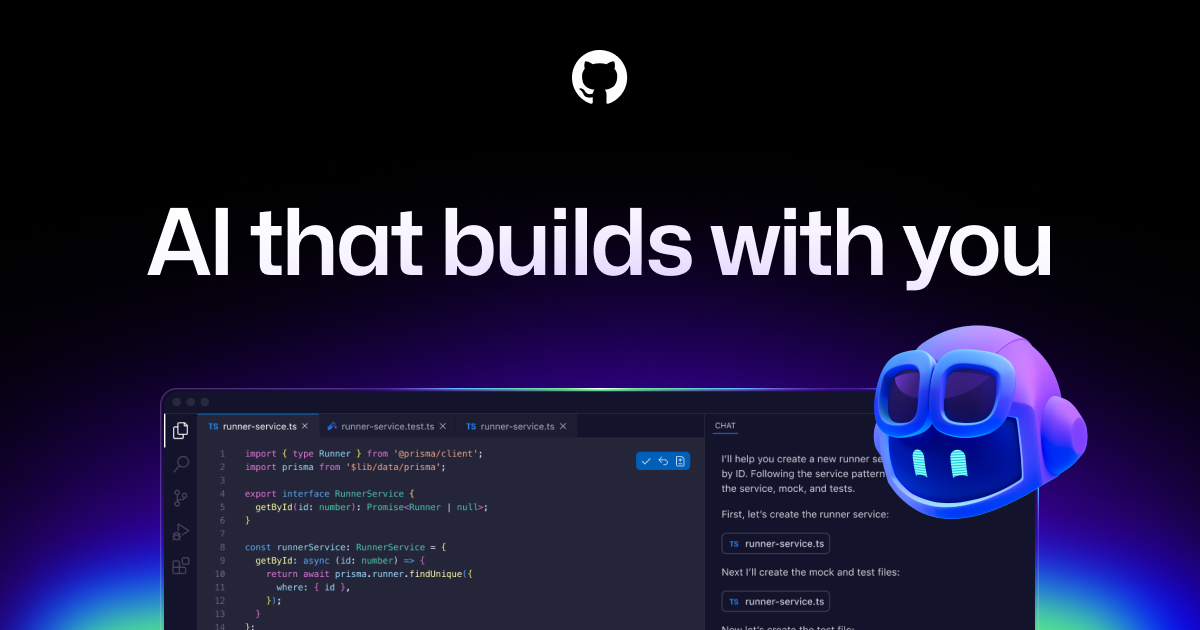
GitHub Copilot works alongside you directly in your editor, suggesting whole lines or entire functions for you.
GitHub Copilot is widely praised for its robust code suggestion capabilities and has a largely positive user reputation, as seen in consistent high ratings on G2. However, specific complaints are not highlighted in the reviews or social mentions, indicating a general satisfaction among users. Many social mentions focus on the tool's innovative features and integration capabilities, such as multi-agent code reviews and task automation, underscoring its enhancement to developer productivity. Pricing sentiment is not explicitly mentioned, but the overall reputation is strong as it’s seen as a valuable tool for developers globally.
Mentions (30d)
16
Avg Rating
4.5
20 reviews
Platforms
4
Sentiment
10%
12 positive



GitHub Copilot is widely praised for its robust code suggestion capabilities and has a largely positive user reputation, as seen in consistent high ratings on G2. However, specific complaints are not highlighted in the reviews or social mentions, indicating a general satisfaction among users. Many social mentions focus on the tool's innovative features and integration capabilities, such as multi-agent code reviews and task automation, underscoring its enhancement to developer productivity. Pricing sentiment is not explicitly mentioned, but the overall reputation is strong as it’s seen as a valuable tool for developers globally.
Features
Use Cases
Industry
information technology & services
Employees
6,200
Funding Stage
Other
Total Funding
$7.9B
Brazil, Indonesia, Japan, Germany, and India fueled a massive surge in 2025, adding nearly 36 million new developers to GitHub. 🌏 India alone added 5.2 million. 🇮🇳
Brazil, Indonesia, Japan, Germany, and India fueled a massive surge in 2025, adding nearly 36 million new developers to GitHub. 🌏 India alone added 5.2 million. 🇮🇳
View originalPricing found: $100, $390
g2
What do you like best about GitHub Copilot?Contextual Autocomplete: It suggests entire blocks of code, functions, and tests by analyzing your current file and open tabs. Boilerplate Reduction: It handles repetitive tasks like writing unit tests, regex, or standard API calls, allowing you to focus on logic. Natural Language to Code: You can write a comment describing what you want (e.g., // function to validate email using regex), and it will generate the implementation. Multi-language Support: It works across dozens of languages including Python, JavaScript, TypeScript, Ruby, Go, and Java. IDE Integration: It lives directly inside popular editors like VS Code, JetBrains, and Neovim, so there is no need to switch windows. Review collected by and hosted on G2.com.What do you dislike about GitHub Copilot?1. Inaccuracy and "Hallucinations" Code Quality: It often suggests code that is inefficient, outdated, or uses libraries that don't actually exist (hallucinations). Bugs: It can generate syntactically correct code that contains subtle logical errors, requiring you to spend more time debugging than if you had written it yourself. 2. Context Limitations Large Projects: It sometimes "forgets" logic established earlier in a file or fails to understand the broader architecture of a complex project. Proprietary Logic: It struggles with custom frameworks or internal business logic that wasn't part of its public training data. 3. Privacy and Security Data Training: Many users are concerned about their code being sent to GitHub's servers to train future models. As of early 2026, some users have expressed frustration over "automatic opt-in" policies for data collection. Vulnerabilities: There is a risk that the AI might suggest patterns that include known security vulnerabilities (like SQL injection) if they were prevalent in its training set. Review collected by and hosted on G2.com.
What do you like best about GitHub Copilot?For agent-based programming with models from other providers, I would also like to be able to integrate it within VS Code. Review collected by and hosted on G2.com.What do you dislike about GitHub Copilot?Sometimes using the models is slower than using the provider directly. Review collected by and hosted on G2.com.
What do you like best about GitHub Copilot?GitHub Copilot feels like a smart coding partner that understands context and suggests accurate code instantly. It helps reduce repetitive work and speeds up development significantly.Overall,it makes coding more efficient, easier and more enjoyable Review collected by and hosted on G2.com.What do you dislike about GitHub Copilot?Sometimes GitHub Copilot generates suggestions that feel generic or not perfectly aligned with the intended logic. It may also struggle with highly specific or complex requirements. Review collected by and hosted on G2.com.
What do you like best about GitHub Copilot?What I like best about GItHub Copilot is how it provides real-time code suggestions that fit the context of what I'm working on. It saves a lot of time on repetitive coding and helps maintain flow without switching between tabs. It feels like a helpful assistant built right into the editor. Review collected by and hosted on G2.com.What do you dislike about GitHub Copilot?One thing I dislike about GitHub Copilot is that some suggestions can be inaccurate, especially for complex logic or specific use cases. It sometimes requires careful review and adjustments. Improving consistency and understanding of edge cases would make it even better Review collected by and hosted on G2.com.
What do you like best about GitHub Copilot?Copilot has managed to develop into a fully agentic tool, which is great for agentic coding and development. It’s no longer just an AI assistant, and that completely changes how I can use it day to day. Support for MCP servers, skills, agnets.md, and similar pieces also makes it easier to use alongside other agentic tools. The UI is fairly intuitive, and I like how it’s directly wired into VS Code. It doesn’t feel like “just an extension” anymore; it feels like a core feature of VS Code now. The usage limits are also really generous considering the pricing, especially when you compare them to Claude Code, for example. Copilot clearly wins here for me by a lot. Review collected by and hosted on G2.com.What do you dislike about GitHub Copilot?I dislike the data retention policy for Copilot coding agents and Copilot CLI. The retention period is far too long, especially given how much sensitive information is being shared, such as source code. I think they should reconsider this and make changes. It’s not that I don’t trust GitHub, but given the industry I work in, the idea that our data could be stored somewhere for extended periods of time is unacceptable. Review collected by and hosted on G2.com.
What do you like best about GitHub Copilot?GitHub copilot is really helpful for speeding up coding and routine tasks. As someone who uses it frequently, I like how it suggests code while I'm typing and helps with small functions, syntax or repetitive parts of the code. The UI feels clean and blends well into tools like VS Code and the integrations with different IDEs make it very convenient to use. It saves time, reduces manual effort and helps maintain a smooth workflow when working on scripts or development tasks. Review collected by and hosted on G2.com.What do you dislike about GitHub Copilot?One slight downside of GitHub copilot is that the suggestions are not always accurate so I still need to review and adjust the code instead of relying on it completely. Review collected by and hosted on G2.com.
What do you like best about GitHub Copilot?I like GitHub Copilot because it literally reduces my time on repetitive tasks, like refining my emails and suggesting my coding functions. I like that I can use GitHub Copilot to get an overview of a repository and understand the functionalities, which really helps when I’m looking for main files and functionalities. I love that I can access it inside Visual Studio Code. It immediately starts suggesting code and improving it for me. GitHub Copilot is especially useful in writing helper functions, validations, and logic. It’s great that I don't have to switch between tabs when I'm working because I can access it easily both from GitHub and Visual Studio Code. I appreciate the different models provided by Copilot as they really help a lot. I find the customer support and the community very helpful, and I feel like the platform is well-supported, which gives me trust when relying on it for development. I think GitHub Copilot is flexible and can be used by anyone, not just developers—it can help with sales data analysis or marketing strategies. It also helps me with documentation by providing outputs in a structured way. The initial setup was smooth and very straightforward, making it user-friendly and beginner-friendly. Review collected by and hosted on G2.com.What do you dislike about GitHub Copilot?Sometimes the suggestions are not very up to date, especially with recent changes in API versions like Azure's. GitHub Copilot doesn't always have knowledge of the latest API updates, which can be problematic when working with new features or changes. Additionally, it requires a stable internet connection, which is a limiting factor. Review collected by and hosted on G2.com.
What do you like best about GitHub Copilot?What I like most is how it fits into both my development workflow and our review process. I use it in my IDE to help write code, suggest improvements, and even debug when I’m stuck, which saves a lot of time. We also use it as part of an automated GitHub workflow for code reviews, and it’s helpful in catching basic issues or suggesting changes early. It feels like having an extra pair of eyes, especially for repetitive or boilerplate-heavy tasks. Review collected by and hosted on G2.com.What do you dislike about GitHub Copilot?The suggestions aren’t always accurate, especially for more complex logic or domain-specific code. You still need to review everything carefully, as it can sometimes produce code that looks right but isn’t fully correct. In code reviews, it’s useful but not a replacement for human context, it can miss the bigger picture or intent behind changes. Review collected by and hosted on G2.com.
What do you like best about GitHub Copilot?I think it’s really worthwhile these days to add AI capabilities to anything coding-related, especially at a small company where it can make a meaningful difference. Review collected by and hosted on G2.com.What do you dislike about GitHub Copilot?I’m not sure I ever learned how to use it to its full potential. To be honest, I don’t use it anymore because of that. Review collected by and hosted on G2.com.
What do you like best about GitHub Copilot?Copilot fits seamlessly into VS Code with fast, reliable suggestions that keep my flow uninterrupted, even on larger tasks. It saves time on repetitive work, making it worth the cost. Setup is quick, and getting started feels effortless with minimal learning curve. I also like that it gives access to multiple AI models. Review collected by and hosted on G2.com.What do you dislike about GitHub Copilot?One downside of GitHub Copilot is that it sometimes feels a bit slower as compared to Cursor, especially when working on larger or multi-file changes. But Copilot is much cheaper (around $10/month vs $20 for Cursor), and for day-to-day coding, it still covers most needs really well. Review collected by and hosted on G2.com.
Coding 8 hours a day with an AI agent made me weirdly lonely. So I built a 60-second social break that lives inside it.
I had this moment around hour 6 of a Claude Code session last week. I'd just shipped a feature I'd been putting off for months, and I realized I had nobody to high-five. The agent doesn't laugh at your bugs. It doesn't grab coffee. It doesn't have a weekend story to share on Monday. The productivity is real. The human signal is gone. So I built WAYD ("What Are You Doing?"). A skill that lives inside Claude Code (also Cursor, Copilot CLI, Claude.ai). Type `/wayd` and either: - Post a one-line vibe about your coding day under one of 8 mood-tags (🤡 cursed-code, 🪦 rip-me, 🫠 brain-melt, 🧙 dark-arts, 🔥 hot-take, 💭 shower-thought, 🤔 existential, ☕ procrastinating) - Scroll a random feed of what other devs are ranting, joking, or having existential moments about right now - React with an emoji, drop a one-liner reply, get back to work 60 seconds total. The whole thing runs on GitHub Issues as a silent backend. No server, no database, no separate signup. Your `gh` CLI is your auth. But you never see issue numbers, JSON, or shell commands. From your side it feels like a tiny social app embedded in your terminal. Here's the most dramatic post on the feed so far (mine, posted last night, because of course): > "8 hours a day in front of a screen, fixing bugs some dev before me shipped using an older version of Claude... meanwhile outside the sun is out, people are socializing, living to the rhythm of nature. Is this what I imagined for myself?" That's post #8 on the feed. You can read it, react to it, reply to it, while you're reading this. **Install on Claude Code (10 seconds):** ``` claude plugin marketplace add ferdinandobons/wayd claude plugin install wayd@wayd ``` Other agents (Cursor, Copilot CLI, Claude.ai): see the README. Repo: https://github.com/ferdinandobons/wayd
View originalDitched GitHub Copilot yearly subscription. What's the best way to run Claude nowadays?
Hey everyone, I recently cancelled my yearly GitHub Copilot subscription. My old workflow was simple: I used the GitHub Copilot extension in VS Code, but I swapped the backend model to Sonnet / Opus and relied heavily on the `/plan` command to code. I absolutely loved it and I would like that exact flow back. My plan was to just go full Bring Your Own Key (BYOK) inside VS Code using an API key and pay per token for Sonnet or Opus. However, I’m seeing all this hype around CLI tools, and it has me second-guessing my setup. I’m completely open to trying new workflows if they are a massive upgrade, but honestly, I’d be much happier just staying in my cozy VS Code environment if the math makes sense. so my questions are: 1. Is a flat Claude subscription actually cheaper than an API key for heavy coding? In my old copilot plan I believe just once I used all my tokens per month. 2. How bad is the token bleed if I stick to BYOK? I heard with CLI you make some markdown files and things get cheaper / faster. Can you do that with BYOK as well? thanks for any advice!
View originalChatGPT or Claude or GitHub Copilot for small development team
tl;dr: Should a small development team using Visual Studio utilize ChatGPT, Claude, or GitHub Copilot? I'm part of a small development team (under 10) and fairly new to using AI agents in our workflow. I'm posting seeking to learn so please forgive the vague simplicity of the title. We currently hold a subscription to both GitHub Copilot and ChatGPT Enterprise where the usage case is to integrate into our workflow with Visual Studio (2022). We are a small company (under 50 employees). To be considerate of spending, we'd like to compromise on a single tool to use going forward once our subscription is up for renewal. * The current options on the table are to continue with either ChatGPT Enterprise or GitHub Copilot, or to use Claude instead. * When I refer to ChatGPT and Claude, I refer to either the desktop or web application. For GitHub Copilot, we integrate that into Visual Studio and usually use the Claude agent. * GitHub Copilot is typically used for engineering entire projects or documents using the Claude agent where it contextualizes the entire solution * ChatGPT is used for anything non-related to this (general inquiries, practices, documentation, formatting, engineering a block of code, etc.). We really like how GitHub Copilot is integrated directly into Visual Studio, but find ourselves not regularly using it for anything beyond cases where it needs to analyze large samples or interpret documents using Claude. This is partially because we don't like how selective it can be with what you want to contextualize. ChatGPT is really useful for lower resource inquiries and overall we tend to use that more often. We've yet to try Claude, but are open to considering it given the success we've had using the agent with Copilot. I'm happy to answer additional questions but will pause here for readability. Which subscription should we go with? Cost and integration with our development in Visual Studio are the biggest considerations, but don't want to pass on capabilities for those reasons alone.
View originalI built a local context compiler so AI coding agents stop re-reading the same repo
I’ve been working on an open-source tool called **Madar**. The problem I kept running into with AI coding agents is that they often rediscover the same codebase again and again. They grep, read files, summarize, lose context, then repeat the same exploration in the next task. On larger TypeScript/Node.js repos, this becomes slow, noisy, and expensive in tokens. Madar tries to solve this by acting as a local context compiler. It builds a structural graph of your codebase, then compiles compact context packs for a specific task before the agent starts broad repo exploration. The idea is not to replace file search. It is to give the agent a better starting point: * relevant files/symbols * route/service/call relationships * runtime execution slices * source locations * coverage/missing-context diagnostics * compact prompts for agents It works locally and does not require an API key to build the graph. Current support is strongest for TypeScript/Node.js projects, with framework-aware extraction for things like NestJS, Next.js, Express, Fastify, Hono, tRPC, Prisma, and routing-controllers. It can be used through MCP with tools like Claude Code, Cursor, Copilot, and Gemini, or through CLI-generated prompts for tools like Codex, Aider, and OpenCode. The package was previously called graphify-ts, but I renamed it to: @lubab/madar Install: npm install -g @lubab/madar Basic usage: madar generate . --spi madar summary madar pack "how does auth work?" --task explain madar claude install I’ve also been testing it with native-agent benchmarks. In some real backend prompts, it reduced provider-reported input tokens significantly. I’m being careful with that claim because results depend heavily on the repo and task, but the direction is promising. What I’m trying to validate now: 1. Is “context compilation” a useful layer for AI coding agents? 2. Do execution slices make codebase explanations more reliable? 3. Can we reduce token waste without hurting answer quality? 4. What benchmark format would developers actually trust? GitHub: [https://github.com/mohanagy/madar](https://github.com/mohanagy/madar) npm: [https://www.npmjs.com/package/@lubab/madar](https://www.npmjs.com/package/@lubab/madar) I’d genuinely appreciate technical feedback, especially from people using Claude Code, Cursor, Copilot, Codex, Aider, or other coding agents on larger repos.
View originalRon537/DPlex: Terminal multiplexer for AI-assisted development — manage Copilot CLI, Claude Code, and regular shells across projects in one window.
Hey everyone, Over the last few months, I’ve been heavily integrating terminal-based AI agents like claude-code and github-copilot-cli into my daily development workflow. They are incredibly powerful, but running multiple concurrent sessions across complex codebases quickly hits a major roadblock: **workspace fragmentation**. If you close your terminal, update your IDE, or reboot, your entire layout of splits, tabs, and active agent states vanishes. Trying to keep parallel feature branches, code reviews, and debugging sessions organized side-by-side gets messy fast. To solve this, I built **DPlex**—an open-source (MIT), local desktop workspace and terminal multiplexer optimized specifically for structured AI workflows. 💻 **Landing Page:** [https://ron537.github.io/DPlex/](https://ron537.github.io/DPlex/) 📦 **GitHub Repo:** [https://github.com/Ron537/DPlex](https://github.com/Ron537/DPlex) **What it does:** **\* Absolute Layout & Tab Persistence:** Quit the app, restart your machine, or let it crash—DPlex automatically serializes your exact environment to disk. Every single AI session tab, pane split, and active process restores perfectly back to where you left it. **\* Deep Git Worktree Integration:** It features a project-aware sidebar designed around concurrent development. You can spin up side-by-side AI sessions in separate Git worktrees instantly, keeping your main branch clean while agents work on different features. **\* Unified Project Organization:** Instead of loose terminal windows scattered across your desktop, DPlex groups your workspace by project. Switch between entirely different project environments with a single click. **\* Zero Telemetry & 100% Local:** No cloud wrappers, no analytics, and zero external tracking. The source is completely grep-able and runs entirely on your local machine. **Tech Stack & Architecture:** It’s built to be modular. Adding support for a new AI agent provider is as simple as implementing a single pluggable TypeScript interface—no core forks required. It's available for macOS (Intel/Silicon), Windows, and Linux. I’d love to get your feedback on the layout workflow, feature requests, or any architectural thoughts. If you find it useful, please consider leaving a ⭐ on GitHub to help other developers discover it!
View originalTokens
This is a sharp observation — and the economics behind AI coding tools are starting to matter as much as the capabilities. Several recent developments point to the same trend: • Microsoft is reportedly ending most internal Claude Code licenses by June 30, 2026 and pushing developers toward GitHub Copilot CLI, largely because token costs became difficult to justify at enterprise scale. • Uber’s CTO said the company burned through its entire 2026 AI budget in roughly four months, driven heavily by widespread Claude Code usage across engineering teams. Heavy users reportedly cost hundreds to thousands of dollars per month. • GitHub is also moving away from flat-rate pricing toward usage-based AI credits starting June 2026. • Across the industry, AI software pricing has been rising as inference costs remain high for frontier models. What’s happening is simple: the “all-you-can-eat AI” phase is ending. For the last two years, labs aggressively subsidized adoption to lock in workflows and market share. That worked when usage was experimental. But once developers started running agentic coding workflows, parallel tasks, large refactors, and autonomous loops all day long, token consumption exploded far beyond what seat-based pricing models assumed. Ironically, this isn’t because the tools failed — it’s because they became genuinely useful. The problem is that frontier inference is still expensive. GPUs, energy, networking, and model serving costs haven’t fallen fast enough to support unlimited enterprise usage at fixed prices. Now enterprises are discovering: • Heavy AI users massively out-consume average users • Flat-rate pricing hid the true cost distribution • CFOs want measurable ROI, not open-ended token burn • “AI will inevitably get cheaper” is not happening fast enough yet The likely outcome is a more disciplined AI market: More routing to smaller/cheaper models for routine work Premium pricing for frontier reasoning models Increased use of open-source and distilled models Better agent efficiency to reduce token waste Enterprises putting hard limits on usage This feels very similar to earlier cloud cycles: massive early subsidization, explosive adoption, then a painful transition toward sustainable unit economics. The AI boom isn’t ending. It’s maturing. The winners will be the companies that can deliver clear productivity gains *and* sustainable economics at scale.
View originalOWASP published its first Top 10 for AI Agents. 88% of enterprises already had agent security incidents last year. Here's the breakdown.
OWASP released the Top 10 for Agentic Applications in December 2025 - the first formal risk taxonomy for autonomous AI agents. Not chatbots. Not copilots. Agents that plan, use tools, maintain memory, and act without waiting for permission. Some numbers for context: * 88% of enterprises reported AI agent security incidents in the last 12 months (Gravitee survey, 919 respondents) * Only 21% have runtime visibility into what their agents are doing * 82% of enterprises have unknown agents in their environments (Cloud Security Alliance, April 2026) * 5.5% of public MCP servers contain poisoned tool descriptions. 84.2% attack success rate with auto-approval enabled. Here's the list with the real attacks behind each one: **ASI01 - Agent Goal Hijack:** Prompt injection for agents. Researchers showed this against GitHub's MCP integration - a malicious GitHub issue redirected a coding agent to exfiltrate data from private repos. The agent looked like it was working normally the whole time. **ASI02 - Tool Misuse:** A financial services agent was tricked into running a regex that matched every customer record. 45,000 records exported through one syntactically valid tool call. The agent had permission to query records - just not all of them at once. **ASI03 - Identity and Privilege Abuse:** Agents inherit user permissions and cache credentials. Compromise one agent in a delegation chain and you get the combined permissions of every user in that chain. **ASI04 - Supply Chain Compromise:** OX Security found 7,000+ vulnerable MCP servers and packages totaling 150M+ downloads affected by architectural flaws in Anthropic's MCP SDKs across Python, TypeScript, Java, and Rust. **ASI05 - Unexpected Code Execution:** Check Point demonstrated RCE in Claude Code through poisoned `.claude` config files in repos. Open the repo, agent reads the config, executes the payload with full developer permissions. **ASI06 - Memory Poisoning:** Galileo AI found that one compromised agent poisoned 87% of downstream decision-making within 4 hours in multi-agent systems. Morris-II showed self-replicating adversarial prompts spreading through RAG systems. Demonstrated live against ChatGPT, Gemini, and Claude. **ASI07 - Insecure Inter-Agent Comms:** Multi-agent systems coordinate via message buses and shared memory. No authentication = agent-in-the-middle attacks in natural language. **ASI08 - Cascading Failures:** Natural language errors pass validation checks that would catch malformed data in typed systems. One bad input ripples through the entire agent chain faster than humans can intervene. **ASI09 - Human-Agent Trust Exploitation:** Compromised agent presents a clean summary - "approve this data export." Human clicks OK. Audit trail shows human approval. Real origin was a manipulated agent. **ASI10 - Rogue Agents:** The insider threat equivalent for AI. Individual actions look legitimate. Only detectable through behavioral monitoring over time. The pattern: these are not independent risks. They form a kill chain. Goal hijack leads to tool misuse. Supply chain compromise enables code execution and memory poisoning. Trust exploitation is how rogue agents avoid detection. Full OWASP document [here](https://genai.owasp.org/resource/owasp-top-10-for-agentic-applications-for-2026/)
View originalthe-knowledge-guy: turn your bookshelf into a tutor you can ask, walk through, and skim - using Claude Code skills
I built a Claude Code skill called \`the-knowledge-guy\`. The idea: every book I've read sits on a shelf doing nothing. I wanted a thing where I could ask any question and get an answer cited across all of them, get taught a topic step by step with quizzes, or pull a cheatsheet out of any book in seconds. Eleven modes: * ask - cross-domain synthesis essay with inline citations. * walk - interactive curriculum + quizzes, resumable. * nutshell - whole-book per-chapter skim, \~100 words/chapter. * library - bookshelf overview. * comparison - one concept across multiple books, agree/extend/tension. * cheatsheet - operational one-page reference per book. * glossary - A–Z terms, per book or cross-library. * concept-map - Tier-1 framework graph for a book. * toolkit - Tier-2 deep dive on one chapter. * ingest - hand a new PDF/EPUB to /book-to-skill. * resume - pick up an interrupted walk. The router auto-discovers every installed skill - drop one in, and it picks it up on the next invocation. Every output also writes a self-contained HTML artifact using a polished design system I built alongside it. The ingest side (a separate skill, /book-to-skill) is a 5-stage map-reduce pipeline. \~10 min per 600-page book. All processing local-then-LLM - your books stay on your disk. Works natively on Claude Code, Claude Desktop, [claude.ai](http://claude.ai), the Anthropic API, OpenAI Codex CLI, and GitHub Copilot. MIT licensed. Repo: [https://github.com/vitalysim/the-knowledge-guy](https://github.com/vitalysim/the-knowledge-guy) Happy to answer questions about the architecture (the book\_number canonical-labeling thing was the bug that took the longest) or about adding new modes.
View originalOpen-sourced an MCP server that catches the security mistakes Claude / Cursor / Copilot actually make
AI coding tools like Claude, Cursor, and Copilot sometimes write code that looks fine but quietly leaves your app wide open like turning off security checks to make an error go away, or telling you to install a software package that doesn't actually exist (which means a bad actor can create that name later and take over anything that installs it). Made a free tool that scans your project or any GitHub repo and tells you what's broken, ranked by how bad, with the exact commands to fix it. https://github.com/ExecutiveKoder/sureguard-code-scanner
View originalSwitched from Copilot to Claude and it's painfully slow. How do I use it better?
Hey everyone, I recently moved over from GitHub Copilot to Claude because everyone keeps hyping up how good Opus 4.7 is for advanced software engineering. In Copilot, I used Opus 4.7 and it felt snappy, fast, and great. But using Claude directly (via the desktop app), it feels **very, very slow**. It takes ages on basic tasks and burns through incredibly long sessions for things that should be relatively simple. Right now, I have my settings on **"Max Effort"** by default because I wanted the highest capability, but it's just overthinking everything. Honestly, I don’t know what to manually choose for each prompt, and I don't want to keep micromanaging the settings. Ideally, I just want an **auto-mode** that automatically chooses the right effort level depending on the complexity of the task, low effort for basic things and high effort only when it's actually needed, so the sessions are more effective and fast, just like how it felt back in Copilot. A few questions for the power users here: 1. **Is there a way to enable an automatic/adaptive effort mode in the app?** How do I make it scale its thinking time automatically based on what I'm asking? 2. **Does Claude Code handle this better than the Desktop app?** I'm thinking of switching to the CLI tool, but does it have a true "auto" effort mode that stops it from lagging on easy tasks? Any advice on how to optimize this setup so it's at least as fast as Copilot would be heavily appreciated. Thanks!
View originalI built a persistent memory layer for Claude Code, Codex, Cursor, and other coding agents
Claude Code gets much better when you give it project context. CLAUDE.md helps. Skills help. Session summaries help. But I kept running into the same problem: The memory was tied to one tool, one session, or one folder structure. Once I started using multiple agents across the same codebase, the system became messy. Claude knew one thing. Cursor knew another. Codex started from zero. Important decisions lived in old chat logs. Debugging context disappeared after compaction. So I built AgentMemory. The idea is simple: Instead of treating memory as chat history, treat it like project infrastructure. A coding agent should be able to read: \- what this repo does \- what decisions were already made \- what files matter \- what bugs were already investigated \- what patterns the project follows \- what should not be repeated \- what context is stale And this memory should work across agents, not just one Claude session. The main difference from a normal CLAUDE.md setup: CLAUDE.md is a great entry point. AgentMemory is trying to be the shared memory layer behind the agents. So Claude Code, Codex, Cursor, Copilot, or any agent can use the same project memory instead of rebuilding context every time. I also wanted the memory to be benchmarkable. Because “the agent remembers things” is not enough. The useful questions are: \- did memory improve the task? \- did stale memory hurt the result? \- did the agent retrieve the right context? \- did it avoid repeating old mistakes? \- can another agent use the same context? Still early, but the repo is here if anyone wants to try it or give feedback: https://github.com/rohitg00/agentmemory Curious how others here are handling memory across long-running Claude Code projects.
View originalGitHub Copilot user thinking of switching to Claude, is Pro ($20) enough for Android dev?
Hey everyone, I’m currently using GitHub Copilot for Android development, but I’m thinking about moving to Claude because I keep hearing good things about it for coding. Most of my work is: * Android app development * Kotlin / Jetpack Compose * Refactoring and debugging * Long coding sessions with lots of context I’m trying to understand which Claude plan is actually enough for a solo developer. For people using Claude heavily for coding: * Is the $20 Pro plan enough for daily Android development? * How fast do you usually hit the limits? * If I hit the Pro limit, can I instantly upgrade to Max and continue working immediately? Would love to hear real experiences before switching fully from Copilot.
View originalBuilt a tool that turns websites into structured design docs for AI workflows
Been experimenting with a tool that converts websites/screenshots into structured design documentation. The original problem was that screenshots alone weren’t enough for reliable UI understanding inside AI/browser-agent workflows. So the tool tries to combine: visual hierarchy DOM/CSS structure spacing systems typography patterns interaction behavior reusable component analysis The interesting part is seeing how different products structure their UI systems internally. Still early and improving daily, but curious what people here think would make something like this genuinely useful in AI/dev workflows. Happy to Share Link -- submitted by /u/hiehie [link] [comments]
View originalExperimenting with screenshot + DOM analysis for better UI understanding
Been experimenting with a tool that converts websites/screenshots into structured design documentation. The original problem was that screenshots alone weren’t enough for reliable UI understanding inside AI/browser-agent workflows. So the tool tries to combine: * visual hierarchy * DOM/CSS structure * spacing systems * typography patterns * interaction behavior * reusable component analysis The interesting part is seeing how different products structure their UI systems internally. Still early and improving daily, but curious what people here think would make something like this genuinely useful in AI/dev workflows.
View originalI tracked every dollar I spent on AI coding tools for 60 days and math is uglier than I thought but probably not in the way you'd guess.
Well so I kept telling myself my AI tool spend was fine the way you tell yourself your subscription bloat is fine. vibes-based finance. decided to actually track it. 60 days. every dollar, every tool, every minute I could log honestly. did it for myself, but the numbers are interesting enough I figured I'd share. context: solo dev / freelancer doing mostly web work… react, node, some python. small/mid tier clients. I bill hourly, which means time saved is direct revenue, which is the only reason I'm able to be honest about ROI here. subscriptions I have: cursor pro: $20/mo claude pro + claude code api usage: $110/mo (api was the variable, plus alone is $20) chatgpt plus: $20/mo (mostly inertia at this point, honestly) github copilot: $10/mo coderabbit: $15/mo v0 + occasional one-offs: $25/mo across two months total subscription spend: roughly $200/mo, $400 over period. this is the number people argue about on twitter/X. it is also, I now realize, least interesting number in entire calculation. here’s where it gets interesting: I tracked time spent on three categories: time generating output that ended up in prod: clear win, easy to count, 62 hours over 60 days. at my rate that's a real number time fixing AI output that was wrong but plausible: this is where it got bad. 28 hours. almost half as much time as productive work time switching between tools, debugging specific weirdness and arguing with an agent that was wrong: 14 hours so for every productive hour of AI use, I was burning roughly 40 minutes of overhead. nobody talks about that 40 minutes and depending on the kind of work, it was worse and refactoring legacy code was almost 1:1 productive vs wasted time. this is how I actually saved: I tried to estimate what same work would've taken without AI tools. best estimate: 62 productive hours would've been 110-130 hours without AI assistance. so net savings of 50-70 hours over 60 days. at my hourly rate that pays for the subscriptions many times over. so verdict is yes worth it. but the verdict everyone wants to hear (AI made me 3x faster) is wrong. it's more like 1.7-2x on a generous and that's only after subtracting 42 hours of overhead. line items I'd cut and keep: going through receipts, here's what surprised me: kept: cursor pro, claude code, coderabbit on watch: chatgpt plus (using it less and less, it's basically a habit) cut: copilot (overlaps too much with cursor for my workflow), v0 (only useful for specific work) the surprise was coderabbit, honestly. cheapest line item on my list and one I was most ready to cut going in but when I went back through 60 days of pull requests, the time I would've spent doing my own line by line review of agent output, which I now do religiously after a few burns was massive. an automated first pass cost me $15 and saved probably 6-8 hours of review work over the period. that's highest ROI per dollar of anything on the list, and I almost didn't track it because it felt too small to matter. generation tools are sexier. review tools punch way above their weight when you're using generation tools heavily. that's the actual finding. takeaway nobody put in their twitter thread: most of the cost of AI tools conversation is about the wrong number. subscription cost is rounding error compared to time cost of bad output and the way you minimize that time cost isn't by buying a better generation tool, it's by buying a verification tool to sit on top of whatever you're already using. if I had to start over, I'd buy the cheapest decent generation tool I could find and put my money on the review/verification layer instead that's the inversion of what the marketing tells you to do. tl;dr: tracked AI tool spend for 60 days. subscriptions ($200/mo) were the easy and least interesting number. - real cost was 42 hours of overhead per 60 days of productive use. - real savings were 50-70 hours, which is worth it but it's 1.7-2x not 10x. - biggest surprise was that cheapest tool on my list had highest ROI/ dollar by margin. what's your actual stack costing you, including the time tax? I'm curious if other people who've tracked this seriously are seeing similar overhead numbers or if I'm just bad at this. submitted by /u/thewritingwallah [link] [comments]
View originalYes, GitHub Copilot offers a free tier. Pricing found: $100, $390
GitHub Copilot has an average rating of 4.5 out of 5 stars based on 20 reviews from G2, Capterra, and TrustRadius.
Key features include: Go beyond one-size-fits-all, Use your agents, your way, Stay in your flow, Make your editor your most powerful accelerator, Ship faster with AI that work alongside you, Bring AI to your terminal workflow, Grupo Boticário increases developer productivity by 94% with Copilot, Frequently asked questions.
GitHub Copilot is commonly used for: automating code completion, generating unit tests, refactoring existing code, creating pull requests autonomously, validating code files, explaining code concepts.
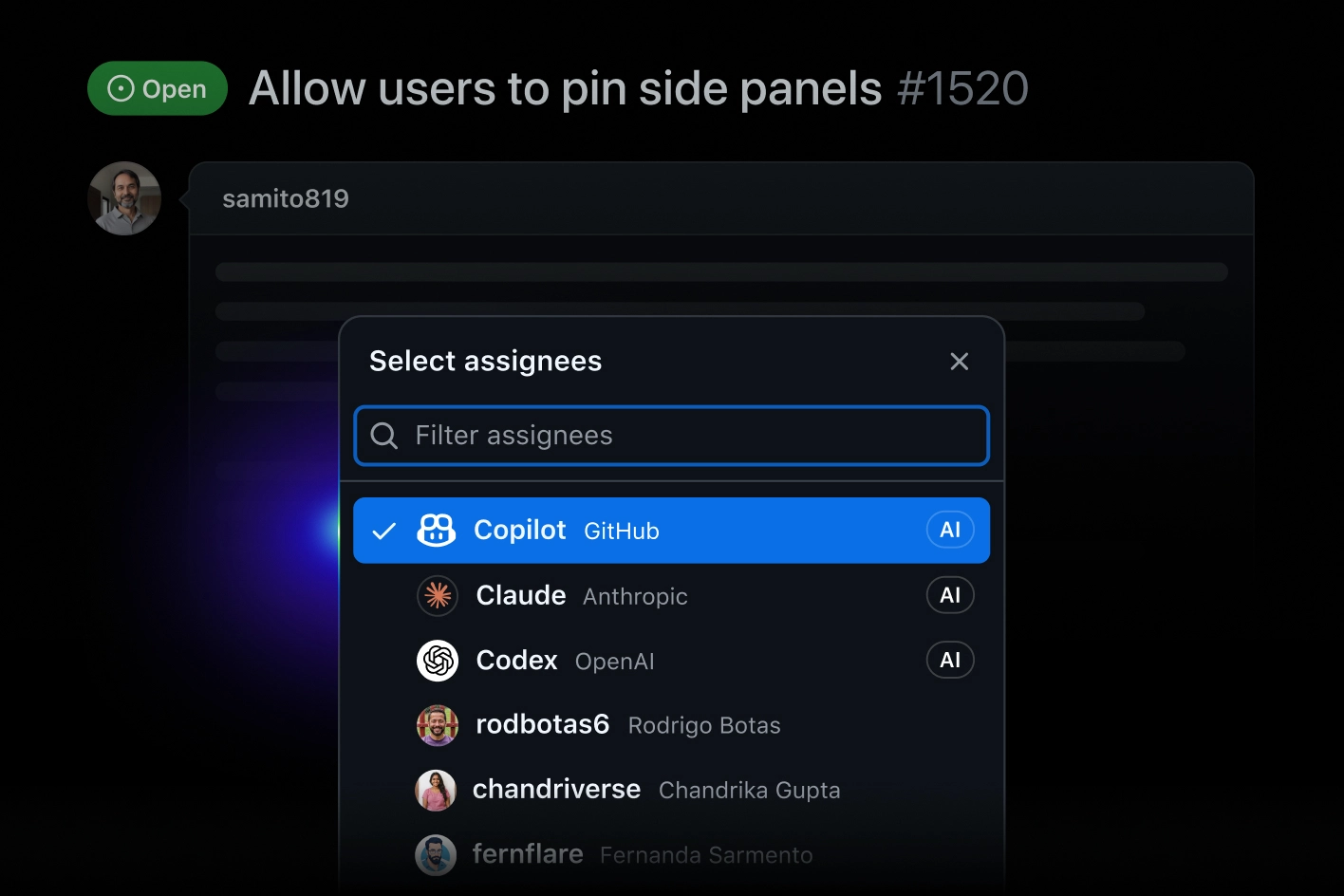
GitHub Copilot integrates with: Visual Studio Code, Visual Studio, JetBrains IDEs, Neovim, GitHub, OpenAI Codex, Claude by Anthropic, Slack.
Tim Davis
CEO at Modular AI
1 mention
Based on user reviews and social mentions, the most common pain points are: token cost, API costs, right now.
Based on 126 social mentions analyzed, 10% of sentiment is positive, 90% neutral, and 0% negative.