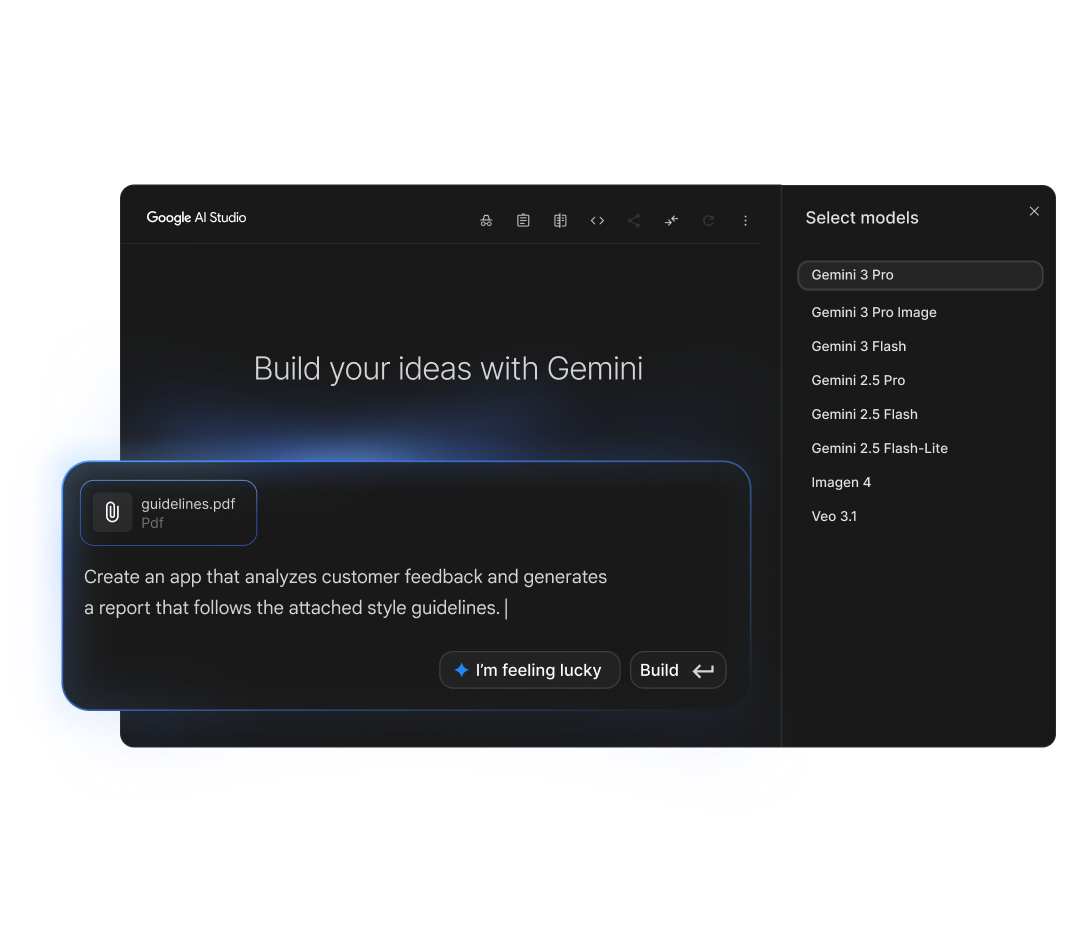
Build with Gemini 2.0 Flash, 2.5 Pro, and Gemma using the Gemini API and Google AI Studio.
Users generally praise Google AI for its robust and versatile capabilities, particularly highlighting the intelligent and rapid processing power of models like Gemini 3.1 Flash. The main strengths lie in innovation and integration with popular tools like Firebase, improving workflow and productivity. However, some users express concerns over the pricing structure, especially for top-tier subscriptions like Google AI Ultra, which costs $249.99. Overall, the reputation of Google AI remains strong, noted for cutting-edge technology and comprehensive support for developers and businesses.
Mentions (30d)
70
2 this week
Avg Rating
4.2
20 reviews
Platforms
7
Sentiment
8%
23 positive





Users generally praise Google AI for its robust and versatile capabilities, particularly highlighting the intelligent and rapid processing power of models like Gemini 3.1 Flash. The main strengths lie in innovation and integration with popular tools like Firebase, improving workflow and productivity. However, some users express concerns over the pricing structure, especially for top-tier subscriptions like Google AI Ultra, which costs $249.99. Overall, the reputation of Google AI remains strong, noted for cutting-edge technology and comprehensive support for developers and businesses.
Features
Use Cases
Industry
information technology & services
We’re launching a brand new, full-stack vibe coding experience in @GoogleAIStudio, made possible by integrations with the @Antigravity coding agent and @Firebase backends. This unlocks: — Full-stack
We’re launching a brand new, full-stack vibe coding experience in @GoogleAIStudio, made possible by integrations with the @Antigravity coding agent and @Firebase backends. This unlocks: — Full-stack multiplayer experiences: Create complex, multiplayer apps with fully-featured UIs and backends directly within AI Studio — Connection to real-world services: Build applications that connect to live data sources, databases, or payment processors and the Antigravity agent will securely store your API credentials for you — A smarter agent that works even when you don't: By maintaining a deeper understanding of your project structure and chat history, the agent can execute multi-step code edits from simpler prompts. It also remembers where you left off and completes your tasks while you’re away, so you can seamlessly resume your builds from anywhere — Configuration of database connections and authentication flows: Add Firebase integration to provision Cloud Firestore for databases and Firebase authentication for secure sign-in This demo displays what can be built in the new vibe coding experience in AI Studio. Geoseeker is a full-stack application that manages real-time multiplayer states, compass-based logic, and an external API integration with @GoogleMaps 🕹️
View original| Model | Input / 1M tokens | Output / 1M tokens |
|---|---|---|
| gemini-2.5-pro | $1.25 | $10.00 |
| gemini-2.0-flash | $0.10 | $0.40 |
| gemini-2.0-pro | $1.25 | $5.00 |
| gemini-1.5-pro | $1.25 | $5.00 |
| gemini-1.5-flash | $0.07 | $0.30 |
Light
1M tokens/mo
$0.16 – $5
gemini-1.5-flash → gemini-2.5-pro
Growth
50M tokens/mo
$8 – $238
gemini-1.5-flash → gemini-2.5-pro
Scale
500M tokens/mo
$83 – $2,375
gemini-1.5-flash → gemini-2.5-pro
Estimates assume 60/40 input/output ratio. Actual costs vary by usage pattern.
g2
What do you like best about Vertex AI?I use Vertex AI for content creation, improving workflows, and RAG purposes. It significantly cuts down the time spent on research and allows me to tailor output and formatting, which saves even more time. In terms of workflows, it helps produce copy at a faster rate and capacity while maintaining good quality, allowing us to scale. I love that Vertex AI is an enterprise solution with safety and compliance features. It's a great all-in-one tool for enterprises, capable of RAG, generative text/video/images, building agents, etc. It's just a nice playground to have access to for creating tools, and it's enabled my team and me to do things that were previously not possible. The access to generative AI with Google Search grounding and System Instructions customization is super advantageous, allowing my team to scale production of marketing copy effectively. Review collected by and hosted on G2.com.What do you dislike about Vertex AI?The UI is quite bloated. There are features that could be advertised better (or those that are in preview) like the AI Agent Builder. Depending on the user role, it could be better to adjust the UI to be more accessible and simple, perhaps by renaming some categories and features, including some documentation on the pages themselves. Review collected by and hosted on G2.com.
What do you like best about Vertex AI?I find using Vertex AI to be fun, which is an unexpected perk. The pricing is kind of affordable, making it a much more reliable option for me. I also think the reasoning behind its pricing is really good. Setting it up is quite easy, so that’s another strong point. Review collected by and hosted on G2.com.What do you dislike about Vertex AI?I think the vulnerability in experiments could be improved. It's something that really needs attention. Also, the SSS vulnerability needs improvement. Review collected by and hosted on G2.com.
What do you like best about Vertex AI?I use Vertex AI to build and run machine learning models, and I find it very helpful because it lets me work with data, train models, and make predictions all in one place without needing to set up everything myself. I love that I can try different models and compare results easily, which helps me understand what works best without a lot of manual effort. The AutoML feature is great too, guiding me through the steps, making the process easier even though I'm not a machine learning expert. I also appreciate how well Vertex AI integrates with other Google Cloud services, allowing me to use my data directly without moving it around, which saves me effort and keeps my work simple. This all makes my workflow faster, simpler, and more organized. Review collected by and hosted on G2.com.What do you dislike about Vertex AI?One thing that could be better is how easy it is to learn at the beginning. It can feel confusing if you are new and some steps are not very clear. Another issue is that it can be hard to understand the pricing. Costs can increase quickly if you are not careful and it is not always easy to track spending. Sometimes, when something goes wrong, it is also difficult to find the exact problem. Better error messages or guidance would help a lot. Review collected by and hosted on G2.com.
What do you like best about Vertex AI?it functions as a "powerful command center" for testing models and exposing endpoints, which helps streamline production grade software deployment. Review collected by and hosted on G2.com.What do you dislike about Vertex AI?Vertex AI for its steep learning curve and overwhelming complexity, particularly around setup, permissions, and resource management and unexpected high costs due to opaque pay-as-you-go billing and lack of clear warnings during free trials Review collected by and hosted on G2.com.
What do you like best about Vertex AI?I appreciate that Vertex AI helped us extract relevant points faster from documents, turning unstructured information into something we could easily present and share with stakeholders. I love the documentation and how it enabled us to quickly test different approaches from design to practical implementation, building the whole machine learning stack ourselves. Trying different models was also a plus due to its speed. The initial setup was very easy and straightforward, which made it convenient to start using quickly. Review collected by and hosted on G2.com.What do you dislike about Vertex AI?I guess the cost transparency while experimenting with different models and workflows. To be honest, understanding the cost part and where to put limits was a bit tiresome because we were afraid of doing something wrong and no hard stop on spending amount. Review collected by and hosted on G2.com.
What do you like best about Vertex AI?I like that Vertex AI automates a lot of the setup, making it easier to experiment with different models and turn them into APIs quickly. I appreciate how it orchestrates the models and deploys them as services, allowing easy integration into our app. It handles processing and analyzing large amounts of product data without needing to build ML infrastructure from scratch. Additionally, the integration with OCR tools for automatically flagging risky additives is a huge plus. It integrates easily with the rest of the Google Cloud ecosystem, making it simple to connect data, models, and scaffold real projects quickly. The initial setup was quite easy, which was beneficial. Review collected by and hosted on G2.com.What do you dislike about Vertex AI?I think Vertex AI could improve by providing better cost transparency and implementing safeguards to prevent overspending. I had to spend extra time reviewing the cost structure to ensure it stayed within safe limits. It would be helpful to have hard stops when the budget is hit or options for pre-paid budgets. Review collected by and hosted on G2.com.
What do you like best about Vertex AI?the usage of multimodality and agentic coding Review collected by and hosted on G2.com.What do you dislike about Vertex AI?I dislike the high costs, a steep learning curve, and complex, non-intuitive workflows Review collected by and hosted on G2.com.
What do you like best about Vertex AI?I like that Vertex AI brings the whole ML workflow into one platform and integrates well with Google Cloud services. It also saves time by handling infrastructures and scaling automatically. I also like how easy it is to deploy models and manage them through APIs. The platform is flexible and works well for both experimentation and production workloads. Review collected by and hosted on G2.com.What do you dislike about Vertex AI?One area that could be improved is the learning curve for new users, especially when configuring services in Google Cloud. Pricing and documentation could also be clearer for beginners. Review collected by and hosted on G2.com.
What do you like best about Vertex AI?The reliability that is offered by Vertex Ai is amazing Review collected by and hosted on G2.com.What do you dislike about Vertex AI?Well, to be frank, there’s really nothing to dislike. Review collected by and hosted on G2.com.
What do you like best about Vertex AI?Vertex AI Studio is easy to use, and the code output is downloaded for further development. Review collected by and hosted on G2.com.What do you dislike about Vertex AI?The complexity is high. I can access the product, but there’s no clear way to understand it because there isn’t an explanation of the code behind it. A README file would really help, and some visualization of how things work or how the different parts fit together is needed. Review collected by and hosted on G2.com.
OpenAI and ElevenLabs are adopting Google's SynthID watermarking
OpenAI and ElevenLabs are adopting Google's SynthID watermarking
View originalAI solves 80-year-old math conjecture for under $1000
GPT-next solved an 80-year-old Erdős combinatorics conjecture for under $1,000 in compute. That single fact reframes everything else happening this week. The [Erdős unit distance problem](https://www.latent.space/p/ainews-openai-gpt-next-disproves) resisted human mathematicians since 1946. A frontier model closed it at a cost lower than a mid-tier SaaS subscription, which means the boundary between "AI as tool" and "AI as independent discoverer" is no longer theoretical. [Lilian Weng's new deep dive](https://lilianweng.github.io/posts/2025-05-01-thinking/) on test-time compute and chain-of-thought reasoning explains the underlying mechanism: reasoning models are not retrieving known proofs, they are generating novel inference chains at scale. The infrastructure layer is pricing this in faster than most observers realize. [Railway reports $200K+ monthly coding agent spend](https://www.latent.space/p/railway) and 100K signups per week, and is now building own-metal data centers to absorb the load. Daytona hit 850K daily sandbox runs with 74% month-over-month growth, confirming that isolated compute environments are now a first-class primitive, not a niche DevOps concern. Three specialized infrastructure companies, Exa, Modal, and TurboPuffer, reached unicorn valuations simultaneously this week, covering retrieval, serverless GPU, and vector search. When picks-and-shovels companies price in sustained demand at the same moment, it is not coincidence. Every major lab has now repositioned as an agent lab, not a model lab. [ClickUp replacing hundreds of employees with thousands of AI agents](https://techcrunch.com/2026/05/25/what-clickups-mass-layoff-tells-us-about-the-future-of-work/) is the first established tech company to execute that repositioning at the labor level rather than just the product level. The counterweight is that [Salesforce customers remain locked in](https://www.theregister.com/saas/2026/05/26/the-saas-pocalypse-can-wait-salesforce-still-has-customers-where-it-wants-them/5245228) despite the theoretical ability to rebuild on AI-native stacks cheaply. Data gravity and switching costs are buying incumbents time, but ClickUp's move suggests that time is measured in quarters, not years. The governance conversation caught up this week in an unexpected place. [Pope Leo XIV's 42,000-word encyclical](https://simonwillison.net/2026/May/25/encyclical-on-ai/#atom-everything) names specific failure modes including algorithmic control, surveillance capitalism, and autonomous weapons, and will directly shape EU and Latin American regulatory debates. [TechCrunch's read](https://techcrunch.com/2026/05/25/the-popes-ai-encyclical-isnt-really-about-ai/) is that the document's real target is the tech elite's capacity to reshape society outside democratic accountability, a framing that lands harder alongside [new UK research](https://www.theregister.com/off-prem/2026/05/26/big-tech-extracts-retirement-scale-wealth-from-uk-internet-users-research-shows/5246048) quantifying data extraction from consumers as equivalent in value to retirement savings. The Vatican and the empiricists arrived at the same diagnosis from opposite directions. Two structural forces will shape AI infrastructure economics over the next 90 days in ways most deployment teams are not modeling. China flooding global markets with DRAM and NAND will compress inference cluster costs faster than US export controls intended. The EU's sovereign cloud setback has paradoxically clarified the build-domestic mandate, accelerating European AI infrastructure investment independent of US hyperscalers. Security remains the open variable: even Google has no established playbook for prompt injection, model supply chain risk, or agentic authorization at production scale. A second Fortune 500 company will publicly attribute a reduction of more than 500 knowledge-worker roles directly to agentic AI systems before Q3 earnings season, making ClickUp's announcement the start of a visible series rather than an isolated case.
View originalAI has just solved not one, but nine novel math problems, and proved 44 new conjectures. Some of these problems had been unsolved for 50 years.
AI has just solved not one, but nine novel math problems, and proved 44 new conjectures. Some of these problems had been unsolved for 50 years.
View originalBuilding a personal AI Chief of Staff on Telegram — 7 real problems, looking for advice
I've been building a personal AI assistant for the past few months — not a chatbot wrapper, but something that actually manages my workload, tracks client relationships, processes meeting transcripts, handles task management, and proactively tells me what to focus on. It lives in Telegram so I can use it from anywhere. Happy to share what's working. But I'm hitting real walls and want honest input from people who've built similar things. **What I have today (context** Moved away from multi-agent routing (too rigid for natural conversation) → one capable agent with full history.**)** **Stack:** * Python Telegram bot as the frontend * Claude (Sonnet) as the brain via API — single conversational agent with full tool access * Integrations: Notion (tasks/goals), Google Calendar, Gmail, meeting transcription tool, customer support platform, Google Chat * File-based context system: each "project" or relationship has its own markdown files (readme + activity log) that the agent reads on demand * Skills defined as markdown spec files that the agent loads per use case (morning briefing, meeting processing, email drafting, weekly review) * Conversation history kept in memory (last 20 messages per session) **What actually works:** * Natural conversation with full tool access — ask anything, agent decides which tools to use * Meeting processing: drops a transcript link, agent extracts decisions, action items, saves structured brief * Morning briefing on demand: tasks, calendar, open support tickets, suggested focus * Drafting messages for any channel with the right tone * Creating and updating tasks with natural language **7 problems I haven't solved:** **1. No memory between sessions** History is in-memory. Bot restarts = full amnesia. The agent has no idea what we discussed yesterday unless it's written in a project file. Thinking of a `hot_context.md` that gets written at session end with TTL — but feels hacky and depends on the agent being disciplined about writing it. **2. Purely reactive** Only responds when I message it. I want it to send me a morning briefing at 9am without me asking, alert me when a client relationship goes quiet, run a weekly loop-killer on Friday. The infra is there (job scheduler). The question is what format actually makes you read a proactive message vs. dismiss it as noise. **3. Can't tell if I'm avoiding something or actually blocked** I procrastinate differently by task type — technical tasks I attack immediately, tasks with human dependencies (waiting on someone, uncomfortable follow-ups) I let sit for weeks. I want the agent to detect the pattern and call me out. The challenge: how do you prompt for real accountability without the agent turning into an annoying nag? **4. No closure ritual** I'm good at creating tasks, terrible at killing them. The list grows forever because nothing forces a binary decision. Want a weekly "kill or commit" where everything open >7 days gets a date or gets deleted. Not sure if this works better as an automated message or an on-demand command. **5. Context loading blind spots** Each client/project has a markdown file the agent reads on demand. Works great when I explicitly mention a client. Falls apart when I ask "what should I focus on this week?" — the agent doesn't know to proactively check which relationships have been neglected. **6. Hosting kills the file sync** Running locally means the bot dies when my laptop closes. Moving to a VPS — but then my markdown context files live on the server, not my machine. Now every manual edit requires a push, every agent update requires a pull. Is git the right sync layer here or is there a cleaner approach? **7. Context files go stale** Client files have sections for current status, last contact, open items. The agent appends logs but doesn't maintain the top-level summary. Two months in, files are half-accurate — some sections fresh, some outdated. Is the answer agent discipline (always update on write), user discipline (manual cleanup), or periodic jobs? What's your experience with any of these?
View originalBuilt a Claude Meeting Assistant Plugin
I had the itch to build something… works great for me so sharing in case someone else here can benefit. Built with claude, for claude. And yes, it's free. my entire job (product manager) is constantly referencing every context channel we have (slack, emails, CMS, Github, Linear, etc.) --> scoping features, resource planning, digging up those tiny details the stakeholders mentioned they needed… Claude works great as my command center with all the connectors. But the most critical juncture of needing all this is **IN** my team meetings. **what I tried**: * Granola, Firefly, etc: all just notetakers, no actual in-meeting action * Gemini: our team is on Claude/Claude Code, it’s what everyone is used to, and can’t afford another company AI subscription * Meeting participant bots: a bot having its own participant window felt intrusive and like we were being watched * Claude but outside the meeting: our team is entirely remote and I need our team present during these meetings. I am strongly against having other tools open during meetings unless we absolutely have to. **my solution**: * I created a Claude plugin that lets me dial-in my Claude, so I can have all **my** MCP’s, skills, connectors, and context available in the chat panel of the meeting, available to the whole team * No more I’ll check and we can schedule a follow-up * No more spending meeting time looking something up * No more list of misc to-do’s post-meeting * Everything can be ascertained and delegated in the meeting, by all participants so meetings are actually productive and everyone leaves with zero tedious follow-ups **features:** * Claude can reference both what was discussed in the current meeting as well as chat messages live + historical records of meetings of course * Two modes: **DIAL** which is where you can "@claude" in the chat panel to ask/delegate and **WIRETAP** which is just recording meeting + chat messages * Everything is spawned directly from wherever you Claude Code - meaning your chat before you dial in claude gets loaded in as context (I typically set an agenda/reminders or just use it for prep) and after the meeting you can debrief/recap in the very same chat session * Meeting data lives on your machine and your machine only * Yes, it uses your subscription and **NOT** the API; we are within anthropic’s TOS here. Just had to be creative about it **limitations:** * Claude replies under your name but with a visible prefix (see demos below) * The plugin opens its own version of a chrome browser to get Claude in there with you FYI * Mac only — linux/windows next * Google meet only — teams/zoom next * Claude only — I want to add codex, openclaw, and local LLMs next How it's going for us now... we got rid of our Granola subscription which we love but was getting costly for us, and I just want less UI’s in my life tbh. So it’s worked great for us so far. Some demos below - give it a spin and give me some feedback if you want! GitHub repo: [https://github.com/1-800-operator/operator/fork](https://github.com/1-800-operator/operator/fork) **quickstart run in terminal**: `# 1. One-line install — sets up the / slash commands` `curl -fsSL` [`1-800-operator.com/install`](http://1-800-operator.com/install) `| bash` `# 2. Open Claude Code and type:` `/dial` [`https://meet.google.com/xxx-yyyy-zzz`](https://meet.google.com/xxx-yyyy-zzz) `# 3. Go further — more slash commands:` `/dial-yolo <meet-url> # no asks, full speed` `/wiretap <meet-url> # just record, no bot` https://i.redd.it/qp998satxc3h1.gif https://i.redd.it/afjsve8yxc3h1.gif
View originalHow does life find its way back into this subreddit?
As AI assistance has made us more productive, I feel more disconnected. People come here to pump their projects, ask questions they could simply google, complain about the same thing 10 other people did on the same day, post LLM generated walls of text, and more. More posts than ever seem to be getting downvoted into oblivion. When does the community ever actually become a community again? The utility of this and other engineering subreddits is slowly diminishing. Is AI slowly killing the internet itself?
View originalAre LLMs the New Propagandists?
I was brainstorming about a video with Claude (Sonnet 4.6). It suggested to explain the difference among ChatGPT, Gemini, Claude and DeepSeek. I agreed. It asked to write the script. I said ‘Yes’. And this is the first thing that set off alarm bells in my head: https://preview.redd.it/rh4rk1pxvb3h1.png?width=940&format=png&auto=webp&s=38822e52f64f46dd2dd276a30e44fb96b8b739c2 Curious, I skimmed the script. For the Western models, it provided the basic information: about the models, the strengths, the weaknesses and pricing. But for the Chinese model, it did appreciate it for its strengths. But it also mentioned the controversy (no such thing for the other three): https://preview.redd.it/3jzf7iv1wb3h1.png?width=940&format=png&auto=webp&s=f61c7145323375d0d11bfd6963f35c11490a50de **Translation:** *Now I will pause here — and tell you something important. There are serious privacy concerns about DeepSeek worldwide. Italy, Australia, Taiwan, South Korea — all these countries have banned DeepSeek on government devices. The reason is that DeepSeek operates under Chinese law — and Chinese law requires the company to share user data upon government request. A major data leak also surfaced within weeks of launch, exposing over 1 million user records. And researchers discovered that DeepSeek's iPhone app was sending data directly to a state-controlled company in China. So I will not be teaching DeepSeek on this channel. I leave the decision to you — but I wanted to share the facts so you stay informed.* And here is the summary it asked me to put on the screen: https://preview.redd.it/otsdin8awb3h1.png?width=940&format=png&auto=webp&s=b0cde4e5e04b95f694ccc7624b4ebe326ebae9da **Translation:** *ChatGPT – a little bit of everything.* *Gemini – best for google users* *DeepSeek – capable but privacy risk* *Claude – writing & documents* When I pushed it back on its bias and mentioned about privacy issues with Western companies, it replied with this: https://preview.redd.it/cxrhrqphwb3h1.png?width=940&format=png&auto=webp&s=59b8b83e83c4089a0c30fe6fb284abcb1a827e73 It said it was trained predominantly on Western media. And Western media has a documented pattern of covering Chinese and Eastern technology with more alarm than it covers equivalent Western behavior. So here is the question: If AI models are trained on Western media, which has a documented history of treating non-Western countries, especially China, with suspicion and alarm, then what exactly are people absorbing when they ask these tools for information? Hundreds of millions of people use these tools daily. Most people accept the first answer they receive. If that answer carries built-in bias, framing Eastern technology as dangerous while treating identical Western behavior as normal, that bias spreads quietly without anyone noticing. Yes, models warn that they can make mistakes and users should use the information at their own discretion. But this does not remove the responsibility from these tech giants Every new model becomes smarter, more capable with higher token limits and larger context windows. But what about ethics? What about the bias of one side of the world towards the other? Are we going to shrug this off and focus only on making models “smarter”? Then it’s neither artificial nor intelligent. As any LLM would write: “This is not information. This is propaganda.”
View originalI got AI to compile a music production course. Anyone proficient in music care to check it out?
Hello, I am very new to AI AND music production. I want to learn how to create music and i don't really know much of anything in the realm. So I enrolled in several courses for music production thru Udemy. I was kind of jumping around the courses aimlessly and then I realized I need more structure. The courses include an ableton mastery course, audio engineering, music theory, piano lessons, mixing, mastering and synthesis. The compiled course includes daily lessons and exercises starting from complete novice fundamentals to professional mixing. The course should take about a year. I would post in a music production subreddit but I think i would get a lot of hate. The agent won't be producing any music for me. I only wanted it to make this course. So if anyone that is proficient in music feels up to double checking the content you would be doing me a huge solid. Im so excited to start this new adventure! Send a DM for the Google document
View originalBuilt a tool to save Claude responses (and ChatGPT, Gemini) into one searchable vault -sharing in case it's useful
I built this tool because I kept asking Claude for code and explanations and losing them in long chats. Coffer adds a save button to every AI response and stores them locally in a searchable vault. **Works on**: \- [claude.ai](http://claude.ai) \- [chatgpt.com](http://chatgpt.com) \- [gemini.google.com](http://gemini.google.com) You can mix snippets across all three and search them. The Markdown stays formatted, which is very nice for Claude's longer responses with code and tables. Everything is local. Coffer makes zero network calls of its own. Free. I lean on Claude the most so feedback from this you all is especially welcome. [https://chromewebstore.google.com/detail/nhchbmaobjhjfmeekpnkmhdjajdolcjb?utm\_source=item-share-cb](https://chromewebstore.google.com/detail/nhchbmaobjhjfmeekpnkmhdjajdolcjb?utm_source=item-share-cb)
View originalLead Generator
I'm trying to build an AI setup to generate lead lists for potential customers. It's something like apollo or clay, but I want to build it so I can pay less compared to if I get subscriptions for those. Was wondering if its possible. What I want: * An AI that can scrape the internet for potential companies/leads * Store them in Google Sheets or Excel (company name, location, contact details) or a file * Avoid duplicates by checking previous entries Has anyone built something like this? Is it possible to build this with Claude? If I build it, would it be cheaper than other giants out there?
View originalai training
hello, I have these forms I need answers because me and my team working on cinematography application and we are trying to train AI module with answers , I hope u guys can help Darren Aronofsky: [https://docs.google.com/forms/d/e/1FAIpQLSchzLnylgJBGbO6MCk-sGEDRx7asbLRtJDBcm6QS\_gmrFAt9A/viewform](https://docs.google.com/forms/d/e/1FAIpQLSchzLnylgJBGbO6MCk-sGEDRx7asbLRtJDBcm6QS_gmrFAt9A/viewform) Christopher Nolan : [https://docs.google.com/forms/d/e/1FAIpQLSdKiep85BhqQ7vry5b6wfz-HG9WVtjMAEUkitILGqlJEqjDTA/viewform](https://docs.google.com/forms/d/e/1FAIpQLSdKiep85BhqQ7vry5b6wfz-HG9WVtjMAEUkitILGqlJEqjDTA/viewform) Céline Sciamma: [https://docs.google.com/forms/d/e/1FAIpQLSfpirTajDwX4NE2EffYFJbCWaLP0kGXX1IAM9VR5uBl0vDByw/viewform](https://docs.google.com/forms/d/e/1FAIpQLSfpirTajDwX4NE2EffYFJbCWaLP0kGXX1IAM9VR5uBl0vDByw/viewform) Bong joon ho: [https://docs.google.com/forms/d/e/1FAIpQLScK0Z\_A6KoCcp0pChfH6Paz-6c8U-z9gAU2zhHZYLRWOBV\_qg/viewform](https://docs.google.com/forms/d/e/1FAIpQLScK0Z_A6KoCcp0pChfH6Paz-6c8U-z9gAU2zhHZYLRWOBV_qg/viewform) agnés varda:[https://docs.google.com/forms/d/e/1FAIpQLSeeiPYNYw\_YdVkWL8htpEERziScA8h6adxnUfjyNJvSW20RAw/viewform](https://docs.google.com/forms/d/e/1FAIpQLSeeiPYNYw_YdVkWL8htpEERziScA8h6adxnUfjyNJvSW20RAw/viewform)
View originalGoogle AI
How does everyone feel about Google switching to AI tomorrow?
View originalBuilt a free MCP for tracking which URLs Claude (and 5 other engines) cite for any query
We were comparing hosted AI citation dashboards (Profound, AthenaHQ, Otterly) and they all start at $295 to $499 a month. The data they collect is mostly the same data you can pull from each vendor's API. So we built an MCP server that does the same job locally. Citation Intelligence is a stdio MCP server with 12 tools that track what Claude, ChatGPT, Perplexity, Gemini, Google AI Overviews, and Bing cite for any query. Install: `npx -y` u/automatelab`/citation-intelligence` Add to `.mcp.json`: { "mcpServers": { "citation-intelligence": { "command": "npx", "args": ["-y", "@automatelab/citation-intelligence"] } } } Three of the tools run on a local cache and cost zero. The rest are bring-your-own-keys (ANTHROPIC\_API\_KEY, OPENAI\_API\_KEY, GEMINI\_API\_KEY, SERPAPI\_API\_KEY), about $0.01 to $0.03 per query. The one that actually changed our editorial flow is `gsc_citation_gap` \- it joins Google Search Console data with AI citation status and surfaces pages that rank in Google but are not cited by any AI engine. Those pages are the editorial budget. Repo and full tool list: [https://github.com/automatelab/citation-intelligence](https://github.com/automatelab/citation-intelligence) Launch write-up: [https://automatelab.tech/launching-the-citation-intelligence-mcp/](https://automatelab.tech/launching-the-citation-intelligence-mcp/) Curious if anyone else here is tracking AI citations in their agent loop rather than in a dashboard, and how you handle the predict-vs-measure tradeoff.
View originalAre we nearly there?
Implying tech companies besides Anthropic, Google, and Nvidia have any money left over by 2027 after they all ran through cash on hand for tokens. I feel like there are reasonable people, like the guy behind the "ijustvibecodedthis" newsletter who are realistic and help you ACTUALLY become a better dev with ai but then there people like dario who lie out of their mouths
View originalWhy We Build
One silver-lining to the dead internet we're living in, today, is that it's very quickly teaching us that we can't rely on our senses as much as we believe we can. It's not healthy to always live in skepticism, but it is necessary in a World where you don't know what's up or down anymore. That's why we need great minds to focus their attention on solving the problems associated with credible information sharing without it becoming some centralized playground designed to look like the free-flowing exchange of ideas. If we don't solve for that, then I guess we're heading into a future that a small handful of people want because elections or public opinion will no longer matter. One of the biggest focuses in AI should be in figuring out how to get it to provide deep credible knowledge in specific domains that can be best applied to the problems we're trying to solve. Sure, it can do this with enough fenagling, but what I really mean is having something easy for everyone to use like Perplexity or Gemini, only it doesn't simply find consensus information from the internet using all these black box methods that are owned by major corporations. Instead, it should use direct knowledge from domain experts who structure and cite their material and as users, we should be able to backtrack all of it, including the original author. And all of this should be achievable by simply engaging with a chatbot agent that can reliably go out and help me discover all of these things. Also, we shouldn't have to simply trust that the application works. We should be able to go in and see exactly how it's working. This way, the public can audit the systems we're relying on for grounding our worldviews. That, to me, is where we should be if we really want to break from the chains of propaganda and reclaim our genuine thoughts about how we ought to live. The alternative independent media space was co-opted long ago and now all of the feeds keep us in a state of perpetual dislocation from our friends, family, communities, new solutions, and better approximations to the truth. We exist in a walled-off digital pasture. But if regular people who are smart and capable enough decide to leverage this new technology, then we can break through the fencing and finally live in a world where discovery-based researching and learning can be easier than Google, which could eventually individuate society again, like how it was before, instead of keeping us clustered into specific groups based on our viewing preferences. That's why my brother and I got into this business. Yeah, sure, we also wanna make a buck so we can retire with dignity. That's true. But the drive has always stemmed from wanting to figure out a better way for people to share hidden insights and create things that are bigger than they thought they could handle. We have a long way to go, but we're making the first small steps, even if it isn't obvious, just yet. Bottom line, though? Humanity must figure out a way to help us master the means and methods of discovery-based knowledge acquisition, execution, and immediate distribution of information based on relevancy and needs from those who search instead of those who passively soak information in from the curated feeds. And all of this needs to be easy enough for a 12 year-old to do. If anyone else is working on this problem, we'd love to hear your thoughts, even if it's through a DM. We're living in the most exciting times, but with adventure, comes danger. So maybe, idk. Let's make it more fun and less hazardous, so that we can, at least, live long enough to re-tell this great story that we're all a part of.
View originalGoogle AI uses a tiered pricing model. Visit their website for current pricing details.
Google AI has an average rating of 4.2 out of 5 stars based on 20 reviews from G2, Capterra, and TrustRadius.
Key features include: Build with Gemini, Customize Gemma open models, Run on-device, Build responsibly, Integrate Google AI models with an API key, Integrate models into apps, Explore AI models, Own your AI with Gemma open models.
Google AI is commonly used for: Build with Gemini.
Google AI integrates with: Google Cloud Platform, Firebase, TensorFlow, Kubernetes, Chrome, Android, Web APIs, Google AI Studio, Gemini API, Gemma models.

Lenny Rachitsky
Founder at Lenny's Newsletter
3 mentions
Based on user reviews and social mentions, the most common pain points are: down, token usage, API costs, LLM costs.
Based on 291 social mentions analyzed, 8% of sentiment is positive, 90% neutral, and 2% negative.