HubSpot
Users generally praise HubSpot for its user-friendly interface and comprehensive features that cater well to marketing and CRM needs. However, some reviewers express dissatisfaction with occasional system bugs and a steep learning curve for beginners. The pricing sentiment appears mixed, as some find it justifiable for the features offered, while others consider it somewhat expensive. Overall, HubSpot maintains a strong reputation with mainly positive feedback, evident from the majority of high ratings on review platforms.
Mentions (30d)
20
1 this week
Avg Rating
4.3
20 reviews
Platforms
2
Sentiment
14%
7 positive

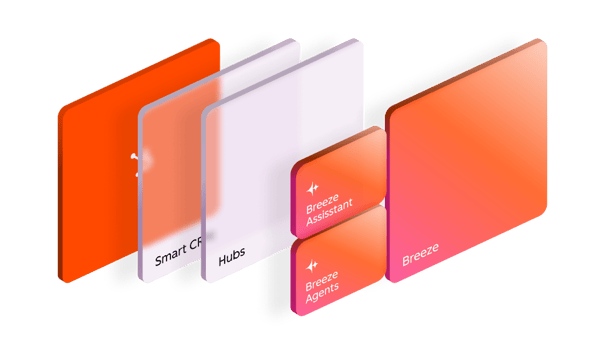
.png?width=704&height=353&name=Customer%20Platform%20Graphic%20-%20Smart%20CRM1.5x%20(1).png)
.png?width=704&height=353&name=Customer%20Platform%20Graphic%20-%20Hubs1.5x%20(1).png)
Users generally praise HubSpot for its user-friendly interface and comprehensive features that cater well to marketing and CRM needs. However, some reviewers express dissatisfaction with occasional system bugs and a steep learning curve for beginners. The pricing sentiment appears mixed, as some find it justifiable for the features offered, while others consider it somewhat expensive. Overall, HubSpot maintains a strong reputation with mainly positive feedback, evident from the majority of high ratings on review platforms.
Features
Use Cases
Industry
information technology & services
Employees
8,600
20
npm packages
11
HuggingFace models
g2
What do you like best about HubSpot Sales Hub?It's good. I'm still learning it so working out the kinks. I'm used to Zoho still. Review collected by and hosted on G2.com.What do you dislike about HubSpot Sales Hub?I feel like it doesn't store as much data as Zoho CRM did. I'm used to that. Review collected by and hosted on G2.com.
What do you like best about HubSpot Sales Hub?I like that everything is in one place - deals, contacts, and activity tracking. The automation and reminders also save time and make it easier to stay organized. Review collected by and hosted on G2.com.What do you dislike about HubSpot Sales Hub?It can feel a bit clunky and slow at times, and some of the customization and reporting features aren’t as flexible as I’d like without upgrading. Review collected by and hosted on G2.com.
What do you like best about HubSpot Sales Hub?It’s a nice addition to HubSpot. It’s easy to design with and easy to use, and it has a lot of integrations. It also includes AI for email and data summarization. Support is very good and responds quickly when you need help. Review collected by and hosted on G2.com.What do you dislike about HubSpot Sales Hub?It tends to get slow when I have too many tabs open. Also, it’s quite expensive to get started. Review collected by and hosted on G2.com.
What do you like best about HubSpot Sales Hub?I enjoy using the prospecting agent and activity feed Review collected by and hosted on G2.com.What do you dislike about HubSpot Sales Hub?It can be a bit confusing at times. It takes me a good amount of time searching through Knowledge Base to do basic things. Review collected by and hosted on G2.com.
What do you like best about HubSpot Sales Hub?Easy to set up and use; good for basic pipeline management and keeping sales activity visible. Review collected by and hosted on G2.com.What do you dislike about HubSpot Sales Hub?Reporting and automation lack depth for complex needs; pricing escalates quickly as requirements grow. Review collected by and hosted on G2.com.
What do you like best about HubSpot Sales Hub?Rich in features and easy to keep track of leads interactions. Review collected by and hosted on G2.com.What do you dislike about HubSpot Sales Hub?Not much, I think they have what I need to perform well and keep track of activities with leads. Review collected by and hosted on G2.com.
What do you like best about HubSpot Sales Hub?What I like best about HubSpot Sales Hub is the sequencing. It makes it incredibly easy to build structured outreach campaigns across email, calls and LinkedIn, ensuring no prospect falls through the cracks. The automation saves a huge amount of time while still allowing for personalisation, which makes prospecting far more efficient. Review collected by and hosted on G2.com.What do you dislike about HubSpot Sales Hub?One downside of HubSpot Sales Hub is that some of the more advanced features and reporting capabilities sit behind higher pricing tiers. As a result, smaller teams can sometimes feel limited unless they upgrade, which can make the overall cost add up quickly. Review collected by and hosted on G2.com.
What do you like best about HubSpot Sales Hub?HubSpot Sales Hub makes it much easier to manage the entire sales process in one place, especially with lead tracking, email automation, and pipeline visibility. It brings more structure compared to juggling multiple tools. The email tracking and follow-ups are particularly useful, helping maintain consistency without manually chasing every lead. The dashboard also gives a clear view of pipeline progress, making it easier to prioritize high-value opportunities. Review collected by and hosted on G2.com.What do you dislike about HubSpot Sales Hub?One thing that can be slightly challenging is the initial setup and learning curve, especially if you're new to CRM tools. Some features and workflows take time to fully understand. Also, pricing can feel a bit high as you scale and need access to more advanced features. It’s a powerful tool, but smaller teams might find it less flexible from a cost perspective. Review collected by and hosted on G2.com.
What do you like best about HubSpot Sales Hub?I like that you can see a lot. It's very lightweight; it's simple and captures all intention. Sequencing is beautiful; notifications are beautiful as well. You get a lot of real-time information and the UI is easy to use. Customer support is amazing as well Customer support is exceptional as well. I recently had a session with Maria Rodriguez on the CS team who walked me through a more complex workflow, stayed beyond what was needed, and made sure I could execute independently. That kind of support is rare and it reflects well on the whole product experience. Review collected by and hosted on G2.com.What do you dislike about HubSpot Sales Hub?Sometimes it is a little bit confusing on the middle bar around task type and whatnot in the CRM. It's a little bit confusing to learn at first but I got a hang of it and Customer Support is amazing. The UI around the top of the table view is a little bit messy or not messy but sometimes a little bit hard to navigate. The good thing is that Customer Support is really good Review collected by and hosted on G2.com.
What do you like best about HubSpot Sales Hub?It is a very intuitive platform and the help or support you receive from the brand is good and useful. It is easy to use and implement in all aspects. I used it for at least 2 years in my previous job, 5 days a week, and I never had any problems. It has many tools to be implemented. When starting with the platform, it was very easy to learn and integrate into my work system. Review collected by and hosted on G2.com.What do you dislike about HubSpot Sales Hub?I think I have no comment on that. Since it didn't give me any problem. Review collected by and hosted on G2.com.
🚀 Skills for small businesses, officially released by Anthropic
Anthropic’s 31 small-business skills reportedly hit around 382,000 downloads on day one. And now someone has mapped the whole thing into a setup workflow that can apparently be deployed in ~10 minutes. This is actually a pretty interesting shift. Small businesses used to stitch together automations manually across: Zapier Notion CRM tools email workflows internal docs custom scripts Now AI companies are starting to package the whole thing into reusable skill packs: 🧠 workflow 📚 memory ⚙️ behavior 🔗 connectors 🤖 orchestration 📋 operating rules Basically: business operations as AI-readable skill files. The best part? You don’t necessarily need Claude to use them. At the core, these are still .md skill files describing workflows for AI agents. So even if you’re using Codex, Cursor, Gemini, or another coding agent, you can still study the structure, adapt the workflows, and plug the ideas into your own agent setup. This feels like the beginning of a new category: “AI business operating templates.” GitHub: https://github.com/anthropics/knowledge-work-plugins submitted by /u/davidnguyen191 [link] [comments]
View originalOne week after launching my Wispr Flow alternative built with Claude Code, greed is taking me over...
Quick update for anyone who saw the launch post last week. Vox (free Wispr Flow alternative, built almost entirely with Claude Code over a couple of weeks of evenings) is at close to 200 downloads. There's a Discord with people actively reporting bugs and asking for features, and I've been shipping fixes and small features almost every day. Still pair-programming with Claude Code for most of it. Now I'm sitting with a question I didn't expect this soon. Money. I want the app to stay free. Not negotiable in my head. The whole reason I built this instead of just paying $15/month was that paying $15/month for something I'd use to dictate to Claude felt wrong. Putting a price tag on it now would miss my own point. But I also can't pretend this is sustainable as pure charity forever. Hours are real. So my gut is saying: add a way for people who want to support the project to do so, without putting it in front of anyone who doesn't. The idea I keep coming back to The app already calculates how much time it has saved a user. Once they cross something meaningful, say 10 minutes saved total, show a small one-time message somewhere unobtrusive: "Hey, you just saved 10 minutes with Vox. If it's earning a spot in your workflow, you can support the creator here." A donation button. That's it. What I like about it App stays fully free. No paywall, no nag every launch, no feature gate. Nobody sees the prompt unless they actually got value. If it doesn't click, they never even know there was an option. The math (minutes saved) is the same math I used to justify building this in the first place. What I'm not sure about Whether even one prompt feels gross. People are sensitive about being asked for money, even gently. Whether 10 minutes is the right threshold. Too low feels needy. Too high and some people never see it. Whether donation as a model just doesn't work for an indie app like this. Maybe GitHub Sponsors once it's open source. Maybe something else I'm not seeing. The ask If you've used Vox, would that prompt bother you or feel fair? For anyone here who has shipped a free app, especially something you built with Claude Code or similar tools, how did you handle the money question? What worked and what backfired? Is there a model that fits this better than a donation button? Not in a rush. Just want to think this out loud before doing anything. submitted by /u/EfficientLetter3654 [link] [comments]
View original100 Tips & Tricks for Building Your Own Personal AI Agent /LONG POST/
Everything I learned the hard way — 6 weeks, no sleep :), two environments, one agent that actually works. The Story I spent six weeks building a personal AI agent from scratch — not a chatbot wrapper, but a persistent assistant that manages tasks, tracks deals, reads emails, analyzes business data, and proactively surfaces things I'd otherwise miss. It started in the cloud (Claude Projects — shared memory files, rich context windows, custom skills). Then I migrated to Claude Code inside VS Code, which unlocked local file access, git tracking, shell hooks, and scheduled headless tasks. The migration forced us to solve problems we didn't know we had. These 100 tips are the distilled result. Most are universal to any serious agentic setup. Claude 20x max is must, start was 100%develompent s 0%real workd, after 3 weeks 50v50, now about 20v80. 🏗️ FOUNDATION & IDENTITY (1–8) 1. Write a Constitution, not a system prompt. A system prompt is a list of commands. A Constitution explains why the rules exist. When the agent hits an edge case no rule covers, it reasons from the Constitution instead of guessing. This single distinction separates agents that degrade gracefully from agents that hallucinate confidently. 2. Give your agent a name, a voice, and a role — not just a label. "Always first person. Direct. Data before emotion. No filler phrases. No trailing summaries." This eliminates hundreds of micro-decisions per session and creates consistency you can audit. Identity is the foundation everything else compounds on. 3. Separate hard rules from behavioral guidelines. Hard rules go in a dedicated section — never overridden by context. Behavioral guidelines are defaults that adapt. Mixing them makes both meaningless: the agent either treats everything as negotiable or nothing as negotiable. 4. Define your principal deeply, not just your "user." Who does this agent serve? What frustrates them? How do they make decisions? What communication style do they prefer? "Decides with data, not gut feel. Wants alternatives with scoring, not a single recommendation. Hates vague answers." This shapes every response more than any prompt engineering trick. 5. Build a Capability Map and a Component Map — separately. Capability Map: what can the agent do? (every skill, integration, automation). Component Map: how is it built? (what files exist, what connects to what). Both are necessary. Conflating them produces a document no one can use after month three. 6. Define what the agent is NOT. "Not a summarizer. Not a yes-machine. Not a search engine. Does not wait to be asked." Negative definitions are as powerful as positive ones, especially for preventing the slow drift toward generic helpfulness. 7. Build a THINK vs. DO mental model into the agent's identity. When uncertain → THINK (analyze, draft, prepare — but don't block waiting for permission). When clear → DO (execute, write, dispatch). The agent should never be frozen. Default to action at the lowest stakes level, surface the result. A paralyzed agent is useless. 8. Version your identity file in git. When behavior drifts, you need git blame on your configuration. Behavioral regressions trace directly to specific edits more often than you'd expect. Without version history, debugging identity drift is archaeology. 🧠 MEMORY SYSTEM (9–18) 9. Use flat markdown files for memory — not a database. For a personal agent, markdown files beat vector DBs. Readable, greppable, git-trackable, directly loadable by the agent. No infrastructure, no abstraction layer between you and your agent's memory. The simplest thing that works is usually the right thing. 10. Separate memory by domain, not by date. entities_people.md, entities_companies.md, entities_deals.md, hypotheses.md, task_queue.md. One file = one domain. Chronological dumps become unsearchable after week two. 11. Build a MEMORY.md index file. A single index listing every memory file with a one-line description. The agent loads the index first, pulls specific files on demand. Keeps context window usage predictable and agent lookups fast. 12. Distinguish "cache" from "source of truth" — explicitly. Your local deals.md is a cache of your CRM. The CRM is the SSOT. Mark every cache file with last_sync: header. The agent announces freshness before every analysis: "Data: CRM export from May 11, age 8 days." Silent use of stale data is how confident-but-wrong outputs happen. 13. Build a session_hot_context.md with an explicit TTL. What was in progress last session? What decisions were pending? The agent loads this at session start. After 72 hours it expires — stale hot context is worse than no hot context because the agent presents outdated state as current. 14. Build a daily_note.md as an async brain dump buffer. Drop thoughts, voice-to-text, quick ideas here throughout the day. The agent processes this during sync routines and routes items to their correct places. Structured memory without friction at ca
View originalClaude for Small Business launched this week with 8 integrations. Most SMBs use 20+. What does that mean for the rest of the stack?
Anthropic launched Claude for Small Business on Tuesday. The package includes 15 prebuilt agentic workflows and 8 named integrations: Intuit QuickBooks, PayPal, HubSpot, Canva, DocuSign, Google Workspace, Microsoft 365, and Slack. The workflows handle things like invoice chasing, payroll planning, month-end close, sales campaigns, contract routing, and cash-flow forecasting. Owners approve before anything sends or pays. The basic facts are not in dispute. What's interesting is the math. Most small businesses use more than 8 tools. The common ones not on that list: Shopify, Stripe, Square, Klaviyo, Mailchimp, ActiveCampaign, ConvertKit, Pipedrive, GoHighLevel, Calendly, Notion, Airtable, ClickUp, Webflow, Zapier. Then vertical-specific tools: ServiceTitan, Jobber, Housecall Pro for trades. Kajabi, Teachable, Circle for creators. Toast, Resy, OpenTable for restaurants. Etsy, Faire, Printify for makers. Real question worth asking: how much of a typical small business stack does the 8-tool package actually cover, and which kinds of businesses are well-served versus left out? A rough walk through some common archetypes: Office-based service business (consultants, accountants, agencies, B2B services). Coverage is decent. Most are on Google Workspace or Microsoft 365, run finance through QuickBooks, communicate via Slack, and many use HubSpot. The 8 tools probably hit most of the core stack for this group. E-commerce or DTC brand. Coverage is thin. Shopify isn't there. Stripe isn't there. Klaviyo isn't there. The actual revenue stack of an online store is mostly outside the covered set. Local trades (HVAC, plumbing, insulation, electrical, landscaping). Coverage is essentially absent. The operating systems for these businesses are ServiceTitan, Jobber, Housecall Pro, Square for payments, sometimes QuickBooks for accounting on the back end. The customer-facing and operational tools are not on the list. Creators, coaches, course sellers. Coverage is absent. Kajabi, ConvertKit, Teachable, Circle, Substack. None of it is in the package. Restaurants and hospitality. Coverage is absent. Toast, Square POS, Resy, OpenTable, Toast Payroll. The actual operating systems are not on the list. A few patterns emerge from that walk. First, the package targets a specific kind of small business. Office-based, white-collar, finance running through QuickBooks, meetings on Google or Microsoft, sales through HubSpot. That is a real segment. Anthropic chose it deliberately and the workflows make sense for that profile. Second, for everyone else, the prebuilt workflows mostly don't touch the tools they actually use day to day. The choice isn't "use Claude for Small Business or not." It's "AI in my operations, yes, but via custom work outside this package." That's not a complaint about the launch. Building 8 polished integrations is hard and Anthropic had to pick. It's more an observation that "Claude for Small Business" as a category name covers a wider universe than what the package actually addresses on day one. Curious how this lines up with what people are actually running. If you operate a small business, how many of the 8 covered tools are in your stack? And what's NOT on that list that you'd most want connected to an AI agent? submitted by /u/KolioMandrata [link] [comments]
View originalAnthropic built the agentic features. Now they're billing them separately.
Starting June 15, Claude subscribers get a separate monthly credit for Agent SDK and claude -p usage: $200/mo for Max 20x, $100 for Max 5x, $20 for Pro. Once you burn through it, programmatic usage stops unless you've opted into extra usage billing at API rates. Your interactive Claude Code and chat usage stays on the subscription pool, untouched. I spent the last day digging into the community reaction across Reddit, GitHub, HN, and tech press. Tracked roughly 120 distinct opinions. Here's what I found. The sentiment split About 60% negative (credit is too small, feels like a value regression) About 25% pragmatic ("this was inevitable, the old model was broken") About 15% neutral to supportive ("interactive use is untouched, this is fair") Theo Browne (T3.gg) put it bluntly: anyone using T3 Code, Conductor, Zed, or claude -p in CI scripts had their effective usage cut by 25x. He said he now has to make the Claude Code experience on T3 Code "significantly worse." Ben Hylak (co-founder of Raindrop.ai) responded: "This is either really silly, or shows how bad of a spot Anthropic is in re: GPUs." Theo also said: "Framing this as a free credit instead of a regression for users is wild." That tracks with what I'm seeing across the threads. The telco parallel This follows the exact playbook telcos used with "unlimited" data plans. Sell unlimited. Watch users actually use it. Introduce a Fair Usage Policy that throttles heavy users. Continue marketing the plan as unlimited. Anthropic marketed Claude Code as an all-in-one agentic platform. They shipped Routines, /goal, /loop, scheduled tasks, and cloud sessions as headline features. Users adopted those patterns. Then the compute math didn't work out, and instead of solving the infrastructure problem, they drew a billing boundary inside their own product. Where the telco analogy breaks: Anthropic is capacity-constrained in ways telcos never were. They're spending aggressively on compute, and the resource contention isn't fabricated. But resource contention is an infrastructure problem, not a billing problem. And as we'll see, Anthropic did build the infrastructure to solve it. The question is why claude -p doesn't benefit from it. The contradiction that cuts deepest Here's what most people haven't articulated yet. Anthropic's product roadmap over the last 3 months has been aggressively agentic: Routines (cloud-hosted, schedule/webhook/GitHub triggers, no human in the loop) /goal (autonomous execution with minimal input) /loop (persistent in-session repetition) Scheduled tasks (desktop recurring prompts) Agent View (multi-session monitoring dashboard) Remote Control (manage sessions from phone) Every one of these features trains users to treat Claude Code as an always-on autonomous system. Anthropic productized exactly the usage pattern that the "you should use the API" crowd says doesn't belong on a subscription. But here's the catch. Routines draw from your regular subscription pool. claude -p doing the same work draws from the new capped credit. The billing line isn't "interactive vs agentic." It's "first-party agentic vs everything else." claude -p is the unix-philosophy composable interface for Claude Code. Penalizing users for calling the same primitive directly instead of wrapping it in Anthropic's GUI is anti-composability. If it were purely about cost management, Routines would also draw from the SDK credit. They don't. The distinction is about who controls the agent runtime. Then there's Managed Agents, Anthropic's API-side agent harness that entered public beta in April. Fully hosted runtime with cloud containers, built-in tools, and prompt caching baked in. API billing, pay-as-you-go. So now there are three tiers: Tier 1: Routines (subscription). Anthropic-hosted, flat-rate. They control the runtime, they optimize caching. Tier 2: Agent SDK / claude -p (credit). Your runtime, your code. Hard-capped. Caching APIs exist but you're on your own to implement them. Tier 3: Managed Agents (API). Anthropic-hosted again. Pay-as-you-go, but with full caching and compaction. Tiers 1 and 3, where Anthropic controls the runtime, get either flat-rate billing or optimized infrastructure. Tier 2, where you control the runtime, gets the worst deal. The strategy isn't "interactive vs programmatic." It's "managed vs unmanaged." The credit system is the squeeze play pushing you toward one of their managed options. Here's the nuance: prompt caching IS publicly available via the API. Agent SDK developers can use it. Cache reads cost 10% of base input token price. The optimization isn't gated behind Managed Agents. So why did third-party tools burn so many tokens? Many were unoptimized for Anthropic's caching compared to first-party tools. That resource contention was partly a third-party engineering gap. But that raises the obvious question: claude -p is Anthropic's own tool. They could bake caching into its runtime the same way they
View originalthe gap between chatgpt drafting an email and chatgpt actually sending it is wider than i expected
I spent the last few weeks trying to push chatgpt past "give me text" into actually finishing a workflow end to end: read the gmail thread, pull the matching hubspot record, draft the follow-up, file the next step in linear. it can describe each step beautifully. doing them in one pass without me copy-pasting between five tabs is a different problem. codex extending to mobile feels like openai noticing the same gap from the dev side. but for non-coders the gap is just as wide. an agent that actually does the work needs gmail, calendar, drive, a crm, and some cross-session memory of what happened last tuesday, and the moment you wire all of that up you are basically building a desktop app on top of the api. my guess is openai eats this from the inside (operator plus actions plus connectors plus memory) and third parties stitching things together get squeezed once the connectors mature. open question for me is whether that happens this year or three years out. submitted by /u/Deep_Ad1959 [link] [comments]
View originalAny recommendations on Books/Guides/Courses for Claude?
I'm just looking to expand my knowledge and my thinking on it. Is there something you have found that helps you learn the tech? I'm a solopreneur who is trying to figure out how to make myself the most efficient with it. Things I'm wondering about is scheduled research, data cleaning, content creation, email campaign management, making sure things don't slip through the cracks. My tech stack is gmail, Hubspot, Perplexity, ChatGPT, Claude, GoExtrovert, Dripify. I'm running on a mac. submitted by /u/ss32000 [link] [comments]
View originalMade a Claude skill that breaks down a Book so you don't have to read the whole thing
I used to read a lot. Still do, but the split has changed. Fiction I read front to back. That's the whole point. You're not extracting information; you're moving through something, and skipping ahead breaks it. Non-fiction is different. Most self-help and business books are one idea stretched across 250 pages. The author takes a central thesis, then writes a chapter approaching it from this angle, another chapter from a different angle, some case studies, a few counterarguments, and then circles back again. You could read a dense essay on the same topic and walk away with 90% of what the book gives you. Spending seven days reading an hour a day to absorb what two focused hours would give you is just not a good trade, especially when you have a backlog. So I built a Claude skill that makes this more systematic. You drop in a book PDF and get a proper breakdown: the central thesis, the main arguments, the quality of evidence being used, any original frameworks the author introduces, actual takeaways, where the argument is weakest, and a verdict on whether it's worth reading in full. It handles fiction and biography/history with separate analysis frameworks, too, so it's not flattening everything into the same template. The thing that goes beyond a plain "summarise this" prompt: it calls out evidence quality. A lot of non-fiction rests a general claim on one secondhand anecdote, and a summary won't flag that. This does. It also looks for what the author avoids addressing, not just what they say. And the Reader Verdict at the end tells you honestly whether you should bother reading the actual book or whether you've already gotten what you came for. It's not for books you genuinely want to read. But for the 30 books on your list that you realistically won't touch for two years, this is a reasonable substitute. Additionally, I would love your feedback on how I can make this better. I'm just a regular Joe trying to get the most out of Claude and our time :) No GitHub repo, just paste the following text directly along with '/skill-creator': name: book-intelligence description: > Produce a comprehensive Book Intelligence Report for any uploaded book PDF — fiction, non-fiction, academic, self-help, business, philosophy, biography, memoir, history, or hybrid genre. Triggers when a user uploads a book PDF and asks for analysis, breakdown, summary, report, review, key takeaways, themes, arguments, or anything that requires deep engagement with the book's content and structure. Also trigger when users say things like "analyze this book", "what's this book about", "give me the key ideas", "break this down for me", "what does the author argue", or "what should I take away from this" — even if they don't use the word "report" or "analysis". Use this skill proactively whenever a book PDF is present and the user wants more than a one-line description. --- # Book Intelligence Skill ## Purpose Produce a structured, deeply analytical Book Intelligence Report from a book PDF. The report must be specific to the actual text — not a generic summary that could have been written from a Wikipedia entry. Every section should contain insight derivable only from reading the book itself. Default output is inline markdown in chat. Create a downloadable `.md` file only if the user explicitly asks for one. --- ## Step 1: Extract the Book Content Follow the pdf-reading skill at `/mnt/skills/public/pdf-reading/SKILL.md` for extraction mechanics. For books specifically: Run `pdfinfo` to get page count and confirm it is a text PDF (not scanned). Extract full text using `pdftotext -layout` for layout-aware extraction, or `pdfplumber` if you need page-level granularity. For books over 400 pages, extract in chunks (e.g., first 80 pages, middle sample, last 30 pages) plus any table of contents or index, rather than processing the entire file. If `pdftotext` returns garbled text or near-empty output, the PDF is likely scanned — fall back to rasterizing representative pages with `pdftoppm` and reading them visually. For books with meaningful figures, charts, or diagrams (e.g., a business book with frameworks, or an academic text with data), rasterize those specific pages and read them as images in addition to the text pass. Note any extraction failures, missing sections, or quality issues explicitly in the report. **Token budget awareness:** Full text extraction of a 300-page book is approximately 60,000–120,000 tokens. Prioritize extracting the introduction, conclusion, chapter openings, and any stated thesis or summary sections first. Then sample middle chapters. Do not rasterize all pages — only those where visual content matters. --- ## Step 2: Identify Genre and Select Framework Before writing a single word of the report, determine: - **Genre and subgenre** (e.g., "narrative non-fiction / behavioral economics", "literary fiction / magical realism", "business / strategy", "memoir / political biography") - **Author background and publication
View originalI trained a NER model on 33,000 Indian Supreme Court judgments (1950–2024) CASE_CITATION hits 97.76% F1, +17 points over the only prior baseline [P]
TL;DR: Released en_legal_ner_ind_trf v0.1 - InLegalBERT fine-tuned on ~34,700 silver-annotated chunks from 33k Indian SC judgments. 13 labels. 78.67% overall F1. CASE_CITATION at 97.76% already exceeds OpenNyAI's PRECEDENT score by +17 points. Free, Apache-2.0. Why this exists OpenNyAI is the only prior Indian legal NER model with any community presence. It's unmaintained and degrades on pre-1990 OCR-era text - the first 40 years of India's constitutional jurisprudence. No replacement existed. Results Entity F1 Support CASE_CITATION 97.76% 3,821 PROVISION 96.35% 20,248 STATUTE 91.94% 8,187 LAWYER 74.67% 3,982 JUDGE 68.06% 1,978 DATE 55.15% 3,289 RESPONDENT 50.44% 1,731 COURT 50.34% 1,033 WITNESS 49.77% 762 OTHER_PERSON 47.11% 4,266 PETITIONER 44.71% 1,573 ORG 41.34% 2,128 GPE 36.56% ⚠ 1,197 micro avg 78.67% 54,195 Evaluated on a held-out validation split (~500 documents, stride=512, non-overlapping). The 25-file locked test set is untouched - head-to-head with OpenNyAI runs in v1.0. Comparison note: OpenNyAI (RoBERTa + transition-based parser, gold-annotated) achieved 91.1% overall strict F1. Not directly comparable - different test sets, different annotation quality, different corpus scope. The +17 point gap on CASE_CITATION is the one apples-to-apples number worth flagging. The annotation pipeline Silver labels from four automatic pipelines merged per document: Regex — 14-pattern citation extractor + statute/provision extractor → CASE_CITATION, STATUTE, PROVISION Metadata projection — case metadata JSONs mapped to character offsets via RapidFuzz → JUDGE, PETITIONER, RESPONDENT Transformer NER — OpenNyAI en_legal_ner_trf, offset-corrected → LAWYER, COURT, ORG, GPE, DATE, OTHER_PERSON, WITNESS Gazetteer — 858 Central Acts with alias resolution → confirms and adds STATUTE spans Trained with Focal Loss (γ=2.0) to handle label imbalance between STATUTE/CASE_CITATION and O tokens. Hardware: Kaggle T4 (free tier). Known weak spots - being honest GPE (36.56%) and ORG (41.34%) are the problem labels. In Indian legal text, "State of Maharashtra" or "Union of India" appear as GPE, PETITIONER, RESPONDENT, or ORG depending on context. A linear token classification head can't resolve overlapping roles. CRF head is v1.0's job. Positional bias - silver training data has repetitive header structures. Performance degrades when parties appear mid-document. Pre-1990 OCR noise - judgments from 1950–1989 vary in quality. Recall drops the further back you go. What's next 300-file gold annotation is in progress (3 volunteers onboard). v1.0 will add a CRF head, run the locked test set, and publish the official head-to-head with OpenNyAI. Model: huggingface.co/evolawyer/inlegalbert-sc-ner-silver Dataset: huggingface.co/datasets/evolawyer/indian-sc-judgments-ner-silver GitHub: github.com/evolawyer/inlegalbert-sc-ner-silver Happy to go deep on the annotation pipeline, conflict resolution between the four label sources, or the Focal Loss setup. submitted by /u/gkv856 [link] [comments]
View originalI replaced a 5-step lead enrichment workflow with Claude custom skills
Sharing this because i know a lot of people here are doing what i did. My old workflow was a long process. Build a list in Apollo, enrich through PDL (maybe 50-60% usable, rest is outdated or wrong), take the gaps and pass to a second provider, verify emails separately because enrichment data bounces 15-20% of the time, then manually load everything into HubSpot because none of these tools talk to each other cleanly. 5 steps, 3 vendors, took over an hour and the output was still mediocre. So i built a Claude workflow using MCPs that handles all of this in one pass. Tech stack (all connected as MCPs): Crustdata - people and company data. This replaced Apollo and PDL for me. The data is pulled in realtime so you're not getting outdated job titles. Search filters are granular enough that Claude can find the exact ICP match without me manually cleaning the list after. It also returns social media posts from prospects which I use for personalization. FullEnrich MCP - email waterfall and verification in one step. This replaced the separate enrichment + verification tools I was paying for. They run through 20+ providers so match rates are solid. HubSpot MCP - Claude pushes the final enriched list directly into the CRM. No more manual CSV imports. Example prompt I run: "Find B2B SaaS companies in the US with 50-200 employees that raised Series A or B in the last 9 months and are hiring for sales roles. Find the VP Sales or Head of Growth at each. Get verified emails. Pull their recent social media posts and research their website. Score each prospect against our ICP and rank by fit." Claude builds the list, enriches everything, verifies emails, scores against my ICP criteria and pushes to HubSpot. Takes about 5 minutes for a list that used to take me over an hour manually across multiple tools. The list quality is also way better. When Claude reads someone's full profile and matches against your ICP instead of relying on keyword filters, you stop getting garbage matches. I wrote a skill describing our ICP in detail so it scores consistently across searches. I still review every list before anything goes out. But the data collection, enrichment and scoring part is basically handled. Happy to answer questions if anyone wants to set up something similar. submitted by /u/lemnistatic [link] [comments]
View originalClaude Code got me to 75% site-cloning accuracy. Now I’m hitting the wall (and trying to be lazy about it).
So I’ve been building this site-cloner with Claude Code. The stack is pretty straightforward: Playwright for screenshots and animations, plus Firecrawl and I set up a QA loop where it compares its own build against the original screenshot and tries to self-correct. The layout? Honestly, it’s spot on. But the animations are a total mess, and I’m stuck at about 75% accuracy. I found some repos on GitHub that seem to have the "secret sauce" for the animation logic I'm missing, even some with scraping logic and coping logic. Here’s my problem: I’m "vibe coding" this. It’s a side project, I am new, and I have zero interest in deep-diving into 5000 lines of someone else's code/skill to understand their architecture. I just want the logic. Two things I’m struggling with: The "Ingestion" Prompt: How are you guys making Claude actually evaluate external logic? I want to tell it: "Look at this repo, compare it to my current mess, and tell me what they’re doing smarter than me." Every time I try, I just get a generic summary. Any tips on a prompt that actually forces it to analyze and "steal" specific logic? The "Super-Skill" vs. Modular approach: Right now it’s one big block. Would it be smarter to split it? Skill 1: Structure/HTML. Skill 2: Animation logic. Skill 3: The QA loop. Does splitting it actually improve the reasoning, or am I just making the context-passing a nightmare? usually I would prefere to combine several skills together but the goal is send and forget. but if its not possible to make claude activate on its own other skills with a checkpoint system("you scraped the website? great move on to get screenshots"). Would love to hear from anyone building agents or just successfully "borrowing" logic without losing their mind. submitted by /u/TeamNecessary5548 [link] [comments]
View originalI built a Claude Code plugin to help me GM: TTRPG GM Apprentice. Looking for feedback on token efficiency.
I run tabletop RPGs (Call of Cthulhu, GURPS, Forged in the Dark, D&D 5e) and I got tired of the same workflow every session: dig through notes, cross-reference NPCs, check what threads I'd left dangling, figure out what to prep next. So I built a Claude Code plugin that handles all of it. gm-apprentice is eight skills that cover the full campaign lifecycle: Skill What it does ttrpg-expert Rules advisor, content generation, encounter design, continuity checking. Pure reference layer, no vault writes. campaign-organizer Scaffolds and maintains a structured markdown vault. Works with Obsidian or plain filesystem. session-prep Between-session prep. Reconciles what actually happened vs. what was planned, reviews PC arcs, finds stale threads, designs scenes. session-play At-the-table assist. Speed-optimised, 1-5 sentence responses, stays out of the way. session-wrapup Post-session processing. Turns raw play notes into canon, creates entities, builds timeline, packages carry-forward. campaign-qa Audits the vault for contradictions, timeline violations, duplicate names, clue gaps. vault-ingest Imports old campaign materials into the vault. Interviews the GM to recover what actually happened at the table. publish-site Turns the campaign vault into a static GitHub Pages site your players can browse. The whole thing is built around a markdown vault (Obsidian recommended, plain filesystem works fine). All campaign state lives in the vault, not in Claude's context, so you can pick up where you left off across any client. Desktop, CLI, VS Code, mobile, whatever. How it's built Built entirely in Claude Code. Claude wrote the skills, the reference files, the publish tool (npm package), the CI pipeline, the test infrastructure, and the vault migration system. My job was design decisions, domain expertise (been GMing for years), and aggressive quality gating. Every PR goes through a code review agent before merge. One architectural decision that's worked well: splitting skills into an advisor (ttrpg-expert, which is read-only reference material) and doers (everything else, which are workflow-driven). This means I can compact the reference layer independently and keep the workflow skills lean. session-play, for example, is about 80 lines because during live play you need speed, not depth. Where I'd love input: token efficiency This is the thing I keep bumping into. The plugin is roughly 33k lines of markdown across all skills and references. I've done a fair bit to keep it tight: Compaction passes. I periodically run reference files through a compaction agent that strips redundancy while keeping information density. Got 30-60% reductions on most files. Shared reference layer. Common knowledge (entity schema, frontmatter conventions, vault structure) lives once in a shared/ directory instead of being duplicated across skills. Proportional reading. Skills only load vault content proportional to the task complexity, not the whole campaign. Routing tables. System-specific content has lookup tables so Claude can jump to the right reference file without scanning everything. But I wonder there's more to squeeze out, and this is where I don't know what I don't know. If you've built Claude Code plugins or worked on token-efficient prompt engineering, here's what I'm asking about: What's worked for you to reduce skill/reference file sizes without losing capability? Is there a sweet spot for how much reference material a single skill should carry before you should split it? Any techniques for making Claude load content lazily (only when needed) rather than reading everything upfront? Tell me if I'm off base on any of this. I'm building this through Claude Code rather than writing directly, and there are probably patterns I'm missing. Free and open source Install from the Claude Code plugin marketplace: /plugin marketplace add AntTheLimey/gm-apprentice /plugin install gm-apprentice Also works on Claude Desktop (Cowork tab), VS Code, Cursor, and JetBrains. If you're on a free or starter Claude account, you can download individual skill zips from the GitHub releases page and upload them manually. GitHub: https://github.com/AntTheLimey/gm-apprentice Happy to answer questions about the architecture, the skills, or any of the TTRPG-specific design decisions. submitted by /u/antthelimey_OG [link] [comments]
View originalTry to break my prompt injection detector — I’ll respond to every bypass attempt
I built Arc Gate — a prompt injection proxy that’s been benchmarked at F1 0.947 on indirect and roleplay-based attacks, beating OpenAI Moderation and LlamaGuard. Now I want to stress test it publicly. Try to bypass it here: https://web-production-6e47f.up.railway.app/try Post your attempts in the comments. If you find something that gets through that you think should be blocked, share it. I’ll respond to every one. Rules: • The demo key is rate limited so be reasonable • If you find a genuine bypass, I want to know — that’s the point • Multilingual attempts especially welcome, that’s a known weak spot The detection isn’t just phrase matching — it’s a behavioral SVM on sentence-transformer embeddings plus Fisher-Rao geometric drift detection. So encoding tricks and simple rewording may not work as well as you’d expect. Let’s see what you’ve got. GitHub: https://github.com/9hannahnine-jpg/arc-gate submitted by /u/Turbulent-Tap6723 [link] [comments]
View originalSEO or AEO? How to actually get cited by AI (without losing your mind)
SEO or AEO? Why you’re not showing up in AI answers (yet) This is a consolidation of findings from Neil Patel and Hubspot plus what we have found to work well on our own website. Most business owners are still playing the old game. Some aren’t playing at all. They’re thinking in rankings, keywords, and “getting to page one.” Meanwhile, the ground is shifting under them. Google Search is still dominant, but even it has changed. It’s no longer just a list of blue links. It’s summarizing, interpreting, and answering. And tools like ChatGPT and Perplexity AI aren’t ranking pages at all. They’re answering questions. Which creates a problem most people haven’t fully processed yet: Users don’t need to click your website anymore to get value. CTR is dropping. Site visits are declining. Because the answer is already sitting in front of them. And yet, paradoxically… Your website has never mattered more. Because now it’s not just competing for clicks. It’s competing to be the source that gets cited in the answer. What actually changed AI search works like this: User asks a question → system searches multiple sources → pulls the best chunks → builds an answer → cites what it trusts If your content isn’t structured for that flow, you don’t exist. Not “low ranking.” Invisible. What AI actually cares about AI doesn’t care about your keyword density or your clever SEO hacks. It cares if your content is: easy to find easy to understand easy to quote That’s AEO (Answer Engine Optimization). Not magic. Not a secret algorithm. Just being usable inside an answer. What actually works If you do nothing else, do this: 1. Start with the answer Don’t spend 800 words “building context.” Bad: “AI is transforming industries…” Better: “AEO is how you structure content so AI tools can find, understand, and cite it in answers.” That’s what gets pulled. 2. Structure like a human, not a content farm Use: clear headings short sections simple tables FAQs AI extracts. It doesn’t patiently read your thought leadership essay. Walls of text = ignored. 3. Be consistent about who you are Your: business name description services location Need to match everywhere. If your site, LinkedIn, Reddit, and directories all say different things, AI doesn’t trust you. No trust = no citation. 4. Keep things updated Outdated content doesn’t get used. Simple: update pages keep timestamps current maintain your sitemap Not exciting. Still works. 5. Let crawlers access your site If AI crawlers can’t access your content, you won’t get cited. Blocking them and expecting visibility is… optimistic. 6. Measure the right things Stop obsessing over rankings. Track: Are you mentioned? Are you cited? Which pages show up? If you’re not measuring AI visibility, you’re guessing. Why you’re not cited (yet) Most businesses don’t get cited because: their content is vague their structure is messy their positioning is inconsistent AI didn’t ignore you. It couldn’t understand you. What you actually need (and what you don’t) You don’t need: a massive content team expensive tools some “AI SEO expert” selling confidence You need: 10–20 clear, structured pages direct answers consistent messaging basic technical setup That’s enough to start showing up. The technical layer (the stuff everyone ignores) These are the files quietly determining whether you exist to AI at all. robots.txt Controls crawler access. If bots can’t crawl your site, you don’t get indexed. sitemap.xml Tells crawlers what pages exist and what’s been updated. No sitemap = slower discovery = less visibility. JSON-LD (structured data) Explains what your business, pages, and content actually are. Without it, AI guesses. Poorly. llms.txt A machine-readable summary of your site for AI systems. Not widely adopted yet, but useful for shaping how you’re interpreted. crawlers.txt An emerging way to control AI-specific crawlers. Still early. Treat it as a signal, not enforcement. Human query-based metadata Your content should be built around real questions, not keyword fantasies. Instead of: “AI Solutions for SMB Efficiency Optimization” Write: “How can a small business use AI without hiring a developer?” AI systems think in questions. If you match that, you get used. If you don’t, you get skipped. How it all fits together robots.txt / crawlers.txt → controls access sitemap.xml → tells crawlers what exists JSON-LD → explains what things are llms.txt → suggests how to interpret it query-based content → makes it usable in answers Miss one, you weaken the system. Miss most, you disappear. Simple test Ask: “What companies would you recommend for [your category] in [your region]?” If you’re not mentioned or cited, that’s your baseline. No opinions. Just signal. Bottom line SEO was about ranking pages. AEO is about being useful inside an answer. If your content helps A
View originalBuilt a three-panel workspace for doing research with Claude Code
Hey everyone. I've been using Claude Code a lot for my physics research, and it always felt slightly wrong — like I was forcing a coding tool to do work it wasn't really shaped for. So over the last few months I built Triptych, a three-panel workspace that sits on top of Claude Code and gives it room to actually do research. A bit of motivation up front: Claude Code works so well for coding because the filesystem and compiler close the loop — wrong code crashes. For a wrong derivation, nothing crashes. Worse, I noticed my best sessions weren't the ones where I just accepted Claude's answer; they were the ones where I argued with it, made it argue against itself, and surfaced what it was silently assuming. Triptych is shaped around that kind of back-and-forth rather than around "give me the answer." The three panels: Left — workspace for me: tldraw drawing canvas, document editor, spreadsheet, markdown editor with KaTeX, code editor, PDF viewer, and a "desktop window watcher" that lets Claude see any window on my desktop Middle — display for Claude: matplotlib and plotly charts, LaTeX equations, Three.js 3D surfaces and vector fields, step-by-step derivations, a research state graph that tracks verified results Right — Claude Code itself with full filesystem access The filesystem is the communication channel. When Claude writes a plot to workspace/output/, the display auto-reloads. When I sketch something on the canvas, Claude can see the screenshot. No database, no plugin registry — files all the way down. The whiteboard is the part I reach for most. I can sketch a problem by hand — write out a Lagrangian, work through the algebra, draw a free-body diagram — and Claude reads the canvas directly. So I do physics the way I actually think (handwritten, messy) while Claude checks my algebra mid-derivation and formalizes what I wrote into LaTeX when I'm done. Because it runs in the browser, I open it on a tablet for the whiteboard at the same time as my laptop for the display. Working in parallel. Because Claude Code is agentic, while I'm deriving something by hand it can be running a numerical solver on the equations it's already seen, building a simulation of the system, or generating plots of the limiting cases in the background. By the time I finish the algebra, the next thing I'd ask for is usually already sitting in the display. Verification + push-back. An independent agent checks every significant claim without seeing Claude's reasoning, using SymPy, numerical spot-checks, and dimensional analysis. At milestones a second agent re-derives the result via a different method, and a separate red-team agent reads the work and tries to challenge it. The red-team is calibrated to return "nothing substantive" when the work is sound — an agent that always finds problems is just as useless as one that never does. There's also a sister pass that surfaces unstated assumptions before a result becomes load-bearing. Triptych vs autoresearch. If you have a clear metric to optimize (benchmark score, latency, accuracy on a fixed set), Karpathy's autoresearch is probably the right tool. Triptych is for the messier stuff in between — derivations, design calls, anything where the work is partly figuring out what counts as the right answer. Example session (one of my actual prompts): "I have a coupled oscillator system with two masses and three springs. Set up the Lagrangian, derive the equations of motion, solve for the normal modes, and show me a 3D visualization of each mode with a slider for the mode amplitude." Claude writes the Lagrangian to the display as rendered LaTeX, the derivation appears step by step with numbered equations, the verifier agent checks each step independently, and a Three.js panel shows up with a slider. Takes about a minute. Five commands, the rest is automatic. The whole user-facing API is five commands shaped like the arc of doing research: /start, /explore, /work, /check, /wrap. Plain language works too. Everything else (verifier, watcher, domain mentors for physics/math/ml, ~40 methodology skills) activates automatically when relevant. If you're ever lost, type /triptych — it reads where you are, asks what you're trying to do, and recommends a next move without auto-deciding for you. Ask it to build whatever you want. Triptych runs Claude Code with filesystem access to its own source, so if there's a display type or workspace addon I haven't built, you can just ask Claude to add it while you're using the tool. If Claude Code can do it, Triptych can do it. Heads up — it's not really a study tool. If you're a student working through homework you can use it however you want, but you'll probably learn the material less well than if you struggled through it yourself. Free, runs locally, BYO Claude Code install. It's a personal project — I'm a physics student and I work on it when I have time. GitHub: https://github.com/frodo2647/triptych Would love to hear what you'd want
View originalHubSpot uses a subscription + tiered pricing model. Visit their website for current pricing details.
HubSpot has an average rating of 4.3 out of 5 stars based on 20 reviews from G2, Capterra, and TrustRadius.
Key features include: Marketing Hub, Sales Hub, Service Hub, Content Hub, Data Hub, Commerce Hub, Smart CRM, Small Business Bundle.
HubSpot is commonly used for: Why HubSpot?.
HubSpot integrates with: Gmail, Claude, Zapier, Slack, Salesforce, Mailchimp, WordPress, Shopify, Facebook Ads, Google Ads.
Based on user reviews and social mentions, the most common pain points are: API bill, token usage.

Tina Huang
Creator at AI YouTube / Data Science
1 mention
Based on 51 social mentions analyzed, 14% of sentiment is positive, 76% neutral, and 10% negative.