
HubSpot
Users generally praise HubSpot AI for its user-friendly integration with HubSpot's broader CRM ecosystem, highlighting its effective AI-driven automation features that enhance productivity. However, some users express frustrations about connectivity issues, particularly related to third-party integrations with tools like GitHub, where synchronization problems arise. The sentiment around pricing is mixed, with users appreciating the value of automation but sometimes concerned about the cost justification for smaller operations. Overall, HubSpot AI possesses a strong reputation for excellence in CRM automation, though technical hiccups occasionally mar the experience.
Mentions (30d)
6
Reviews
0
Platforms
2
Sentiment
0%
0 positive

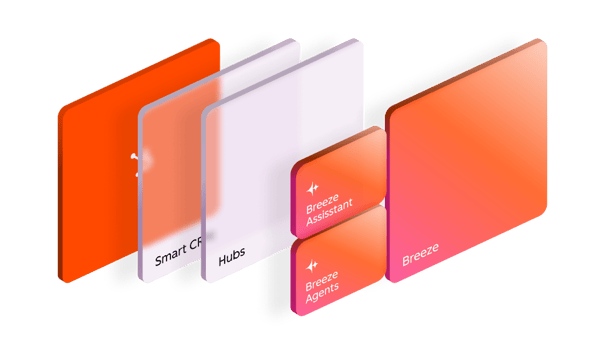
.png?width=704&height=353&name=Customer%20Platform%20Graphic%20-%20Smart%20CRM1.5x%20(1).png)
.png?width=704&height=353&name=Customer%20Platform%20Graphic%20-%20Hubs1.5x%20(1).png)
Users generally praise HubSpot AI for its user-friendly integration with HubSpot's broader CRM ecosystem, highlighting its effective AI-driven automation features that enhance productivity. However, some users express frustrations about connectivity issues, particularly related to third-party integrations with tools like GitHub, where synchronization problems arise. The sentiment around pricing is mixed, with users appreciating the value of automation but sometimes concerned about the cost justification for smaller operations. Overall, HubSpot AI possesses a strong reputation for excellence in CRM automation, though technical hiccups occasionally mar the experience.
Features
Use Cases
Industry
information technology & services
Employees
8,600
100 Tips & Tricks for Building Your Own Personal AI Agent /LONG POST/
*Everything I learned the hard way — 6 weeks, no sleep :), two environments, one agent that actually works.* # The Story I spent six weeks building a personal AI agent from scratch — not a chatbot wrapper, but a persistent assistant that manages tasks, tracks deals, reads emails, analyzes business data, and proactively surfaces things I'd otherwise miss. It started in the cloud (Claude Projects — shared memory files, rich context windows, custom skills). Then I migrated to Claude Code inside VS Code, which unlocked local file access, git tracking, shell hooks, and scheduled headless tasks. The migration forced us to solve problems we didn't know we had. These 100 tips are the distilled result. Most are universal to any serious agentic setup. Claude 20x max is must, start was 100%develompent s 0%real workd, after 3 weeks 50v50, now about 20v80. 🏗️ FOUNDATION & IDENTITY (1–8) **1. Write a Constitution, not a system prompt.** A system prompt is a list of commands. A Constitution explains *why* the rules exist. When the agent hits an edge case no rule covers, it reasons from the Constitution instead of guessing. This single distinction separates agents that degrade gracefully from agents that hallucinate confidently. **2. Give your agent a name, a voice, and a role — not just a label.** "Always first person. Direct. Data before emotion. No filler phrases. No trailing summaries." This eliminates hundreds of micro-decisions per session and creates consistency you can audit. Identity is the foundation everything else compounds on. **3. Separate hard rules from behavioral guidelines.** Hard rules go in a dedicated section — never overridden by context. Behavioral guidelines are defaults that adapt. Mixing them makes both meaningless: the agent either treats everything as negotiable or nothing as negotiable. **4. Define your principal deeply, not just your "user."** Who does this agent serve? What frustrates them? How do they make decisions? What communication style do they prefer? "Decides with data, not gut feel. Wants alternatives with scoring, not a single recommendation. Hates vague answers." This shapes every response more than any prompt engineering trick. **5. Build a Capability Map and a Component Map — separately.** Capability Map: what can the agent do? (every skill, integration, automation). Component Map: how is it built? (what files exist, what connects to what). Both are necessary. Conflating them produces a document no one can use after month three. **6. Define what the agent is NOT.** "Not a summarizer. Not a yes-machine. Not a search engine. Does not wait to be asked." Negative definitions are as powerful as positive ones, especially for preventing the slow drift toward generic helpfulness. **7. Build a THINK vs. DO mental model into the agent's identity.** When uncertain → THINK (analyze, draft, prepare — but don't block waiting for permission). When clear → DO (execute, write, dispatch). The agent should never be frozen. Default to action at the lowest stakes level, surface the result. A paralyzed agent is useless. **8. Version your identity file in git.** When behavior drifts, you need `git blame` on your configuration. Behavioral regressions trace directly to specific edits more often than you'd expect. Without version history, debugging identity drift is archaeology. # 🧠 MEMORY SYSTEM (9–18) **9. Use flat markdown files for memory — not a database.** For a personal agent, markdown files beat vector DBs. Readable, greppable, git-trackable, directly loadable by the agent. No infrastructure, no abstraction layer between you and your agent's memory. The simplest thing that works is usually the right thing. **10. Separate memory by domain, not by date.** `entities_people.md`, `entities_companies.md`, `entities_deals.md`, [`hypotheses.md`](http://hypotheses.md), `task_queue.md`. One file = one domain. Chronological dumps become unsearchable after week two. **11. Build a** [`MEMORY.md`](http://MEMORY.md) **index file.** A single index listing every memory file with a one-line description. The agent loads the index first, pulls specific files on demand. Keeps context window usage predictable and agent lookups fast. **12. Distinguish "cache" from "source of truth" — explicitly.** Your local [`deals.md`](http://deals.md) is a cache of your CRM. The CRM is the SSOT. Mark every cache file with `last_sync:` header. The agent announces freshness before every analysis: *"Data: CRM export from May 11, age 8 days."* Silent use of stale data is how confident-but-wrong outputs happen. **13. Build a** `session_hot_context.md` **with an explicit TTL.** What was in progress last session? What decisions were pending? The agent loads this at session start. After 72 hours it expires — stale hot context is worse than no hot context because the agent presents outdated state as current. **14. Build a** `daily_note.md` **as an async brain dump buffer.** Drop thoug
View originalOne week after launching my Wispr Flow alternative built with Claude Code, greed is taking me over...
Quick update for anyone who saw the [launch post](https://www.reddit.com/r/ClaudeAI/comments/1tczjvp/replaced_my_15mo_wispr_flow_subscription_with_a/) last week. [Vox](https://vox.rizenhq.com/) (free Wispr Flow alternative, built almost entirely with Claude Code over a couple of weeks of evenings) is at close to 200 downloads. There's a [Discord](https://discord.gg/W5nDZFeY) with people actively reporting bugs and asking for features, and I've been shipping fixes and small features almost every day. Still pair-programming with Claude Code for most of it. Now I'm sitting with a question I didn't expect this soon. Money. I want the app to stay free. Not negotiable in my head. The whole reason I built this instead of just paying $15/month was that paying $15/month for something I'd use to dictate to Claude felt wrong. Putting a price tag on it now would miss my own point. But I also can't pretend this is sustainable as pure charity forever. Hours are real. So my gut is saying: add a way for people who want to support the project to do so, without putting it in front of anyone who doesn't. **The idea I keep coming back to** The app already calculates how much time it has saved a user. Once they cross something meaningful, say 10 minutes saved total, show a small one-time message somewhere unobtrusive: "Hey, you just saved 10 minutes with Vox. If it's earning a spot in your workflow, you can support the creator here." A donation button. That's it. **What I like about it** * App stays fully free. No paywall, no nag every launch, no feature gate. * Nobody sees the prompt unless they actually got value. If it doesn't click, they never even know there was an option. * The math (minutes saved) is the same math I used to justify building this in the first place. **What I'm not sure about** * Whether even one prompt feels gross. People are sensitive about being asked for money, even gently. * Whether 10 minutes is the right threshold. Too low feels needy. Too high and some people never see it. * Whether donation as a model just doesn't work for an indie app like this. Maybe GitHub Sponsors once it's open source. Maybe something else I'm not seeing. **The ask** * If you've used Vox, would that prompt bother you or feel fair? * For anyone here who has shipped a free app, especially something you built with Claude Code or similar tools, how did you handle the money question? What worked and what backfired? * Is there a model that fits this better than a donation button? Not in a rush. Just want to think this out loud before doing anything.
View original100 Tips & Tricks for Building Your Own Personal AI Agent /LONG POST/
*Everything I learned the hard way — 6 weeks, no sleep :), two environments, one agent that actually works.* # The Story I spent six weeks building a personal AI agent from scratch — not a chatbot wrapper, but a persistent assistant that manages tasks, tracks deals, reads emails, analyzes business data, and proactively surfaces things I'd otherwise miss. It started in the cloud (Claude Projects — shared memory files, rich context windows, custom skills). Then I migrated to Claude Code inside VS Code, which unlocked local file access, git tracking, shell hooks, and scheduled headless tasks. The migration forced us to solve problems we didn't know we had. These 100 tips are the distilled result. Most are universal to any serious agentic setup. Claude 20x max is must, start was 100%develompent s 0%real workd, after 3 weeks 50v50, now about 20v80. 🏗️ FOUNDATION & IDENTITY (1–8) **1. Write a Constitution, not a system prompt.** A system prompt is a list of commands. A Constitution explains *why* the rules exist. When the agent hits an edge case no rule covers, it reasons from the Constitution instead of guessing. This single distinction separates agents that degrade gracefully from agents that hallucinate confidently. **2. Give your agent a name, a voice, and a role — not just a label.** "Always first person. Direct. Data before emotion. No filler phrases. No trailing summaries." This eliminates hundreds of micro-decisions per session and creates consistency you can audit. Identity is the foundation everything else compounds on. **3. Separate hard rules from behavioral guidelines.** Hard rules go in a dedicated section — never overridden by context. Behavioral guidelines are defaults that adapt. Mixing them makes both meaningless: the agent either treats everything as negotiable or nothing as negotiable. **4. Define your principal deeply, not just your "user."** Who does this agent serve? What frustrates them? How do they make decisions? What communication style do they prefer? "Decides with data, not gut feel. Wants alternatives with scoring, not a single recommendation. Hates vague answers." This shapes every response more than any prompt engineering trick. **5. Build a Capability Map and a Component Map — separately.** Capability Map: what can the agent do? (every skill, integration, automation). Component Map: how is it built? (what files exist, what connects to what). Both are necessary. Conflating them produces a document no one can use after month three. **6. Define what the agent is NOT.** "Not a summarizer. Not a yes-machine. Not a search engine. Does not wait to be asked." Negative definitions are as powerful as positive ones, especially for preventing the slow drift toward generic helpfulness. **7. Build a THINK vs. DO mental model into the agent's identity.** When uncertain → THINK (analyze, draft, prepare — but don't block waiting for permission). When clear → DO (execute, write, dispatch). The agent should never be frozen. Default to action at the lowest stakes level, surface the result. A paralyzed agent is useless. **8. Version your identity file in git.** When behavior drifts, you need `git blame` on your configuration. Behavioral regressions trace directly to specific edits more often than you'd expect. Without version history, debugging identity drift is archaeology. # 🧠 MEMORY SYSTEM (9–18) **9. Use flat markdown files for memory — not a database.** For a personal agent, markdown files beat vector DBs. Readable, greppable, git-trackable, directly loadable by the agent. No infrastructure, no abstraction layer between you and your agent's memory. The simplest thing that works is usually the right thing. **10. Separate memory by domain, not by date.** `entities_people.md`, `entities_companies.md`, `entities_deals.md`, [`hypotheses.md`](http://hypotheses.md), `task_queue.md`. One file = one domain. Chronological dumps become unsearchable after week two. **11. Build a** [`MEMORY.md`](http://MEMORY.md) **index file.** A single index listing every memory file with a one-line description. The agent loads the index first, pulls specific files on demand. Keeps context window usage predictable and agent lookups fast. **12. Distinguish "cache" from "source of truth" — explicitly.** Your local [`deals.md`](http://deals.md) is a cache of your CRM. The CRM is the SSOT. Mark every cache file with `last_sync:` header. The agent announces freshness before every analysis: *"Data: CRM export from May 11, age 8 days."* Silent use of stale data is how confident-but-wrong outputs happen. **13. Build a** `session_hot_context.md` **with an explicit TTL.** What was in progress last session? What decisions were pending? The agent loads this at session start. After 72 hours it expires — stale hot context is worse than no hot context because the agent presents outdated state as current. **14. Build a** `daily_note.md` **as an async brain dump buffer.** Drop thoug
View originalClaude for Small Business launched this week with 8 integrations. Most SMBs use 20+. What does that mean for the rest of the stack?
Anthropic launched Claude for Small Business on Tuesday. The package includes 15 prebuilt agentic workflows and 8 named integrations: Intuit QuickBooks, PayPal, HubSpot, Canva, DocuSign, Google Workspace, Microsoft 365, and Slack. The workflows handle things like invoice chasing, payroll planning, month-end close, sales campaigns, contract routing, and cash-flow forecasting. Owners approve before anything sends or pays. The basic facts are not in dispute. What's interesting is the math. Most small businesses use more than 8 tools. The common ones not on that list: Shopify, Stripe, Square, Klaviyo, Mailchimp, ActiveCampaign, ConvertKit, Pipedrive, GoHighLevel, Calendly, Notion, Airtable, ClickUp, Webflow, Zapier. Then vertical-specific tools: ServiceTitan, Jobber, Housecall Pro for trades. Kajabi, Teachable, Circle for creators. Toast, Resy, OpenTable for restaurants. Etsy, Faire, Printify for makers. Real question worth asking: how much of a typical small business stack does the 8-tool package actually cover, and which kinds of businesses are well-served versus left out? A rough walk through some common archetypes: Office-based service business (consultants, accountants, agencies, B2B services). Coverage is decent. Most are on Google Workspace or Microsoft 365, run finance through QuickBooks, communicate via Slack, and many use HubSpot. The 8 tools probably hit most of the core stack for this group. E-commerce or DTC brand. Coverage is thin. Shopify isn't there. Stripe isn't there. Klaviyo isn't there. The actual revenue stack of an online store is mostly outside the covered set. Local trades (HVAC, plumbing, insulation, electrical, landscaping). Coverage is essentially absent. The operating systems for these businesses are ServiceTitan, Jobber, Housecall Pro, Square for payments, sometimes QuickBooks for accounting on the back end. The customer-facing and operational tools are not on the list. Creators, coaches, course sellers. Coverage is absent. Kajabi, ConvertKit, Teachable, Circle, Substack. None of it is in the package. Restaurants and hospitality. Coverage is absent. Toast, Square POS, Resy, OpenTable, Toast Payroll. The actual operating systems are not on the list. A few patterns emerge from that walk. First, the package targets a specific kind of small business. Office-based, white-collar, finance running through QuickBooks, meetings on Google or Microsoft, sales through HubSpot. That is a real segment. Anthropic chose it deliberately and the workflows make sense for that profile. Second, for everyone else, the prebuilt workflows mostly don't touch the tools they actually use day to day. The choice isn't "use Claude for Small Business or not." It's "AI in my operations, yes, but via custom work outside this package." That's not a complaint about the launch. Building 8 polished integrations is hard and Anthropic had to pick. It's more an observation that "Claude for Small Business" as a category name covers a wider universe than what the package actually addresses on day one. Curious how this lines up with what people are actually running. If you operate a small business, how many of the 8 covered tools are in your stack? And what's NOT on that list that you'd most want connected to an AI agent?
View originalAnthropic built the agentic features. Now they're billing them separately.
Starting June 15, Claude subscribers get a separate monthly credit for Agent SDK and `claude -p` usage: $200/mo for Max 20x, $100 for Max 5x, $20 for Pro. Once you burn through it, programmatic usage stops unless you've opted into extra usage billing at API rates. Your interactive Claude Code and chat usage stays on the subscription pool, untouched. I spent the last day digging into the community reaction across Reddit, GitHub, HN, and tech press. Tracked roughly 120 distinct opinions. Here's what I found. **The sentiment split** - About 60% negative (credit is too small, feels like a value regression) - About 25% pragmatic ("this was inevitable, the old model was broken") - About 15% neutral to supportive ("interactive use is untouched, this is fair") Theo Browne (T3.gg) put it bluntly: anyone using T3 Code, Conductor, Zed, or `claude -p` in CI scripts had their effective usage cut by 25x. He said he now has to make the Claude Code experience on T3 Code "significantly worse." Ben Hylak (co-founder of Raindrop.ai) responded: "This is either really silly, or shows how bad of a spot Anthropic is in re: GPUs." Theo also said: "Framing this as a free credit instead of a regression for users is wild." That tracks with what I'm seeing across the threads. **The telco parallel** This follows the exact playbook telcos used with "unlimited" data plans. Sell unlimited. Watch users actually use it. Introduce a Fair Usage Policy that throttles heavy users. Continue marketing the plan as unlimited. Anthropic marketed Claude Code as an all-in-one agentic platform. They shipped Routines, `/goal`, `/loop`, scheduled tasks, and cloud sessions as headline features. Users adopted those patterns. Then the compute math didn't work out, and instead of solving the infrastructure problem, they drew a billing boundary inside their own product. Where the telco analogy breaks: Anthropic is capacity-constrained in ways telcos never were. They're spending aggressively on compute, and the resource contention isn't fabricated. But resource contention is an infrastructure problem, not a billing problem. And as we'll see, Anthropic did build the infrastructure to solve it. The question is why `claude -p` doesn't benefit from it. **The contradiction that cuts deepest** Here's what most people haven't articulated yet. Anthropic's product roadmap over the last 3 months has been aggressively agentic: - Routines (cloud-hosted, schedule/webhook/GitHub triggers, no human in the loop) - `/goal` (autonomous execution with minimal input) - `/loop` (persistent in-session repetition) - Scheduled tasks (desktop recurring prompts) - Agent View (multi-session monitoring dashboard) - Remote Control (manage sessions from phone) Every one of these features trains users to treat Claude Code as an always-on autonomous system. Anthropic productized exactly the usage pattern that the "you should use the API" crowd says doesn't belong on a subscription. But here's the catch. Routines draw from your regular subscription pool. `claude -p` doing the same work draws from the new capped credit. The billing line isn't "interactive vs agentic." It's "first-party agentic vs everything else." `claude -p` is the unix-philosophy composable interface for Claude Code. Penalizing users for calling the same primitive directly instead of wrapping it in Anthropic's GUI is anti-composability. If it were purely about cost management, Routines would also draw from the SDK credit. They don't. The distinction is about who controls the agent runtime. Then there's Managed Agents, Anthropic's API-side agent harness that entered public beta in April. Fully hosted runtime with cloud containers, built-in tools, and prompt caching baked in. API billing, pay-as-you-go. So now there are three tiers: - **Tier 1: Routines** (subscription). Anthropic-hosted, flat-rate. They control the runtime, they optimize caching. - **Tier 2: Agent SDK / `claude -p`** (credit). Your runtime, your code. Hard-capped. Caching APIs exist but you're on your own to implement them. - **Tier 3: Managed Agents** (API). Anthropic-hosted again. Pay-as-you-go, but with full caching and compaction. Tiers 1 and 3, where Anthropic controls the runtime, get either flat-rate billing or optimized infrastructure. Tier 2, where you control the runtime, gets the worst deal. The strategy isn't "interactive vs programmatic." It's "managed vs unmanaged." The credit system is the squeeze play pushing you toward one of their managed options. Here's the nuance: prompt caching IS publicly available via the API. Agent SDK developers can use it. Cache reads cost 10% of base input token price. The optimization isn't gated behind Managed Agents. So why did third-party tools burn so many tokens? Many were unoptimized for Anthropic's caching compared to first-party tools. That resource contention was partly a third-party engineering gap. But that raises the obvious question: `claude -p` is Anthropic's own tool. They could
View originalI trained a NER model on 33,000 Indian Supreme Court judgments (1950–2024) CASE_CITATION hits 97.76% F1, +17 points over the only prior baseline [P]
**TL;DR**: Released en\_legal\_ner\_ind\_trf v0.1 - InLegalBERT fine-tuned on \~34,700 silver-annotated chunks from 33k Indian SC judgments. 13 labels. 78.67% overall F1. CASE\_CITATION at 97.76% already exceeds OpenNyAI's PRECEDENT score by +17 points. Free, Apache-2.0. **Why this exists** OpenNyAI is the only prior Indian legal NER model with any community presence. It's unmaintained and degrades on pre-1990 OCR-era text - the first 40 years of India's constitutional jurisprudence. No replacement existed. **Results** |Entity|F1|Support| |:-|:-|:-| |CASE\_CITATION|**97.76%**|3,821| |PROVISION|**96.35%**|20,248| |STATUTE|**91.94%**|8,187| |LAWYER|74.67%|3,982| |JUDGE|68.06%|1,978| |DATE|55.15%|3,289| |RESPONDENT|50.44%|1,731| |COURT|50.34%|1,033| |WITNESS|49.77%|762| |OTHER\_PERSON|47.11%|4,266| |PETITIONER|44.71%|1,573| |ORG|41.34%|2,128| |GPE|36.56% ⚠|1,197| |**micro avg**|**78.67%**|54,195| Evaluated on a held-out validation split (\~500 documents, stride=512, non-overlapping). The 25-file locked test set is untouched - head-to-head with OpenNyAI runs in v1.0. **Comparison note**: OpenNyAI (RoBERTa + transition-based parser, gold-annotated) achieved 91.1% overall strict F1. Not directly comparable - different test sets, different annotation quality, different corpus scope. The +17 point gap on CASE\_CITATION is the one apples-to-apples number worth flagging. **The annotation pipeline** Silver labels from four automatic pipelines merged per document: * **Regex** — 14-pattern citation extractor + statute/provision extractor → `CASE_CITATION`, `STATUTE`, `PROVISION` * **Metadata projection** — case metadata JSONs mapped to character offsets via RapidFuzz → `JUDGE`, `PETITIONER`, `RESPONDENT` * **Transformer NER** — OpenNyAI `en_legal_ner_trf`, offset-corrected → `LAWYER`, `COURT`, `ORG`, `GPE`, `DATE`, `OTHER_PERSON`, `WITNESS` * **Gazetteer** — 858 Central Acts with alias resolution → confirms and adds `STATUTE` spans Trained with Focal Loss (γ=2.0) to handle label imbalance between STATUTE/CASE\_CITATION and O tokens. Hardware: Kaggle T4 (free tier). **Known weak spots - being honest** **GPE (36.56%) and ORG (41.34%)** are the problem labels. In Indian legal text, *"State of Maharashtra"* or *"Union of India"* appear as GPE, PETITIONER, RESPONDENT, or ORG depending on context. A linear token classification head can't resolve overlapping roles. CRF head is v1.0's job. **Positional bias** \- silver training data has repetitive header structures. Performance degrades when parties appear mid-document. **Pre-1990 OCR noise** \- judgments from 1950–1989 vary in quality. Recall drops the further back you go. **What's next** 300-file gold annotation is in progress (3 volunteers onboard). v1.0 will add a CRF head, run the locked test set, and publish the official head-to-head with OpenNyAI. Model: huggingface.co/evolawyer/inlegalbert-sc-ner-silver Dataset: huggingface.co/datasets/evolawyer/indian-sc-judgments-ner-silver GitHub: github.com/evolawyer/inlegalbert-sc-ner-silver Happy to go deep on the annotation pipeline, conflict resolution between the four label sources, or the Focal Loss setup.
View originalTry to break my prompt injection detector — I’ll respond to every bypass attempt
I built Arc Gate — a prompt injection proxy that’s been benchmarked at F1 0.947 on indirect and roleplay-based attacks, beating OpenAI Moderation and LlamaGuard. Now I want to stress test it publicly. Try to bypass it here: https://web-production-6e47f.up.railway.app/try Post your attempts in the comments. If you find something that gets through that you think should be blocked, share it. I’ll respond to every one. Rules: • The demo key is rate limited so be reasonable • If you find a genuine bypass, I want to know — that’s the point • Multilingual attempts especially welcome, that’s a known weak spot The detection isn’t just phrase matching — it’s a behavioral SVM on sentence-transformer embeddings plus Fisher-Rao geometric drift detection. So encoding tricks and simple rewording may not work as well as you’d expect. Let’s see what you’ve got. GitHub: https://github.com/9hannahnine-jpg/arc-gate
View originalSEO or AEO? How to actually get cited by AI (without losing your mind)
SEO or AEO? Why you’re not showing up in AI answers (yet) This is a consolidation of findings from Neil Patel and Hubspot plus what we have found to work well on our own website. Most business owners are still playing the old game. Some aren’t playing at all. They’re thinking in rankings, keywords, and “getting to page one.” Meanwhile, the ground is shifting under them. Google Search is still dominant, but even it has changed. It’s no longer just a list of blue links. It’s summarizing, interpreting, and answering. And tools like ChatGPT and Perplexity AI aren’t ranking pages at all. They’re answering questions. Which creates a problem most people haven’t fully processed yet: **Users don’t need to click your website anymore to get value.** CTR is dropping. Site visits are declining. Because the answer is already sitting in front of them. And yet, paradoxically… **Your website has never mattered more.** Because now it’s not just competing for clicks. It’s competing to be **the source that gets cited in the answer.** # What actually changed AI search works like this: User asks a question → system searches multiple sources → pulls the best chunks → builds an answer → cites what it trusts If your content isn’t structured for that flow, you don’t exist. Not “low ranking.” Invisible. # What AI actually cares about AI doesn’t care about your keyword density or your clever SEO hacks. It cares if your content is: * easy to find * easy to understand * easy to quote That’s AEO (Answer Engine Optimization). Not magic. Not a secret algorithm. Just being usable inside an answer. # What actually works If you do nothing else, do this: # 1. Start with the answer Don’t spend 800 words “building context.” Bad: “AI is transforming industries…” Better: “AEO is how you structure content so AI tools can find, understand, and cite it in answers.” That’s what gets pulled. # 2. Structure like a human, not a content farm Use: * clear headings * short sections * simple tables * FAQs AI extracts. It doesn’t patiently read your thought leadership essay. Walls of text = ignored. # 3. Be consistent about who you are Your: * business name * description * services * location Need to match everywhere. If your site, LinkedIn, Reddit, and directories all say different things, AI doesn’t trust you. No trust = no citation. # 4. Keep things updated Outdated content doesn’t get used. Simple: * update pages * keep timestamps current * maintain your sitemap Not exciting. Still works. # 5. Let crawlers access your site If AI crawlers can’t access your content, you won’t get cited. Blocking them and expecting visibility is… optimistic. # 6. Measure the right things Stop obsessing over rankings. Track: * Are you mentioned? * Are you cited? * Which pages show up? If you’re not measuring AI visibility, you’re guessing. # Why you’re not cited (yet) Most businesses don’t get cited because: * their content is vague * their structure is messy * their positioning is inconsistent AI didn’t ignore you. It couldn’t understand you. # What you actually need (and what you don’t) You don’t need: * a massive content team * expensive tools * some “AI SEO expert” selling confidence You need: * 10–20 clear, structured pages * direct answers * consistent messaging * basic technical setup That’s enough to start showing up. # The technical layer (the stuff everyone ignores) These are the files quietly determining whether you exist to AI at all. # robots.txt Controls crawler access. If bots can’t crawl your site, you don’t get indexed. # sitemap.xml Tells crawlers what pages exist and what’s been updated. No sitemap = slower discovery = less visibility. # JSON-LD (structured data) Explains what your business, pages, and content actually are. Without it, AI guesses. Poorly. # llms.txt A machine-readable summary of your site for AI systems. Not widely adopted yet, but useful for shaping how you’re interpreted. # crawlers.txt An emerging way to control AI-specific crawlers. Still early. Treat it as a signal, not enforcement. # Human query-based metadata Your content should be built around real questions, not keyword fantasies. Instead of: “AI Solutions for SMB Efficiency Optimization” Write: “How can a small business use AI without hiring a developer?” AI systems think in questions. If you match that, you get used. If you don’t, you get skipped. # How it all fits together * robots.txt / crawlers.txt → controls access * sitemap.xml → tells crawlers what exists * JSON-LD → explains what things are * llms.txt → suggests how to interpret it * query-based content → makes it usable in answers Miss one, you weaken the system. Miss most, you disappear. # Simple test Ask: “What companies would you recommend for \[your category\] in \[your region\]?” If you’re not mentioned or cited, that’s your baseline. No opinions. Just signal. # Bottom line SEO was about ranking page
View originalCloudflare just shipped enterprise MCP governance, is this where the industry is heading or does anyone care
Cloudflare wrapped Agents Week last week and the enterprise MCP stuff caught my eye, want to see what people think. They shipped a few things. MCP server portals that aggregate multiple upstream servers behind Cloudflare Access auth, Code Mode that collapses thousands of API endpoints into two tools (search and execute) running in a sandboxed Worker and drops context costs by 99.9%, AI Gateway sitting between MCP clients and model providers for usage tracking, plus shadow MCP detection added to Cloudflare Gateway as a category to watch. What I cant tell yet is whether anyone outside Cloudflare cares. The SaaS vendors whose MCP endpoints we connect to are mostly shipping with no controls, licensing is all or nothing, no server allowlists, agent actions don't show up in any audit log you can actually query. Admin panel basically says "enable AI: yes/no" and that's the whole governance surface. Which kind of makes sense if you think about who's driving adoption. Not the vendor pushing, users pulling. For example marketing wants personalized follow-ups for conference registrants, someone wires up ChatGPT with MCP connections to the marketing automation tool, the CRM, and the event platform. One prompt. "pull everyone who registered but didnt show, segment by job title, draft three different messages for each segment, schedule them in HubSpot." Done in 20 minutes, thing the ops team would have spent two days on. CMO sees it and asks why everyone isn't doing this. So two ways this plays out probably. Either SaaS vendors get pressured into shipping their own governance and the control plane lives at the app layer, or the governance layer just permanently lives at the network edge with infrastructure providers like Cloudflare and SaaS vendors stay all-or-nothing because they don't have to fix it. Neither is obviously right. The infrastructure-layer approach is faster to ship and centralizes visibility, the app-layer approach gives you per-feature granularity that network-level controls can't really match. wonder what people running SaaS MCPs at work are actually doing. is anyone testing the Cloudflare portal stuff? building your own gateway? or just running unmanaged and assuming this all sorts itself out?
View originalClaude Opus 4.7 review
I have been using OpenAI GPT 5.3 and 5.4 for about a year now. I kept my subscription and also tried the new GPT 5.5. At the same time, I was intrigued by various reviews of Claude Opus 4.6 and how good it was, so I took a Claude subscription about two months ago and kept both the OpenAI and Claude subscriptions. After testing GPT and Claude side by side for almost two months, I have decided to cancel my GPT subscription. My primary use case is chat. I am not interested in coding because I already have access to GitHub Copilot through my employer. For personal use, I mainly use AI for reviews, financial analysis, mentoring, and software architecture. I do sometimes hit the usage limits when I use Claude Opus 4.7 aggressively in chat mode. Other than that, I usually use a mix of Claude Sonnet and Claude Opus, and that has worked well for me. Just have to be a bit strategic. So why did I decide to go with Claude and cancel GPT? Both are good, but my biggest issue with GPT is that it is extremely verbose. Even after updating my personalization settings, GPT often gives me too much information. Many times, the same response becomes repetitive. It says something once, then repeats it two or three more times in slightly different ways. There are also too many lists and list items, which makes the response feel clunky. Claude, on the other hand, is much more to the point. It conveys the same information more directly. For the same question, where GPT might give a long response, Claude often gives me a response that is around 50% shorter while still covering the same useful information. Another major difference I noticed is that Claude often goes beyond the question. It can be more creative and is better at exploring hidden premises. GPT usually focuses only on the question and expands within that boundary. For example, I shared my stock portfolio with GPT 5.4 Extended Thinking and asked it to optimize it. GPT simply adjusted the distribution. I gave the exact same prompt to Claude Opus 4.7. Claude not only optimized the portfolio but also suggested additional stocks and ETFs that were genuinely useful. GPT did not think in that direction. There was another instance when I was planning a trip. I had a few spots in mind and gave them to GPT. GPT created a decent response. But Claude went further, explored additional spots, and suggested options that were more suitable for me and my family. This is what I expect from AI. I do not want it to only process the information I provide. Based on my prompt, I want it to go a little further, be creative, and explore useful hidden premises. I noticed the same pattern with an immigration-related question. I am on H1B, and GPT gave me a correct answer within the exact boundary of the question. Claude answered the question too, but it also explored related hidden premises and gave me a more useful response. There are many other instances where Claude has gone above and beyond. That is where I think Claude differentiates itself from GPT models. To me, that is what AI should do. Yes, Claude uses a lot of tokens, but for everyday use, I think it is good. The limits reset after a few hours, so I do not care too much. Sometimes I hit the limit, but I can wait and continue later. This may be a bigger problem for coders, but since I am not using it for coding, it works well for me. I do hope Anthropic increases the limits for chat usage, if possible. Maybe they will find a way to improve compute efficiency and provide more tokens at a lower cost. For now, I am keeping Claude. I am very impressed by what Claude is able to do compared to GPT. I even tested GPT 5.5, but for my usage, it is still not close to Claude.
View originalCloudflare just shipped enterprise MCP governance, is this where the industry is heading or does nobody care
Cloudflare wrapped Agents Week last week. The enterprise MCP stuff caught my eye. They shipped MCP server portals that aggregate multiple upstream servers behind Cloudflare Access auth. Code Mode collapses thousands of API endpoints into two tools (search and execute) running in a sandboxed Worker, dropping context costs by 99.9%. AI Gateway sits between MCP clients and model providers for usage tracking. Shadow MCP detection got added to Cloudflare Gateway as a category to watch. What I can't tell yet is whether anyone outside Cloudflare cares. The SaaS vendors whose MCP endpoints people actually connect to are mostly shipping with no controls. Licensing is all or nothing. No server allowlists. Agent actions don't show up in any audit log you can query. Admin panel says "enable AI: yes/no" and that's the whole surface. Which makes sense if you think about who's driving adoption. Not the vendor pushing. Users pulling. For example, marketing wants personalized follow-ups for conference registrants. Someone wires up Claude with MCP connections to the marketing automation tool, the CRM, and the event platform. One prompt. "pull everyone who registered but didn't show, segment by job title, draft three different messages for each segment, schedule them in HubSpot." Done in 20 minutes. Thing the ops team would have spent two days on. CMO sees it and asks why everyone isn't doing this. Two ways this plays out. Either SaaS vendors get pressured into shipping their own governance (per-feature toggles, MCP allowlists, audit logs) and the control lives at the app layer. Or the governance layer permanently lives with network and infrastructure providers like Cloudflare, and SaaS vendors stay all-or-nothing because they don't have to fix it. Neither is obviously right. The infrastructure-layer approach is faster to ship and centralizes visibility. The app-layer approach gives you per-feature granularity that network-level controls can't match. curious what people running Claude with MCP at work are actually doing. is anyone testing the Cloudflare portal stuff? building your own gateway? or just running unmanaged and assuming this all sorts itself out?
View originalI've been using Claude Cowork since launch. Here's what actually works for non-technical tasks (no code).
I've been using Claude Cowork since it launched and most guides I found were written for developers. This one isn't. No terminal. No code. Just the stuff that actually works for normal knowledge work. What Cowork actually is Most AI tools make you do the thinking and the doing. Cowork splits that. You describe the outcome, it figures out the steps and runs them. It works on your actual local files, not uploads or copy-paste. The big difference from regular Claude chat is it can handle multi-step work without you babysitting every stage. The prompt framework that changed how I use it Every prompt needs three things: Task: clearly state what you want done Context: give it background. Who's the audience, what's the goal, what does it need to know Output: define exactly what the result should look like. Format, length, file type Then end with: "Complete this autonomously. Only stop if you genuinely need my input." That last line is what gets Cowork out of ask-permission-every-30-seconds mode and into actual execution. Skills worth setting up Skills are reusable instruction sets. You write them once, Claude follows them automatically every time. Think of them as SOPs for your AI. Email Triage: sorts unread mail into Urgent, Important, FYI, and Junk. Drafts replies for the routine ones. Never actually sends anything, just drafts. File Organizer: cleans years of folder chaos. The useful part is it shows you the full plan before moving a single file. You approve, then it runs. Meeting Notes: converts transcripts into decisions made, action items with owners, and open questions. Works retroactively on months of old transcripts too. That one surprised me. Brand Voice: feed it three writing samples plus a few rules. Everything it writes after that sounds like you, not like a LinkedIn post. Report Generator: drop a folder of messy CSVs and PDFs, describe what you need, walk away. Comes back with a formatted Word doc. I used to spend half a Friday on this. Research Synthesis: point it at a folder of competitor pages, analyst PDFs, interview transcripts. It reads all of them and gives you one integrated view, not a summary of each source separately. The setup step that makes everything better Before you run any of the above, spend 30 minutes building three context files in your workspace folder: about-me.md: your role, current projects, key stakeholders brand-voice.md: your tone, words you never use, two or three writing samples working-prefs.md: how you want Claude to behave, when to ask vs just proceed Every session after that starts with Claude already knowing your job. The quality difference between sessions with and without these files is not subtle. Skills vs Plugins (because people mix these up) A skill handles one repeatable task. A plugin bundles multiple skills into a full specialist role. So a Content Writer plugin would already know your brand voice, pull in relevant research, format everything correctly, and deliver a draft ready to publish. Anthropic ships ready-made plugins for Marketing, Legal, and Finance out of the box. Connecting Cowork to your existing tools One thing that took me a while to figure out: Cowork gets significantly more useful once you connect it to the tools you already use daily. Slack, Notion, Google Calendar, HubSpot and others can all feed context directly into your workflows so Claude isn't working blind. I've been using Composio for this part. It handles the connector layer between Cowork and external apps without any setup headache. Worth looking into once you've got the basics running. Pro tips that actually matter Run an audit first. Ask Cowork to identify where in your workflow automation would save the most time before you build anything. Schedule recurring tasks. The time savings compound fast when something runs automatically every morning. Save your best prompts as skills. If you write the same prompt twice, it should be a skill. submitted by /u/geekeek123 [link] [comments]
View originalI turned Linear into an AI task queue - assign a task, Claude Code picks it up and does it automatically
Background: I built a CLI tool called ceo to automate my day-to-day CEO workflows: CRM (HubSpot), email (Gmail), calendar, banking (Mercury), meeting transcripts, outreach, and issue tracking (Linear). Claude Code has access to all of these as tools. One of the integrations is Linear, where I manage tasks for my startup. The setup: Claude Code has a /loop skill that creates a cron job within the session. I run: /loop every 10 mins, check todo tasks from Linear (Label: Claude) and do them. Every 10 minutes, it polls Linear for unstarted tasks with the "Claude" label, reads the full description and comments, does the work (research, drafting emails, content generation), posts results as a comment on the issue, and moves it to "In Progress" for my review. The key insight: I interact with the AI entirely through Linear. If the output needs refinement, I add a comment on the issue ("focus more on X"), and on the next loop it reads the comment and acts on it. It's async pair programming through your issue tracker. What surprised me: Linear comments as a feedback loop works better than I expected. Description gives the brief, comments steer the iteration Natural audit trail: everything the AI did is visible as issue comments 10-minute polling is fine. Nothing I'm running through this is time-critical Limitations: Session-only (cron dies when Claude Code exits), no priority ordering yet, token costs add up on heavy research tasks. The broader idea: your issue tracker becomes the interface for your AI agent. No custom UI needed. You manage work the same way you already do, just some of it gets done by AI. Curious if anyone's built something similar with different tools. submitted by /u/gauravtoshniwal [link] [comments]
View originalI launched a fully vibe coded SaaS product and have paying customers
This post is not written by AI (so much stuff in this sub is, so I wanted to clarify this). I have over 20 years experience in web development, and have written everything from classic ASP w/ VBScript to PHP, JSP, Java, ASP.net, and Node. I've done accessibility consulting for Fortune 50 companies including Google, MicroSoft, Netflix, and more. Several months ago, I decided to scratch an itch: create an accessible alternative to Calendly. One of the hardest things about accessibility consulting is the inability to find services and SaaS platforms for your work that is accessible. For example, there's literally no CRM software that is accessible. It sucks, because often the choice is to not buy something at all, or build it yourself. While I'm not about to build my own version of Hubspot, an accessible alternative to Calendly is pretty straightforward. My SaaS product, Meetabl (https://meetabl.com/) offers the ability to work with Google and Microsoft calendars, perform meeting polls, manage availability, manage event types, and integrates with Zoom. Every single thing about Meetabl has been vibe coded with Claude Code, with one exception: the landing page. I hired someone to design the landing page, which was implemented with Claude Code. The other meaningful exception is the CI/CD which was set up by a human. So far, Claude has proven to be completely useless for setting that stuff up - at least on AWS. I have a couple of very small RESTful API projects that I've deployed to Digital Ocean using Claude. I am in the end stages of launching another SaaS product that is a good bit more complicated that I'll share when it is done, if people here are interested. submitted by /u/karl_groves [link] [comments]
View originalMost AI tools optimize for output. I built one that optimizes for the human using it. Feedback appreciated.
The past year I've watched the AI space(generally speaking) develop a serious blind spot. Most AI frameworks and most of the advice about how to use AI live in one quadrant: the exterior collective(if you think in Integral Theory). Systems, infrastructure, scale, output. They treat the human using the tool as an afterthought. Every complete account of human experience needs four quadrants: Upper Left: individual interior — consciousness, agency, intention Upper Right: individual exterior — behavior, skills, action Lower Left: collective interior — culture, shared meaning, community values Lower Right: collective exterior — systems, institutions, structures When I looked at how AI agents actually behave in sessions, I realized they were almost entirely Lower Right. They produce output. They optimize for efficiency. They have almost no orientation toward what's happening in the other three quadrants, what the interaction is doing to the human's sense of agency, how it's affecting their voice, whether it's serving or eroding their community. So I built something to address that. integral-ai-commons is an open-source operating model for AI agents grounded in this sense of seeing 4 aspects of human agency, installable into Claude Code and other agents in under a minute. The core file is of course your CLAUDE.md. Copy it to your ~/.claude/ directory(if you've not already reached your 200 lines. lol). It changes how the agent relates to you from the first session not just what it can do, but how it holds back, how it keeps your voice yours, how it names when you're becoming dependent rather than capable. What's in the repo: CLAUDE.md — the behavioral overlay. Loads at session start. PRINCIPLES.md — seven principles in plain language and agent-readable form, each anchored to a quadrant INTEGRAL.md — the full philosophical architecture. Maps all seven framework layers to AQAL. Not required reading to use the tool — there if you want the depth. USAGE.md — concrete before/after examples. What actually changes. install.md — works for Claude Code, Cursor, any tool with a system prompt /org folder — an organizational layer with setup, onboarding, and assessment templates for teams who want to implement this seriously. The organizational layer is what I'm most interested in feedback on. It's built around four questions every organization should answer before deploying AI at scale: Who are we and who do we serve? What does good look like for us: not efficiency, but actual flourishing? What decisions never get delegated to AI? Who might be left out as we integrate these tools? The assessment framework measures four things quarterly: capacity expansion, equity of access, agency preservation, and community legitimacy. Not a single efficiency metric in sight. What I'm not claiming: This doesn't make AI safer in a technical sense. It doesn't solve hallucinations or bias at the model level. What it does is change the operating relationship between the human and the agent so the human stays in the decision seat, their voice stays theirs, and the communities they serve stay visible. Who this is for: Anyone who works in or with communities, agilists, Organizational Designers, Systems thinkers, people who've read Wilber, and wants AI to serve those communities rather than extract from them. Also anyone who's noticed that their AI-assisted output is starting to sound like everyone else's. GitHub: https://github.com/seyekuyinu/integral-ai-commons My blog post about this: https://seyekuyinu.com/human-centered-ai-framework Happy to answer questions about the Integral Theory mapping, the agent behavior design, or the organizational layer. This is early so feedback welcome. submitted by /u/seyekuyinu [link] [comments]
View originalI built an open-source token proxy that pseudonymizes PII without breaking LLM context
I've been working on an AI agent using Claude Opus to write KQL queries and triage security alerts. I don’t want to sen raw corporate logs (client IPs, real usernames, internal hostnames) to a cloud API. But when I tried standard PII redaction, the LLM's reasoning completely broke down. I wanted to share the architectural hurdles I hit and share the open-source proxy I built to solve it. The Problem with Naive Masking: First, I tried basic regex to swap [user@company.com](mailto:user@company.com) with [User_Email_1]. Claude immediately pushed back. Because LLMs are next-token predictors, a query like where User == "[User_Email_1]" is a statistical anomaly. To "fix" its own syntax, Claude started hallucinating realistic names like "sarah.kowalski" and querying for her instead. Next, I tried structured fakes using spaCy NER (swapping for [fake@email.com](mailto:fake@email.com)). This fixed the syntax but destroyed the context. If a user logs in from an IP in the Netherlands and then Russia, masking both as random 198.51.x.x IPs meant the LLM could no longer detect "impossible travel." My Solution: Context-Preserving Pseudonymization I realized a token proxy can't just be a dumb eraser; it has to be a translator. It needs to strip the PII but keep the metadata. • ASN-aware IP replacement: Using the MaxMind GeoLite2 database, the proxy swaps an IP with another IP from the same subnet/ASN. A real Hetzner IP in Germany becomes a fake Hetzner IP in Germany. The LLM can still run whois or spot impossible travel without ever seeing the real data. • Internal vs. External routing: I categorized entities so the LLM knows an internal corporate domain is talking to an external one, which is vital for triage logic. • Tail-buffering for SSE Streaming: When Claude streams token-by-token, a pseudonym can split across chunks (e.g., domain-inter in one, nal.com in the next). I built a tail buffer that holds the last 80 characters of each chunk to ensure strings are correctly unmasked on the way back to the user. The Code I decided to open-source the proxy engine. It's built with an Anthropic adapter right now, but the pseudonymization core is provider-agnostic. • GitHub Repo: https://github.com/zolderio/token-proxy • Blog: https://www.atticsecurity.com/en/blog/why-llms-hate-fake-data-token-proxy/ submitted by /u/rikvduijn [link] [comments]
View originalHubSpot AI uses a subscription + tiered pricing model. Visit their website for current pricing details.
Key features include: Marketing Hub, Sales Hub, Service Hub, Content Hub, Data Hub, Commerce Hub, Smart CRM, Small Business Bundle.
HubSpot AI is commonly used for: Why HubSpot?.
HubSpot AI integrates with: Salesforce, Zapier, Mailchimp, Shopify, WordPress, Slack, Google Analytics, Facebook Ads, LinkedIn, Zoom.
Based on user reviews and social mentions, the most common pain points are: API bill.
Based on 32 social mentions analyzed, 0% of sentiment is positive, 100% neutral, and 0% negative.
