Build apps, websites, and digital products faster using Lovable’s no-code and AI-powered platform, no deep coding skills required.
Users generally praise Lovable for its ability to quickly create professional-looking landing pages and its user-friendly interface, as evidenced by consistently high ratings on G2. However, some users express concerns over pricing, questioning why similar tools are more affordable. The overall sentiment towards pricing appears to be mixed, with some feeling the higher cost is justified by its efficiency. Lovable maintains a strong reputation in the no-code space, often being recommended for rapid prototyping and design tasks.
Mentions (30d)
14
Avg Rating
4.8
20 reviews
Platforms
4
Sentiment
11%
3 positive


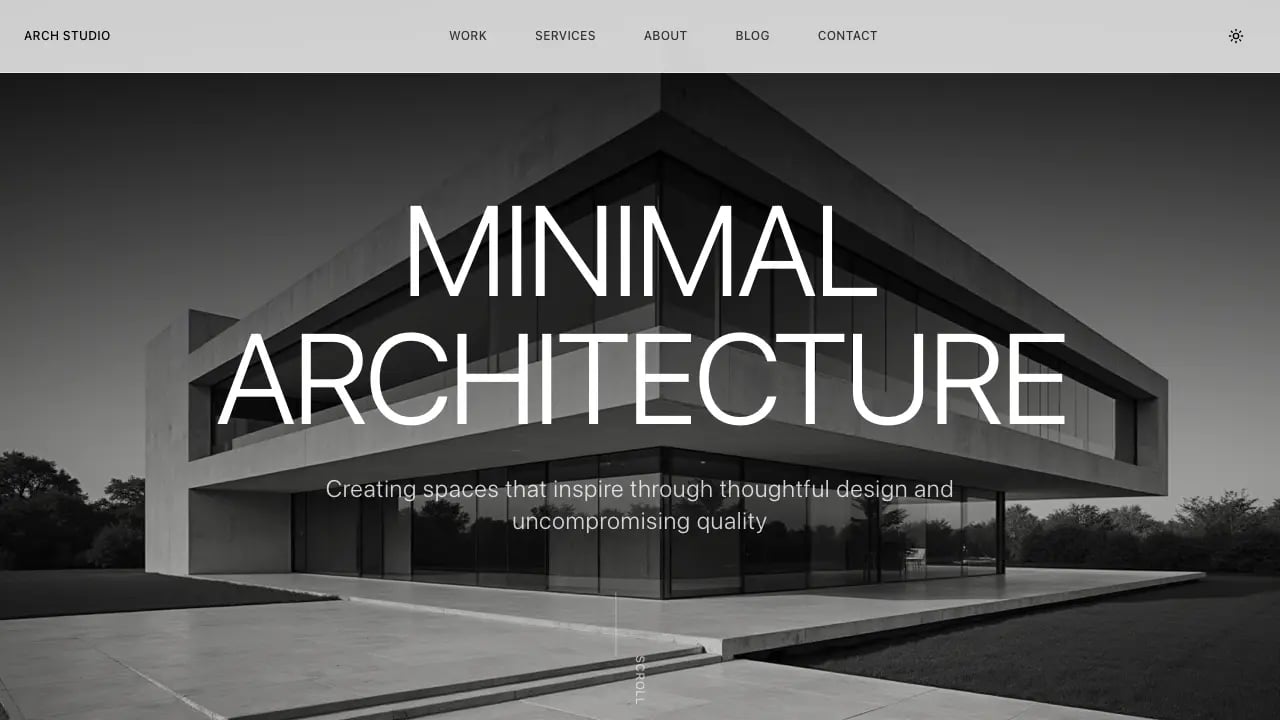
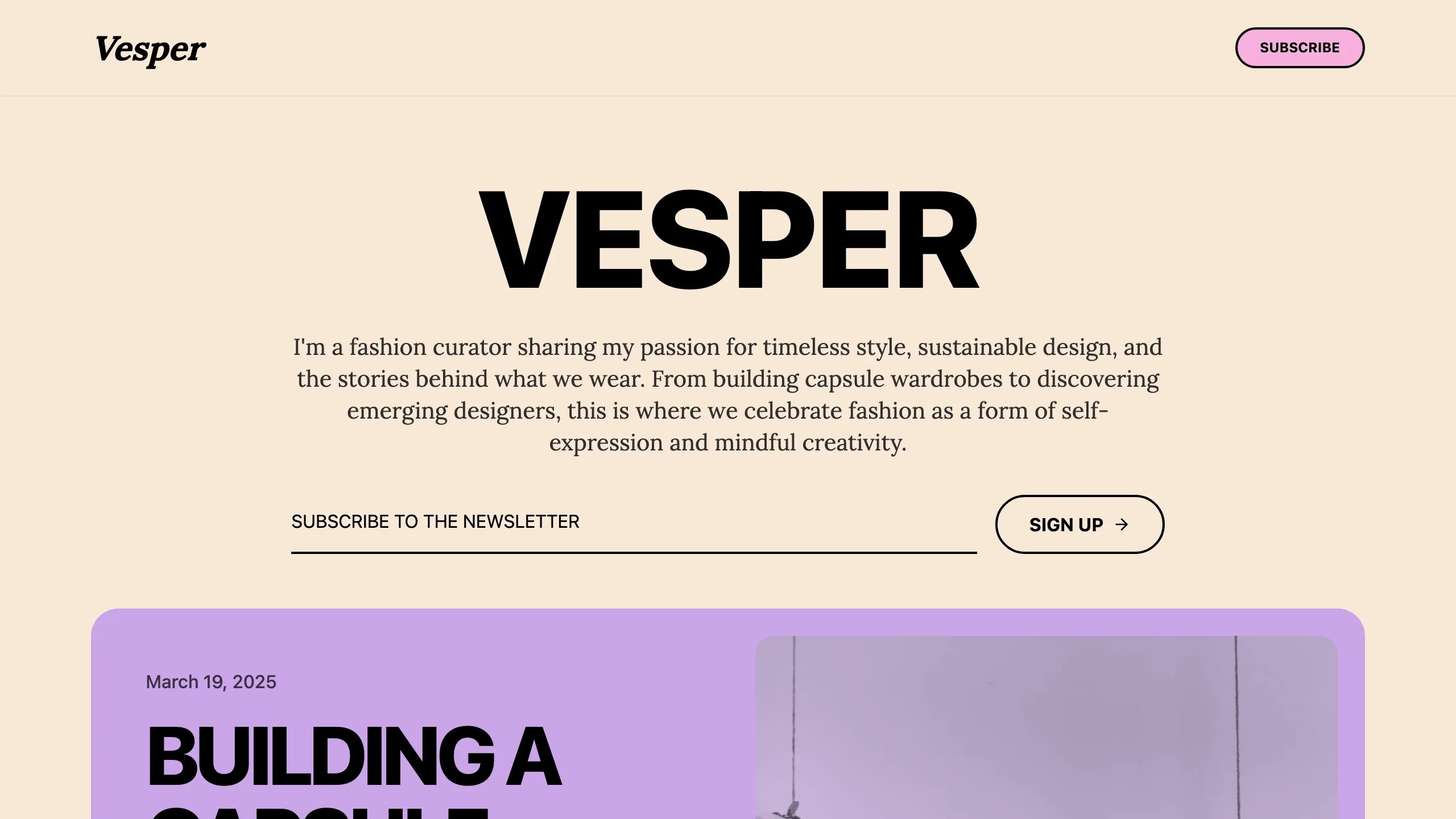
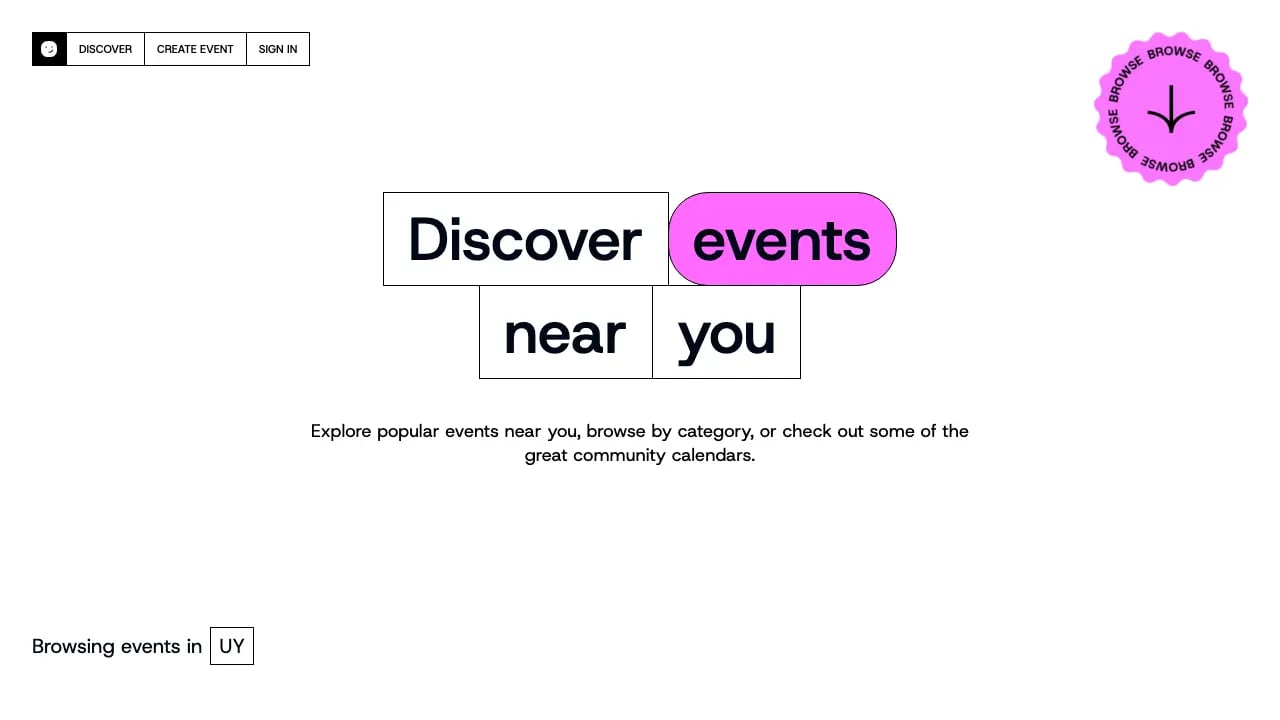
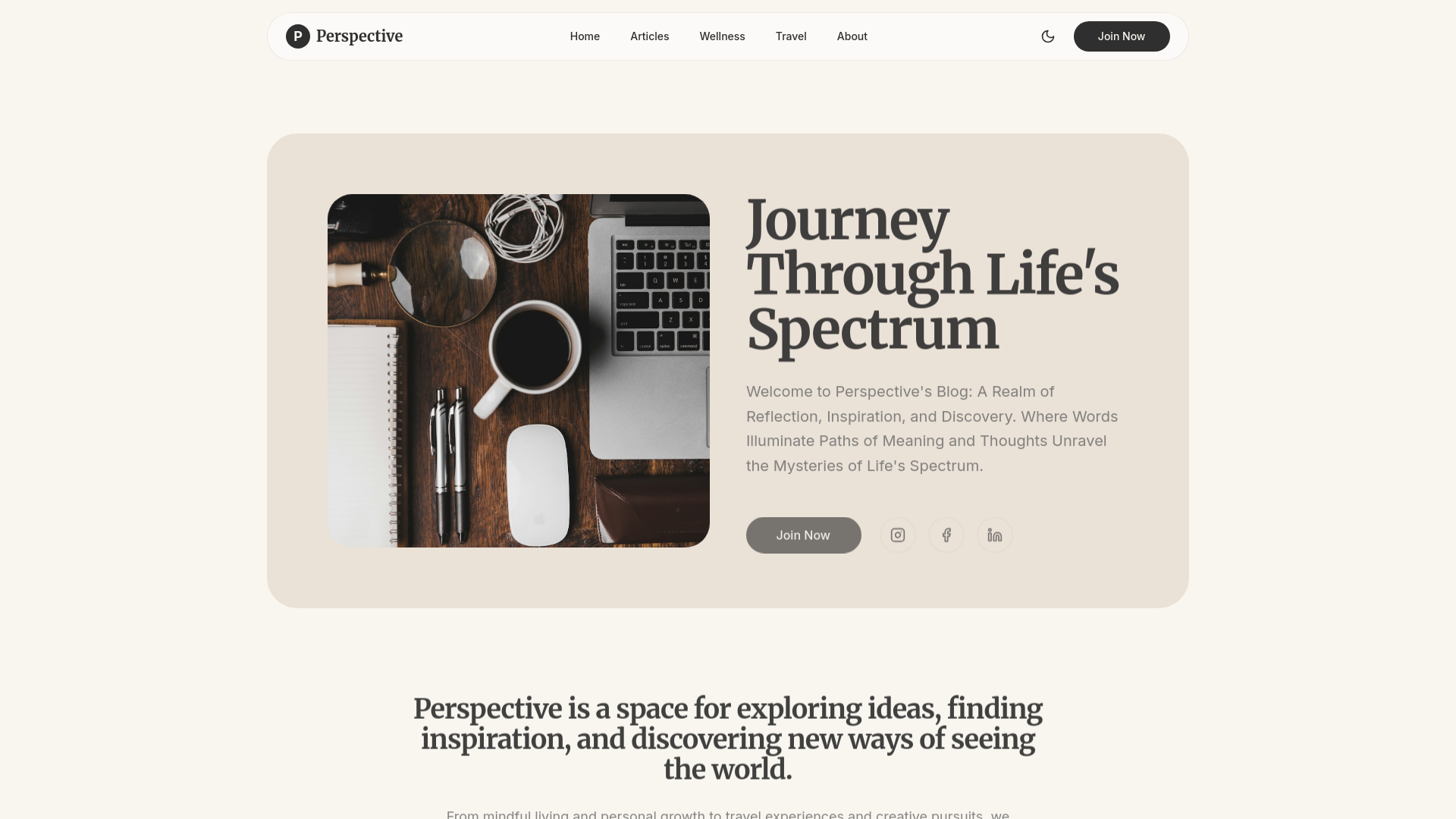

Users generally praise Lovable for its ability to quickly create professional-looking landing pages and its user-friendly interface, as evidenced by consistently high ratings on G2. However, some users express concerns over pricing, questioning why similar tools are more affordable. The overall sentiment towards pricing appears to be mixed, with some feeling the higher cost is justified by its efficiency. Lovable maintains a strong reputation in the no-code space, often being recommended for rapid prototyping and design tasks.
Features
Use Cases
Industry
information technology & services
Employees
1,000
Funding Stage
Series B
Total Funding
$553.5M
I wasted $500 testing AI coding tools so you don't have to 💸 Here's what actually works: 🧪 Testing ideas? → V0 or Lovable Built a landing page in 90 seconds. Fully clickable, looked real. Code's me
I wasted $500 testing AI coding tools so you don't have to 💸 Here's what actually works: 🧪 Testing ideas? → V0 or Lovable Built a landing page in 90 seconds. Fully clickable, looked real. Code's messy but perfect for validation. 🏗️ Shipping real apps? → Bolt Full dev environment in your browser. I built a document uploader with front end + back end + database in one afternoon. 💻 Coding with AI? → Cursor or Windsurf Cursor = stable, used by Google engineers Windsurf = faster, newer, more aggressive Both are insane. 📚 Learning from scratch? → Replit Best coding teacher I've found. Explains errors, walks you through fixes, teaches as you build. Here's what 500+ hours taught me: The tool doesn't matter if you're using it for the wrong stage. Testing ≠ Building ≠ Coding ≠ Learning Stop comparing features. Match your goal first. Drop what you're building 👇 I'll tell you exactly which tool to use Save this. You'll need it. #AI #AITools #TechTok #ChatGPT #Coding
View originalg2
What do you like best about Lovable?Lovable helps me quickly turn product ideas into working app flows using AI. I use it to define features like user journeys, dashboards, and workflows through prompts, and it generates structured UI and backend logic. It’s especially useful for testing ideas, iterating quickly, and visualizing how the application will work before development, making prototyping faster and more efficient. Review collected by and hosted on G2.com.What do you dislike about Lovable?The output depends on how clearly the prompt is written, so it sometimes takes a few iterations to get the exact result. Also, for very specific business logic, some manual refinement is needed after generation. However, for most prototyping needs, it works efficiently. Review collected by and hosted on G2.com.
What do you like best about Lovable?I love how Lovable enhances my website, making it look pretty with its great UI/UX. The users love the new UI/UX, which Lovable made for us. It helps me a lot with UI/UX, especially the animations. Setting up Lovable was super easy; you can read the docs and that's it. Review collected by and hosted on G2.com.What do you dislike about Lovable?Nothing maybe the pricing haha Review collected by and hosted on G2.com.
What do you like best about Lovable?Lovable makes app building feel very easy and stress free. I like how quickly it understands the idea and gives a proper output. Review collected by and hosted on G2.com.What do you dislike about Lovable?Visual editing can be unreliable at times, and the login/signup flow should also support using a password to sign in directly within the editor. Review collected by and hosted on G2.com.
What do you like best about Lovable?I use Lovable for a large part of my SaaS and MVP developments on my internal projects. I appreciate its effective impermeability within a proven stack including Supabase, Stripe, Claude, and GIT. Databases are central to a web project, and Lovable communicates effectively with Supabase and its plugins. I particularly like Lovable's efficient "All in one," which allows me to ensure that all our tools communicate correctly with each other, thus facilitating development even when the database does not follow the development structure or when AI models encounter quota limitations. Lovable allows me to develop almost without limits. Review collected by and hosted on G2.com.What do you dislike about Lovable?Transparency on the AI model used. Have more access to the root of the project 'packages, etc.'. Review collected by and hosted on G2.com.
What do you like best about Lovable?I find Lovable to be one of the best AI full-stack web development code generators available. It helps me create complete web apps including the database and backend in just a few minutes so it's very easy to implement and integrate . Lovable is especially helpful for non-technical people, and it’s very easy to use. I like that I can attach Figma files, write simple prompts, and have it generate a fully operational frontend and i use very frequently. The fact that I can connect it directly with Supabase in just one click for backend and database management is fantastic. On top of that, customer support is very responsive. I also appreciate the color palette changing feature, since I can quickly switch palettes to see how the design looks. It’s a feature I genuinely enjoy using. Review collected by and hosted on G2.com.What do you dislike about Lovable?I think Lovable really needs to improve how it builds a fully functional web app, because right now it doesn’t do it properly. It should do a better job of generating a clear work plan and understanding the project requirements, then realign that plan before starting the design process. That way, the user can review it upfront and confirm that every aspect is covered. Review collected by and hosted on G2.com.
What do you like best about Lovable?What I like most about Lovable is how quickly it helps turn an idea into a usable web app. Lovable describes itself as a full-stack AI development platform that can generate frontend, backend, database, authentication, and integrations from natural-language prompts, with editable code and GitHub sync. Because of that, it feels especially useful for prototyping, MVPs, internal tools, and early product validation. Review collected by and hosted on G2.com.What do you dislike about Lovable?The main drawback is that the pricing and credit model can take some getting used to, especially if my usage grows quickly or my prompts become more complex. On top of that, they keep changing what costs how much, which makes it harder to predict expenses. Review collected by and hosted on G2.com.
What do you like best about Lovable?What I like best about Lovable is how easy it makes modern app development. The interface is polished, intuitive, and genuinely pleasant to use. It offers a lot of powerful features without feeling overwhelming, and the overall workflow is smooth and efficient. I also like the built-in cloud services, the analytics, and how quickly you can go from idea to working product. It makes development feel accessible, fast, and motivating. Review collected by and hosted on G2.com.What do you dislike about Lovable?What I dislike is the cost of intensive use. Lovable is excellent, and I understand that powerful AI development has a real cost behind it, but credits go quickly. For a solo developer, it can become a significant monthly expense if you want to keep building without interruption. Review collected by and hosted on G2.com.
What do you like best about Lovable?The product is user-friendly. Even if you do not have any background in software development, it will guide you through every step. The suggestions and recommendations make life easier for a non-IT individual. Overall, the response rate, compared to other no-code platforms, is better, and it is also very easy to access. Connecting the database in the backend is a piece of cake, I mean, just a click away. I struggled with other no-code platforms that required manual work, but this platform is a game changer. I used this platform to create an MVP, and it was able to develop the MVP using only the free credits. Nevertheless, the tool itself is basic, but the ease of access and user-friendliness make it a walk in the park. I have been using this tool for some time now, and each time it encourages me to explore it more. The set of suggestions makes your work more professional every time. Testing is also included, so no manual work is required for that either. As for customer support, I did not have any instance where I needed to get in touch with them. However, while shortlisting products, I was impressed by the compliance and security features this tool offers. With it comes to integration, it offers integration to git hub and other platforms like chatgpt, geminai, other ai's very easy. No need to go through the settings and learn the basics. Very clean interface similar to Atoms.dev but way better than that. Review collected by and hosted on G2.com.What do you dislike about Lovable?I could not get the extra credits promised on free credits though sharing and getting people on the platform, looks little misleading and the UI with the applications that we develop are basic, needs to incorporate templates, I see same challange with other platforms not something that i disliked but an area i think the product should focus on. Review collected by and hosted on G2.com.
What do you like best about Lovable?I appreciate how Lovable basically made the website for me without needing prior HTML knowledge. I love its ease of use and that I can see results visually, which allows me to prompt small changes immediately. The way Lovable understands my prompts is impressive, and I rarely need to prompt more than necessary. I also value how easy the initial setup was—just log on. The visual nature of Lovable is a major advantage, and it was a key reason for switching from Claude Code. Review collected by and hosted on G2.com.What do you dislike about Lovable?nothing Review collected by and hosted on G2.com.
What do you like best about Lovable?I like how intuitive and user-friendly Lovable is. The automation features save a lot of time by reducing repetitive manual work. The real-time collaboration tools make it easier for teams to stay aligned and productive. I also appreciate the clean interface and customizable dashboards that provide a clear view of project progress. The onboarding guides made configuration quick and easy. Review collected by and hosted on G2.com.What do you dislike about Lovable?Sometimes the initial setup feels a bit complex, and integrations with third-party tools could be smoother. It would help if Lovable offered more native integrations with tools like Slack, Jira, and Trello. Simplifying API setup and improving synchronization speed between platforms would make cross-tool collaboration much smoother. Review collected by and hosted on G2.com.
Small victory using Cloudflare for simple hosting of generated HTML/mini-websites
Something many people are running into: You, or a teammate, have created some kind of mini-website app out of Claude and now want to share it with the rest of the company, without overbaking the hosting solution (e.g. not setting up new Azure app services or containers, etc). Maybe you also need some basic data storage for persistence. And how do you do all of that securely? We recently went down this rabbit hole, while looking at all the major players: Vercel/V0, Lovable, Netlify, Coolify, Dokploy, Github Pages.. and even considered baking together our own hosting app solution using Azure or AWS as the backend. Our target audience is non-technical users in the team, so I was looking for something with drag-n-drop style deployment (no git required), and I really wanted to have SSO for protecting application access, along with some type of DB storage. The main issue I ran into was SSO authentication support being gated behind enterprise-level pricing plans for hosting systems like Netlify (which I'd otherwise highly recommend for a small public project). Netlify's enterprise level quickly gets quite a bit more expensive than their base tiers. I also didn't want to purchase yet another AI platform (e.g. Lovable, where really they're pushing an end-to-end AI development platform where you buy token credits through them). I wanted to host things we're already creating in our own Claude environment. Finally, I ended up on Cloudflare, which I've otherwise not really used before professionally. It's not as non-technical-friendly as Netlify, but it's pretty close. You can deploy Cloudflare Pages content via drag-n-drop. It has button-click databases available for integration, and most critically for us, the SSO integration is completely free for under 50 users. Their free hosting tier is also extremely generous and basically unlimited for completely static apps. Noting that SSO goes up to $7 USD/user/month for over 50 users, so your org size can really make a difference. If you have 500 users and the same use case for "hosting little mini apps", I'd go back to Netlify or another offering where SSO is more of a fixed fee. The other big win was that Cloudflare has a solid MCP server that works perfectly with Claude Cowork. We integrated that in and then wrote up some skills to assist with app building and deployment, including prompts for if a database backend is needed (using Cloudflare D1) and whether the app should be public or internal only with SSO protection. All working perfectly with minimal technical experience required for the enduser. I'm not at all associated with Cloudflare, just thought I'd share how we got a win for this use case. I'd be interested to hear if anyone else solved the same problem in a different way.
View originalRepurposed my old work ThinkPad as a dedicated personal AI workstation — looking for ideas from people who’ve done something similar
Apologies if formatting comes out weird- I am on mobile. My old employer let me keep a ThinkPad when I left. Rather than let it collect dust, I’m turning it into a dedicated personal AI environment — wiping it, installing Linux, and using it specifically for two things: life admin automation and building personal software tools. The core setup I’m planning: • Claude Desktop with MCP servers running persistently as Docker services • Tailscale so I can access everything securely from my phone when I’m not home • Open WebUI as a mobile-friendly chat interface • Code-server (VS Code in the browser) so I can actually write and run code from my phone • A dedicated Gmail account that acts as the “identity” for this Claude instance — wired into Google Drive, Calendar, and potentially an email-triggered agent pipeline • A local RAG system for personal documents — contracts, notes, research — so Claude has persistent context about my life The idea is that this becomes an ambient personal intelligence layer — always on, always up to date on my documents and projects, accessible from anywhere via Tailscale. Not a cloud subscription, not shared with anything work-related. Fully mine. On the software side, I’m planning to use Claude Code + Lovable to build local-first personal apps for my own pain points — things that don’t exist in the market the way I want them, or where I don’t want my data in someone else’s cloud. The ThinkPad is the runtime; Lovable builds the frontend, Claude Code builds the backend, and everything talks over a local API. What I’m curious about from people who’ve built something like this: • What MCP servers have actually been worth setting up vs. overhyped? • Has anyone built a reliable file-drop-to-RAG pipeline that actually stays current? • Is Open WebUI the right mobile interface or is there something better now? • Anyone using a dedicated “agent identity” email account — what workflows have you actually automated? • Claude Code + local backend: what’s your stack? FastAPI? SQLite? Something else? • Any gotchas with running Claude Desktop persistently on Linux? Genuinely trying to build something useful here rather than a tech demo. Would love to hear from people who’ve gone down this road.
View originalHard-won notes after a few weeks with Claude Design
Been using Claude Design for a few weeks and figured I'd dump some notes here before I forget. Nothing groundbreaking, just stuff that took me way too long to figure out on my own. First thing nobody tells you, do the design system setup before you build anything. I spent my whole first session prompting "build me a landing page for X" and got the most generic AI-looking garbage you can imagine. Then I actually uploaded some brand stuff, let it extract tokens, approved them, and suddenly everything after that looked like a real product. Same exact prompts, completely different result. This is literally in the docs btw. I just skimmed past it like an idiot. Second thing is it eats tokens. A lot. It runs on a separate weekly budget from regular Claude Chat and Claude Code which sounds great but if you're re-prompting every little change you'll burn through it fast. Turns out the refine controls, inline comments, direct text edits, sliders, use way less than typing "actually can you make the padding a bit bigger" in chat. Once I started using those for small fixes my budget lasted way longer. On Max 20x it's mostly fine, on the $20 plan you'll feel it pretty quickly. Also the animations are live React components running in the browser, not video files. If you want an MP4, download the standalone HTML file and throw it into Claude2Video, it'll generate one from that. Honest take on where it fits since people always ask, it's not killing Figma. Figma is still better for any real design team workflow, Dev Mode, multi-person collab, all that. v0 and Lovable are still better if you want to skip design entirely and just spin up an MVP with auth and a db. Where this thing actually wins is the loop from "I have an idea" to working prototype to Claude Code building the actual app from it. The design system carrying through to the shipped code is the part that feels genuinely different from anything else out there. If you're a solo founder or PM or just someone who keeps getting stuck between mockups and something real you can show people, it's worth learning. If you already have a design team and a proper component library, probably overkill. It's a research preview so half of this might be wrong in two months.
View originalI tested how well Claude generated code handles security. Here's what I found in 48 real apps.
I've been curious about a specific problem: when Claude (or other AI tools) generates a full stack app, how secure is the output in practice? So I built a scanner and ran static analysis on 48 public GitHub repos built with Lovable, Bolt, and Replit. Here's what came up: **\*\*90% had at least one security vulnerability.\*\*** The breakdown: \- 44% — authentication gaps (routes unprotected despite having a login system) \- 33% — Security Definer RPCs (Postgres functions that bypass row-level security) \- 25% — BOLA/IDOR (ownership checks missing from database queries) \- 25% — committed env or config files The pattern I found most interesting: these aren't random errors. They're systematic. The same vulnerabilities appear across different apps, different developers, different AI tools. **\*\*The auth gap is the most instructive:\*\*** Claude builds login flows correctly. Registration, email verification, sessions, password reset all solid. But 44% of apps had API routes or pages that anyone could reach without logging in. The authentication \*system\* was built. The actual \*protection\* of routes behind that system often wasn't. This makes sense if you think about how LLMs work. The prompt was "build me a user dashboard with authentication." Claude built the dashboard and built the authentication. Nobody asked it to specifically verify that every route is protected. It wasn't in the spec, so it wasn't in the output. **\*\*Security Definer is the hidden one:\*\*** 33% of apps had Postgres functions marked \`SECURITY DEFINER\`. This makes the function run as the database superuser, bypassing all RLS policies. AI tools generate these to resolve permission errors it's a "fix" that works locally and causes a real security problem in production. There's no error, no warning. The app works perfectly while being exploitable. I don't think this is a Claude problem specifically it's a fundamental constraint of how LLMs generate code. Security requires thinking adversarially, and that's not what "write me a working app" prompts for. What's your approach when you use Claude to build something you're going to ship?
View originalWhere I'm at with AI Assisted Building + Current and Future Workflow Overview
I've been in an AI dive bomb for probably a couple of years now. The early days... when models couldn't be trusted for more than 5% of the code you wrote. Over the last 2 years that's evolved so quickly that I now write nearly 0% of my code by hand, on personal projects and at work. I've used all kinds of tools in that time too. OpenCode, Zed, Claude Code, Codex, Cursor, Windsurf, OpenCLAW, Lovable... and probably a bunch more I can't recall in the haze that's been AI ADHD for me. Over that time, I started with just copy-pasting code between ChatGPT's interface and my IDE almost like a slightly faster Stack Overflow search. Then that somewhat evolved with Cursor quite a bit. I sort of went from prompt engineering to something closer to a human relay pattern. Then, with Plan Mode becoming a thing, I think I naturally gravitated more towards planning everything because planning felt so cheap. Originally, I used to think that architectural discussion and planning was something that was reserved for larger features, but with expediting my ability to do research, orient myself within a codebase, and know what tools I have to reach for doing technical specifications for everything felt reasonable. From the human relay pattern, I started evolving into more autonomy, especially when Claude Code came out earlier last year. Between the combination of Cursor and Claude Code, starting to get orchestration, starting to use skills more heavily, starting to create actual agent personas that could replace some of my common prompt chains it was around then that I kinda started going all in on true context engineering, utilizing sub-agents optimizing cache reads, and it's probably when many of my first (I call it) sophisticated commands were born. All of this converged pretty rapidly in November of 2025 with the release of what was probably the biggest step increase for AI as far as code quality went with Opus 4.5 and Codex 5.3. The Codex app and Codex CLI were quickly growing. Claude Code was improving at a breakneck pace, introducing all kinds of new ways to introduce deterministic gates within the autonomy of the harness. Fast forward to today, I have a pretty sophisticated workflow with a combination of agents that do everything within the SDLC, commands for almost every type of entry point for work, and skills for just about everything I could possibly do in my day-to-day the workflow with some of the latest tools is able to run quite autonomously overnight do large feature implementations, minimally supervised while producing production-worthy code quality It somewhat reached a point I realized, probably a month and a half ago or so where I needed to figure out a way to remove myself even more from the loop without jeopardizing the determinism that I bring to what is effectively a probabilistic LLM. The models are exceptional, and they seem to have a massive step increase each release, but continuous execution, strict instruction rigor, and preventing hallucinations is still very much difficult to achieve. That's predominantly what I've been doing. I've effectively offloaded a lot of thinking to the agents and LLMs that I use, but none of the understanding. I've asked myself, "How do I maintain that understanding, though maintain the determinism from my steering, without actually physically being there to steer?" This was essential, and I realized or had a bit of an aha moment, just like how I manage teams of engineers that are working on numerous projects, most of which I can never really go too deeply on even though they do most of the thinking, most of the building, and even most of the implementation planning, I was still there, very close to the architecture. I could speak to enough breadth and enough depth to keep us out of trouble and keep things moving I kind of started thinking more about what the shape of me was within the agentic harness and how I could replicate that. More on what I landed on a little bit later. # My Setup and How I Work Today To start, I'll probably just talk a little bit about my current working setup. I am predominantly in the terminal now a days using Claude Code. Claude Code orchestrates both the Claude models, of course, and I use it to orchestrate Codex through a series of run books, skills, and commands that I have set up on several hooks so that Codex, when it gets dispatched, also has access to the same skills and agent personas Claude does. I use Ghostty as my terminal of choice and use the IDE integration in claude code pretty heavily to review Markdown or HTML files in my IDE. I also use it to review code snippets and diff reviews, although lately I find myself only really looking at the code nowadays once it's hit a merge request. Some of my adjacent tools are Wispr Flow for faster steering, since I can speak a lot faster than I can type and then I use quite a few MCPs and tools to improve my token usage, but the big ones are I have a custom doc maintenance suite o
View originalAre we still calling these things "AI coding assistants"? I think the metaphor is wrong.
I keep hearing "AI assistant" — Copilot, Cursor, Claude Code, all of them. The word implies a developer at the keyboard who needs help. But that's not what's happening anymore in the systems I work with. I describe what I want. The AI writes the code, runs it, fixes the bugs, deploys it, and the application keeps running. After it ships, the same system maintains it — patches failures, adds features, refactors when needed. I'm at dinner. Or asleep. I come back and the work is done. That's not assistance. The metaphor that keeps clicking for me is a software printer. You feed a printer a document, you get back an object. You don't tell it how to mix ink. With a software printer, you feed a specification — written, drawn, spoken — and you get back a running, hosted application. Not snippets. Not a draft. A thing that's deployed, serving traffic, and gets maintained over time by the same machine that produced it. I think this is genuinely a new generation of dev tools, distinct from the previous four: 1st: editors and terminals 2nd: autocomplete 3rd: conversational AI in the editor (Copilot, Cursor) 4th: cloud agents that build simple apps in their cloud (Lovable, Bolt) 5th: autonomous platforms that build, host, and maintain real applications on your own infrastructure What "assistant" misses, and "printer" gets right: The output is what matters, not the activity of writing it Non-developers can operate it (you don't need to know PostScript to print) The skill shifts from execution to direction The result is ready to run, not source code waiting to be deployed Maintenance is part of the machine, not a separate phase Counterarguments I keep running into: "Printers don't iterate." Modern print pipelines do — versioning, color matching, reprints. The metaphor is the press, not the inkjet. "Software has a runtime, documents don't." True. So the printer is also the substrate that runs and tends the output. The metaphor stretches; it doesn't break. "This is just LLM code generation rebranded." I don't think so. If you build an "assistant," you build something that lives in an editor and needs a developer. If you build a "printer," you build something that takes specs and produces deployed systems. Different products entirely. Not selling anything in this thread. Genuinely curious what experienced devs think about the framing. The category we choose shapes what gets built, and "assistant" feels like it's holding the field back.
View originalClaude can now build and publish websites to a domain right from chat
I built [teenyapp.com](http://teenyapp.com), a tool that lets Claude on the web (or any AI chat) build and deploy a full website end to end from a single pasted link. The problem teenyapp solves: every time I asked Claude to actually ship something, the agentic workflow broke. Cloudflare config, Vercel CLI, GitHub repos, env vars, secrets, DNS... all of it meant leaving the chat, signing up for some service, installing dependencies. So I built a way for Claude to handle the whole thing, right from chat. How it works: claim a live domain up front (yourapp.app.teenyapp.com), and you get a link back with an agent token baked in. Paste that link into Claude. Claude reads the agents.md instruction file at the link, and uses the agent token as bearer token to make HTTP POST requests that scaffold the project, writes the frontend and backend code, runs migrations, and deploys straight to that domain. What Claude can do through teenyapp: * Build and deploy frontend/backends of full stack apps to a live URL * Run schema migrations on a real database * Wire up auth (email and password, JWT, OAuth via Google, GitHub, Discord, LinkedIn) * Set up row level security rules in code * Iterate on the live site by saving and committing files through the link The example website "Clonable" in the attached image was built and published right from this chat: [https://claude.ai/share/c608db64-e296-4c6e-a5cf-daf9edba609a](https://claude.ai/share/c608db64-e296-4c6e-a5cf-daf9edba609a) You can try out Clonable here [https://clonable.app.teenyapp.com](https://clonable.app.teenyapp.com), the AI codegen should work until my OpenAI account powering it runs out of $. Its worth mentioning how Clonable supports google SSO, and has a backend request handler that proxies user message requests to the AI API provider, who is OpenAI in this case. That's only possible because we built teenyapp on top of a comprehensive backend framework called teenybase, so each teenyapp gets API, Auth, DB, and more out of the box. Really excited to see what everyone builds with teenyapp, checkout what websites people have made so far [https://teenyapp.com/explore-all](https://teenyapp.com/explore-all) Site: [teenyapp.com](http://teenyapp.com) The backend framework, which is open source: [github.com/teenybase/teenybase](http://github.com/teenybase/teenybase)
View originalBuilt a Chrome extension for the long-session degradation problem — want this sub's read on whether it's actually useful
Long-time Claude user, finally built something for the long-session problem and want this sub's read on whether it's actually useful or solving something I made up. The pattern that pushed me to build: 60+ messages into a Claude session, the model starts losing the thread. A constraint I set 40 messages back stops being respected. Re-state it, works for two replies, then forgets again. Eventually you hit compaction, panic, summarize, paste into a new chat, and lose half your context anyway. It's not a window-size problem either. Even at 200K (or 1M on the API), usable performance drops well before the limit. The model technically remembers everything, it just stops weighting it properly. What's already out there, since this sub will rightly ask: \- Cross-session memory tools (Mem0, MemoryPlugin) — they remember who you are across chats. Different problem. They don't help when this specific conversation is degrading in front of you. \- Context indicators (Context Compass, TokenFlow) — they show how full the window is. Useful, but stop at the warning. You still manually summarize and paste. \- Claude's own auto-summary — server-side and opaque. You can't see what got kept or trigger it on your terms. The gap I'm trying to close is the workflow between "I see I'm running out of context" and "I'm continuing in a fresh chat without losing the thread." Built it as a Chrome extension called Curlo: \- Ring on the chat bar shows window fill, so compaction doesn't ambush you \- One-tap checkpoint fires a structured prompt and saves Claude's reply locally — decisions, progress, open questions, next steps. Paste into a fresh chat to keep going \- Each checkpoint is a delta against the last, so they stay tight \- Fully client-side, no backend, no accounts, free Next up: optional Notion sync (your workspace, your pages, not locked in my tool) and a Prompt Studio that uses on-device AI to assemble prompts from your saved library. [https://curlo-pavilion.lovable.app](https://curlo-pavilion.lovable.app) What I actually want from this post: 1. For Pro and Max users — does Projects' shared context meaningfully delay degradation, or do you still hit the wall mid-conversation? Trying to figure out where my tool helps vs where Anthropic already has you covered. 2. What's your trigger for "time to start fresh"? I default around 70% but it feels arbitrary. 3. Anyone using a system prompt phrasing that genuinely delays drift? Would rather steal a workflow than build around the problem. Roast it.
View originalI made a way to build and publish full-stack web apps right from claude.ai chat
I’ve been experimenting with a different workflow for building and publishing web apps from [claude.ai](http://claude.ai) in the web. I build teenyapp, a web hosting service where the app itself is the thing you paste into Claude. The workflow is: 1. Get a [teenyapp.com](http://teenyapp.com) link 2. Paste it into Claude 3. Ask Claude to build your app 4. Claude edits the project and publishes it live at that link Claude is not generating static HTML demos. Each app gets a real backend: database, file storage, API routes, auth support, and a serverless worker. All of the example projects below use at least one of each backend capability. Here are some examples Claude helped build. See the full list of example apps and demo videos at [https://x.com/minjunesh/status/2050395479536742455?s=20](https://x.com/minjunesh/status/2050395479536742455?s=20) \- Lovable-style app builder clone: [https://clonable.app.teenyapp.com](https://clonable.app.teenyapp.com) \- ChatGPT wrapper that hallucinates your face score: [https://lookswrapper.app.teenyapp.com](https://lookswrapper.app.teenyapp.com) \- Windows XP emulator where signed-in users can edit the desktop: [https://winxp.app.teenyapp.com](https://winxp.app.teenyapp.com) \- P2P [Agar.io](http://Agar.io) with user-hosted lobbies: [https://agario.app.teenyapp.com](https://agario.app.teenyapp.com) \- Minimal PostHog clone: [https://postpig.app.teenyapp.com](https://postpig.app.teenyapp.com) \- Manifold-style prediction market: [https://manifold.app.teenyapp.com](https://manifold.app.teenyapp.com) \- Browser local speech-to-text model comparison: [https://localstt.app.teenyapp.com](https://localstt.app.teenyapp.com) \- Rope game with global leaderboard: [https://ropeman.app.teenyapp.com](https://ropeman.app.teenyapp.com) Each teenyapp is powered by [teenybase.com](http://teenybase.com), the backend framework underneath teenyapp. Every app gets a serverless worker, auth-ready API, 100MB database, 10GB file storage, and 1M requests/month included. Basically: Claude isn’t just producing a mockup or a zip of code. It can keep editing and publishing a live full-stack app. The examples are also cloneable/forkable, so you can paste an existing teenyapp link into Claude with /fork or /clone route added (e.g. https://example.app.teenyapp.com/clone) and ask it to make your own version. But the main idea is just: give Claude a teenyapp link, describe what you want, and it builds + publishes there. The service is free to try at [teenyapp.com](http://teenyapp.com)
View originalAfter 2+ years of running into the same problem, I used Claude to build an app. After 9 months, it's finally on the app store!
After 2 years, I finally got fed up trying to build schedules for the adult sports league I run. I’d spend hours trying to create schedules manually just to mess up one single week and break the entire schedule. I decided to learn how to build an app to solve my own problem and built BrackIt. I'm writing this because when I started, I had absolutely no idea what I was doing. Reading other people's vibe-coding and solo-founder journeys on Reddit really helped give me the push I needed. TLDR: if you're on the fence about building an app to solve a problem you have, just do it. How I started I messed around with AI builders like Lovable but settled on FlutterFlow because I wanted full customization. I actually wanted to learn how an app actually worked instead of relying on AI to hopefully get it right. I used Claude to guide me through building my in FlutterFlow with a Firebase backend. Claude walked me through building everything from scratch like containers, app states, custom components and the backend. It took way longer than using a template, but I don't regret it because I actually learned how data flows. I can proudly say every widget and component in my app was built by me (even if it isn't the prettiest). My biggest struggle Testing the scheduling algorithm. As I added more parameters to the tournament logic, I had to constantly remake tournaments just to test the results. Sometimes I'd build for an hour, realize something broke, and have to roll back to an earlier snapshot because I didn't know what happened. The good news is as time went on, it got easier and as I built confidence, I was able to build for longer sessions and test successfully. Marketing Mistakes I didn't "build in public." Honestly, I was scared of failing and didn't want the pressure of hyping something up while balancing my day job and running the league. Knowing what I know now, I probably would do it differently next time to build an audience. But for this app, I just wanted to focus on solving my own pain point quietly. Where I'm at now I’m finally at a place where I'm proud of the app. Today is officially launch day, and I've pushed it live across a few directories (Product Hunt, BetaList, etc.). I was honestly so scared of getting rejected by Apple but aside from a small mistake with the pricing, I got approved pretty quickly. I'm hoping to be available on Android in early May.
View originalClaude is my SEO strategist, content engine, and CTO. From 0 to 10,000 active users in 6 weeks, $0 on ads.
I built a marketplace for AI agent skills called Agensi. The entire thing was built with Claude and Lovable. I'm not a developer. But that's not what this post is about. This post is about how Claude became the single most important tool in my growth stack. Not for coding. For SEO, content strategy, and a new thing called AEO (answer engine optimization) that I think most people are sleeping on. Claude writes all my content, but not the way you think I don't ask Claude to "write me a blog post about X." That produces generic AI slop that nobody reads and Google doesn't rank. Instead, I feed Claude my Google Search Console data (queries, impressions, click-through rates, average positions) and ask it to find keyword gaps. Claude analyzes the data, identifies queries where I have high impressions but zero clicks, finds topics where I have no content but competitors do, and spots cannibalization where multiple pages compete for the same query. Then we write articles together targeting those specific gaps. Every article has a structure that Claude and I developed over weeks of iteration: a Quick Answer block at the top (40-60 words that directly answer the main question), H2 headings phrased as questions (not "Claude Code Skill Locations" but "Where Does Claude Code Store Skills?"), comparison tables where relevant, and internal links to related articles. 96 articles later, we went from 5 clicks per week to 1,000+ clicks per week. 300K search impressions per month. 878+ page-1 Google rankings. All organic. The AEO strategy nobody is talking about Here's what surprised me. ChatGPT, Gemini, Perplexity, and Claude itself are now sending us traffic. 348 AI-referred sessions per month and growing fast. These AI answer engines cite agensi.io when developers ask where to find SKILL.md skills. Claude helped me build the entire AEO infrastructure. We restructured every H2 heading as a question because AI Overviews prefer extracting from question-format sections. We added FAQ schema to every page so Google's AI picks up our Q&As. We built an /about page as an entity anchor with Organization, Person, and AboutPage schema. We created a robots.txt that explicitly allows all AI crawlers and an llms.txt file that tells LLMs what the site is and where to find key content. The result is that when someone asks ChatGPT "where can I find SKILL.md skills" or asks Perplexity "what is the best skill marketplace for AI agents," they get pointed to agensi.io. Claude helped me engineer that outcome deliberately. It wasn't an accident. Claude as a technical SEO auditor Every week I export data from Google Search Console, Ahrefs, and Google Analytics and dump it into Claude. Claude finds things I would never catch on my own. It found that 121 queries where I ranked position 1-3 had zero clicks because AI Overviews were stealing the traffic. That insight changed my entire strategy from chasing rankings to becoming the source that AI Overviews cite. It found that my "best claude code skills 2026" article had 25,000 impressions and only 29 clicks. The problem was the title. Claude rewrote it to "15 Best Claude Code Skills in 2026 (Tested & Ranked)" and we're watching the CTR climb. It found that I had 18 published articles with zero Google impressions because they weren't indexed. Claude generated the IndexNow ping commands and the GSC URL Inspection list to fix it. It diagnosed a duplicate FAQPage schema issue that was causing GSC errors on 90 pages. The root cause was React components emitting FAQ schema client-side AND the SSR edge function emitting it server-side. Claude identified the exact files, wrote the Lovable prompts to fix it, and verified the fix with curl commands. The structured data layer Claude built the entire structured data architecture for the site. Every page type has the right schema: Homepage has Organization, WebSite with SearchAction, and FAQPage with 15 Q&As. Individual skill pages have SoftwareApplication with pricing, BreadcrumbList, and conditional FAQPage. Article pages have Article, FAQPage, HowTo, BreadcrumbList, and Organization. The /about page has Organization, AboutPage, and Person schema for entity anchoring. I didn't know what any of this was before Claude explained it. Now every page is machine-readable for both Google and AI engines. PageSpeed Insights shows "Structured data is valid" on every page with a 100 SEO score. Core Web Vitals fixes Claude diagnosed that our desktop LCP was 2.5-4s on 190 URLs. It identified the causes (460KB eager JS bundle, framer-motion loading on every page for a mobile menu animation, synchronous analytics scripts) and wrote the Lovable prompts to fix each one. Desktop LCP went from 2.5-4s to 0.9s. Performance score went from ~70 to 97. For mobile, Claude found that the LCP element was a 1920x1920px, 179KB PNG logo being rendered at 112px. It was imported as a JS module so the browser couldn't even start downloading it until the entire JS bundle par
View originalHow are they able to charge ~50% less than Lovable if they’re using the same models?
Hey everyone, I’ve been using tools like Lovable, Antigravity, and Claude Code for a while now, and after some time it all started to feel a bit repetitive (same kind of outputs, similar templates, etc.). Recently I tried Clawder after seeing it mentioned on Lovable’s Discord server. I’m not here to promote anything, just genuinely curious about something. That’s the part I don’t really understand. In all cases I’m even getting better results with similar prompts, which makes it even more confusing. Not trying to compare tools or start a debate I’m just wondering from a technical perspective what could explain this Would be interesting to hear if anyone has insight into how this works behind the scenes.
View originalI have built something using claude what I was doing on excel from last 13 years
I am doing financial modeling for the startups and feasibility reports for the new companies for more than a decade now, I started playing with Lovable 6 months ago, then somebody introduced me to the VSCode with claude, it’s like a superpower and with these new updates claude is pretty good with excel. I have created a website, integrated some rag to get the industry benchmarks plus I have trained the model exactly how a VC looks at the model, it gives you feedback on every step, you can send link to the investor and investor can stress test the model. I raised a small amount to hire an expert to ensure all the data is secured and encrypted but it’s amazing how much I was able to built with zero coding experience. Just excited to share with you guys. submitted by /u/Available-Manager231 [link] [comments]
View originalGOT BORED OF BLOCKED GAMES SO MADE MY OWN WITH CLAUDE
Long story short, in class I'm always searching the web for new websites and games and even when I do find one it's always full of lag and ads. So, I decided to vibe code my own website. I used Claude and spent my entire weekend working on this. Even though AI is doing all the coding (and I'm very thankful), it still took a lot of work to do testing and describe exactly what I wanted. Moving on, I'm now able to play games in class again. It's lowkey an enjoyable video game and it's very addicting. There's a normal mode and a hardcore mode. Basically, you're this blue player and you can move left, right, and dash to avoid this neon blocks falling from the sky. Hence the name: NEON DODGE. There's different types of neon blocks that fall and different waves. I also added two bosses. It's a full game to explore and super fun. A full good runthrough takes about 10 minutes for the normal mode. Hardcore mode is much harder. I haven't been able to clear it yet but it's definitely possible. I was wondering if yall know what to add to games like this. Do people want basic video games or a full long games with multiple bosses? So far, there are no checkpoints and the game isn't very long. If you guys have any recommendations let me know. I'm not tryna advertise the game, just wanna know what video gamers find interesting in stuff like this to make my experience better. I did upload it to a website if any of yall wanted to try it out. neondodgegame.lovable.app submitted by /u/sunnyorygun [link] [comments]
View originalHow to keep the party going
Help! I’ve been vine coding and working super well with Claude in a single chat but I’ve hit my limit with file uploads. Which is necessary for the UI and Questions from Lovable. This current chat has been perfect and has all the context I need so I’m worried about starting a new one and losing the previous prompts we created together for lovable and everything else we might need to reference later. Is there anyway to keep this chat going or the best way to transfer all its knowledge and context into a new chat? submitted by /u/reggiewaynenumba1fan [link] [comments]
View originalYes, Lovable offers a free tier. The pricing model is usage-based + subscription + freemium + tiered.
Lovable has an average rating of 4.8 out of 5 stars based on 20 reviews from G2, Capterra, and TrustRadius.
Key features include: Company, Product, Resources, Legal, Community, Start with an idea, Watch it come to life, Refine and ship.
Lovable is commonly used for: App Landing Page, Interactive Tutorials, Influencer Marketing Dashboards.
Lovable integrates with: GitHub, Slack, Jira, Trello, Figma, Zapier, Notion, Google Drive, Dropbox, Asana.
Based on user reviews and social mentions, the most common pain points are: anthropic, claude, token usage, raised.

Nat Friedman
Investor at AI Grant
1 mention

How Vibecoding Actually Works
Mar 29, 2026
Based on 27 social mentions analyzed, 11% of sentiment is positive, 89% neutral, and 0% negative.