We've compiled a list of the most common questions we get asked.
SlidesAI is highly rated with scores between 4.5 and 5 stars, highlighting its impressive language support and features like image recommendations and translation capabilities. Users appreciate its ability to rapidly generate presentations in multiple languages, which enhances user efficiency. While there are minor complaints about development pace due to it being managed by a solo developer, the sentiment towards pricing seems positive, implying that users perceive it as offering good value. Overall, SlidesAI has an excellent reputation for improving presentation creation speed and ease across diverse user groups.
Mentions (30d)
20
Avg Rating
4.6
4 reviews
Platforms
3
Sentiment
13%
10 positive

SlidesAI is highly rated with scores between 4.5 and 5 stars, highlighting its impressive language support and features like image recommendations and translation capabilities. Users appreciate its ability to rapidly generate presentations in multiple languages, which enhances user efficiency. While there are minor complaints about development pace due to it being managed by a solo developer, the sentiment towards pricing seems positive, implying that users perceive it as offering good value. Overall, SlidesAI has an excellent reputation for improving presentation creation speed and ease across diverse user groups.
Features
Use Cases
Industry
information technology & services
Employees
9
1,000
Twitter followers
Pricing found: $0 /month, $8.33 /month, $100 /year, $16.67 /month, $200 /year
g2
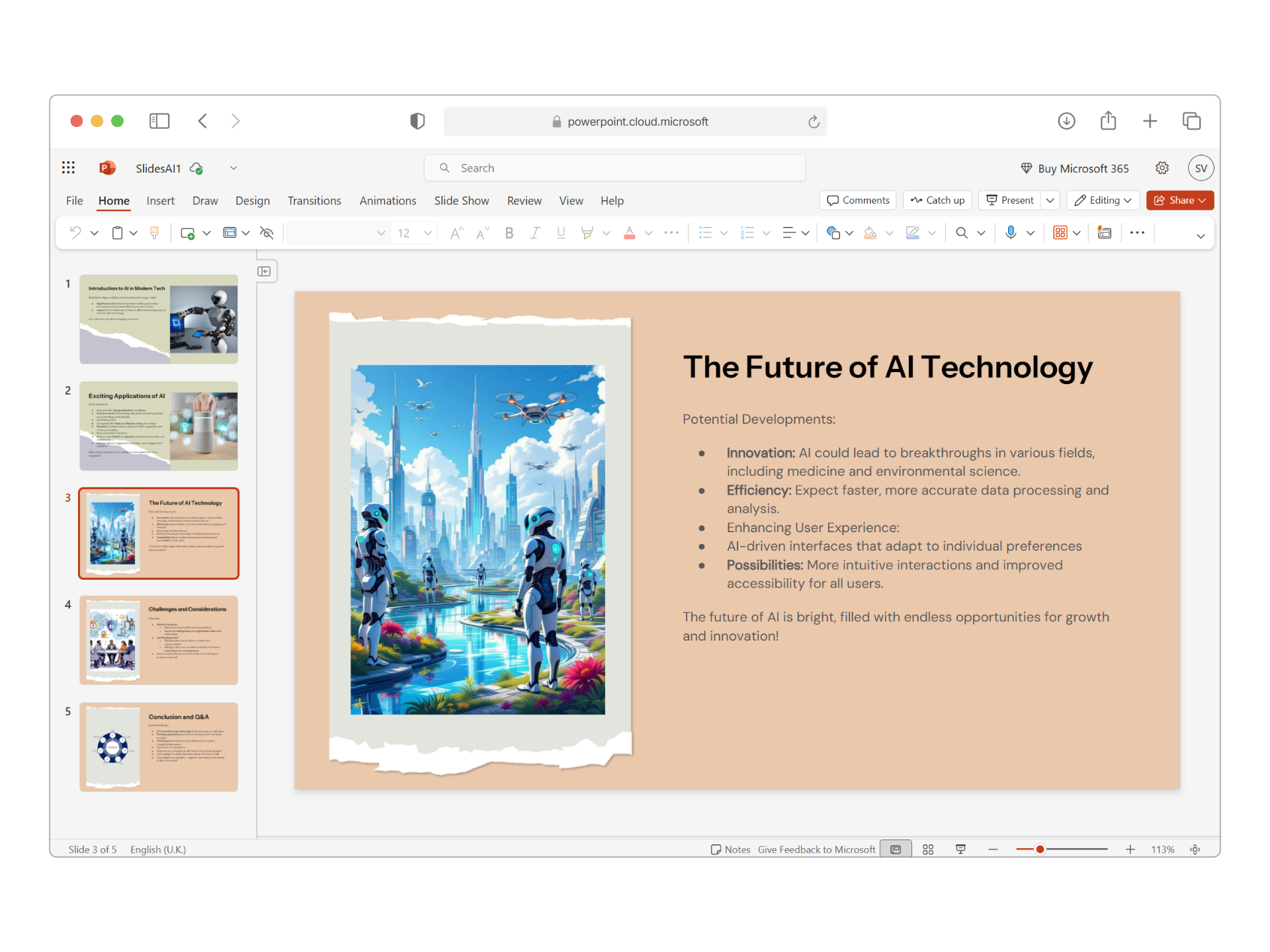
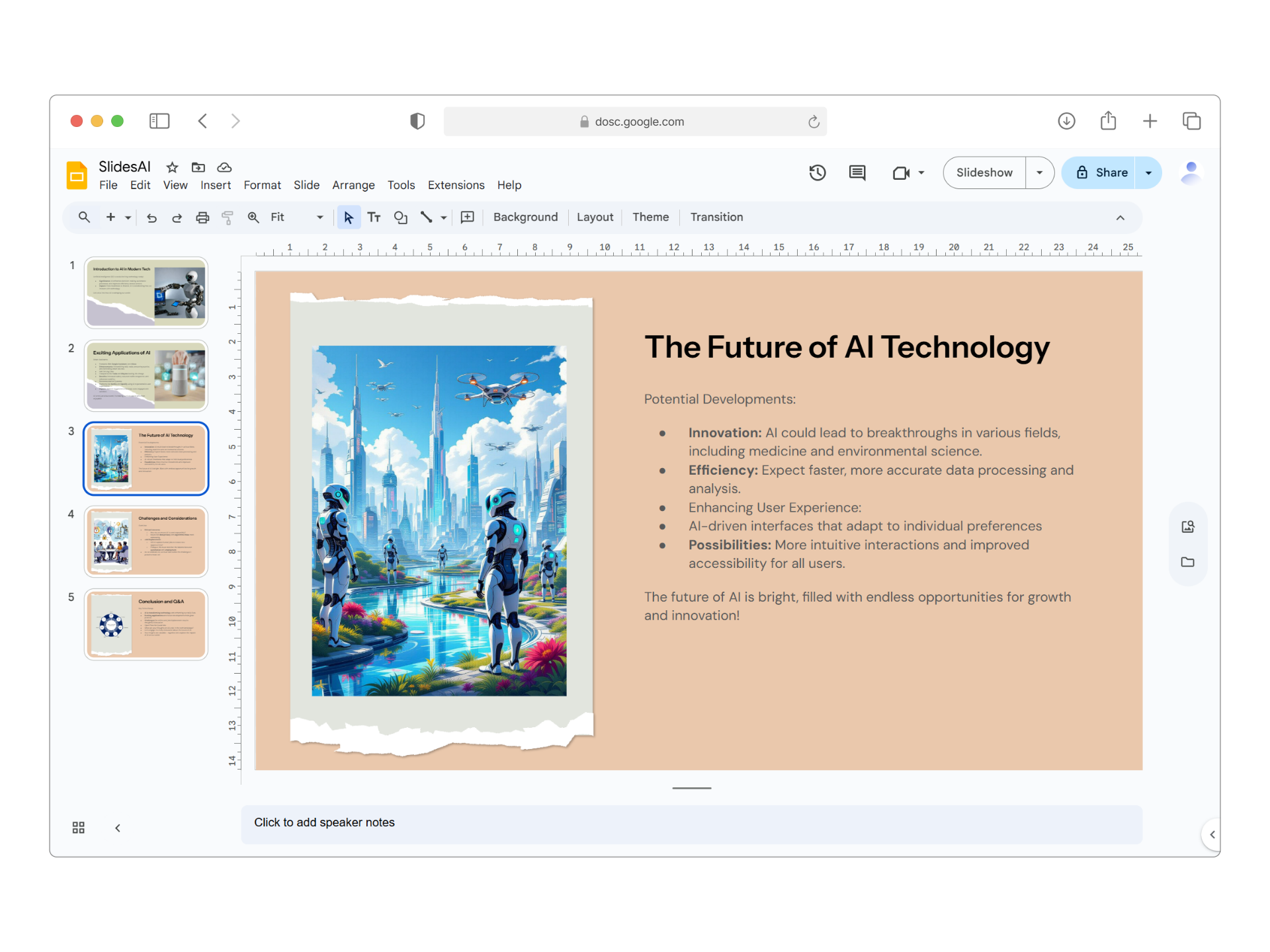
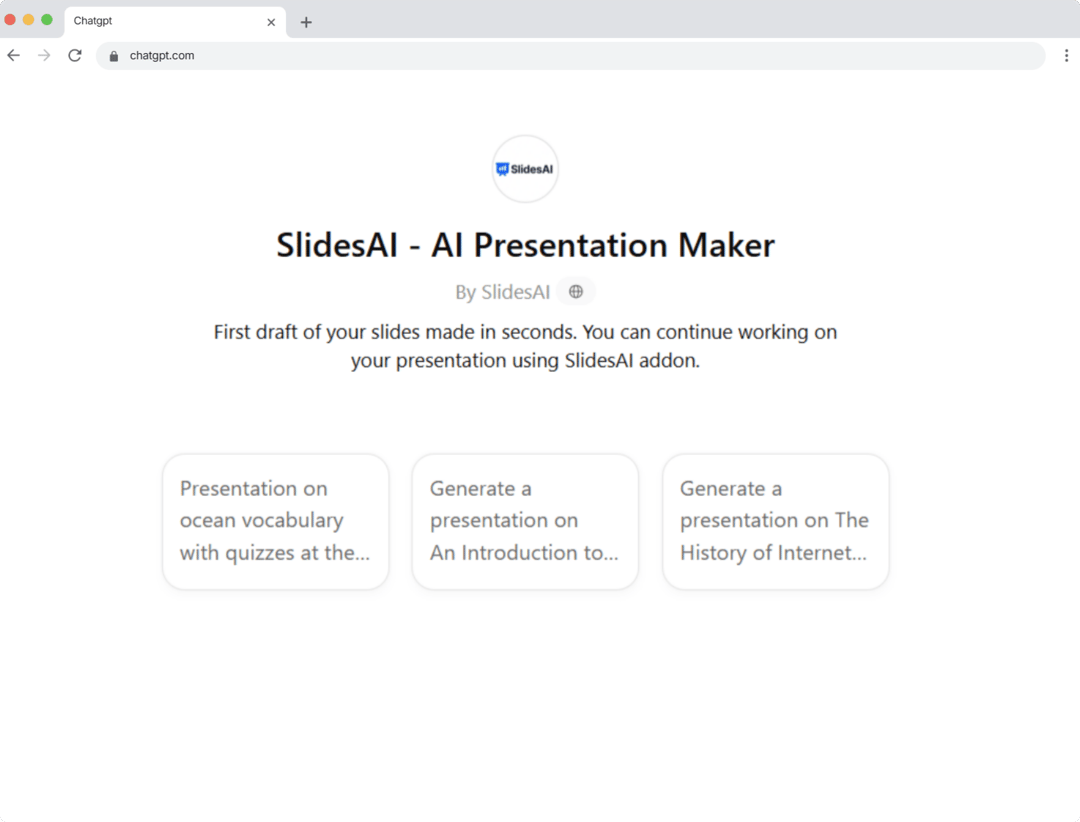
What do you like best about SlidesAI?I really like how it understands the context of my presentation. It even asks for a few details, such as the type of presentation and the number of slides, which makes the results more accurate. The best part is that it can generate presentations in multiple languages based on your preference. Plus, it works with ChatGPT, PowerPoint, and Google Slides. When I’m in a hurry, I find it especially useful—I can simply provide text, and it creates a full presentation along with a detailed outline. If I want to make changes, it allows easy editing, and if I’m not satisfied with the outline, it can regenerate a new one instantly. Review collected by and hosted on G2.com.What do you dislike about SlidesAI?Sometimes the generated slides need a bit of manual tweaking to perfectly match my style or formatting preferences. However, that’s a small step compared to the time it saves overall. Review collected by and hosted on G2.com.
What do you like best about SlidesAI?incredibly simple process and fast output with multiple theme and template options Review collected by and hosted on G2.com.What do you dislike about SlidesAI?Sometimes the AI-generated slides need a bit of manual tweaking or resizing to fit according to design Review collected by and hosted on G2.com.
What do you like best about SlidesAI?It can automate that saves a lot of time , it can generate slides and suggest designs. It suggest content based on keywords or topics that I love about it. One more great thing about it is that it supports multiple languages. Review collected by and hosted on G2.com.What do you dislike about SlidesAI?It looks a bit generic or uninspiring slides, there's a concern about privacy and security of sensitive data that we put on this.Pricing and subscription model is a bit concerning for me. Review collected by and hosted on G2.com.
What do you like best about SlidesAI?I love how easy it is to integrate while working out of Google Slides. Sometimes with the amount of content I need to utilize I struggle to lay it out and design. Review collected by and hosted on G2.com.What do you dislike about SlidesAI?It's not as intuitive as you'd hope it to be. I'm sure there's a way to finesse the tool however, I'm still in the learning process of how to do so. Review collected by and hosted on G2.com.
I built 10 gamified, interactive presentation decks using Claude Code to teach Agentic AI (Stop falling asleep reading whitepapers).
Hey everyone, I've noticed a massive gap in how developers are trying to learn Agentic AI right now. There are hundreds of theoretical whitepapers and boring PowerPoint decks about ReAct loops, GraphRAG, and Semantic Routing. The problem is passive reading. You read a 20-page doc on multi-agent handoffs, close the tab, and immediately forget how the architecture actually works. So, I built a custom presentation engine directly into the AgentSwarms platform and just published 10 gamified, interactive slide decks. Here is how the learning loop works: Instead of just staring at static diagrams, the slides require you to interact with the concepts. You click to reveal logic paths, test your intuition on how an agent would route a specific prompt, and actively engage with the architecture. It uses active recall so the patterns actually stick in your brain before you ever touch a line of code. The decks cover everything from zero-to-production: The Basics: What a system prompt actually does, how RAG prevents hallucinations, and how tools give an LLM "hands." The Swarm: Building a 3-agent swarm, adding human-in-the-loop (HITL) approval gates, and deterministic routing logic. Production: Building multi-tenant RAG, cost-optimization, and shadow-mode LLM-as-a-Judge evals. It is completely free to read and play with the decks in the browser (no login or local setup required). I'd love for you to jump into one of the specialized deep-dive decks, click around, and let me know how this gamified learning loop feels compared to reading a standard Medium article! Link: agentswarms.fyi/learn (AgentSwarms is mostly built with Claude Code Opus 4.7) submitted by /u/Outside-Risk-8912 [link] [comments]
View originalImage processing?
How good is Claude’s image processing capability? Basically, I want Claude code to detect any issues in AI generated presentations (around 5–7 presentations with 5–8 slides each). I want it to identify problems with aesthetics and formatting. I already converted all the slides from PDF to PNG. I’m currently using Gemini 3.5 Flash in antigravity , which is okay, but it hallucinates a lot. submitted by /u/TopHornet4259 [link] [comments]
View originalI built 10 gamified, interactive presentation decks to teach Agentic AI (Stop falling asleep reading whitepapers).
Hey everyone, I've noticed a massive gap in how developers are trying to learn Agentic AI right now. There are hundreds of theoretical whitepapers and boring PowerPoint decks about ReAct loops, GraphRAG, and Semantic Routing. The problem is passive reading. You read a 20-page doc on multi-agent handoffs, close the tab, and immediately forget how the architecture actually works. So, I built a custom presentation engine directly into the AgentSwarms platform and just published 10 gamified, interactive slide decks. Here is how the learning loop works: Instead of just staring at static diagrams, the slides require you to interact with the concepts. You click to reveal logic paths, test your intuition on how an agent would route a specific prompt, and actively engage with the architecture. It uses active recall so the patterns actually stick in your brain before you ever touch a line of code. The decks cover everything from zero-to-production: The Basics: What a system prompt actually does, how RAG prevents hallucinations, and how tools give an LLM "hands." The Swarm: Building a 3-agent swarm, adding human-in-the-loop (HITL) approval gates, and deterministic routing logic. Production: Building multi-tenant RAG, cost-optimization, and shadow-mode LLM-as-a-Judge evals. It is completely free to read and play with the decks in the browser (no login or local setup required). I'd love for you to jump into one of the specialized deep-dive decks, click around, and let me know how this gamified learning loop feels compared to reading a standard Medium article! Link: agentswarms.fyi/learn submitted by /u/Outside-Risk-8912 [link] [comments]
View originalI built 10 gamified, interactive presentation decks to teach Agentic AI (Stop falling asleep reading whitepapers).
Hey everyone, I've noticed a massive gap in how developers are trying to learn Agentic AI right now. There are hundreds of theoretical whitepapers and boring PowerPoint decks about ReAct loops, GraphRAG, and Semantic Routing. The problem is passive reading. You read a 20-page doc on multi-agent handoffs, close the tab, and immediately forget how the architecture actually works. So, I built a custom presentation engine directly into the AgentSwarms platform and just published 10 gamified, interactive slide decks. Here is how the learning loop works: Instead of just staring at static diagrams, the slides require you to interact with the concepts. You click to reveal logic paths, test your intuition on how an agent would route a specific prompt, and actively engage with the architecture. It uses active recall so the patterns actually stick in your brain before you ever touch a line of code. The decks cover everything from zero-to-production: The Basics: What a system prompt actually does, how RAG prevents hallucinations, and how tools give an LLM "hands." The Swarm: Building a 3-agent swarm, adding human-in-the-loop (HITL) approval gates, and deterministic routing logic. Production: Building multi-tenant RAG, cost-optimization, and shadow-mode LLM-as-a-Judge evals. It is completely free to read and play with the decks in the browser (no login or local setup required). I'd love for you to jump into one of the specialized deep-dive decks, click around, and let me know how this gamified learning loop feels compared to reading a standard Medium article! Link: agentswarms.fyi/learn submitted by /u/Outside-Risk-8912 [link] [comments]
View originalStoryboard generated from GPT image 2.0
I gave GPT a set of prompts that I found a bit too complicated, and to my surprise, it generated content that matched perfectly. I'm very curious about how GPT Image 2.0 works behind the scenes, and how it can understand and produce high-quality images so quickly. prompt:**PROJECT FILE: HIGH-ALTITUDE ASCENT // PREMIUM HARDSHELL CAMPAIGN** **FORMAT: ARRIRAW 4.5K / KODAK VISION3 50D 5203 EMULATION** **DIRECTOR'S PRE-PRODUCTION VISUAL BOARD** --- ### Top Left Area | Character Lock Zone **[SUBJECT]** 35-year-old male mountain guide/extreme climber. **[WARDROBE]** Top-of-the-line professional jacket (matte rock grey with minimal dark orange taped details), heavy-duty climbing harness. **[VIEWS]** - **Front:** The jacket is fully zipped up, hood pulled up, showcasing a three-dimensional cut and natural drape. - **Side:** Shows ample shoulder and arm movement without bulkiness. - **Back:** Shows the windproof and breathable back panel structure. - **3/4 View:** Dynamic standing pose, holding an ice axe. **[REALISM NOTES]** Realistic human bone structure, slightly asymmetrical. The face has the rough texture of high-altitude red and sun-dried skin, with clearly defined pores and stubble with a frosty look. Rejecting perfect plastic skin, rejecting CG aesthetics. Like a real makeup test photo. --- ### Top Right Area | Expression + Motion Keyframes (EXPRESSION & ACTION) **[EXPRESSIONS]** **Focused:** Slightly furrowed brows, resolute gaze, staring at the rock face above. **Bracing:** Squinting against the strong wind, facial muscles tense. **Breathing:** Lips slightly parted, exhaling real white mist. **[ACTIONS]** **Hood Adjustment:** Pulling the drawstring of the hood with one hand. **Ice Axe Swing:** Arm raised high with force, no pulling sensation under the armpits of the jacket. **Brushing Snow:** Brushing snow off the shoulders, demonstrating the fabric's water-repellent properties. --- ### Upper Middle Area | CAMERA PLAN **[GEAR]** ARRI Alexa Mini LF + Master Prime lens set. **[LENSES]** 24mm (wide-angle environment), 50mm (medium-range tracking shot), 100mm Macro (fabric close-up). **[MOVEMENT PLAN]** - **Shot A (Drone/Crane):** A wide, overhead view, slowly pushing in along a snow-covered ridge. - **Shot B (Handheld):** Shoulder-mounted camera, following the character's movements, with realistic breathing and slight shaking. - **Shot C (Slider):** A close-up panning shot close to the clothing, showing water droplets sliding off. --- ### Central Main Area | Continuous Story Shots (STORYBOARD: 8 PANELS) **[PANEL 01]** - **Shot:** 01 | 24mm | Wide Shot (EWS) | Slow Push-In - **Action:** A tiny figure struggles through a massive natural storm on a snow-covered ridge. - **Detail:** Strong atmospheric perspective; the wind and snow create a realistic fog effect; slight chromatic aberration at the edges of the image. **[PANEL 02]** - **Shot:** 02 | 50mm | Mid Shot | Shoulder-mounted tracking shot - **Action:** A man walks against a blizzard; the strong wind whips against his rain jacket, creating realistic physical wrinkles on the surface, but the overall silhouette remains sturdy. - **Detail:** Noticeable film grain; the snow-capped mountains in the background are slightly out of focus. **[PANEL 03]** - **Shot:** 03 | 100mm Macro | Extreme Close-up (ECU) | Fixed Macro - **Action:** Icy snowmelt hits the shoulders of the rain jacket. - **Detail:** The lotus effect is realistically rendered—water droplets condense and quickly roll off the matte micro-ripstop fabric without penetrating. **[PANEL 04]** - **Shot:** 04 | 85mm | Close-up of face (CU) | Slow motion - **Action:** The man stops and looks up. Real ice crystals cling to his eyelashes, and his breath dissipates at his collar. - **Detail:** Natural skin tone, without excessive blurring; realistic catchlight in his eyes reflects the snow wall ahead. **[PANEL 05]** - **Shot:** 05 | 35mm | Low Angle Full | Handheld, low-angle shot - **Action:** He swings his ice axe into the ice wall, climbing upwards. - **Detail:** Emphasis on showcasing the flexibility of the jacket during vigorous movement; no feeling of restriction; realistic light and shadow highlight the garment's three-dimensional cut. **[PANEL 06]** - **Shot:** 06 | 100mm Macro | Close-up Detail (Insert) | Shallow Depth of Field - **Action:** A heavily gloved hand pulls a waterproof zipper across the chest. - **Detail:** The matte waterproof rubberized finish of the zipper and the clearly visible scratches on the brushed metal zipper pull exude a strong sense of industrial design. **[PANEL 07]** - **Shot:** 07 | 50mm | Over-the-Shoulder Lens (OTS) | Slow Zoom In - **Action:** Over the man's shoulder, we see him finally reaching the summit, sunlight piercing through the clouds and shining on him. - **Detail:** Realistic lens flare, not exaggerated, natural glow. **[PANEL 08]** - **Shot:** 08 | 35mm | Mid Shot | Still Camera - **Action:*
View originalI see a lot of claude design hate here lately. but for animated slide videos it's actually really good
most posts about claude design here have been negative lately. container soup, every output looks the same, two prompts kills your weekly limit. fair, i mostly agree when people use it for full UIs. but i've been using it for something narrower: animated slide videos as the one above. one slide, 30 seconds, voiceover on top. and most of the usual complaints just don't really matter at that length. nobody analyzes typography in a 30 second video, and one full slide is usually one longer session for me, not several full-app generations like people complain about. customization is there too, you just have to prime the chat first instead of expecting good defaults. quick workflow: plan the slide in regular claude.ai first prime claude design with pacing rules before pasting your real prompt. this changed output quality for me more than anything else iterate in claude design ask claude in the same chat for a voiceover transcript matching the timing export as mp4 i wrote up the full thing with the priming + iteration prompts and a sample video in this post anyone else using claude design for something like this and liking it as me? how do you get the best results out of it? submitted by /u/fermatf [link] [comments]
View originalInter-1 does streaming: real-time social signal detection from live video, audio & text
Hi – Filip from Interhuman AI here 👋 Last month we launched Inter-1, our multimodal model for detecting social signals from video, audio, and text. Today we’re making it work with video streams. We just released the Inter-1 Streaming API: a WebSocket endpoint that runs the full Inter-1 stack - 12 social signals, structured rationales, engagement, and conversation quality on live video while the conversation is unfolding. You stream WebM chunks in, and get back regular updates with detected signals. The model runs in sliding 8s windows with a sub-1.0 processing ratio, so it’s fast enough to power live coaching prompts, in-call overlays, and adaptive UI. It’s not meant to be a full voice agent on its own, it’s the behavioral signal layer you plug under whatever interaction system you’re building. If you’re working on sales/CS tooling, interview coaching, training, or live feedback products and want to experiment with real-time social intelligence, it might be worth looking into. Happy to answer questions or brainstorm use cases in the comments. submitted by /u/Sardzoski [link] [comments]
View originalPlus 5 hr usage limits
Not sure if OpenAI monitors this channel. I've been a chatgpt and codex user for a long time. My preferred codex model is gpt-5.3-codex, but this is primarily because the 5hr usage window of gpt-5.5 effectively makes it useless. This was not always the case. In fact in general I've used codex less because there's been noticeably less usage. For context I've switched things up and can dynamically route to any model mid context (took 6 months to build and test) mainly to have the freedom and flexibility I have now The point of me writing this is not to have a whinge but to share developer feedback. At one point your usage limit restrictions had me considering moving to a Pro plan. What I did instead was build a token solver that maintains context and tool awareness and can interdict a call to any llm and finish a prompt, effectively giving me no rate limit on any task. Because I have failover built into it, as well as a heuristic intent model, it can hit a rate usage on openai then preserve context and fallback to gemini flash then fallback to ollama cloud. I paid $200A a year for ollama cloud and I pay about $30A a month for gemini pro and $30A a month for plus. I guess a I'm saying I would have paid you the $150A a month if I didn't have faith you would just throttle the 5x plan so I effectively eliminated the need for it for $80A a month. In otherwords your plus usage is too low by 2x. Interestingly a few months ago you did have 2x usage, and I never needed my fallback system. I guess a I'm here to validate 2x for plus is the sweet spot. $150 won't add value if you keep sliding the throttle. To anyone still reading I will be putting my solution on github. My current rig requires Linux but I'm going to do a docker and openclaw build and stablize before I push publically. submitted by /u/SimulationHost [link] [comments]
View originalA plugin that slows you down on purpose
Hi all. Out of respect to other humans this is written by a human. You all should take an Uber to get to the carwash. My name is Ilya and I want to share my ecosystem of skills and agents (and a couple of rules + hooks) that I've built for myself over the past 5 months because I wasn't happy with anything that the market currently offers. I use it on daily basis, and it only contains stuff that I needed to solve problems I faced, and I'm super happy with how it works. Quick context: currently I work in strategy consulting. But I got lucky enough to get consistent exposure to managing people for over 20 years. Running my own business, turning around others' businesses, playing colony management games, managing consulting teams, and most importantly - managing a mid-sized guild in an MMO (if you've done this you know). I am not a software engineer, although I do code a bit. The main idea was to organise AI in a way I would organise a team of very capable people. So this is mostly for thinking work, including coding, not just for coding. --- Why slow AI gives us speed. It's good, but the flip side - it's bad in some situations, and I see that many people miss it entirely. AI is great at following directions. If the direction is wrong because you rushed it, the wrong thing gets executed very quickly. The fix is unsexy and requires patience: spend time on the brief upfront, make the AI push back when something doesn't make sense, then check what came out before stacking the next step on top. Feels slower, is slower at first. But you end up with what you actually wanted instead of another slop-fest, so it's net faster eventually. --- The 7 principles I've built this on Slow is fast - to own the understanding you can't rush Bad communication kills results (human-to-human, human-to-AI, and human-to-self - we're often misleading ourselves thinking that we know what we want) We don't know what we don't know - AI must help you to see outside of your bubble Any computer task is doable by AI if AI is properly organised - tasks are small enough, well defined, and well assessed Solve for problems that exist now, not theoretical or aspirational ones, to stay focused (and save tokens) Context is king - shit in, shit out AI can help you deal with AI - especially by doing the boring organisational work for you --- Two examples of how it works to start with /shaping - my most-used skill. It's a small workflow where orchestrator uses 3 underlying skills in a dialogue mode and helps me to frame the problem depending on where I am in my understanding of it. It solves multiple problems - more often than desired, I think I know what the problem is, but in reality the problem is somewhere else. Often, it helps me to find a better (and simpler!) solution. This is somewhat similar to why companies pay for consulting - because they know that finding the right question is 90% of the answer. This is, as you guessed, slow - but it helps to improve defining the direction for work. Which is a big deal in management, including managing AI. /critic - this is when it comes to comparing what was produced to what was intended. It invokes a subagent, that is taught to assess the quality of stuff produced. It then gives an actionable unbiased feedback. Obviously, if the direction was wrong, there won't be much value in it, but when the direction is right - it does miracles for me. Works best for non-code artefacts (PRD, architecture, skills, slides, written documents). Together they bracket the work - shaping at the start to figure out what's actually being asked, critic at the end to check the output matches it. --- What's in it Four plugins (title is a bit misleading for controversy, sorry), MIT. Each works alone, but they compose: - rageatc-core - thinking infrastructure. Ideation, understanding, solutioning, briefing, research, producer-critic-learner loops, writing skills, persuading. The most-used plugin. - rageatc-tech (small one) - a bit of extra tools the agent can reach: browse, PDFs, with fallbacks when primary tools aren't available. - rageatc-code - software building the slow way. An improved version of Superpowers by Jesse Vincent embedded in my workflow. TDD enforced, architecture before code, scale-adaptive. Heavy on persistent project knowledge - PRD, architecture, roadmap, orchestration plan. - rageatc-design - design systems for UI work. Greenfield or extracted from existing code. This is an amazing interface-design by Damola Akinleye embedded in my workflow. Most software work uses all four. Non-coding work usually only needs core and tech. --- vs Superpowers rageatc-code draws heavily from Superpowers by Jesse Vincent - TDD enforcement, worktree isolation, verification discipline. What rageatc-code adds on top: persistent project knowledge (PRD, architecture, roadmap that survive sessions), scale-adaptive workflow (matches rigour to project size), and tight integration with rageatc-core'
View originalthe gamma connector + claude projects is the investor update workflow i wish i had 18 months ago.
run a saas for indian tutors. $12K mrr. send monthly investor updates. used to dread the process. assemble data from 4 sources, write the narrative, format a deck, send. current workflow using claude projects + gamma connector: step 1: my "investor relations" project in claude has all my previous updates, investor preferences, and financial data format. no context-setting needed. step 2: paste this month's numbers into the conversation. ask claude to draft the update in the format investors preferred last time. claude already knows the format because the previous updates are in the project knowledge. step 3: trigger gamma connector. claude sends the narrative to gamma. gamma generates a 4-slide visual deck. i review in gamma's editor. minor adjustments. step 4: send the gamma link in a short email. total time: about 12 minutes. down from the 25 minutes i was spending 6 months ago, which was already down from the 3 hours i was spending a year ago before using any AI. the compound effect: each month's update is better than the last because claude references previous updates and my investors' feedback patterns. the third time the system generates an update, the output already anticipates what questions the investors will ask based on the data trends. investor response rate on the new workflow: above 70%. on the old google doc format it was 0% for over a year. the integration between projects (persistent context) and connectors (output to external tools) is the thing that makes claude feel like an operating system instead of a chatbot. for anyone doing regular reporting or updates: the project + connector combination is worth setting up. the setup takes 30 minutes. the monthly time savings compound. submitted by /u/Unique-Affect-6135 [link] [comments]
View originalI ran 100 Claude + Codex sessions in parallel to understand what I'm doing wrong in marketing my open source "Claude Command Center". Here's the playbook they came up with.
A week ago I launched my open-source project (Claude Control Center) on this subreddit. Got 0 upvotes. Dead in 5 hours. :) [The app is awesome - great way to manage multiple sessions and avoid waiting on top of Claude + Codex - try it :) git:amirfish1/ccc . So I spawned 100 Claude + Codex agents in parallel and asked them to figure out what I did wrong (It had two hours left on my weekly Claude limit and 20% left - tried to think of good use :) ) . 30 minutes and 100 artifacts later, they handed me back a playbook. https://reddit.com/link/1tfbxmf/video/0mi1ytksol1h1/player The headline finding: stars don't come from better code. They come from: marketing surface. Tagline, demo GIF, founder credential, hosted landing page, multi-shot Hacker News, awesome-list inclusion. The system found that gap on its own - I never told it to study marketing. 5-min video walking through the 7 findings + what the agents drafted (Show HN body, X thread, LinkedIn post, channel plan): https://youtu.be/Tm2svTe_Ed4 The video itself - is *ON PURPOSE* 100% built by the AI who created the agents [happy to share the skill that builds it]. I brought: - Becky (the narrator) is ElevenLabs Jessica (TTS). - Lip-sync is fal.ai OmniHuman. - Playwright for screenshots. - Slides are HTML rendered via Chrome headless. The whole make_video.py pipeline + the 100-agent spawn script is open if anyone wants it. The interesting thing isn't the video - it's that 100 parallel agents found a non-obvious channel (Anthropic's official plugin registry, which nobody is using) that I would never have spotted myself. https://preview.redd.it/mwvi8t9arl1h1.png?width=3588&format=png&auto=webp&s=ffd8130b52330ffd1470d59c23d656cc29c24b65 https://preview.redd.it/r0w1rnvgrl1h1.png?width=3588&format=png&auto=webp&s=bf086423552102b82fe4dd5931243329bf1c61d0 https://preview.redd.it/tlyv7bgcsl1h1.png?width=2784&format=png&auto=webp&s=08d5810f14f4b3237825f7116fe965483ef0ffdd Happy to share any of the prompts, the scripts, or the marketing package that was generated. submitted by /u/Mediocre-Thing7641 [link] [comments]
View originalSharing all KGC 2026 decks. More production-grade KG systems than I've seen at any conference. [D]
Didn't make it to New York for the Knowledge Graph Conference this year, but caught some talks virtually and managed to download all the decks. Sharing them below because some of what was shown is worth knowing about. Majority of the presentations described live production systems. Enterprises showing up with real engineers delivering real compliance requirements. That's not usual for most ai eventss. Most talks are proofs of concept with a "coming soon to prod" slide at the end. For eg - Bloomberg showed a formal dependency model for ontology governance. AbbVie walked through ARCH, their internal KG for drug and disease-area intelligence, connected to a scoring engine, a researcher dashboard, and an LLM companion for plain-language queries. The KG is the source of truth. The LLM is the interface. Even Morgan Stanley showed continuous SHACL drift detection on risk reporting data - automated weekly checks that alert when the semantic layer deviates from what's governed. Crux: knowledge graphs are being actively used as infrastructure, not a retrieval layer on top of vectors. The graph is doing reasoning work, not lookup work. We've been skeptical of the "only using vector dbs" framing for a while. These production systems are the clearest evidence I've seen of where that breaks down - and what the alternative actually looks like when it's running. Link to the all the decks in the comment. All decks here: https://drive.google.com/drive/folders/1Csdv4hZePrBMJGggsisPXYBueTRCK1kV?usp=sharing submitted by /u/Ok_Gas7672 [link] [comments]
View originalClaude Artifacts basically killed Google Slides and Powerpoint
Here is how I did it: Claude has access to my context + Codebase It has browser access to my branding (either through codebase or through brandfetch) It knows about popular libraries for the design components So all I had to do it to prompt it to create a general presentation about [insert-topic] (in my case it was AI Agents, but it could be about baking bread or whatever project you work on) Then I published it as a Claude artifact. Result: a sleek presentation that is 100% relevant to my context. Still some AI-generated text I had to rework but globally the experience is 300000% better than creating slides from scratch. You can remix it easily and make it your own. Everything is vanilla html/js/css, so easy for Claude to work with! Would love to have your thoughts on it submitted by /u/quang-vybe [link] [comments]
View originalWhere I'm at with AI Assisted Building + Current and Future Workflow Overview
I've been in an AI dive bomb for probably a couple of years now. The early days... when models couldn't be trusted for more than 5% of the code you wrote. Over the last 2 years that's evolved so quickly that I now write nearly 0% of my code by hand, on personal projects and at work. I've used all kinds of tools in that time too. OpenCode, Zed, Claude Code, Codex, Cursor, Windsurf, OpenCLAW, Lovable... and probably a bunch more I can't recall in the haze that's been AI ADHD for me. Over that time, I started with just copy-pasting code between ChatGPT's interface and my IDE almost like a slightly faster Stack Overflow search. Then that somewhat evolved with Cursor quite a bit. I sort of went from prompt engineering to something closer to a human relay pattern. Then, with Plan Mode becoming a thing, I think I naturally gravitated more towards planning everything because planning felt so cheap. Originally, I used to think that architectural discussion and planning was something that was reserved for larger features, but with expediting my ability to do research, orient myself within a codebase, and know what tools I have to reach for doing technical specifications for everything felt reasonable. From the human relay pattern, I started evolving into more autonomy, especially when Claude Code came out earlier last year. Between the combination of Cursor and Claude Code, starting to get orchestration, starting to use skills more heavily, starting to create actual agent personas that could replace some of my common prompt chains it was around then that I kinda started going all in on true context engineering, utilizing sub-agents optimizing cache reads, and it's probably when many of my first (I call it) sophisticated commands were born. All of this converged pretty rapidly in November of 2025 with the release of what was probably the biggest step increase for AI as far as code quality went with Opus 4.5 and Codex 5.3. The Codex app and Codex CLI were quickly growing. Claude Code was improving at a breakneck pace, introducing all kinds of new ways to introduce deterministic gates within the autonomy of the harness. Fast forward to today, I have a pretty sophisticated workflow with a combination of agents that do everything within the SDLC, commands for almost every type of entry point for work, and skills for just about everything I could possibly do in my day-to-day the workflow with some of the latest tools is able to run quite autonomously overnight do large feature implementations, minimally supervised while producing production-worthy code quality It somewhat reached a point I realized, probably a month and a half ago or so where I needed to figure out a way to remove myself even more from the loop without jeopardizing the determinism that I bring to what is effectively a probabilistic LLM. The models are exceptional, and they seem to have a massive step increase each release, but continuous execution, strict instruction rigor, and preventing hallucinations is still very much difficult to achieve. That's predominantly what I've been doing. I've effectively offloaded a lot of thinking to the agents and LLMs that I use, but none of the understanding. I've asked myself, "How do I maintain that understanding, though maintain the determinism from my steering, without actually physically being there to steer?" This was essential, and I realized or had a bit of an aha moment, just like how I manage teams of engineers that are working on numerous projects, most of which I can never really go too deeply on even though they do most of the thinking, most of the building, and even most of the implementation planning, I was still there, very close to the architecture. I could speak to enough breadth and enough depth to keep us out of trouble and keep things moving I kind of started thinking more about what the shape of me was within the agentic harness and how I could replicate that. More on what I landed on a little bit later. My Setup and How I Work Today To start, I'll probably just talk a little bit about my current working setup. I am predominantly in the terminal now a days using Claude Code. Claude Code orchestrates both the Claude models, of course, and I use it to orchestrate Codex through a series of run books, skills, and commands that I have set up on several hooks so that Codex, when it gets dispatched, also has access to the same skills and agent personas Claude does. I use Ghostty as my terminal of choice and use the IDE integration in claude code pretty heavily to review Markdown or HTML files in my IDE. I also use it to review code snippets and diff reviews, although lately I find myself only really looking at the code nowadays once it's hit a merge request. Some of my adjacent tools are Wispr Flow for faster steering, since I can speak a lot faster than I can type and then I use quite a few MCPs and tools to improve my token usage, but the big ones are I have a custom doc maintenance suite of
View original2-week sprint done in half a day
The model isn't the bottleneck anymore. Process is. We ship enterprise software with 2 engineers and Claude Code, and a 2-week sprint scope takes us about half a day. Not because Claude is magic. Because we stopped letting engineers write PRDs. A few things that actually moved the needle for us: CLAUDE.md under 5k characters. Bigger files quietly burn tokens and the output quality drops. Try it on the same task with a bloated vs trimmed CLAUDE.md, you'll see it. Pre-sales and product own the PRD. They build it in Claude.ai on the web, get customer sign-off, and commit it to Git. Engineering never starts from a vague Slack message again. SA gate before any code. Solutions architect locks solution.md and sprint.md before engineers touch a keyboard. Sounds like overhead, but 30 minutes of review here has saved us weeks of rework. Engineers loop through BUILD, QUALITY, SHIP skills. Build a feature, run quality checks, fix, commit, next. A 2-week sprint comes out to roughly 4 hours of active prompting. Standups are 30 minutes. Everyone reviews working software in staging. No slides, no status theater. Honestly, the real unlock wasn't any single tool. It was getting engineers out of product discovery and putting a hard gate before code starts. What's your team doing differently? Anyone running a tighter loop than this? submitted by /u/_k8s_ [link] [comments]
View originalYes, SlidesAI offers a free tier. Pricing found: $0 /month, $8.33 /month, $100 /year, $16.67 /month, $200 /year
SlidesAI has an average rating of 4.6 out of 5 stars based on 4 reviews from G2, Capterra, and TrustRadius.
Key features include: Click to watch Step by Step Tutorial, Install and Launch, Create and Customize Presentations with AI, Refine, Share, and Download, Supports 100+ languages, Edit Theme and Layouts, Refine, Rephrase, Shorten, Add Stunning Images Instantly.
SlidesAI is commonly used for: Creating professional presentations for business pitches, Generating lecture slides for educators, Developing thesis defense presentations for students, Designing marketing campaign presentations for brand managers, Creating training materials for corporate teams, Translating presentations for multilingual audiences.
SlidesAI integrates with: Google Slides, Microsoft PowerPoint, Google Workspace, Zapier, Slack, Trello, Asana, Notion.
Based on user reviews and social mentions, the most common pain points are: token usage.
Based on 76 social mentions analyzed, 13% of sentiment is positive, 86% neutral, and 1% negative.