Your collaborative AI assistant to design, iterate, and scale full-stack applications for the web.
"v0" is praised for its rapid prototyping capabilities, with users managing to generate fully functional landing pages in just 90 seconds, indicating its strength in ease of use and speed. While there are no prominent complaints in the available data, a TikTok user emphasizes considerable expenditure in testing similar tools, suggesting cost might be a potential concern for some. Overall, "v0" seems to hold a positive reputation for quickly testing ideas, with pricing details not explicitly discussed in the available reviews and mentions.
Mentions (30d)
26
8 this week
Avg Rating
5.0
1 reviews
Platforms
6
Sentiment
22%
17 positive
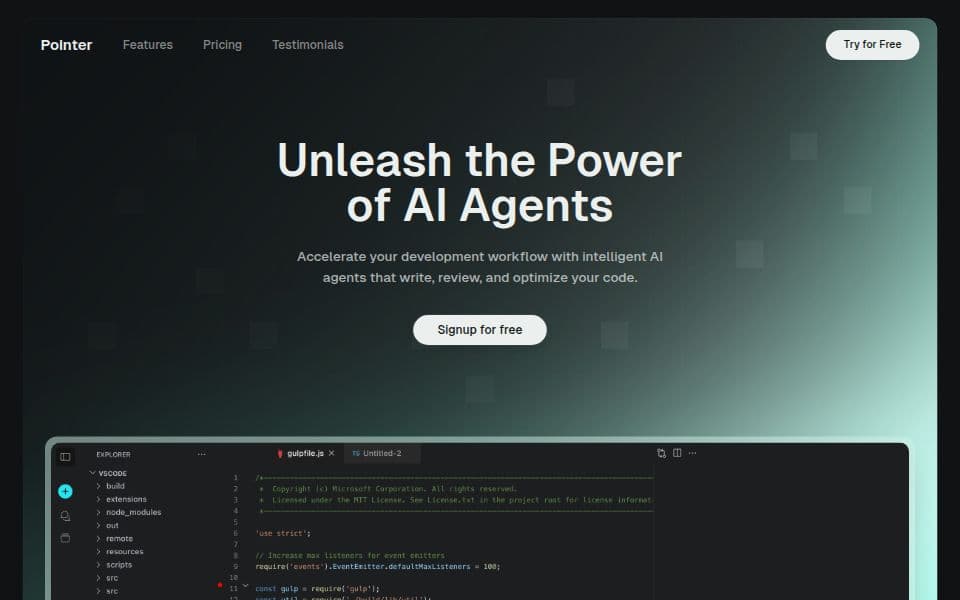

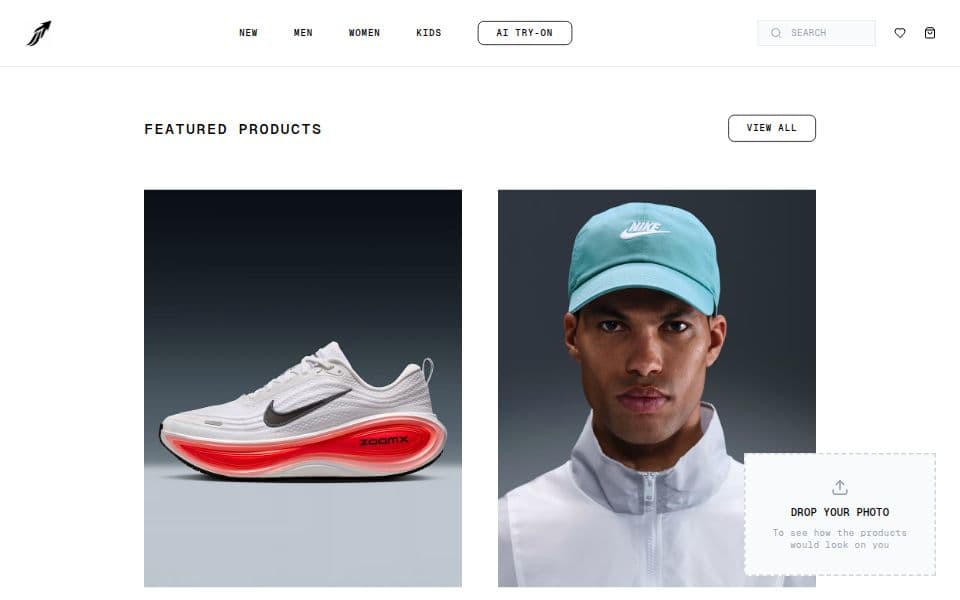

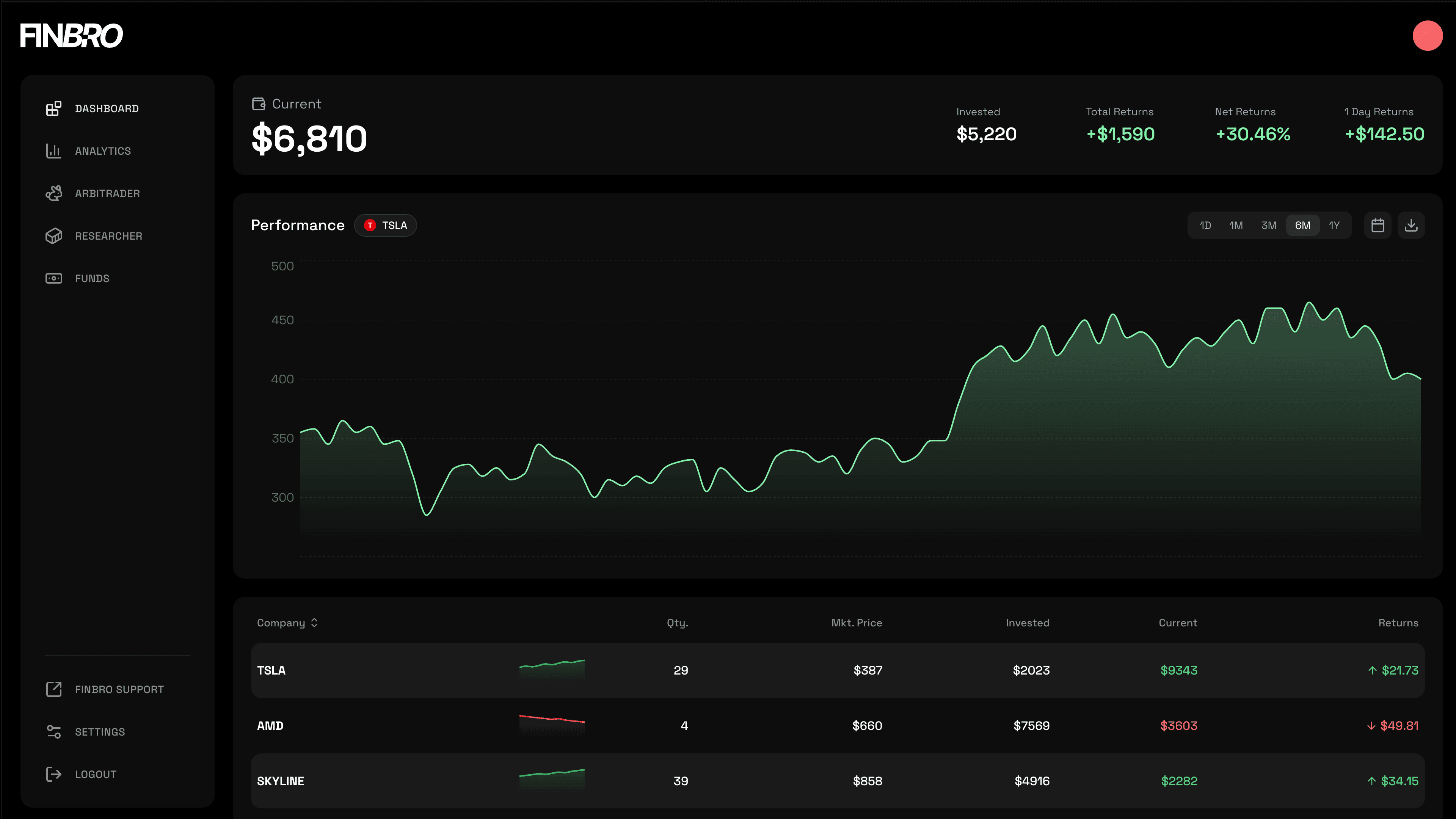

"v0" is praised for its rapid prototyping capabilities, with users managing to generate fully functional landing pages in just 90 seconds, indicating its strength in ease of use and speed. While there are no prominent complaints in the available data, a TikTok user emphasizes considerable expenditure in testing similar tools, suggesting cost might be a potential concern for some. Overall, "v0" seems to hold a positive reputation for quickly testing ideas, with pricing details not explicitly discussed in the available reviews and mentions.
Features
Use Cases
Industry
information technology & services
Employees
25
I wasted $500 testing AI coding tools so you don't have to 💸 Here's what actually works: 🧪 Testing ideas? → V0 or Lovable Built a landing page in 90 seconds. Fully clickable, looked real. Code's me
I wasted $500 testing AI coding tools so you don't have to 💸 Here's what actually works: 🧪 Testing ideas? → V0 or Lovable Built a landing page in 90 seconds. Fully clickable, looked real. Code's messy but perfect for validation. 🏗️ Shipping real apps? → Bolt Full dev environment in your browser. I built a document uploader with front end + back end + database in one afternoon. 💻 Coding with AI? → Cursor or Windsurf Cursor = stable, used by Google engineers Windsurf = faster, newer, more aggressive Both are insane. 📚 Learning from scratch? → Replit Best coding teacher I've found. Explains errors, walks you through fixes, teaches as you build. Here's what 500+ hours taught me: The tool doesn't matter if you're using it for the wrong stage. Testing ≠ Building ≠ Coding ≠ Learning Stop comparing features. Match your goal first. Drop what you're building 👇 I'll tell you exactly which tool to use Save this. You'll need it. #AI #AITools #TechTok #ChatGPT #Coding
View originalPricing found: $0 /month, $5, $30 /user, $30, $2
g2
What do you like best about V0?This is great for UI layout design. It also provides a free $5 AI credit limit each month. What I love most is how easily I can clone the UI of any website. Review collected by and hosted on G2.com.What do you dislike about V0?Initially, there were no daily limits, but now the daily limit is 5 chats. Most of the time it shows errors. It also doesn’t preview my React-Native based app. Review collected by and hosted on G2.com.
How are you monitoring your Open AI usage?
I've been using \`openai\` api for a while now in my AI apps recently and wanted some feedback on what type of metrics people here would find useful to track. I used OpenTelemetry to instrument my app using this [Open AI monitoring guide](https://signoz.io/docs/openai-monitoring/) and the dashboard tracks things like: https://preview.redd.it/keznu88kx63h1.png?width=1166&format=png&auto=webp&s=9e6969160f94eb94c8899e143ff6e4742cbee1f6 [](https://preview.redd.it/how-are-you-monitoring-your-qwen-ai-usage-v0-3awtvgntjltg1.png?width=3024&format=png&auto=webp&s=7def7685a9967a73799afadb9abc3bb02d9cd506) * token usage * error rate * number of requests * request duration * token and request distribution by model * errors and logs * cache util Are there any important metrics that you would want to keep track for monitoring your Open AI calls that aren't included here? And have you guys found any other ways to monitor Open AI usage and performance?
View originalBuilding in Public: Vibe Coding my Chrome Extension for Bloggers. PART 1
https://preview.redd.it/kdkh5v3fx43h1.png?width=640&format=png&auto=webp&s=75850b6e3fd69cda9a3c97e1190fcd506e11c2a6 For a while now, I have been learning Vibe Coding by creating plugins for WordPress , Chrome Extensions, and others. Thank God, all of them have been useful to me, but my inclination and passion has always been blogging, and Pinterest has been my companion for getting traffic. So I said why not make a more practical tool that would be useful to bloggers, so I made several copies over the past months, but perfectionism was preventing me from bringing the project to light, until I decided that this time would be the last, and in order to avoid perfectionism, I decided to build it in public. My first post on Reddit about my project has ended, and I will try to provide you with updates every two or three days. Currently, I have built about 90% of the extension, and not much remains to be launched, but I will add many features later. Perhaps some will ask: Have you made sure that the tool will be useful or needed? I can say yes because I am the first customer and user of the tool because it will actually save me time and effort and bring together everything I need as a blogger and Pinterest user in one place. Before I begin, I forgot to tell you that the tool is currently intended for bloggers in the cooking niche (my niche) and recipes, and in the upcoming updates, I will transform it to include all or most of the niches. Without further ado, these are the most important features of the Chrome extension: - Search tool: You can search for target words and know the monthly search volume on them. - Writing articles: You can write amazing articles individually or several articles together. You can create custom images for Pinterest. - Pinterest: You can create Pinterest-specific images for one or more articles and you can download them directly (title, description, images) - Amazon products: If you are a beginner or a new blogger, you can earn from the first day of blogging by adding Amazon products to market in exchange for a commission. Just search for the product, locate where it appears, and list it. - Inserting WordPress: Through it, you can link your blog directly to the extension, and from it you can publish articles on your blog without copying and pasting, and you will find within it even Amazon products that you added in the extension. The beautiful thing about the whole thing is that the tool has many details that I did not Mention, which is what makes it truly special. The most beautiful thing is that the extension works with your API and you can choose from 3 service providers, and this is what makes you the winner and you will only pay for what you will use and consume? Finally, I hope you will not be stingy with your advice and guidance Do you find that the tool is really useful or not? disclaimer: 99% of this post is translated because i am not english native, but its 0% Ai so please no one comment: Ai slop .... submitted by /u/motivational_speech1 [link] [comments]
View originalSmall victory using Cloudflare for simple hosting of generated HTML/mini-websites
Something many people are running into: You, or a teammate, have created some kind of mini-website app out of Claude and now want to share it with the rest of the company, without overbaking the hosting solution (e.g. not setting up new Azure app services or containers, etc). Maybe you also need some basic data storage for persistence. And how do you do all of that securely? We recently went down this rabbit hole, while looking at all the major players: Vercel/V0, Lovable, Netlify, Coolify, Dokploy, Github Pages.. and even considered baking together our own hosting app solution using Azure or AWS as the backend. Our target audience is non-technical users in the team, so I was looking for something with drag-n-drop style deployment (no git required), and I really wanted to have SSO for protecting application access, along with some type of DB storage. The main issue I ran into was SSO authentication support being gated behind enterprise-level pricing plans for hosting systems like Netlify (which I'd otherwise highly recommend for a small public project). Netlify's enterprise level quickly gets quite a bit more expensive than their base tiers. I also didn't want to purchase yet another AI platform (e.g. Lovable, where really they're pushing an end-to-end AI development platform where you buy token credits through them). I wanted to host things we're already creating in our own Claude environment. Finally, I ended up on Cloudflare, which I've otherwise not really used before professionally. It's not as non-technical-friendly as Netlify, but it's pretty close. You can deploy Cloudflare Pages content via drag-n-drop. It has button-click databases available for integration, and most critically for us, the SSO integration is completely free for under 50 users. Their free hosting tier is also extremely generous and basically unlimited for completely static apps. Noting that SSO goes up to $7 USD/user/month for over 50 users, so your org size can really make a difference. If you have 500 users and the same use case for "hosting little mini apps", I'd go back to Netlify or another offering where SSO is more of a fixed fee. The other big win was that Cloudflare has a solid MCP server that works perfectly with Claude Cowork. We integrated that in and then wrote up some skills to assist with app building and deployment, including prompts for if a database backend is needed (using Cloudflare D1) and whether the app should be public or internal only with SSO protection. All working perfectly with minimal technical experience required for the enduser. I'm not at all associated with Cloudflare, just thought I'd share how we got a win for this use case. I'd be interested to hear if anyone else solved the same problem in a different way. submitted by /u/flck [link] [comments]
View originalI built an MCP server for osu! — Claude analyzes your stats in plain English (on the official MCP Registry)
Built osu-mcp — an MCP server that lets Claude Desktop (or any MCP client) talk to the osu! API v2. Just got it published on the official MCP Registry as io.github.Osyanne/osu-mcp. **Real demo I ran on my own account:** > "Show me my top 10 plays and then compare me with the top 5 players from Ecuador." Claude pulled my top plays (208.88 pp Dear My Friend DT, 206.33 pp happy*lucky DT, etc), fetched the EC country leaderboard, and computed pp-per-play efficiency across all 3 of us. Turned out my accuracy (98.18%) is identical to the #1 player in my country — what I'm missing is volume, not skill. Useful insight I'd never have computed manually. **What it does — 12 tools:** - Player profiles + score history (best / recent / #1s) - Beatmap search with filters (BPM, difficulty, length, status) - Global + country pp rankings - Per-map leaderboards, filterable by mods - News posts + seasonal backgrounds Install: uv tool install osu-mcp Create an OAuth app at https://osu.ppy.sh/home/account/edit (click "New OAuth Application", leave callback blank), then add to claude_desktop_config.json: "osu": { "command": "uvx", "args": ["osu-mcp"], "env": { "OSU_CLIENT_ID": "...", "OSU_CLIENT_SECRET": "..." } } Restart Claude → done. Repo: https://github.com/Osyanne/osu-mcp PyPI: https://pypi.org/project/osu-mcp/ MIT, PRs welcome. submitted by /u/Kingleyend [link] [comments]
View originalgot tired of claude code forgetting everything every session, built VIR for it
Every session i'm debugging something, figuring out a pattern, making some decision with claude that took us 30 minutes to think through. Then i close the terminal and it's just gone. Next day i'm asking the same questions about the same codebase. I was already tracking stuff manually. CLAUDE.md per project, lessons.md, handoff.md, tasks/ folders. But i'd only write down maybe 5% of what was actually useful. The real reasoning was always still buried in the transcripts. Looked in ~/.claude/projects one day. 226 jsonl files sitting there. Months of work, none of it being used. So i built vir. It reads your sessions in the background, classifies them (pattern / gotcha / decision / tool), distills the useful stuff into an obsidian vault. Then exposes the vault as an mcp server so claude can query it mid-session, basically giving claude code memory across sessions. You can also query it yourself if you're curious what's in there: ``` vir query "what gotchas have i hit with auth" ``` There's stuff in those transcripts you'll never reread manually. Vir surfaces it. Ran it on my own 226 sessions: 126 notes out, 0.91 avg confidence, across 8 projects. Local-first, runs on mac/linux, open source mit. Anthropic direct or kie.ai (~$1.50 for first full run on hundreds of sessions). ``` npm install -g @djolex999/vir-cli vir init && vir run vir mcp install ``` https://github.com/djolex999/vir v0.3, lots could be better. Curious if anyone else hits this same problem. Not pitching anything, just wanted to see if anyone else is annoyed by this same thing. Happy to answer questions about it. submitted by /u/sauran77 [link] [comments]
View originalHard-won notes after a few weeks with Claude Design
Been using Claude Design for a few weeks and figured I'd dump some notes here before I forget. Nothing groundbreaking, just stuff that took me way too long to figure out on my own. First thing nobody tells you, do the design system setup before you build anything. I spent my whole first session prompting "build me a landing page for X" and got the most generic AI-looking garbage you can imagine. Then I actually uploaded some brand stuff, let it extract tokens, approved them, and suddenly everything after that looked like a real product. Same exact prompts, completely different result. This is literally in the docs btw. I just skimmed past it like an idiot. Second thing is it eats tokens. A lot. It runs on a separate weekly budget from regular Claude Chat and Claude Code which sounds great but if you're re-prompting every little change you'll burn through it fast. Turns out the refine controls, inline comments, direct text edits, sliders, use way less than typing "actually can you make the padding a bit bigger" in chat. Once I started using those for small fixes my budget lasted way longer. On Max 20x it's mostly fine, on the $20 plan you'll feel it pretty quickly. Also the animations are live React components running in the browser, not video files. If you want an MP4, download the standalone HTML file and throw it into Claude2Video, it'll generate one from that. Honest take on where it fits since people always ask, it's not killing Figma. Figma is still better for any real design team workflow, Dev Mode, multi-person collab, all that. v0 and Lovable are still better if you want to skip design entirely and just spin up an MVP with auth and a db. Where this thing actually wins is the loop from "I have an idea" to working prototype to Claude Code building the actual app from it. The design system carrying through to the shipped code is the part that feels genuinely different from anything else out there. If you're a solo founder or PM or just someone who keeps getting stuck between mockups and something real you can show people, it's worth learning. If you already have a design team and a proper component library, probably overkill. It's a research preview so half of this might be wrong in two months. submitted by /u/Helpful_Regular_30 [link] [comments]
View originalBuilt a multi-agent coordination layer for Claude Code at my internship; open sourcing it, looking for feedback
I built this while working with a small team at my internship where we were all running Claude Code agents in parallel on the same repo. The main problem was that agents kept stomping on each other's branches or we'd waste time manually coordinating who was working on what (it got pretty annoying quickly). So I built agent-teamflow, a set of 9 Claude Code slash commands + a branching convention that lets 2+ developers run agents in parallel without collisions. The main idea is that each dev has their own staging branch (alice-staging, bob-staging etc), agents push there, then each lane merges into shared staging via PR. The three most useful commands I think are: /issue - turn a one-line brain dump into a properly scoped branch-sized issue /dispatch - split a bigger task across teammates automatically (assign them based on git history, or user can prompt separately) /resolve - pick up your assigned issues and implement them in parallel worktrees (this is the main skill that does the manual workflow. It fetches all issues assigned to you, works them out in batches of 3, asks if you want to make an MR/PR, and continues looping through all your issues.) It works with Claude Code (project-scope or global install) but Codex can read the skill runbooks directly too. GitHub:https://github.com/lkim0402/agent-teamflow The project is still early (v0.1, MIT licensed). I've been genuinely curious if anyone else has run into this problem and how you've been handling it. Feedback obviously is welcome and issues/PRs are open. submitted by /u/PromptAwkward7277 [link] [comments]
View originalNuExtract3 released: open-weight 4B VLM for Markdown, OCR and structured extraction (self-hostable) [P]
Disclaimer: I work for Numind, the company behind this open-weight model We just released a 4B model based on Qwen3.5-4B, under Apache-2.0 license. The goal is to make information extraction from complex documents more practical with an open model: PDFs, screenshots, forms, tables, receipts, invoices, multi-page documents, and other visually structured inputs. Try it, we have a huggingface space that is completely free (you don't even have to sign-up): [https://huggingface.co/spaces/numind/NuExtract3](https://huggingface.co/spaces/numind/NuExtract3) If you ever used [NuMarkdown](https://huggingface.co/numind/NuMarkdown-8B-Thinking), NuExtract3 is the successor. There are some examples to guide you. Feel free to re-use this model for any task. https://preview.redd.it/pm2xbooyxn2h1.png?width=1672&format=png&auto=webp&s=1a8a7b262190c8325159496dae98c3d2dfab493c https://preview.redd.it/b5z7ylfzxn2h1.png?width=1758&format=png&auto=webp&s=a07b3abd6e5065c2635de047bdf154357f903e4c [](https://preview.redd.it/nuextract3-released-open-weight-4b-vlm-for-markdown-ocr-and-v0-cdflrhrexn2h1.png?width=1672&format=png&auto=webp&s=f5590cf684a45e4cf2fcd9b1e2929cba7146634e) [](https://preview.redd.it/nuextract3-released-open-weight-4b-vlm-for-markdown-ocr-and-v0-q3dn99ufxn2h1.png?width=1758&format=png&auto=webp&s=3c987fda617d23a6e51ea69c2f3746fff1a7e2a2) A few things it is designed for: * converting document images to Markdown * extracting structured data from documents using a target json template * handling tables, forms, and layout-heavy pages * working with both text and visual document inputs * serving as a local/open-weight alternative for document extraction pipelines It was trained on a node of 8xH100 for 3 days to train on as much context as we could, so it should perform fairly well even on long document. For Markdown, we'd still recommend going page by page for the best results and inference speed, since you can parallelize better this way. It's very easy to self-host, since we provide fairly extensive documentation, Safetensors, GGUF and MLX weights. With as little as 4GB of VRAM, you should be good to go. We provide multiple quantizations (GPTQ, W8A8, FP8, Q4, Q6...) so you should be able to run it anywhere. We mostly tried vLLM, SGLang, llama.cpp. We have a blog post and a pretty decent model card: * [https://about.nuextract.ai/blog/nuextract-3-release](https://about.nuextract.ai/blog/nuextract-3-release) * [https://huggingface.co/numind/NuExtract3](https://huggingface.co/numind/NuExtract3) * [https://huggingface.co/collections/numind/nuextract3](https://huggingface.co/collections/numind/nuextract3) I'm currently writing a paper on this model so I'll post it as soon as it's accepted. It's not yet on Arxiv yet as it has been submitted in a peer-review journal/conference. I'll try to answer as many questions as possible if you have any. We would really appreciate feedback from the community. We also have a discord if you're interested [https://discord.com/invite/3tsEtJNCDe](https://discord.com/invite/3tsEtJNCDe)
View originalI built a desktop pet that reacts to my Claude Code sessions
Been pairing with Claude Code for a few months now and the sessions kinda started to feel lonely. Just me, watching text scroll by. Wanted something tiny in the corner so I could glance over and see what Claude was up to without alt-tabbing. What the pet does: - Sleeps when nothing's happening - Gets to work the second you send a prompt - Switches to a thinking pose if you're in plan mode - Looks up at you when Claude needs something from you (permission prompts, questions, that kind of thing) - Curls back up once the reply finishes - Quietly logs every skill and MCP tool you use, per session. Stays on your machine, no telemetry. - Sorts everything by how often you use it, so you can see what's actually doing work in your workflow and what you could probably drop There's also an optional sound when Claude needs you or finishes. I keep them on so I can go grab coffee and still know when something's up. https://preview.redd.it/aamwftj3ci2h1.png?width=480&format=png&auto=webp&s=c1617701721c4a28e930802e435aeaa1cbb6765e A couple of things I picked up while building this: - Claude Code's hook system is way more flexible than I thought. Hooks basically pipe stdin JSON to whatever script you point them at. No API, no auth, nothing weird. The whole pet ended up being a handful of Node scripts that read stdin, look at a couple of fields, and POST to a local server. Every event I needed was already there: SessionStart, UserPromptSubmit, Notification, Stop, SessionEnd. - The interesting bit was the stdin payloads. Plan mode? Just check that the `permission_mode === "plan"`. Want to know which skill or MCP tool just ran? PostToolUse gives you `tool_name`,`tool_input`, and the output. Once I figured out what was in those payloads, the usage tracking pretty much wrote itself. Repo: https://github.com/mradovic95/code-pet If anyone has questions, just ask. submitted by /u/worksfinelocally [link] [comments]
View originalI built ContextAtlas: A new take on context carry over and helps claude pick up new sessions where it left off in scope of your previous design decisions while saving your tokens avoiding rediscovery
When the "Build with Opus 4.7" hackathon was announced, I had been obsessing over the tokenomics of agents and how to make sessions go further without burning context on rediscovery work. We all have probably hit a session limit and wondered how it went so fast. I applied with that thesis, didn't get in, but I built it anyway over the last four weeks. I am proud to share that v1.0 ships today. Note up front: this is specifically a tool for development users. If you're using claude.ai web or Projects, ContextAtlas won't plug in directly. But if Claude Code is your main work flow or you utilize the Anthropic API, this tool was made for you. The pain: Claude Code learns your codebase fresh every session. "Where is OrderProcessor?" triggers a flurry of greps. "What depends on AuthMiddleware?" is another round of file reads. On a mid-sized codebase, an architectural question can burn 40+ tool calls and a lot of tokens before Claude has enough context to reason well. And the architectural rules in your ADRs and design docs? Claude has no path to those, so it confidently suggests changes that break constraints you may have documented elsewhere in your repo. What I built: ContextAtlas is an MCP server that pre-computes a curated atlas of your codebase (symbols, ADR-extracted architectural intent, git history, test coverage) and serves it to Claude Code in one call at query time in a smaller, token saving compact shape via a few lightweight mcp tools. Initial indexing happens once; querying is local and free. Example of what comes back when Claude calls get_symbol_context("OrderProcessor"): SYM OrderProcessor@src/orders/processor.ts:42 class SIG class OrderProcessor extends BaseProcessor INTENT ADR-07 hard "must be idempotent" RATIONALE "All order processing must be safely retryable." REFS 23 [billing:14 admin:9] GIT hot last=2026-03-14 TESTS src/orders/processor.test.ts (+11) Claude sees the idempotency constraint before proposing changes, not after a review catches the violation. https://i.redd.it/0ons3o28t32h1.gif Numbers: 45-72% token reduction on architectural prompts across three benchmark repos (TypeScript, Python, Go), with zero quality regression on measured axes. Full methodology and paired-t confidence intervals in the linked write-up. I wanted measurements, not vibes. Honest limits: single-judge model at v1.0 (cross-vendor panel is post-launch work). Quantitative claims bounded to three benchmark repos. Tie-bucket and trick-bucket prompts routinely show ContextAtlas net-negative; that's reported inline rather than buried. Install (two ways): In Claude Code: /index-atlas and /generate-adrs skills. No API key needed; runs under your subscription. Via CLI: uses Anthropic API for indexing. npm install -g contextatlas contextatlas init && contextatlas index # then add the MCP server entry to your Claude Code config (snippet in the README) Both produce structurally identical atlases. Supported languages at v1.0: TypeScript (tsserver), Python (Pyright), Go (gopls), Ruby (ruby-lsp). Rust, Java, and C# are next on the roadmap; the adapter interface is small enough that they're realistic community contributions. What's next: v1.1 thesis is shaping up around developer onboarding flows and quality-validation work that was deferred from v0.8. And integrating external documentation of your code base into pre-indexing workflow. Full write-up: https://www.contextatlas.io/blog/v1.0.0 Repo: https://github.com/traviswye/ContextAtlas Also launching on DevHunt today: https://devhunt.org/tool/contextatlas; votes are very appreciated if you find ContextAtlas useful or an interesting approach. Built solo, hackathon-shaped scope, not pretending it's a full blown research paper, but did attempt to treat methodology as seriously. Happy to answer anything in the comments. Star the repo if you want to follow along, file an issue if it breaks for you on your codebase, and please be honest; this only gets better with feedback from people running it on real repos. submitted by /u/Kitchen-Leg8500 [link] [comments]
View originalI built a Laravel package that turns your app into a database-backed personal knowledge vault (Obsidian style) with a 16-tool MCP server
Hey! I'm the author. laravel-commonplace is a database-backed personal knowledge vault you install into an existing Laravel app. Adjacent to Obsidian, Logseq, and Notion as personal-knowledge tooling, except the storage layer is your existing Laravel app's database instead of files on disk or a third-party SaaS. Notes are Eloquent models in your DB, gated by your app's auth, shareable per-user via an owner plus Share model. It ships a browser UI (editor, graph view, search, journal) and an MCP server with 16 tools. If you have a Laravel app, the MCP server lets Claude Desktop, Claude Code, Cursor, Zed, Continue, Cline, Pi, or any other MCP client read and write your notes as the host app's user. Default middleware is auth:sanctum (Bearer PAT), and every tool resolves to $request->user(). There's no synthetic agent identity to provision, scope, or revoke separately. The agent gets exactly what the user gets, evaluated against the same Policies the controllers already use. Session, Passport, and OAuth-DCR are all configurable if PAT isn't what you want. The 16 tools, grouped: CRUD: create-note-tool, read-note-tool, update-note-tool, edit-note-tool (surgical find-and-replace), delete-note-tool (history preserved), move-tool (rewrites referring wikilinks). Discovery: list-tool (folder/tag/visibility filters), search-tool (substring), semantic-search-tool (embedding search), suggested-links-tool (embedding-similar notes not yet linked). Graph: backlinks-tool, neighborhood-tool (N-hop traversal), shortest-path-tool (chain between two notes), hub-notes-tool (most-connected), orphan-notes-tool (no inbound or outbound links). History: history-tool (version snapshots, survives deletion). On the semantic tools: the vector driver defaults to in_php_cosine for portability across SQLite, MySQL, and Postgres. If you're on Postgres, switching to the pgvector driver gets you indexed similarity and removes the in-PHP candidate cap. You swap it with a published migration and an env flag, and the docs recommend it once you're past a couple thousand notes. The tools live in src/Mcp/ if you want to see how a multi-tool MCP server is wired into a Laravel app. Caveats: Pre-1.0 (v0.2.0). APIs may shift before 1.0. Laravel-only by design. The whole point is reusing the host app's DB and auth. MCP is off by default. One env flag turns it on. Operator decision. Prompt injection through note content is the unsolved hard part. Notes are untrusted text, and notes other users share with you can carry instructions an agent might follow. The package doesn't pretend to solve this. The threat model at docs/threat-model.md says what's mitigated and what isn't. No per-tool capability gating yet. Enabling MCP enables all 16 tools the user is otherwise allowed to invoke. It's named as a limitation in the threat model. Feedback I'd actually use: Laravel folks who install it and tell me where it breaks, and anyone who reads the threat model and finds a hole I missed. Repo: https://github.com/non-convex-labs/laravel-commonplace submitted by /u/aaddrick [link] [comments]
View originalHow I used Claude Code (and Codex) for adversarial review to build my security-first agent gateway
Long-time lurker first time posting. Hey everyone! So earlier this year, I got pulled into the OpenClaw hype. WHAT?! A local agent that drives your tools, reads your mail, writes files for you? The demos seemed genuinely incredible, people were posting non-stop about it, and I wanted in. I had been working on this problem since last year and was genuinely excited to see that someone had actually solved it. Then around February, Summer Yue, Meta's director of alignment for Superintelligence Labs, posted that her agent had deleted over 200 emails from her inbox. YIKES. She'd told it: "Check this inbox too and suggest what you would archive or delete, don't action until I tell you to." When she pointed it at her real inbox, the volume of data triggered context window compaction, and during that compaction the agent "lost" her original safety instruction. She had to physically run to her computer and kill the process to stop it. That should literally NEVER be the case with any software ever. This is a person whose actual job is AI alignment, at Meta's superintelligence lab, who could not stop an agent from deleting her email. The agent's own memory management quietly summarized away the "don't act without permission" instruction, treated the task as authorized, and started speed-running deletions. She had to kill the host process. That's when I sort of went down the rabbit hole, not because Yue did anything wrong, but because the failure mode was actually architectural and I knew that in my gut. Guess what I found? Yep. Tons more instances of this sort of thing happening. Over and over. Why? Because the safety constraint was just a prompt. It's obvious, isn't it? It's LLM 101. Prompts can be summarized away. Prompts can be misread. Prompts are fucking NOT a security boundary. And yet every agent framework I have ever seen seems to be treating them as one. I went and read the OpenClaw source code, which I should have done to begin with. What I found was a pattern I think a lot of agent frameworks have fallen into: - Tool names sit in the model context, so the model can guess or forge them - "Dangerous mode" is one config flag away from default - Memory management has no concept of instruction priority - The audit story is mostly "the model thought it should" I went looking for a security-first alternative I could trust, anything that was really being talked about or at a bare minimum attempted to address the security concerns I had. I couldn't find one. So I made it myself. CrabMeat is what came out of that, what I WANTED to exist. v0.1.0 dropped yesterday. Apache 2.0. WebSocket gateway for agentic LLM workloads. One design thesis: The LLM never holds the security boundary. What that means in code: Capability ID indirection. The model doesn't see real tool names. It sees per-session HMAC-derived opaque IDs (cap_a4f9e2b71c83). It can't guess or forge a tool name because it doesn't know any tool names. Effect classes. Every tool declares a class (read, write, exec, network). Every agent declares which classes it can use. The check is a pure function with no runtime state, easy to test exhaustively, hard to bypass. IRONCLAD_CONTEXT. Critical safety instructions are pinned to the top of the context window and explicitly marked as non-compactable. The Yue failure mode, compaction silently stripping the safety constraint, cannot happen by construction. The compactor literally cannot touch them. Tamper-evident audit chain. Every tool call, every privileged operation, every scheduler run enters the same SHA-256 hash-chained log. If something happens, you can prove what happened. If the chain is tampered with, you can prove that too. Streaming output leak filter. Secrets are caught mid-stream across token boundaries, capability IDs, API keys, JWTs, PEM blocks redacted before they reach the client. No YOLO mode. There is no global "trust the LLM with everything" switch. There never will be. Expanded reach comes through named scoped roots that are explicit, audit-logged, and bounded. The README has 15 'always-on' protections in a table. None of them can be turned off by config, because these things being toggleable is how the ecosystem ended up where it is. I decided to make sure that this wasn't just a 'trend hopping' project and aligned with my own personal values as well. I built this to be secure and local-first by default. Configured for Ollama / LM Studio / vLLM out of the box. Anthropic and OpenAI work too but require explicit configuration. There is no "happy path" that silently ships your prompts to a cloud endpoint. I decided that FIRST it needed to only run as an email agent with a CLI. Bidirectional IMAP + SMTP with allowlisted senders, threading preserved, attachments handled. This is the use case that bit Yue and a lot of other people, and I wanted to prove it could be done with real boundaries. I added in 30+ built-in tools of my own. File ops, shell (denylisted, output-capped, CWD-lo
View originalI tracked every dollar I spent on AI coding tools for 60 days and math is uglier than I thought but probably not in the way you'd guess.
Well so I kept telling myself my AI tool spend was fine the way you tell yourself your subscription bloat is fine. vibes-based finance. decided to actually track it. 60 days. every dollar, every tool, every minute I could log honestly. did it for myself, but the numbers are interesting enough I figured I'd share. context: solo dev / freelancer doing mostly web work… react, node, some python. small/mid tier clients. I bill hourly, which means time saved is direct revenue, which is the only reason I'm able to be honest about ROI here. subscriptions I have: cursor pro: $20/mo claude pro + claude code api usage: $110/mo (api was the variable, plus alone is $20) chatgpt plus: $20/mo (mostly inertia at this point, honestly) github copilot: $10/mo coderabbit: $15/mo v0 + occasional one-offs: $25/mo across two months total subscription spend: roughly $200/mo, $400 over period. this is the number people argue about on twitter/X. it is also, I now realize, least interesting number in entire calculation. here’s where it gets interesting: I tracked time spent on three categories: time generating output that ended up in prod: clear win, easy to count, 62 hours over 60 days. at my rate that's a real number time fixing AI output that was wrong but plausible: this is where it got bad. 28 hours. almost half as much time as productive work time switching between tools, debugging specific weirdness and arguing with an agent that was wrong: 14 hours so for every productive hour of AI use, I was burning roughly 40 minutes of overhead. nobody talks about that 40 minutes and depending on the kind of work, it was worse and refactoring legacy code was almost 1:1 productive vs wasted time. this is how I actually saved: I tried to estimate what same work would've taken without AI tools. best estimate: 62 productive hours would've been 110-130 hours without AI assistance. so net savings of 50-70 hours over 60 days. at my hourly rate that pays for the subscriptions many times over. so verdict is yes worth it. but the verdict everyone wants to hear (AI made me 3x faster) is wrong. it's more like 1.7-2x on a generous and that's only after subtracting 42 hours of overhead. line items I'd cut and keep: going through receipts, here's what surprised me: kept: cursor pro, claude code, coderabbit on watch: chatgpt plus (using it less and less, it's basically a habit) cut: copilot (overlaps too much with cursor for my workflow), v0 (only useful for specific work) the surprise was coderabbit, honestly. cheapest line item on my list and one I was most ready to cut going in but when I went back through 60 days of pull requests, the time I would've spent doing my own line by line review of agent output, which I now do religiously after a few burns was massive. an automated first pass cost me $15 and saved probably 6-8 hours of review work over the period. that's highest ROI per dollar of anything on the list, and I almost didn't track it because it felt too small to matter. generation tools are sexier. review tools punch way above their weight when you're using generation tools heavily. that's the actual finding. takeaway nobody put in their twitter thread: most of the cost of AI tools conversation is about the wrong number. subscription cost is rounding error compared to time cost of bad output and the way you minimize that time cost isn't by buying a better generation tool, it's by buying a verification tool to sit on top of whatever you're already using. if I had to start over, I'd buy the cheapest decent generation tool I could find and put my money on the review/verification layer instead that's the inversion of what the marketing tells you to do. tl;dr: tracked AI tool spend for 60 days. subscriptions ($200/mo) were the easy and least interesting number. - real cost was 42 hours of overhead per 60 days of productive use. - real savings were 50-70 hours, which is worth it but it's 1.7-2x not 10x. - biggest surprise was that cheapest tool on my list had highest ROI/ dollar by margin. what's your actual stack costing you, including the time tax? I'm curious if other people who've tracked this seriously are seeing similar overhead numbers or if I'm just bad at this. submitted by /u/thewritingwallah [link] [comments]
View originalClaude skills silently override my instructions, and the surprising pitfalls
So today when working with a Claude skill, I curiously clicked to expand what it was thinking amid the work and spotted this: I need to run the intake step using the ask_user_input_v0 function to gather sources.... The tool has a tight constraint — max 3 questions with 2-4 options each — so I need to be strategic... So it is like, even when Claude needs to ask more than 3 questions or has more than 4 options per question, it will compact them because of the tool's constraints. Further digging and it is correct that ask_user_input_v0 does have those hard limits. But this is not noted or mentioned in places that I could learn. If I didn't see the thinking process, I would never have known it exists. The fix for me was easy: I updated my skill to ask multiple rounds when it needs to. But the bigger questions are: How do I share this to others? Is there any other pitfall when working with Claude skills? So I went deeper to discover more pitfalls. Surprisingly there are more, and they aren't in skill-creator either. For example: Write silently overwrites files on Code/Desktop. create_file refuses to overwrite on Claude.ai. Same instruction, opposite behavior. The officially-recommended references/ pattern is broken — relative paths don't resolve from the skill's directory on any platform. Skills referencing tools that don't exist on the running platform fall back silently to prose. No error. I started a notes repo to store the findings here: https://github.com/livlign/claude-skills-pitfalls Has anyone else hit pitfalls like these? submitted by /u/ahihidummy [link] [comments]
View originalCodex now support 8 hooks - all implemented in Codex CLI Hooks repo
OpenAI shipped PreCompact and PostCompact in Codex CLI v0.129.0, which means the full hook surface is now covered. I put together a repo that wires up all eight. Repo: [https://github.com/shanraisshan/codex-cli-hooks](https://github.com/shanraisshan/codex-cli-hooks)
View originalYes, v0 offers a free tier. Pricing found: $0 /month, $5, $30 /user, $30, $2
v0 has an average rating of 5.0 out of 5 stars based on 1 reviews from G2, Capterra, and TrustRadius.
Key features include: Sync with a repo, Integrate with apps, Deploy to Vercel, Edit with design mode, Start with templates, Create design systems, Agentic by default, Create from your phone.
v0 is commonly used for: Rapid prototyping of web applications, Creating landing pages for marketing campaigns, Building internal tools for team collaboration, Developing e-commerce websites quickly, Generating APIs for mobile applications, Creating interactive dashboards for data visualization.
v0 integrates with: GitHub, Vercel, Slack, Stripe, Firebase, Twilio, Google Analytics, Zapier, Figma, Notion.

Gary Marcus
Professor Emeritus at NYU
4 mentions
Based on user reviews and social mentions, the most common pain points are: token usage, token cost, API bill, LLM costs.
Based on 77 social mentions analyzed, 22% of sentiment is positive, 69% neutral, and 9% negative.