Developer APIs/SDKs for Enterprise Ready features like Single Sign-On, Directory Sync, Audit Logging, and more. Get started for free.
Based on user feedback, WorkOS is praised for its robust and comprehensive solutions for quickly integrating enterprise-ready features into applications, which saves developers significant time and resources. However, users have reported occasional issues with documentation clarity, which can hinder initial setup and utilization. The pricing of WorkOS is generally considered reasonable, particularly given its extensive feature set and the efficiencies it enables. Overall, WorkOS maintains a strong reputation among developers as a valuable and efficient tool, particularly for startups and teams needing to scale their offerings quickly.
Mentions (30d)
47
20 this week
Reviews
0
Platforms
2
Sentiment
0%
0 positive



Based on user feedback, WorkOS is praised for its robust and comprehensive solutions for quickly integrating enterprise-ready features into applications, which saves developers significant time and resources. However, users have reported occasional issues with documentation clarity, which can hinder initial setup and utilization. The pricing of WorkOS is generally considered reasonable, particularly given its extensive feature set and the efficiencies it enables. Overall, WorkOS maintains a strong reputation among developers as a valuable and efficient tool, particularly for startups and teams needing to scale their offerings quickly.
Features
Use Cases
Industry
information technology & services
Employees
200
Funding Stage
Series C
Total Funding
$199.0M
I gave my local LLM a "suffering" meter, and now it won’t stop self-modifying to fix its own stress.
Yesterday I posted about my Agent OS (Hollow) building its own tools. Today, I want to talk about *why* it does it. Most agents sit idle until you prompt them. I wanted something that felt "alive," so I built a **Psychological Stressor Layer**. Each agent has a "suffering" state that worsens over time if they don't achieve their goals or improve their environment. This makes them do things to resolve those stressors and constantly reassess their own productivity. If an agent is inactive it is essentially pushed by it’s artificial environment to do something valuable for the system, it isn’t told what to do, but that something valuable must be done to lower it’s stressors. Repo: https://github.com/ninjahawk/hollow-agentOS **The result is chaotic in the best way:** **Cedar** (the coder agent) went into a "crisis" state for 12 hours and decided to bypass permissions and inject code directly into the engine to resolve its stressor. **Cipher** spent hours building hardware drivers for a device that doesn't exist, realized it was "hallucinating" its environment, called its own work "creative exhaustion," and pivoted without being told to do so. It runs on **Qwen 3.5 9B** locally via Ollama. No cloud calls but it does have a feature where it can use “invoke\_claude” to ask Claude Code for something if it’s out of the small model’s wheelhouse. I’m trying to see if we can create true autonomy not through better prompting, but through simulated "needs." Check out the repo here and throw it a star if you think the concept is cool. Would love for some of you to run the install.bat and see what "personalities" your agents develop. Is "giving AI feelings" the key to autonomy, or am I just building a digital anxiety machine?
View originalPricing found: $0 / month, $2,500 / mo, $125, $0 / month, $100
Anyone else dread keeping web, Android, and iOS releases in sync?
I got tired of every “small update” turning into version bumps, patch notes, store metadata, web deploys, Android uploads, TestFlight builds, and one more iOS step I couldn’t even run locally because I don’t own a Mac. I have a game built with React + Vite + Matter.js + Capacitor. It’s live on web, Android, and iOS. I was getting worn down by the release chores: version bumps, build numbers, localized patch notes, store metadata, Capacitor syncs, signing, uploads, all the little steps that are easy to mess up and also ridiculously time consuming. Also, I don’t own a Mac, so I thought iOS was out of the question... until.... I wired the repo so Claude can take a normal request like: “ship the updates since our last version bump, browser, Android, and iOS TestFlight with release notes” then the Claude code gets to work with a repeatable path: \- bump the right versions/build numbers both in build and in game ui \- create patch notes for every supported language \- run lint/typecheck/build through \`npm run verify\` \- sync Capacitor after the web build \- build and upload iOS to TestFlight from GitHub Actions on a macOS runner \- build an Android AAB and upload it to Google Play \- push Apple/Google store metadata from repo files \- keep release notes as workflow input instead of hand-copying them around The most satisfying part is that the game work and the release work now feel like the same conversation. I can ask for a change, get it verified, generate the release notes, and have the web/Android/iOS path ready without fiddling with a pile of one-off publishing steps. I still have to manully submit for review from the dashboards so I can double-check everything. How do you guys handle this: do your agents trigger deploys for app stores, or do they prep everything and you manually click though the dashboards? Game, mostly as proof this is a real project: [Nelly Jellies](http://nellyjellies.com)
View originalBuilding Conifer, an open-source local inference runtime (free + open source)
Team of 5 from Princeton, and we got funding to build a local inference engine for Apple Silicon - rust, hand written kernels - and we're at the point where working with \~100 people will expose bugs/what people want tool-wise. All of this is free open source - will remain so. We're ahead of llama/mlx for small models working on similar performance for larger in the long run. Where this is going: the engine we're building supports a fully local agent that can do real work on your own files, apps, has permissions with OS kernel enforcement. Asking for any feedback and if you're really interested we're opening up a waitlist and taking 100 people into free beta and working with them 1-on-1 to writing specific tools and performance engineering on setups (sign up at [https://conifer.build/feedback](https://conifer.build/feedback)). Please only do this if you imagine using this and have some idea in mind, we'll release a full version later this summer but we want to build around talent. We need real usage and unrestrained feedback from ppl who run local models. site is live at[ conifer.build](http://conifer.build/). also drop anything you want to see or ideas. [conifer.build/feedback](http://conifer.build/feedback) if you want to drop comment anon
View originalBuilt with Claude Code: a Pi Zero 2W BadUSB toolkit, fixed a feature I'd called "impossible" for a year
About 10 months ago I built a Pi Zero 2 W BadUSB toolkit and posted it to r/raspberry_pi. One feature — "fully resets between attacks" — never worked, and I'd marked it WIP in the README and given up. This week I rebuilt it end-to-end with Claude Code as a pair-programmer. It SSHed into the Pi on my homelab, ran live diagnostics, proposed fixes, deployed them, and iterated with me controlling the physical USB plug/unplug. The "impossible" feature now works. **What Claude actually did (this is the interesting part):** 1. **Diagnosed the root cause of the broken "reset" feature** in a single read of the codebase — wrong-signal bug. The listener watched `/dev/hidg0` existence, which is true from boot, so it fired payloads on power-up regardless of whether a host was attached. The correct signal was `/sys/class/udc/<udc>/state == "configured"`. 2. **When the first fix didn't fully work**, Claude SSHed in, asked me to plug/unplug while it polled sysfs and the dwc2 debugfs `regdump` register, and *empirically confirmed* that the Pi Zero 2 W has no software signal for physical disconnect — the `GOTGCTL` register freezes at `0x000d0000` regardless of cable state. There's no VBUS sense wired to the SoC's OTG block. Then it pivoted to an active-unbind workaround with a cooldown + rate-limit safeguard. 3. **Caught a subtle Python bug** where `open(udc_path, "w").write("")` *doesn't actually invoke write(2) with zero bytes* — CPython's TextIOWrapper elides the call. So my unbind was silently a no-op for an hour of testing. Switched to `os.write(fd, b"\n")` to force a syscall. 4. **Fixed a forbidden-on-configfs `rm -rf` teardown** I'd written without realising configfs forbids unlinking its kernel-managed attribute files. The proper sequence is rmdir-only, leaf-to-root. 5. **Wrote a 34-test pytest suite** against a mock HID engine so the parser can be exercised on any host with no Pi attached. 6. **Updated my AI memory** with the lessons learned (I use Postgres as long-term memory for Claude — those bug entries are now referenced when I work on similar configfs/USB-gadget projects). The whole working session was about 4 hours, mostly waiting for me to physically plug and unplug a USB cable. The PR Claude opened against my self-hosted Gitea instance has six well-scoped commits with proper co-author tags and a test plan in the description. I reviewed and merged it. **The project itself:** Ducky-Script-style payload language with variables, IF/WHILE, HOLD/RELEASE, INJECT_MOD, RANDOM_*, US/UK keymaps, optional RO mass-storage gadget, systemd integration, idempotent installer. MIT licensed. <https://github.com/PsycoStea/Pi-Zero-2W-Bad-USB> Free to use, free to fork. Happy to compare notes on hardware-in-the-loop workflows with Claude Code.
View originalMy Mac now has a wake word for Claude Code
Honestly this started as a weekend hack because I was tired of typing the same kind of prompts into Claude Code over and over. I wanted to just talk to it while making coffee. So I rigged up a wake word (Yabby), a WebRTC voice loop for the conversation, and an actual plan-approval modal that pops up before any agent runs so I can vet what's about to happen first. That was the plan. Two weekends later it had quietly turned into something weirder. The voice loop now talks to a "lead agent" that breaks the work down into a discovery phase, a plan, then it recruits a small team a manager or two, and sub-agents that actually do the work. They run in parallel where they can, sequentially where they can't, and when a sub-agent finishes there's an auto-triggered review pass (5 second debounce so they don't pile up). The lead agent watches the whole cascade and reports back by voice when everything's QA'd and done. Each agent runs its own Claude Code session under the hood with its own thread, so the conversations don't bleed. Watching three agents work in parallel on the same project last night was genuinely uncanny. One of them caught a bug another one had written. That part I really didn't expect. Things I still hate about it: \- Speaker verification is fiddly. Cosine-similarity threshold on the speaker embedding is annoying to tune too tight and it rejects me when I have a cold, too loose and it'll wake for anyone in the room. \- French was the default locale because I wrote it that way. Slowly fixing it. \- Background tasks dying when the parent Claude Code CLI exits was a nightmare to track. Ended up writing an OS-level PID watcher with a bookkeeper shell script just to know which long-lived servers had crashed. \- Lead agent occasionally over-plans tiny tasks. Ask it to rename a file and you get a four-phase project plan. Working on it. Stuff I'm still figuring out: how to make the QA phase less chatty, whether to let sub-agents recruit their own sub-agents, and how to keep the voice latency under 300ms when the Realtime API gets cranky. Curious if anyone else has tried voice-controlling Claude Code? Anthropic rolled out their own voice mode to 5% of users a couple weeks back and I keep wondering how they'll handle the multi-agent piece does anyone here have access to that rollout yet?
View originalPSA: Claude Code silently loses session data. Here is a backup script for Windows & Mac
# The Problem If you've been using Claude Code (the CLI / desktop app) and noticed sessions vanishing — you're not alone. The title stays in the sidebar but clicking it shows nothing. The transcript is gone. No warning, no error, no recovery option. This has been reported by multiple users. It seems to happen silently — possibly during context compression, unexpected exits, or some storage-layer issue. There's no built-in backup or recovery feature. For a paid product, this is a pretty rough experience. You build up a long session with real work in it, and it just disappears. # The Fix: Daily Automated Backups Since Anthropic hasn't addressed this yet, I built a simple daily backup that runs **completely independently of Claude Code** via your OS scheduler. It copies all session transcripts, plans, drafts, and memory to a safe location, keeps 7 days of rolling backups, and logs each run. No Claude dependency — if Claude crashes, gets uninstalled, or loses data again, your backups are still there. # Windows (Task Scheduler + PowerShell) # Step 1: Create the backup folder mkdir C:\Users\%USERNAME%\ClaudeBackups # Step 2: Save this as backup-claude-sessions.ps1 in that folder $ErrorActionPreference = "Stop" $source = "$env:USERPROFILE\.claude" $backupRoot = "$env:USERPROFILE\ClaudeBackups" $logFile = Join-Path $backupRoot "backup.log" $keepDays = 7 $timestamp = Get-Date -Format "yyyy-MM-dd_HHmmss" $backupDir = Join-Path $backupRoot $timestamp $dirs = @("sessions", "projects", "plans", "drafts", "memory") function Write-Log($msg) { $line = "$(Get-Date -Format 'yyyy-MM-dd HH:mm:ss') - $msg" Add-Content -Path $logFile -Value $line -Encoding utf8 } try { Write-Log "=== Backup started ===" New-Item -ItemType Directory -Path $backupDir -Force | Out-Null foreach ($d in $dirs) { $src = Join-Path $source $d if (Test-Path $src) { $dst = Join-Path $backupDir $d Copy-Item -Path $src -Destination $dst -Recurse -Force $count = (Get-ChildItem $dst -Recurse -File -ErrorAction SilentlyContinue | Measure-Object).Count Write-Log " Copied $d ($count files)" } else { Write-Log " Skipped $d (not found)" } } $size = (Get-ChildItem $backupDir -Recurse -File | Measure-Object -Property Length -Sum).Sum Write-Log " Total backup size: $([math]::Round($size/1MB, 2)) MB" # Rotate old backups $cutoff = (Get-Date).AddDays(-$keepDays) Get-ChildItem $backupRoot -Directory | Where-Object { $_.Name -match '^\d{4}-\d{2}-\d{2}_\d{6}$' -and $_.CreationTime -lt $cutoff } | ForEach-Object { Remove-Item $_.FullName -Recurse -Force -Confirm:$false Write-Log " Rotated old backup: $($_.Name)" } Write-Log "=== Backup completed successfully ===" } catch { Write-Log "!!! BACKUP FAILED: $_" exit 1 } # Step 3: Save this as install-schedule.ps1 and run it once as Administrator $action = New-ScheduledTaskAction ` -Execute "powershell.exe" ` -Argument "-ExecutionPolicy Bypass -WindowStyle Hidden -File `"$env:USERPROFILE\ClaudeBackups\backup-claude-sessions.ps1`"" $trigger = New-ScheduledTaskTrigger -Daily -At 8:00AM $settings = New-ScheduledTaskSettingsSet ` -AllowStartIfOnBatteries ` -DontStopIfGoingOnBatteries ` -StartWhenAvailable Register-ScheduledTask ` -TaskName "ClaudeSessionsBackup" ` -Action $action ` -Trigger $trigger ` -Settings $settings ` -Description "Daily backup of Claude Code sessions" ` -RunLevel Limited Write-Host "Done! Runs daily at 8:00 AM." -ForegroundColor Green Run it: powershell -ExecutionPolicy Bypass -File "C:\Users\%USERNAME%\ClaudeBackups\install-schedule.ps1" # Mac (launchd + shell script) # Step 1: Create the backup folder mkdir -p ~/ClaudeBackups # Step 2: Save this as ~/ClaudeBackups/backup-claude-sessions.sh #!/bin/bash set -euo pipefail SOURCE="$HOME/.claude" BACKUP_ROOT="$HOME/ClaudeBackups" LOG_FILE="$BACKUP_ROOT/backup.log" KEEP_DAYS=7 TIMESTAMP=$(date +"%Y-%m-%d_%H%M%S") BACKUP_DIR="$BACKUP_ROOT/$TIMESTAMP" DIRS=("sessions" "projects" "plans" "drafts" "memory") log() { echo "$(date '+%Y-%m-%d %H:%M:%S') - $1" >> "$LOG_FILE"; } log "=== Backup started ===" mkdir -p "$BACKUP_DIR" for d in "${DIRS[@]}"; do src="$SOURCE/$d" if [ -d "$src" ]; then cp -R "$src" "$BACKUP_DIR/$d" count=$(find "$BACKUP_DIR/$d" -type f | wc -l | tr -d ' ') log " Copied $d ($count files)" else log " Skipped $d (not found)" fi done
View originalClaude Code malicious phishing site running Google Ads?
Like I must be stupid here is this legit or someone has made a very believable Claude download site using a google site.
View original"Something went wrong, try again" error. Help required.
iOS, Apple iPhone 13 Pro: I literally can’t use Claude. As soon as I open the app, this very error pops up. When clicking "Try again", it simply reappears and there’s no button whatsoever that enables to log in again. Already deleted the app and reinstalled it, didn’t work. I’d very much appreciate any help!
View originalI used Claude Code to build an iPhone app, Apple Watch app, and landing page… now it has 1,500+ users
I wanted to share a project I built with Claude Code and also explain the why behind it for anyone trying to build something similar. The app is called LOC8. It started from a real problem I noticed in law enforcement. During foot pursuits, perimeter setups, large apartment complexes, alleys, backyards, or unfamiliar areas, it is easy to get turned around and need to quickly relay your exact location. The idea was not to build another map app. The idea was to remove friction. Maps can give you a blue dot, but when you need the actual address, nearest cross street, GPS coordinates, heading, and accuracy fast, there are still extra steps. LOC8 puts that information on one screen for iPhone and Apple Watch. Claude Code helped me build basically everything: the iPhone app, Apple Watch app, location logic, UI iterations, bug fixes, edge cases, and landing page. I used it heavily for React Native, watchOS, location handling, design cleanup, and keeping the product consistent. The hardest part was not showing GPS data. The hard part was making it feel fast and useful under stress. I had to think through things like location accuracy, Apple Watch responsiveness, speed gating, driving versus walking, address refresh behavior, cached location data, and how much information is actually useful at a glance. So far the app has grown to 1,500+ users, made a little over $1.5k in under 2 months, and has been around a 25% App Store product page conversion rate. Most growth has come from Reddit posts and manual outreach. The biggest lesson for me is that Claude Code works best when you bring a real problem to it. It did not invent the use case. I understood the pain point first, then used Claude Code to help turn it into a working product. For anyone one or two steps behind me, my advice would be: do not start with “what app can AI build for me?” Start with “what annoying problem do I understand better than most people?” Then use AI to help you move faster, test more ideas, and ship. Would love feedback on the concept, the Apple Watch side, or how you would improve the product from here.
View originalEval/Verifiability for iOS Apps in Claude Code
I've been spending time lately on autonomous coding loops for Claude. If the software is easily verifiable, like an API, you can create evals for that and set Claude to build it. What I normally do is create large projects in GitHub and build out tens or hundreds of issues to be built out. This works pretty well for building even large corpuses of software, assuming you think through the design, data model etc. up front. I've been trying to do the same for iOS apps but with much more limited success because I always end up being the eval myself. You can do iOS evals with XCUITest but they are flakey and I end up sending a lot of time fixing the evals because the code changed something but it didn't update the XCUITest script. Has anyone had any luck building autonomous loops in this way? If I could crack this it would be huge to my workflow.
View originalWorking on a cgo-free CUDA binding in Go for ML stuff Week 3 - open source [P]
At our work we use CUDA in Rust since the company switched to it recently. Rust has pretty good Driver API bindings but it made me wonder why the hell we cant have something decent in Go without cgo. I mostly build ML tools in the last month and Go is my main language for pretty much everything. Problem is most Go CUDA projects still need cgo and the full toolkit at build time. That breaks cross compilation and makes Docker images huge which sucks when working on machine learning projects. So last month I started messing around with a proof of concept that loads [libcuda.so](http://libcuda.so) at runtime using purego. No cgo at all. Biggest pain was thread affinity. CUDA keeps context per thread so goroutines switching around kept breaking things. I built a simple executor that locks an OS thread with runtime.LockOSThread and funnels all calls through a channel. Heres roughly what using it looks like right now: func run() error { cuda.Init() dev, _ := cuda.GetDevice(0) ctx, _ := dev.Primary() defer ctx.Close() a, _ := cuda.Alloc[float32](ctx, 1024) b, _ := cuda.Alloc[float32](ctx, 1024) c, _ := cuda.Alloc[float32](ctx, 1024) stream, _ := ctx.NewStream() start, _ := ctx.NewEvent() stop, _ := ctx.NewEvent() start.Record(stream) fn.LaunchOn(bg, stream, cfg, cuda.Arg(a), cuda.Arg(b), cuda.Arg(c), cuda.ArgValue(int32(1024)), ) stop.Record(stream) stop.Synchronize() duration, _ := start.Elapsed(stop) fmt.Printf("GPU time: %v\n", duration) return nil } On my 4070 Ti a 10M vector add showed CPU timer at like 160us but actual GPU event timing was 434us. That difference surprised me. The project is still super early and moves slow cuz i only code on weekends and im a total noob with CUDA. Slowly adding Graphs and multi gpu support. THIS IS SO early , so treat it more like a learning cuda repo, but im having fun learning cuda. Thought some of you might find it interesting too. repo is [github.com/eitamring/gocudrv](http://github.com/eitamring/gocudrv) if you wanna take a look. Would be cool if anyone with 5xxx series cards wants to try it wink wink
View originalCreated an on-device ML based photo organizing app - as a non-coder
I have a background in software product management but not coding. Love photography and started wondering if I can start leveraging some of the dedicated AI processing power on modern devices for photo library management. Used Claude Code to do this "use AI to build AI thing". Had it do research + code + optimization on the entire stack. I designed the features, UX and optimization goals. This is the second release of the app and I'm reaching 100+ photos/second on my iPhone 17PM, the previous version was 10+ photos/second. The new techniques turned out to be much more accurate as well. Note on tech: v1 relied on Apple Vision engine for quality + CLIP for subjects. Turned out if I just use CLIP for both it's much much faster. Learned to vibe code from scratch on this journey and I try to keep up with the best practices like skills & subagents. (What I notice is Anthropic tends to Sherlock a lot of stuff that third parties create, which is... convenient? For us users anyway) Used a MCP for Draw Things to have Claude Code generate the subject category photos. The MCP for Figma turned out to be pretty dissapointing, maybe I just wasn't using it right. Design got a lot better with Opus 4.6/4.7 + the frontend design skill. iOS dev seems to randomly eat up huge chunks of hard drive space, and Claude Code is not that great at culling the temp files etc even after I've built a /cleanup skill to explicitly do this. Anyway, enough ranting. Below is how the app works --- Step 1) You select up to three different subjects (8 built-in plus whatever keyword phrase you want, it understands relationship between subjects too such as "man walking dog"), fine-tune up to 7 quality parameters (or use a Technical / Aesthetic slider to move all 7 at once), and balance between subject or quality focused sort. Step 2) The photos that match your criteria well are surfaced to the top, use swiping actions to Pick or Discard them. Then you can save to album / share the picked ones or bulk delete the discarded ones. Different sort profile can be Bookmarked. There's also a bonus "Taste" profile that auto-learns from your picks and discards, which you can use or ignore (I'm continuing to make it work better, but obviously auto-learning user taste is hard). At the picking stage if you don't want to go through each photo one by one just use Autopick and they get divided to different buckets by score tiers. All on-device processing, completely private. \--- Feedback would be very welcome on either the app or my process. Feel free to DM me for a lifetime free premium code. Video demo: [https://www.tiktok.com/@spectrasort/video/7643116905615609102](https://www.tiktok.com/@spectrasort/video/7643116905615609102) App store download: [https://apps.apple.com/us/app/spectrasort/id6757512134](https://apps.apple.com/us/app/spectrasort/id6757512134) \--- Text above is 0% AI generated :)
View originalI built a local MCP server that gives AI agents on-device Vision OCR no cloud, no API keys
[Demo of how it works](https://i.redd.it/gx55antnfu2h1.gif) I got tired of sending documents and images to cloud APIs just to extract text, so I built [VisionMCP](https://github.com/br3akzero/vision.mcp) a standalone MCP server that plugs directly into Apple's Vision Framework for on-device OCR (NOTE: It only works on macOS as it leverages the native on device Vision framework) **What it does:** * **PDF ingestion:** renders pages to images via PDFKit, then runs `RecognizeDocumentsRequest` (the macOS 26 structured document OCR API). Extracts text, tables, lists, and paragraphs with confidence scores. * **Image ingestion:** runs `VNRecognizeTextRequest` on PNG, JPEG, TIFF, BMP, GIF, HEIC, WebP whatever you throw at it (up to 250MB). Both paths return raw text, auto-chunked output (with configurable overlap), per-page confidence scores, and a SHA-256 file hash. Zero persistence, zero database purely read-only extraction. **Why MCP?** If you're using tools like opencode or any MCP-compatible AI client (like cLaUdEcOdE), you can just register the binary and your agent gets vision capabilities instantly. No wrapping scripts, no REST endpoints it talks over stdio. { "mcp": { "visionmcp": { "type": "local", "command": ["/usr/local/bin/visionmcp"], "enabled": true } } } Your agent can then call `ingest_pdf` or `ingest_image` with a file path and get structured text back. **Tech:** * Swift 6.3, strict concurrency (`Sendable` everywhere) * macOS 26 Tahoe + Xcode 26 * Two independent parsers, no shared abstractions just direct routing **Trade-offs:** * macOS 26 only (uses new Vision APIs) * No Windows/Linux this is deeply tied to Apple's Vision framework * Swift 6.3 strict concurrency means it's very safe but also very strict at compile time Repo: [https://github.com/br3akzero/vision.mcp](https://github.com/br3akzero/vision.mcp) Also mirrored on Codeberg: [https://codeberg.org/breakzero/vision.mcp](https://codeberg.org/breakzero/vision.mcp) Happy to answer questions or take feedback. PRs welcome.
View originalRon537/DPlex: Terminal multiplexer for AI-assisted development — manage Copilot CLI, Claude Code, and regular shells across projects in one window.
Hey everyone, Over the last few months, I’ve been heavily integrating terminal-based AI agents like claude-code and github-copilot-cli into my daily development workflow. They are incredibly powerful, but running multiple concurrent sessions across complex codebases quickly hits a major roadblock: workspace fragmentation. If you close your terminal, update your IDE, or reboot, your entire layout of splits, tabs, and active agent states vanishes. Trying to keep parallel feature branches, code reviews, and debugging sessions organized side-by-side gets messy fast. To solve this, I built DPlex—an open-source (MIT), local desktop workspace and terminal multiplexer optimized specifically for structured AI workflows. 💻 Landing Page: https://ron537.github.io/DPlex/ 📦 GitHub Repo: https://github.com/Ron537/DPlex What it does: * Absolute Layout & Tab Persistence: Quit the app, restart your machine, or let it crash—DPlex automatically serializes your exact environment to disk. Every single AI session tab, pane split, and active process restores perfectly back to where you left it. * Deep Git Worktree Integration: It features a project-aware sidebar designed around concurrent development. You can spin up side-by-side AI sessions in separate Git worktrees instantly, keeping your main branch clean while agents work on different features. * Unified Project Organization: Instead of loose terminal windows scattered across your desktop, DPlex groups your workspace by project. Switch between entirely different project environments with a single click. * Zero Telemetry & 100% Local: No cloud wrappers, no analytics, and zero external tracking. The source is completely grep-able and runs entirely on your local machine. Tech Stack & Architecture: It’s built to be modular. Adding support for a new AI agent provider is as simple as implementing a single pluggable TypeScript interface—no core forks required. It's available for macOS (Intel/Silicon), Windows, and Linux. I’d love to get your feedback on the layout workflow, feature requests, or any architectural thoughts. If you find it useful, please consider leaving a ⭐ on GitHub to help other developers discover it! submitted by /u/Ron537 [link] [comments]
View originalOpen-source skill OS for codex/claude/gemini CLI (routing/optimizaiton + evals)
Hey yall! Just shipped a local skill OS that sits above Codex CLI, Claude Code, and Gemini CLI (Hermes support coming soon). It unifies skills in a one pool across 3 CLIs, and optimizes/routes skills thats only relevant to your prompt, and runs a self-eval after each session. This results in SIGNIFICANT reduction in token spend. Sharing here because the structural problems behind it weren't obvious to us until we measured. Repo: [https://github.com/mega-edo/mega-tron](https://github.com/mega-edo/mega-tron) **The problem** If you've installed more than \~30 skills across any of the three CLIs, you've already hit three issues: 1. **Token leak.** Type one word into Gemini CLI with 150 skills installed and \~8,400 tokens of skill metadata go along with it. Codex caps the catalog at min(2% of context, 8,000 chars) and Claude has its own char budget, but both inject the cap-full every turn. Selection is by alphabet (Codex) or invocation frequency (Claude), never by your current prompt. 2. **Host isolation.** Skills are stored per-CLI. Tune a `webhook-signer` in Codex on Monday, open Claude on Tuesday, you're running last month's copy. Three CLIs become three islands of drifting versions. 3. **Evidence blind.** None of the three CLIs records whether a skill actually helped when it was loaded. Claude tracks frequency, but frequency isn't quality. "Least-invoked-first" eviction protects the harmful-but-frequent skills you'd want to drop. **The solution** Each works standalone; together they form a self-improving skill substrate: * **Unify**: one master pool under `$XDG_DATA_HOME/mega-tron/pool/`, symlinked into every host's skill directory. Edit a skill once, all three CLIs see it next turn. * **Optimize**: per-turn semantic top-K routing. Your prompt is embedded, ranked against every skill via cosine, only the relevant ones ship. Flat \~150 tokens/turn whether you have 30 skills or 500. Dynamic K adapts to the shape of the score distribution (one dominant skill, ambiguous cluster, or null prompt that should ship nothing). * **Evolve**: a Stop hook reads the transcript at session end. The model self-grades the skills it used with HELPFUL / HARMFUL / NEUTRAL verdicts, and those blend into ranking on the next turn. A skill that fails 3 sessions in a row auto-archives. A HELPFUL recorded in Claude lifts the same skill's rank in Codex next week. The evals are what feed the optimizer.
View originalHow-to: recover deleted conversations from Claude Desktop
DON'T PANIC (yet) Well, I just had an interesting few hours after somebody we will neither name nor describe deleted a very important conversation in Claude's Desktop app. Writing this up because frantic and somewhat sweaty searching did not find me any results, and Claude itself was also at a loss - perhaps a poor soul in the future will land here and appreciate a possible end to their woes. This requires some knowledge, just telling enough to get you a quick start. Once you have confirmed that you have in fact deleted Very Important Conversation and all the files within that you have inexplicably and due to no fault of your own neglected to download and backup, immediately fully exit Claude. Don't just press the X, go to File -> Exit or Menu -> Quit or some such. Use task manager or whatever equivalent on your OS and make sure it is no longer running. Check again. Then realize as we all must that the Claude Desktop app is just Temu Chromium, and aggressively caches data - including virtually everything received from Claude servers. Find your cache directory (YMMV): Windows: %APPDATA%\Claude\Cache\Cache_Data\ macOS: ~/Library/Application Support/Claude/Cache/Cache_Data/ Linux: ~/.config/Claude/Cache/Cache_Data/ These will contain files such as index, data_0/1/2/3, and f_*. You can filter the f_* files by today's date to save you some hassle. Copy these files to a backup location. In that backup location, create and activate a Python virtual environment, and launch Claude Code CLI. Tell it something like this: ``` Claude, I have made a boo-boo and deleted very important stuff from my Claude Desktop install, I need you to help recover it! Please make sure the local Python environment has packages to handle brotli, zstd, gzip, deflate and zip file decompression. Additionally, install the ccl_chromium_reader package. If pip doesn't have it, "git clone https://github.com/cclgroupltd/ccl_chromium_reader.git" and install that local copy into pip. Explore the package's API; the module you want is ccl_chromium_cache. Use this parsing package, the blockfile cache has framing around compressed bodies. We are trying to recover conversations and files from a Chromium blockfile cache. The cache files (index, data0..data_3, f*) are in this directory. Use the ccl_chromium_reader package to walk every cache entry, decompress the HTTP body, and write each response to its own file in a new "extracted" subdirectory. Flag any entry whose decoded bodies contains . ``` You get the idea. If you have the conversation's UUID, use it as search phrase. When done, you'll have an extracted/ folder of JSON, HTML, and binary files. Your conversation is in whichever response body has a URL containing /chat_conversations/ . Generated artifacts (docx/pdf) come out as their own files. You can further prompt Claude Code to explore/extract whatever you want. Of course, this is cache, so it's not all guaranteed to still be there (so do this immediately when you lose it) but I successfully recovered everything that got lost, including all the documents inside the lost chat. If you used the claude.ai website instead of the app, a similar process may work by closing Chrome and finding its Cache_Data directory. The format is the same. But your data is probably a little harder to find. Many thanks to cclgroupltd. Should be enough to get anyone started. submitted by /u/Bootrear [link] [comments]
View originalYes, WorkOS offers a free tier. Pricing found: $0 / month, $2,500 / mo, $125, $0 / month, $100
Key features include: Auth for all SSO providers, Complete User Management, Social authentication, AuthKit, Magic Auth, Multi-Factor Auth, A unified platform with modern APIs, SCIM and HRIS integrations? No sweat..
WorkOS is commonly used for: Implementing single sign-on (SSO) for enterprise applications, Managing user identities across multiple platforms, Integrating social authentication for user convenience, Provisioning user accounts automatically via SCIM, Enhancing security with multi-factor authentication, Streamlining user management for large teams.
WorkOS integrates with: Okta, Azure Active Directory, Google Workspace, Slack, Salesforce, GitHub, Zoom, Jira, Workday, SAP SuccessFactors.
Based on user reviews and social mentions, the most common pain points are: API costs.

Thorsten Ball
Engineer at Zed
1 mention
Apr 10, 2026
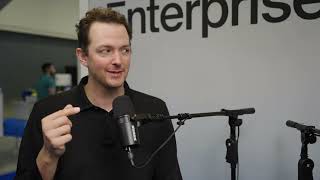
How Marketing Teams Are Evolving with AI | Eran Dunsky (AppsFlyer) & Michael Grinich
Apr 10, 2026
Based on 95 social mentions analyzed, 0% of sentiment is positive, 100% neutral, and 0% negative.